SynthMaven illustrated guide
4.1.4
The oriental groove box for the FM-1
14sound engines
610melodic presets
4drum kits
70scales, 46 of them maqam
4layers at once, plus the drummer
8factory drum grooves
M-VAVE FM-1 | Firmware, web editor and iPad editor
Screens rendered from firmware; editor examples may use mock data.
Based on Melodee and the credited SynthMaven / Clipper lineage.
Introduction
SynthMaven 4.1.4 Illustrated Guide
SynthMaven 4.1.4 | Introduction5
INTRODUCTION
SynthMaven 4: the oriental groove box
OPEN THIS SCREENThis page explains what SynthMaven 4 is for.
What it isAn FM-1 firmware for oriental live musicians, turning the standard M-VAVE FM-1 into an oriental groove box.
At a glance14 sound engines, 610 melodic presets, 4 drum kits, 70 scales (46 of them maqam), 4 simultaneous layers plus the drummer, and 8 factory drum grooves.
Microtuning for maqam46 maqam settings, a selectable root and octave boundary, custom offsets per key (10-cent steps on the panel, 1-cent steps in the editors), per-part bypass and scale-aware chords.
Multi-layer key mappingFour parts per program, stacked or split across the keyboard, each with its own range, level and pan.
Groove boxAn independent eight-lane drum machine beside all four parts, with factory grooves including Maksoom, Wahda, Baladi and Fox.
SequencerUp to 64 steps and 8 patterns per track, song arrangement, live recording, step chance, knob automation and a piano roll.
Song arrangerUp to 16 sections, each with a pattern for every track, a drum groove and 1-16 repeats, on the FM-1 or in the editors. A jam can become an arrangement.
MainStage-style performancePrograms with four scenes, a 32-entry setlist and learned pedal or controller actions, with a Perform screen in the web editor and the SM FM1 iPad app.
Multi-keyboard supportA separate MIDI input and channel for each layer and the drummer, over USB, TRS or both.
STEP BY STEP- Install SynthMaven and start on Program 1.
- Tap SEL to choose a maqam.
- Press HOME to reach the drums, choose a groove with ALGORITHM and press PLAY.
- Play over it, then hold GLO for two seconds to bring in the other layers.
SynthMaven 4.1.4 | Introduction6
INTRODUCTION
The design: cards, knobs and themes
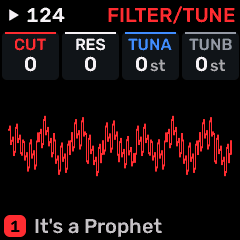
OPEN THIS SCREENHold HOME for Settings, then choose COLOR.
CardsEvery page shows its four knobs as cards along the top, in the same order as KNOB 1-4. Each card has its colour along the top, its label and its value.
ColoursKNOB 1-4 and layers 1-4 use the theme's four colours in order, on every screen.
SYNTHMAVENThe default: red as the main colour, then white, blue and grey.
ORANGEOrange as the main colour, then white, blue and grey.
BABY BLUEBaby blue as the main colour, then white, red and grey.
PINKPink as the main colour, then white, blue and grey.
TypeAll screens use Rubik, with a smaller size on the Home cards so that names fit. The pixel font is gone.
STEP BY STEP- Hold HOME to open Settings.
- With COLOR selected, turn KNOB 1 to change the theme; it applies straight away.
- Turn KNOB 4 to leave.
SynthMaven 4.1.4 | Introduction7
First 10 minutes
SynthMaven 4.1.4 Illustrated Guide
SynthMaven 4.1.4 | First 10 minutes8
FIRST 10 MINUTES
First 10 minutes
OPEN THIS SCREENStart here after installing.
1. Choose a maqamTap SEL. Turn SELECT to choose a scale, KNOB 3 to choose the root and KNOB 4 to turn master tuning on.
2. Start a groovePress HOME to reach the drums. Turn ALGORITHM to MAKSOOM or another groove, then press PLAY. Turn SELECT to set the tempo and KNOB 4 to set the drummer volume.
3. Bring in layersPress HOME to return to the four cards. Hold GLO for two seconds to play all four layers together.
4. Choose a soundTurn SELECT, once the drums are stopped, to choose a layer, then ALGORITHM for its engine and PRESETS for its sound.
5. Save your programStop playback and press SAVE to open PROGRAM. Turn KNOB 4 right twice within 1.5 seconds to save.
STEP BY STEP- Follow these in order the first time.
- Back up before you install. Updating from SynthMaven 3.5 or later keeps your programs, sounds and settings.
SynthMaven 4.1.4 | First 10 minutes9
Getting started
SynthMaven 4.1.4 Illustrated Guide
SynthMaven 4.1.4 | Getting started10
GETTING STARTED
Settings menu: hold HOME
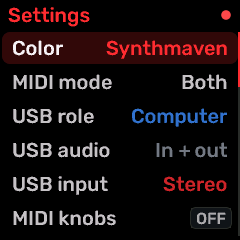
OPEN THIS SCREENHold HOME.
SELECTMove through the rows; it wraps from the last row to the first.
KNOB 1Change the selected row.
KNOB 4Leave the menu. KNOB 2 no longer moves the row.
MIDI MODEWhere the MIDI-only tracks accept notes: USB, TRS or BOTH. The default is BOTH.
USB ROLECOMPUTER for the editors and the installer; HOST for a keyboard, pad or pedal connected to the FM-1. It returns to COMPUTER at each power-on.
MIDI KNOBSLets a MIDI controller work the panel. OFF: its knobs only send MIDI. ABSOLUTE: for knobs with fixed end stops. RELATIVE: for endless encoders.
HOLD and LIGHTSNow in GLO preference pages, not this menu.
STEP BY STEP- Hold HOME until Settings opens.
- Turn SELECT to the row.
- Turn KNOB 1 to change it.
- Turn KNOB 4 to leave.
SynthMaven 4.1.4 | Getting started11
GETTING STARTED
Scale list on Master Tune
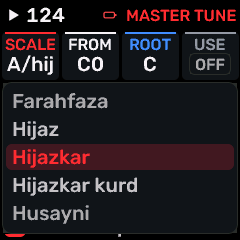
OPEN THIS SCREENTap SEL.
SELECT or KNOB 1Turn to open the list of full scale names over the keyboard. The tuning changes as you browse.
Stop turningThe list closes by itself and the keyboard shows the chosen scale.
OCT-Close the list and put back the scale you started on.
Picker Popups offThe knob changes the scale directly, with no list.
Where a scale appliesMaster Tune covers the layers ticked for it, from the chosen octave upward. Notes below that octave stay in equal temperament. Each layer also has its own scale on SCL, used when Master Tune is off.
STEP BY STEP- Tap SEL.
- Turn SELECT through the list and listen.
- Stop turning to keep the scale.
SynthMaven 4.1.4 | Getting started12
GETTING STARTED
Start here: controls and storage
Sound presetOne instrument sound. Factory sounds are read-only starting points; USER slots store individual edited sounds.
ProgramFour parts with levels, pan, splits and scenes. P1-P8 are separate from the 384 USER sound slots.
ProjectA-D stores the wider working setup, patterns and arrangement. Save a project after arranging a song.
Editor libraryA named collection on your browser or iPad; it is not automatically a device save.
Master levelThe physical MASTER knob controls listening level. Start low and raise gradually. Four layers share one processing budget; they do not each have a separate eight-voice allocation.
STEP BY STEP- Connect power and let HOME appear. Choose a program, then play at a comfortable level.
- Select one part before editing its engine or sound. Save the complete program after mixing.
- Export a full backup before updating: a firmware flash restores factory settings and programs.
SynthMaven 4.1.4 | Getting started13
GETTING STARTED
Install, back up and recover
InstallerUse the SynthMaven installer in a browser supporting Web MIDI/SysEx. Allow MIDI permission and select the FM-1.
BackupUse Projects & backup > Save backup. Keep the downloaded archive outside browser storage.
InstallSelect the current firmware and follow the installer prompts. Keep USB power connected throughout writing and verification.
RecoveryIf the normal editor cannot connect, reopen the installer and follow its detected recovery/loader instructions. Use the release recovery package if required; never interrupt a write.
After updateAllow the device to restart, reconnect the editor and verify its version. Restore a backup only if you want its previous settings/programs.
STEP BY STEP- Download the guide and release files first. Back up the working device.
- Run the installer through its final verification and restart.
- If a restart stalls after writing has completed, power-cycle and reconnect; do not power-cycle while writing.
SynthMaven 4.1.4 | Getting started14
GETTING STARTED
USB computer, iPad and powered-host setup
COMPUTER roleUse GLO > USB / SAVE > ROLE = COMPUTER for the web editor or iPad. The computer/iPad is the USB host.
HOST roleUse HOST for a class-compliant USB MIDI keyboard, pad controller or pedal connected to the FM-1. This changes the FM-1 to host role. There is no separate keys-only or pedal-only USB mode.
Power and hubThe FM-1 cannot power the USB port, so a bus-powered controller needs a powered hub or powered OTG adapter. Connect the hub upstream cable to the FM-1, the controller to a USB-A data port and the charger to the hub power input. Hubs with two internal hub chips are supported. A slow hub can take up to about 3 seconds to be found.
TRS togetherTRS MIDI IN stays active in either role. With GLO > MIDI/CPU > ROUT = PARTS, MIDI channels 1-4 play layers 1-4, so a USB controller and a TRS controller on different channels can play different layers.
Return to editorOne USB port cannot act as device and host simultaneously. Return to COMPUTER, reconnect the computer/iPad cable and choose the FM-1 MIDI ports.
iPadOpen SM FM1 in landscape and choose Connect > USB cable. USB Audio defaults to IN+OUT. iPadOS may cache the FM-1 name as SoundMaven; the corrected app also checks its USB identity and selects matching input/output automatically. Bluetooth is excluded.
STEP BY STEP- Start in COMPUTER and confirm a normal editor connection.
- Disconnect the editor, choose HOST, connect the powered hub with the controller, wait up to 3 seconds and verify received MIDI.
- To edit again, return to COMPUTER before reconnecting the iPad or computer.
SynthMaven 4.1.4 | Getting started15
GETTING STARTED
HOME: four-part program
OPEN THIS SCREENPress HOME.
SELECTChoose the focused part, 1-4. While the drums are running it sets the tempo instead.
KNOB 4 with the drums runningSets the drummer volume on both Home screens. Stop the drums and it goes back to its usual job.
ALGORITHMCycle engines for that part.
PRESETCycle sounds within the selected engine.
OCT- / OCT+A short press transposes the keyboard. With layering on, it moves only the selected layer an octave (both together put it back), so each layer can sit in its own octave. On HOME, hold OCT- for three seconds for Program Down; hold OCT+ for Program Up.
EDIT / GLO holdsHold EDIT two seconds for the persistent four-volume mixer. Hold GLO two seconds to toggle layering and display Layered ON/OFF.
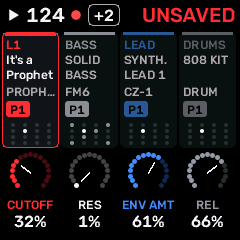
CardsEach part has a card: its role, sound, engine, pattern and steps. The selected card is outlined, and a dimmed card isn't sounding.
Rotary knobsThe four knobs under the cards show KNOB 1-4 for the selected part. Turn one to edit it.
HOMEPress HOME again to switch to the independent drum screen. Ordinary page controls are documented on their own pages.
STEP BY STEP- Choose a program. Focus a part with SELECT.
- Choose its engine and preset; keep the other three parts as support.
- Hold EDIT to balance the four volumes, then SAVE the program.
SynthMaven 4.1.4 | Getting started16
GETTING STARTED
Shortcuts and secondary actions
EDIT: two secondsOpen the mixer; release the button and continue mixing.
GLO: two secondsToggle layering, with a temporary Layered ON/OFF notification.
ENV: three secondsOpen the chord screen. Normal short ENV presses open envelopes.
SEL: three secondsOpen custom microtuning; a short press opens master tuning.
OCT buttons: three secondsOn HOME only, previous/next program. Short taps retain octave behavior.
SEQ holdOpen pattern selection; the normal hold threshold is about 0.7 seconds.
HOME holdOpen system/settings. FX hold is a separate configurable performance overlay; its threshold is set in GLO.
Confirm / cancelOCT+ confirms an offered action; OCT- cancels/backs out. PROGRAM uses its own two-turn save/load confirmation.
STEP BY STEP- Use a short press for the normal family page.
- For a special screen, hold until it opens, then release.
- Use HOME to return; navigating alone does not create a named save.
SynthMaven 4.1.4 | Getting started17
Groove box
SynthMaven 4.1.4 Illustrated Guide
SynthMaven 4.1.4 | Groove box18
GROOVE BOX
Drum Home and factory grooves
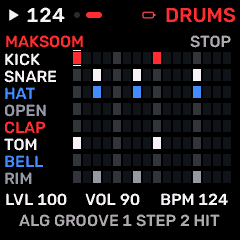
OPEN THIS SCREENPress HOME on the four-part overview.
EditorsStudio > Drums has the same Groove control, plus Save pattern.
ALGORITHMChoose a groove: BALLAD, HALF PIPE, STRAIGHT 8, ON THE FLOOR, MAKSOOM, WAHDA, BALADI or FOX. It replaces the eight lanes straight away.
MY PATTERNTurn back to MY PATTERN to get your own steps again. Editing a groove makes it your pattern.
SELECTChoose one of the eight lanes: KICK, SNARE, HAT, OPEN, CLAP, TOM, BELL or RIM. While the drums are running, SELECT sets the tempo instead, on both Home screens.
PRESETS / KNOB 1Choose a step.
KNOB 2Turn right to add a hit on the step, left to clear it.
KNOB 3 / KNOB 4Set the lane level / set the tempo.
PLAYStart or stop the independent drums. All four sound layers stay available to the keyboard.
Arabic rhythmsOn these grooves dum plays KICK and TOM together, and tak plays RIM, SNARE and HAT together: MAKSOOM D T . T D . T . / BALADI D D . T D . T . / WAHDA D . . T . . T . / FOX D T D T.
LimitsThe drum machine has 16 steps at 1/16 and no swing. Drum patterns save with the program.
STEP BY STEP- Press HOME until DRUMS shows in the header.
- Turn ALGORITHM to the groove you want and press PLAY.
- Change the tempo with KNOB 4.
- Save the program to keep the drum pattern.
SynthMaven 4.1.4 | Groove box19
Sequencer
SynthMaven 4.1.4 Illustrated Guide
SynthMaven 4.1.4 | Sequencer20
SEQUENCER
Recording a take
OPEN THIS SCREENSelect a track, then tap REC.
RECTap to arm or disarm the selected track. Only one track can be armed at a time.
REC + PLAYArm and start together.
Armed before PLAYRecords from step zero.
Armed while playingRecords from that track's next pattern start.
What is keptTiming, velocity and held length, including repeats and overlapping chords.
UndoAfter a take, hold EDIT for UNDO RECORDING. There is one such undo.
ClickSet click, click level and count-in in GLO > RECORDING. Set quantize on SEQ > TEMPO.
STEP BY STEP- Select the track and an empty pattern.
- Set the click and count-in.
- Press REC + PLAY and perform.
- Stop, check NOTES, and save the project.
SynthMaven 4.1.4 | Sequencer21
SEQUENCER
Song arranger on the FM-1
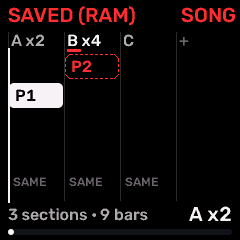
OPEN THIS SCREENPress SEQ and turn SELECT to SONG.
SEQ > SONGThe arranger: sections as columns and five rows, one per layer plus the drums.
KNOB 1Choose the section.
KNOB 2Choose the row: a layer, or the drums row below the last layer.
KNOB 3Choose that layer's pattern in this section. On the drums row, choose the groove: same as before, a factory groove, MY PATTERN or off.
KNOB 4Set how many times the section repeats, 1-16.
LimitsUp to 16 sections. Sections change at track 1's loop boundary, and the last section stops the song.
Take a jamWhile you jam with no song playing, each loop of track 1 is logged as a section. Hold REC on SONG, or use Take jam on the sheet, to turn that into the arrangement.
OCT+ sheetInsert, Duplicate or Delete a section, Take jam, or Clear song.
DrummerA section with a groove starts the drummer on that groove from the section's first step. Your own drum pattern comes back when the song stops.
STEP BY STEP- Make a few patterns first.
- Open SEQ > SONG and add sections in playback order.
- Choose each track's pattern and the repeats.
- Press PLAY to audition, then stop and save the project.
SynthMaven 4.1.4 | Sequencer22
SEQUENCER
Saving a pattern
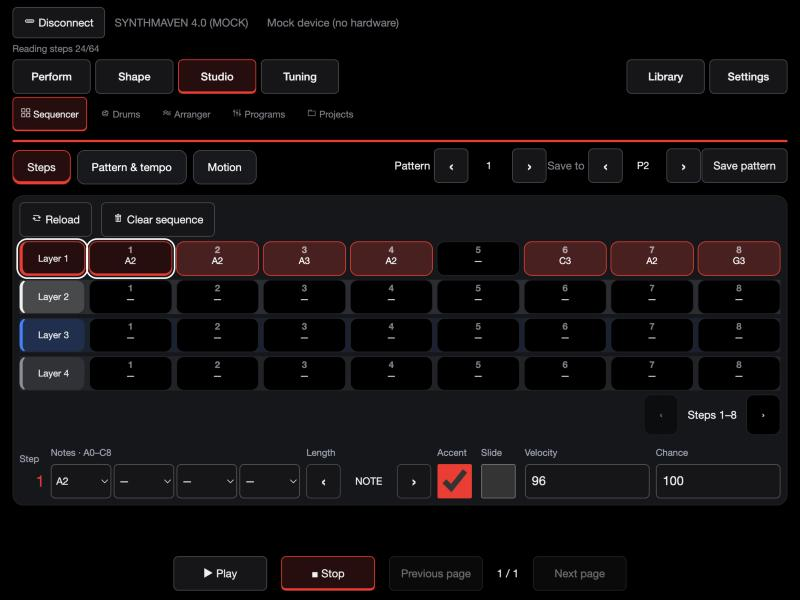
OPEN THIS SCREENStudio > Sequencer.
In the editorsOn Studio > Sequencer, choose a pattern under Save to and tap Save pattern. Tap again to confirm, because it replaces what is in that pattern.
On the FM-1Open SEQ > PATTERNS, press OCT+ for the sheet and choose Save to.
ThenThe saved pattern can be loaded onto its track in the Arranger. Save a project to keep it.
STEP BY STEP- Build the pattern in the step sequencer.
- Save it to one of the track's 8 patterns.
- Choose it in a section of the Arranger.
SynthMaven 4.1.4 | Sequencer23
Performance
SynthMaven 4.1.4 Illustrated Guide
SynthMaven 4.1.4 | Performance24
PERFORMANCE
Punch effects
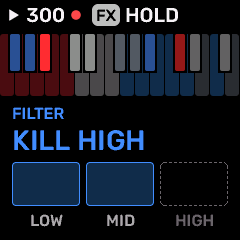
OPEN THIS SCREENHold FX.
FX + keyHold FX and press a key to apply one of 27 effects to the whole stereo master. Let go of the key for dry audio.
Double-tap FXLock the layer; tap again to close it.
EffectsLoops, reverse, tape stop, half speed, filter sweeps, phone, crush, alias, gate, echo, wobble, band kills, rewind, octave up, flanger, auto-pan, freeze, mono and fade.
KNOB 1Browse the key reference.
NotesEffect keys play no notes and send no MIDI. Keys already held keep playing.
Reverse and rewindHold FX briefly first, so there is audio history to play back.
STEP BY STEP- Start a groove.
- Hold FX and press an effect key at the end of a phrase.
- Let go to return to the dry sound.
SynthMaven 4.1.4 | Performance25
Web and iPad editor
SynthMaven 4.1.4 Illustrated Guide
SynthMaven 4.1.4 | Web and iPad editor26
WEB AND IPAD EDITOR
Per-layer MIDI routing
OpenSettings > MIDI > Routing.
WhereIn the editors: Settings > MIDI > Routing.
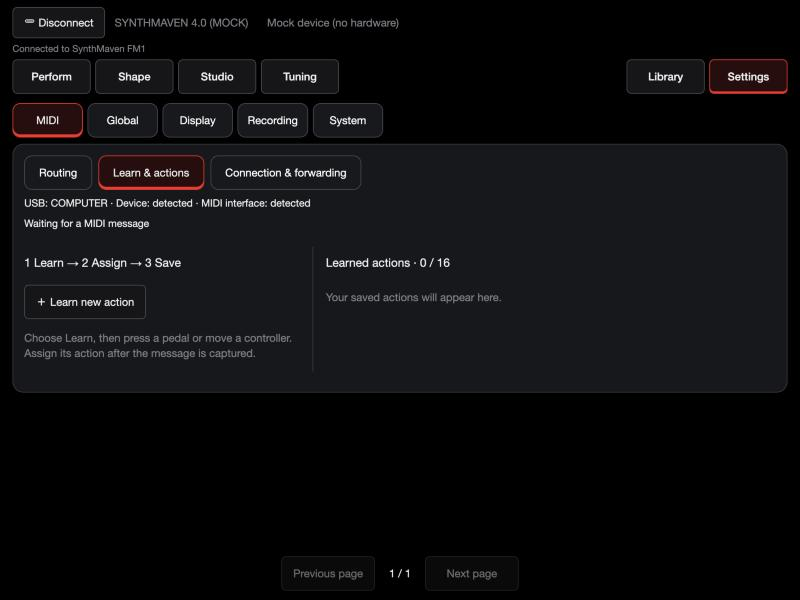
Layers and drummerAssign an input (Any, USB or TRS) and a channel (Off, 1-16 or All) to layers 1-4 and the Drummer. Routing is off by default and is saved on the FM-1.
Splits and stacksLayers on the same input and channel split or stack by note range.
DrummerPlays and records on the first part using the DRUM engine; that part is then not available as a layer.
MIDI LearnAdds Transport Play / Stop, Record (selected part) and Record (drummer).
STEP BY STEP- Connect in COMPUTER role and open the editor.
- Turn routing on.
- Choose an input and channel for each layer and the Drummer.
- Play each keyboard and check it reaches the right layer.
SynthMaven 4.1.4 | Web and iPad editor27
WEB AND IPAD EDITOR
Playing with several keyboards
OpenSettings > MIDI > Routing.
Two keyboards by inputPut one on TRS and one on USB. Route each layer to the input that should play it.
Several on one inputGive each keyboard its own channel, and route each layer to one channel.
Controllers through a computerThe web editor can forward several controllers on a computer, each to its target's channel.
Controllers through an iPadThe iPad app forwards one controller at a time.
Directly into the FM-1Set USB ROLE to HOST and use a powered data hub. The FM-1 can't power a USB controller itself. HOST and the editors can't be used over USB at the same time.
STEP BY STEP- Decide which keyboard plays which layers.
- Set each keyboard's MIDI channel on the keyboard.
- Set Routing to match.
- Save the program.
SynthMaven 4.1.4 | Web and iPad editor28
WEB AND IPAD EDITOR
Maqam tuning workflow
OpenTap SEL, or open the Tuning tab.
SEL (tap)Master tuning. SELECT or KNOB 1 chooses the scale: a list of full names opens over the keyboard and closes itself when you stop turning. The tuning changes as you browse, and OCT- puts back the scale you started on. KNOB 2 the lower octave boundary, KNOB 3 the root, KNOB 4 turns it on. Arabic scales show as A/ on the panel.
SEL (hold three seconds)Custom tuning. KNOB 1 chooses the key, KNOB 2 changes its offset in 10-cent steps, KNOB 3 quantizes all, KNOB 4 applies master tuning to the selected part.
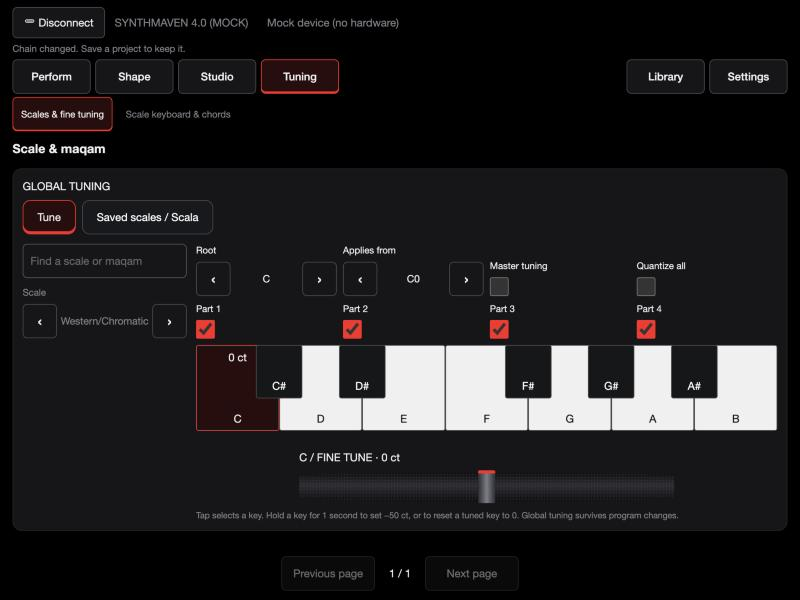
EditorsTap a key and use the wheel for 1-cent steps. Hold an untuned key for one second for -50 cents; hold an adjusted key to reset it.
Octave boundaryNotes below it stay in equal temperament, which keeps bass and chords usable.
Per partEach part can bypass master tuning, so a piano layer can stay in equal temperament.
ProgramsTuning survives program changes unless a program includes its own tuning.
STEP BY STEP- Tap SEL and choose a scale and root.
- Choose the octave boundary.
- Turn on master tuning.
- Bypass any part that should stay in equal temperament.
SynthMaven 4.1.4 | Web and iPad editor29
WEB AND IPAD EDITOR
MainStage-style performance: programs, scenes and setlists
ProgramFour parts with levels, pans, splits and scenes. P1-P8 are stored on the device.
SceneFour per program: snapshots of levels, pans, mutes, effect sends, HYBRID macros and tuning.
SetlistAn ordered list of up to 32 references to P1-P8. A program can appear more than once.
Pedals and controllersMIDI Learn assigns up to 16 actions, including Scene or Setlist Next / Previous.
PanelOn HOME, hold OCT- or OCT+ for three seconds for the previous or next program.
EditorsThe Perform screen has program and scene navigation, a mixer and quick controls. Tuning has its own tab.
STEP BY STEP- Build a program for each song and save it.
- Capture scenes in Programs & scenes, then save the program.
- Build the setlist.
- Learn a pedal to Scene Next and Setlist Next.
SynthMaven 4.1.4 | Web and iPad editor30
WEB AND IPAD EDITOR
The SM FM1 iPad app
OpenOpen SM FM1 on the iPad.
What it isA landscape-only iPad app with the same editor and workspace as the web editor.
ConnectSet USB ROLE to COMPUTER and USB Audio to IN+OUT, then choose Connect > USB cable.
WorkspacesPerform for quick sound and layer controls; Tuning for scales and the tuning keyboard; Shape for engines; Studio for the sequencer, drums and programs.
Mock deviceA page marked Mock device is a demonstration and can't play the FM-1.
VersionThe current TestFlight app is 4.1 (25), matching this firmware (4.1.4).
STEP BY STEP- Connect the FM-1 with a data cable.
- Open SM FM1 and run the connection wizard.
- Choose a part in Perform.
SynthMaven 4.1.4 | Web and iPad editor31
WEB AND IPAD EDITOR
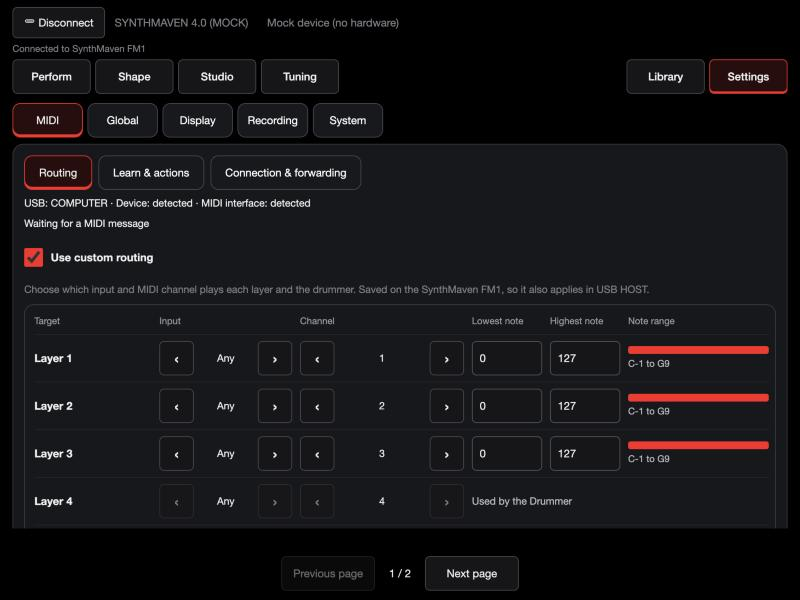
Editor / MIDI routing for layers and the drummer
OpenOpen the matching editor page shown below.
Controls and workflowOpen Settings → MIDI → Routing and turn on Use custom routing. While it is on, it replaces SYSTEM → ROUT.
Controls and workflowFor each of layers 1–4 and the Drummer, choose an input (Any, USB or TRS) and a channel (Off, 1–16 or All channels).
Controls and workflowTo split or stack, give two layers the same input and channel, then set their lowest and highest notes. Separate ranges split the keyboard; overlapping ranges stack. Note ranges are saved with the program.
Controls and workflowSet one part to the DRUM engine for the Drummer. Pads play and record on that part, so it is not available as a layer. A layer cannot share an input and channel with the Drummer.
Controls and workflowChoose Save to FM-1 between songs: saving releases held notes. Routing is saved on the device and applies in COMPUTER and HOST.
Controls and workflowTo record from a pedal, use Learn & actions: Transport Play / Stop, Record (selected part) and Record (drummer). One part records at a time.
Controls and workflowOn a computer, Connection & forwarding sends each connected controller to a target on that target's channel. Forwarding stops when the editor closes, and is not available in HOST, where one USB controller is served.
STEP BY STEP- Connect the real FM-1 in COMPUTER USB role. Mock mode changes demonstration data only.
- Choose the part and screen before editing. Touch arrows cycle choices; card tabs reveal the remaining controls.
- Save the sound/program/project as appropriate; a browser library copy is separate.
SynthMaven 4.1.4 | Web and iPad editor32
WEB AND IPAD EDITOR
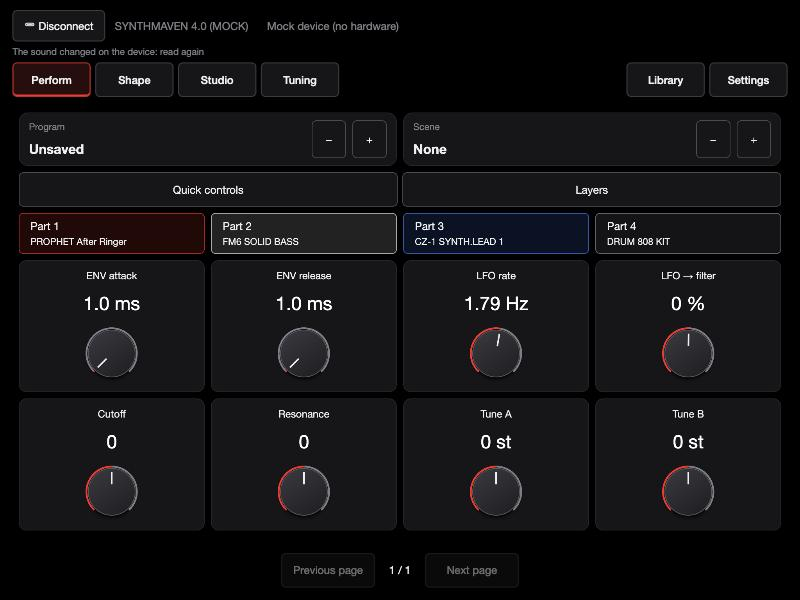
Editor / Perform: quick edits
OpenOpen the matching editor page shown below.
Controls and workflowSelect a part, adjust ENV or LFO and the engine controls, then use Program Up/Down or Scene Up/Down.
Controls and workflowThe names show the active selection.
Controls and workflowSave edits in Programs before loading a different program.
STEP BY STEP- Connect the real FM-1 in COMPUTER USB role. Mock mode changes demonstration data only.
- Choose the part and screen before editing. Touch arrows cycle choices; card tabs reveal the remaining controls.
- Save the sound/program/project as appropriate; a browser library copy is separate.
SynthMaven 4.1.4 | Web and iPad editor33
WEB AND IPAD EDITOR
Editor / Tone
OpenOpen the matching editor page shown below.
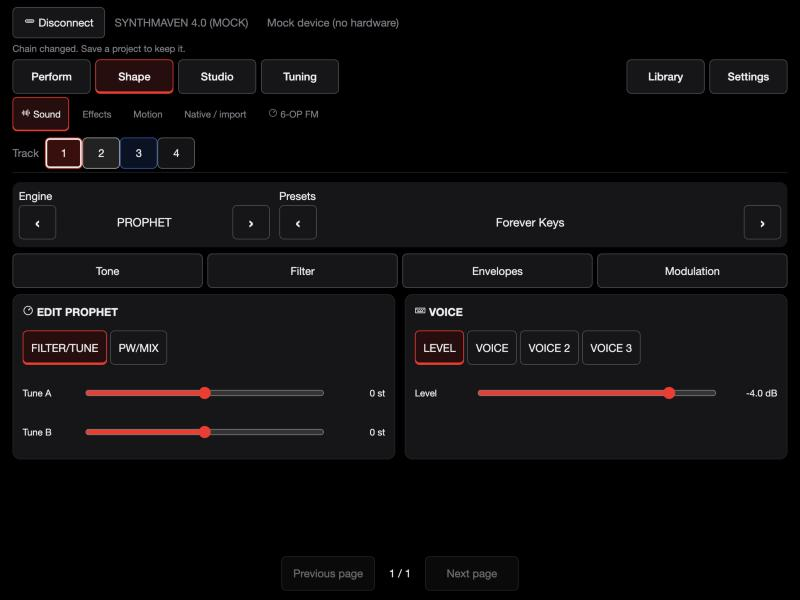
Controls and workflowChoose an engine and preset with the side arrows.
Controls and workflowSelect a card page to reach additional voice settings.
Controls and workflowEach page changes the same selected part.
STEP BY STEP- Connect the real FM-1 in COMPUTER USB role. Mock mode changes demonstration data only.
- Choose the part and screen before editing. Touch arrows cycle choices; card tabs reveal the remaining controls.
- Save the sound/program/project as appropriate; a browser library copy is separate.
SynthMaven 4.1.4 | Web and iPad editor34
WEB AND IPAD EDITOR
Editor / Filter
OpenOpen the matching editor page shown below.
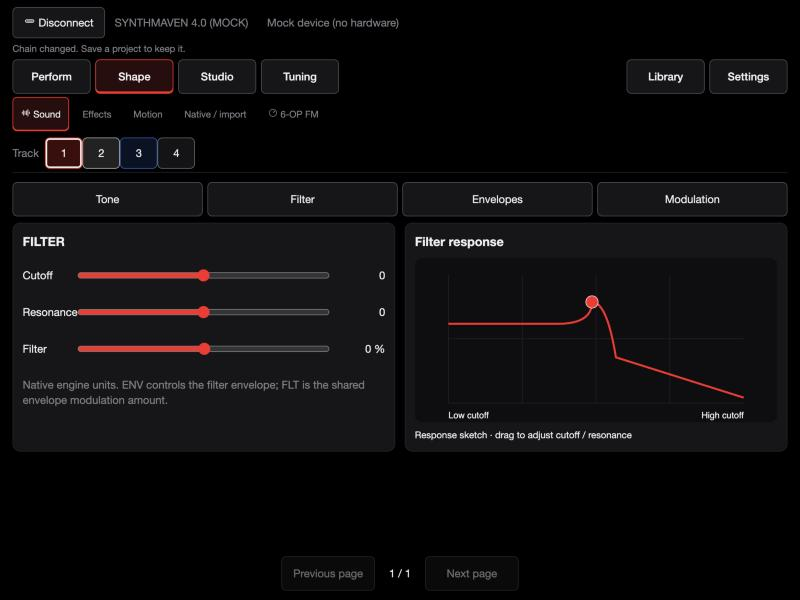
Controls and workflowSelect Filter, choose the supported model and adjust cutoff, resonance and envelope amount.
Controls and workflowDrag the response sketch to change cutoff and resonance together.
STEP BY STEP- Connect the real FM-1 in COMPUTER USB role. Mock mode changes demonstration data only.
- Choose the part and screen before editing. Touch arrows cycle choices; card tabs reveal the remaining controls.
- Save the sound/program/project as appropriate; a browser library copy is separate.
SynthMaven 4.1.4 | Web and iPad editor35
WEB AND IPAD EDITOR
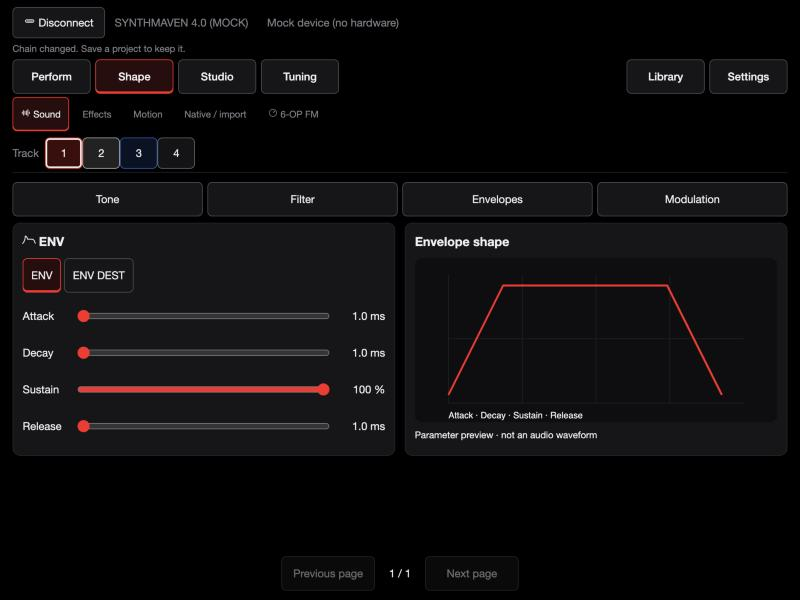
Editor / Envelopes
OpenOpen the matching editor page shown below.
Controls and workflowChoose Envelopes.
Controls and workflowSet attack, decay, sustain and release; use the card pages for further controls.
Controls and workflowThe adjacent graph previews those settings.
STEP BY STEP- Connect the real FM-1 in COMPUTER USB role. Mock mode changes demonstration data only.
- Choose the part and screen before editing. Touch arrows cycle choices; card tabs reveal the remaining controls.
- Save the sound/program/project as appropriate; a browser library copy is separate.
SynthMaven 4.1.4 | Web and iPad editor36
WEB AND IPAD EDITOR
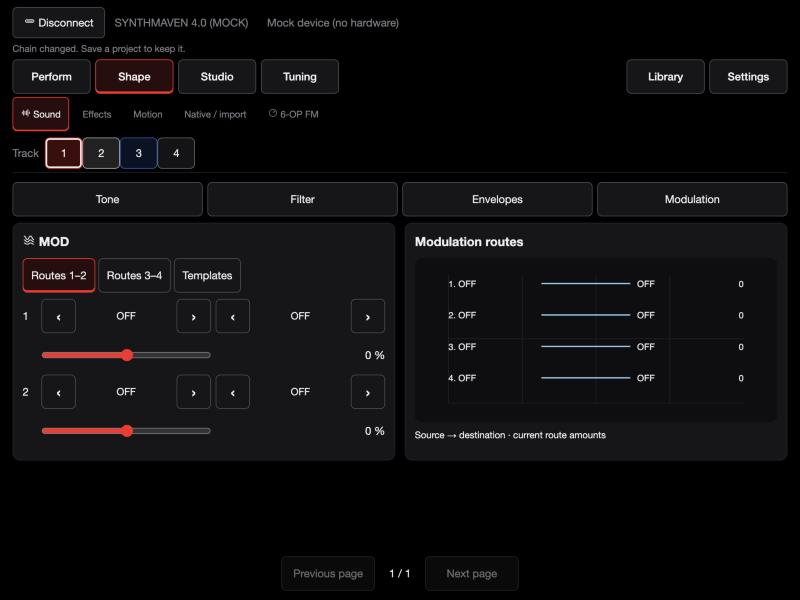
Editor / Modulation
OpenOpen the matching editor page shown below.
Controls and workflowChoose Routes 1–2 or Routes 3–4, then source, destination and amount.
Controls and workflowTemplates fill a free route.
Controls and workflowSave the sound/program after applying a template.
STEP BY STEP- Connect the real FM-1 in COMPUTER USB role. Mock mode changes demonstration data only.
- Choose the part and screen before editing. Touch arrows cycle choices; card tabs reveal the remaining controls.
- Save the sound/program/project as appropriate; a browser library copy is separate.
SynthMaven 4.1.4 | Web and iPad editor37
WEB AND IPAD EDITOR
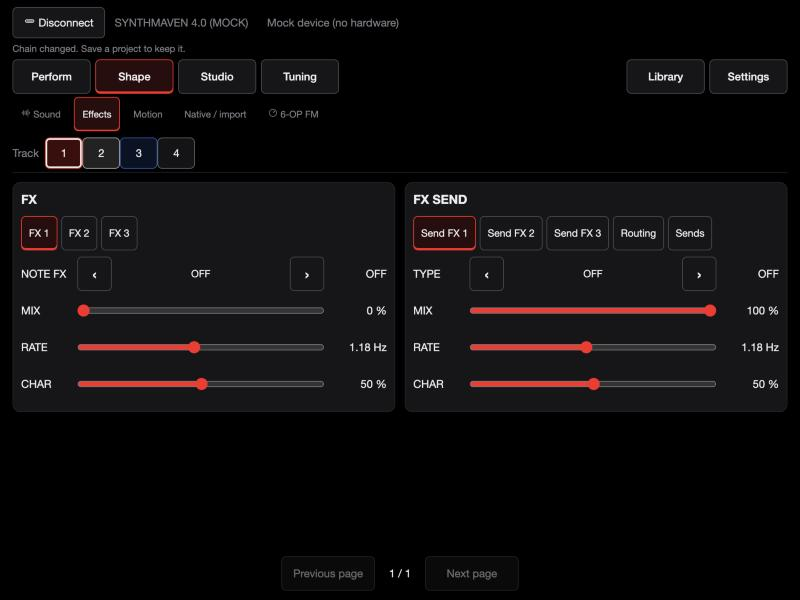
Editor / Effects
OpenOpen the matching editor page shown below.
Controls and workflowSelect the effect slot and adjust its parameters.
Controls and workflowFor shared audio effects, select Send FX 1, 2 or 3, then Routing and Sends.
Controls and workflowRaise the selected part’s send and shared return to hear the effect.
STEP BY STEP- Connect the real FM-1 in COMPUTER USB role. Mock mode changes demonstration data only.
- Choose the part and screen before editing. Touch arrows cycle choices; card tabs reveal the remaining controls.
- Save the sound/program/project as appropriate; a browser library copy is separate.
SynthMaven 4.1.4 | Web and iPad editor38
WEB AND IPAD EDITOR
Editor / LFO and arpeggiator
OpenOpen the matching editor page shown below.
Controls and workflowUse LFO, LFO DEST and LFO 2 to set rate, waveform, destinations and synchronization.
Controls and workflowUse ARP and ARP 2 for pattern, range, gate, swing, probability and hold.
STEP BY STEP- Connect the real FM-1 in COMPUTER USB role. Mock mode changes demonstration data only.
- Choose the part and screen before editing. Touch arrows cycle choices; card tabs reveal the remaining controls.
- Save the sound/program/project as appropriate; a browser library copy is separate.
SynthMaven 4.1.4 | Web and iPad editor39
WEB AND IPAD EDITOR
Editor / Native patch import
OpenOpen the matching editor page shown below.
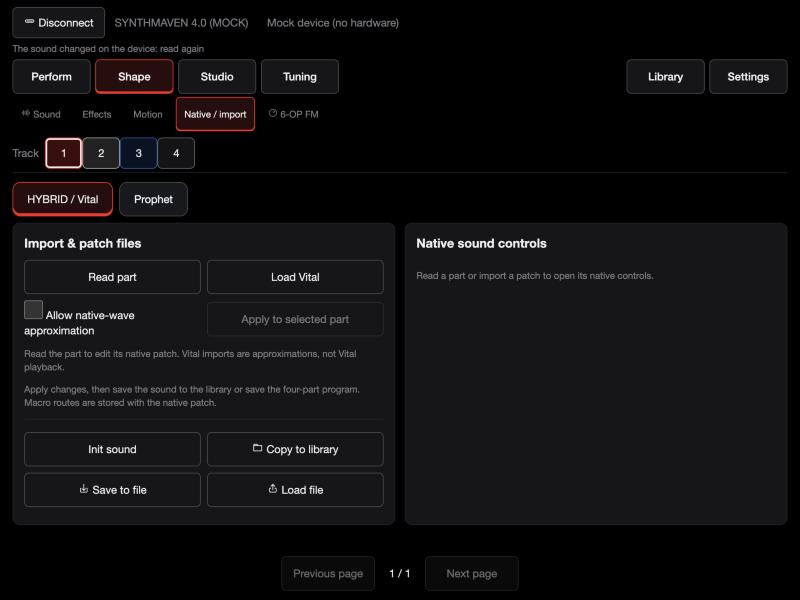
Controls and workflowSelect HYBRID / Vital or Prophet.
Controls and workflowRead the selected part before editing, or import a compatible patch.
Controls and workflowReview approximations, apply to the part and save.
Controls and workflowVital import is translation, not the Vital synthesizer running on the FM-1.
STEP BY STEP- Connect the real FM-1 in COMPUTER USB role. Mock mode changes demonstration data only.
- Choose the part and screen before editing. Touch arrows cycle choices; card tabs reveal the remaining controls.
- Save the sound/program/project as appropriate; a browser library copy is separate.
SynthMaven 4.1.4 | Web and iPad editor40
WEB AND IPAD EDITOR
Editor / DX7 / FM6
OpenOpen the matching editor page shown below.
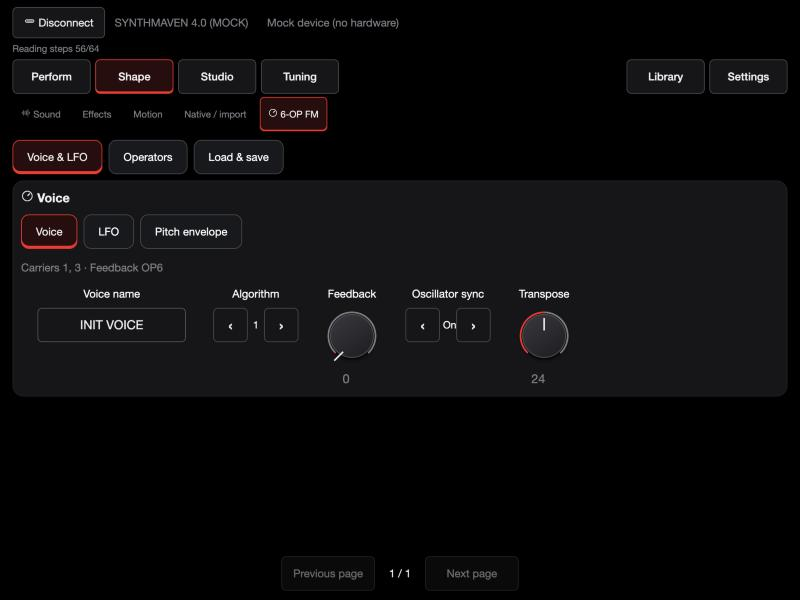
Controls and workflowUse Voice & LFO, Operators and Load & save.
Controls and workflowSelect an operator to edit its frequency and envelope.
Controls and workflowImport a DX7 SysEx file, choose a voice, send it to the selected part and save the program.
STEP BY STEP- Connect the real FM-1 in COMPUTER USB role. Mock mode changes demonstration data only.
- Choose the part and screen before editing. Touch arrows cycle choices; card tabs reveal the remaining controls.
- Save the sound/program/project as appropriate; a browser library copy is separate.
SynthMaven 4.1.4 | Web and iPad editor41
WEB AND IPAD EDITOR
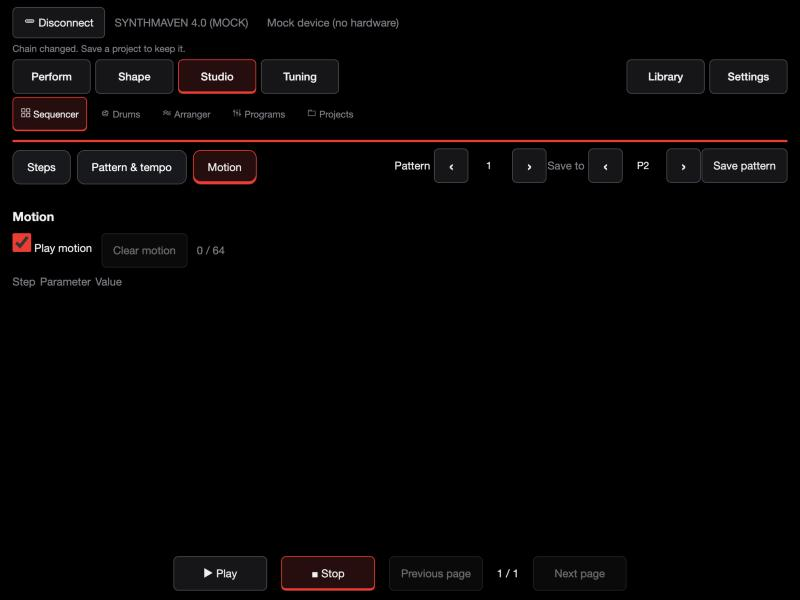
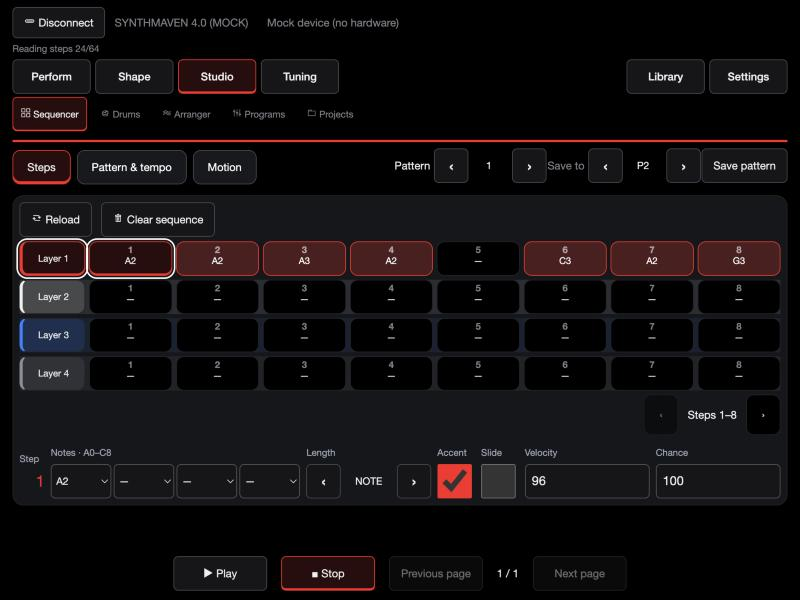
Editor / Sequencer
OpenOpen the matching editor page shown below.
Controls and workflowSelect a track and pattern.
Controls and workflowTap a step, enter its note(s), length, velocity and chance, and toggle accent or slide.
Controls and workflowPattern & tempo sets loop behavior; Motion edits automation.
Controls and workflowPlay and Stop operate the connected FM-1.
STEP BY STEP- Connect the real FM-1 in COMPUTER USB role. Mock mode changes demonstration data only.
- Choose the part and screen before editing. Touch arrows cycle choices; card tabs reveal the remaining controls.
- Save the sound/program/project as appropriate; a browser library copy is separate.
SynthMaven 4.1.4 | Web and iPad editor42
WEB AND IPAD EDITOR
Editor / Independent drum machine
OpenOpen the matching editor page shown below.
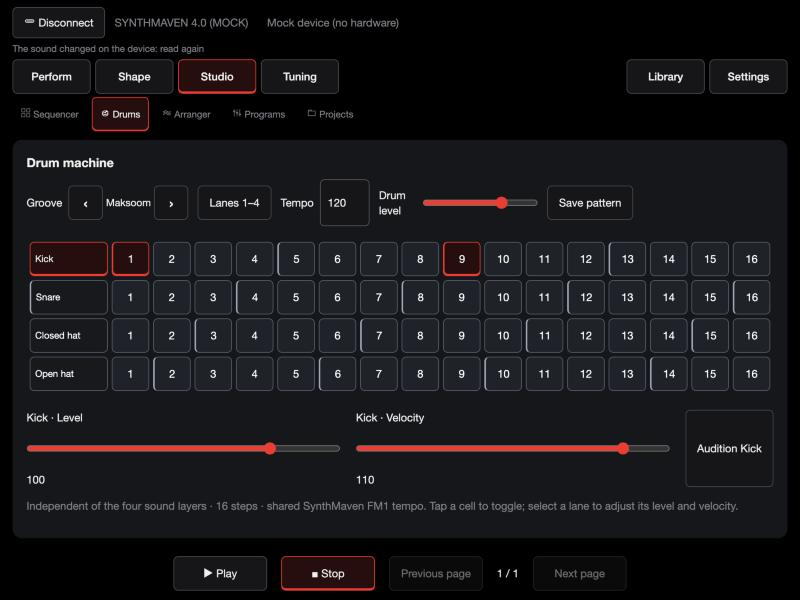
Controls and workflowTap steps to enable hits.
Controls and workflowSelect a lane for level, velocity and audition; switch lane banks for the other four sounds.
Controls and workflowSet tempo and overall drum level, use Play/Stop, and Save pattern to retain edits.
STEP BY STEP- Connect the real FM-1 in COMPUTER USB role. Mock mode changes demonstration data only.
- Choose the part and screen before editing. Touch arrows cycle choices; card tabs reveal the remaining controls.
- Save the sound/program/project as appropriate; a browser library copy is separate.
SynthMaven 4.1.4 | Web and iPad editor43
WEB AND IPAD EDITOR
Editor / Programs, scenes and setlists
OpenOpen the matching editor page shown below.
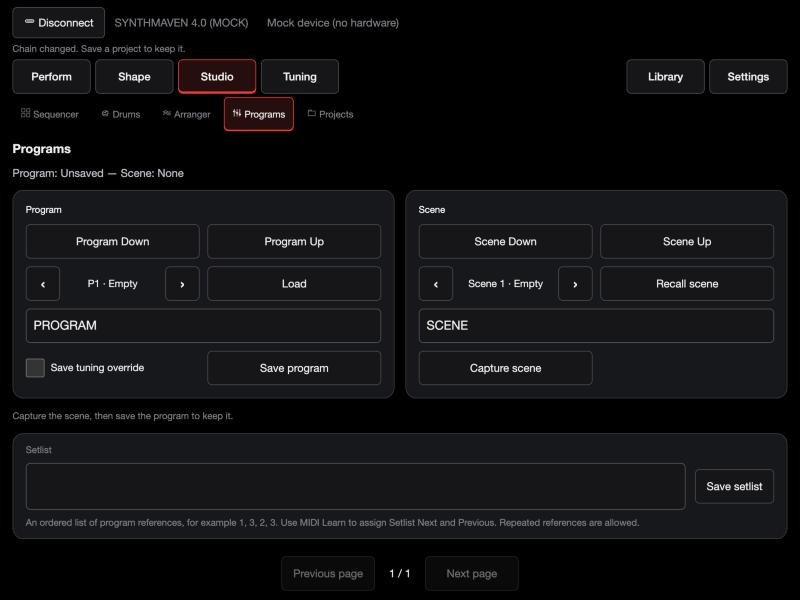
Controls and workflowSelect P1–P8, name the program and Save program.
Controls and workflowEnable Save tuning override only when this program should replace global tuning.
Controls and workflowCapture each scene, then save the program.
Controls and workflowEnter an ordered setlist such as 1, 3, 2, 3 and Save setlist.
STEP BY STEP- Connect the real FM-1 in COMPUTER USB role. Mock mode changes demonstration data only.
- Choose the part and screen before editing. Touch arrows cycle choices; card tabs reveal the remaining controls.
- Save the sound/program/project as appropriate; a browser library copy is separate.
SynthMaven 4.1.4 | Web and iPad editor44
WEB AND IPAD EDITOR
Editor / Projects and full backup
OpenOpen the matching editor page shown below.
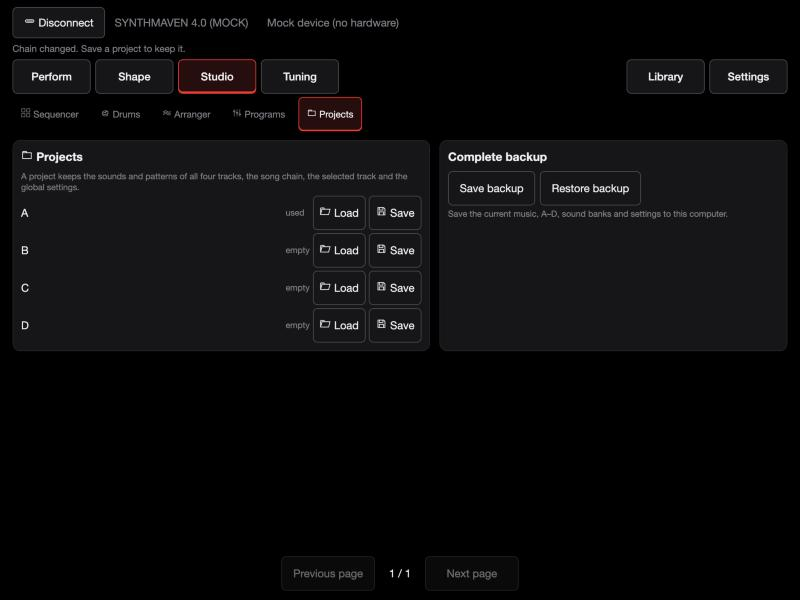
Controls and workflowSave an A–D project to preserve sounds, patterns and arrangement.
Controls and workflowLoad recalls that project.
Controls and workflowSave backup downloads a full archive; Restore backup restores one.
Controls and workflowAdd song rows to arrange patterns and repeats, then save the project.
STEP BY STEP- Connect the real FM-1 in COMPUTER USB role. Mock mode changes demonstration data only.
- Choose the part and screen before editing. Touch arrows cycle choices; card tabs reveal the remaining controls.
- Save the sound/program/project as appropriate; a browser library copy is separate.
SynthMaven 4.1.4 | Web and iPad editor45
WEB AND IPAD EDITOR
Editor / Global microtuning
OpenOpen the matching editor page shown below.
Controls and workflowSelect scale, root and the first affected octave.
Controls and workflowEnable Master tuning and the required parts.
Controls and workflowQuantize all constrains notes to the selected scale.
Controls and workflowTap a key and drag the wheel in 1-cent steps; double-tap sets −50 cents or resets a tuned key.
STEP BY STEP- Connect the real FM-1 in COMPUTER USB role. Mock mode changes demonstration data only.
- Choose the part and screen before editing. Touch arrows cycle choices; card tabs reveal the remaining controls.
- Save the sound/program/project as appropriate; a browser library copy is separate.
SynthMaven 4.1.4 | Web and iPad editor46
WEB AND IPAD EDITOR
Editor / Saved scales and Scala
OpenOpen the matching editor page shown below.
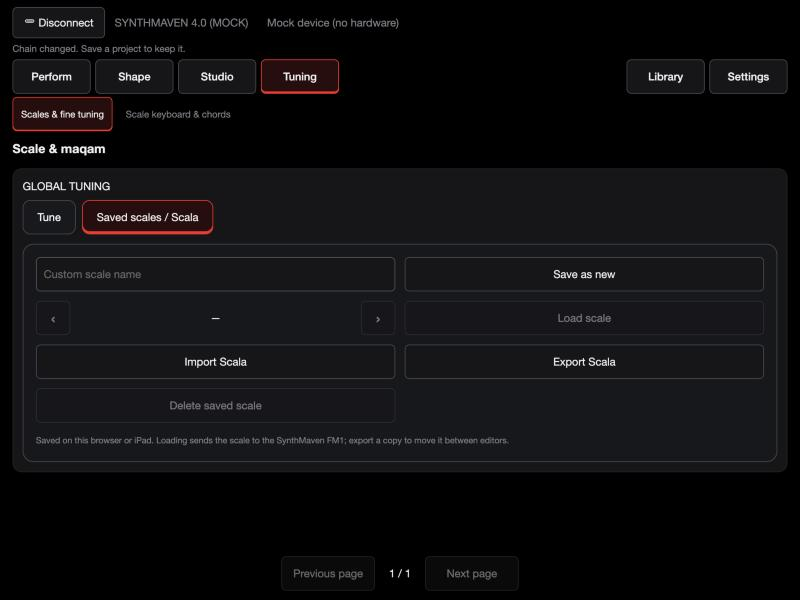
Controls and workflowEnter a custom-scale name and Save as new.
Controls and workflowSelect a saved scale and Load scale to send it to the FM-1.
Controls and workflowImport Scala reads a compatible .scl file; Export Scala makes a portable copy.
Controls and workflowNamed scales are local to this browser/app.
STEP BY STEP- Connect the real FM-1 in COMPUTER USB role. Mock mode changes demonstration data only.
- Choose the part and screen before editing. Touch arrows cycle choices; card tabs reveal the remaining controls.
- Save the sound/program/project as appropriate; a browser library copy is separate.
SynthMaven 4.1.4 | Web and iPad editor47
WEB AND IPAD EDITOR
Editor / Scale keyboard and chords
OpenOpen the matching editor page shown below.
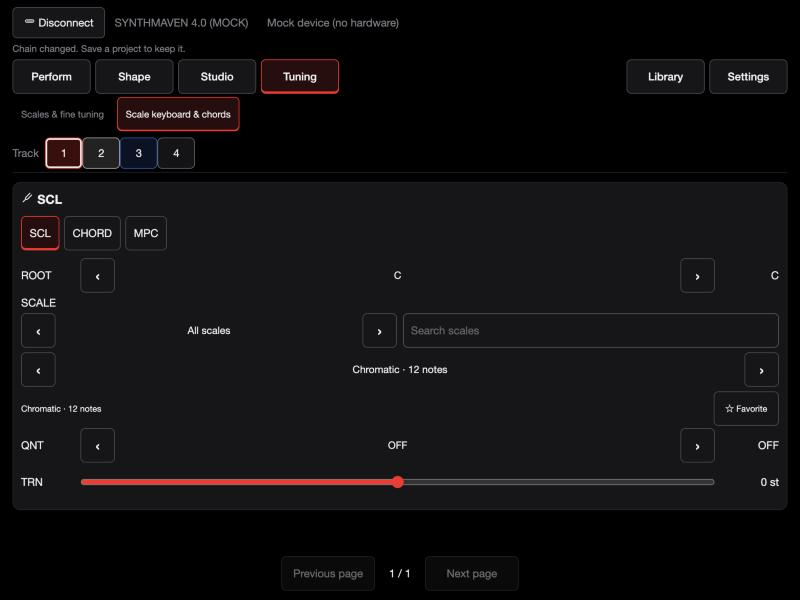
Controls and workflowUse the SCL card pages for quantization and transpose, CHORD for voicing and strum, and MPC for scale-degree pads.
Controls and workflowMaster microtuning takes precedence for scale-aware pitch generation when enabled.
STEP BY STEP- Connect the real FM-1 in COMPUTER USB role. Mock mode changes demonstration data only.
- Choose the part and screen before editing. Touch arrows cycle choices; card tabs reveal the remaining controls.
- Save the sound/program/project as appropriate; a browser library copy is separate.
SynthMaven 4.1.4 | Web and iPad editor48
WEB AND IPAD EDITOR
Editor / Library
OpenOpen the matching editor page shown below.
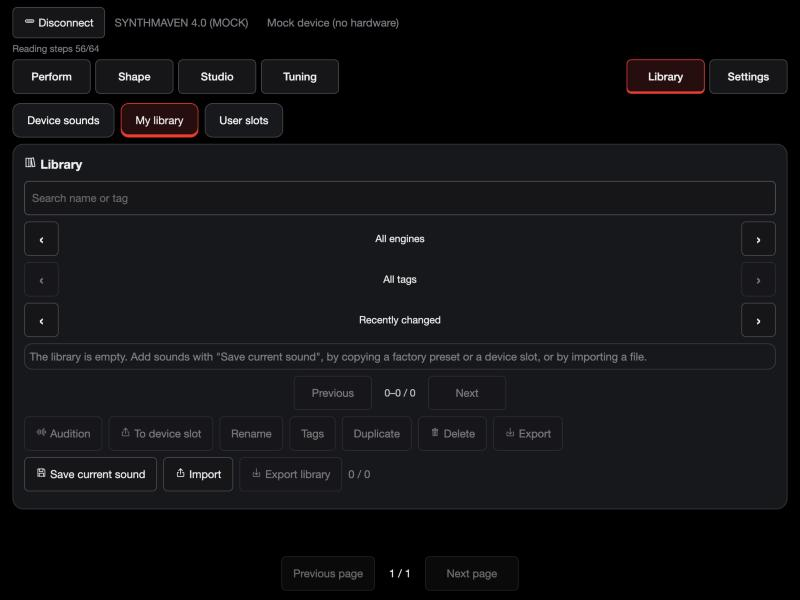
Controls and workflowUse Device sounds to browse factory sounds, My library for local named entries, and User slots for device storage.
Controls and workflowSave current sound adds a local entry.
Controls and workflowExport library backs it up; To device slot writes a selected entry to the FM-1.
STEP BY STEP- Connect the real FM-1 in COMPUTER USB role. Mock mode changes demonstration data only.
- Choose the part and screen before editing. Touch arrows cycle choices; card tabs reveal the remaining controls.
- Save the sound/program/project as appropriate; a browser library copy is separate.
SynthMaven 4.1.4 | Web and iPad editor49
WEB AND IPAD EDITOR
Editor / Settings
OpenOpen the matching editor page shown below.
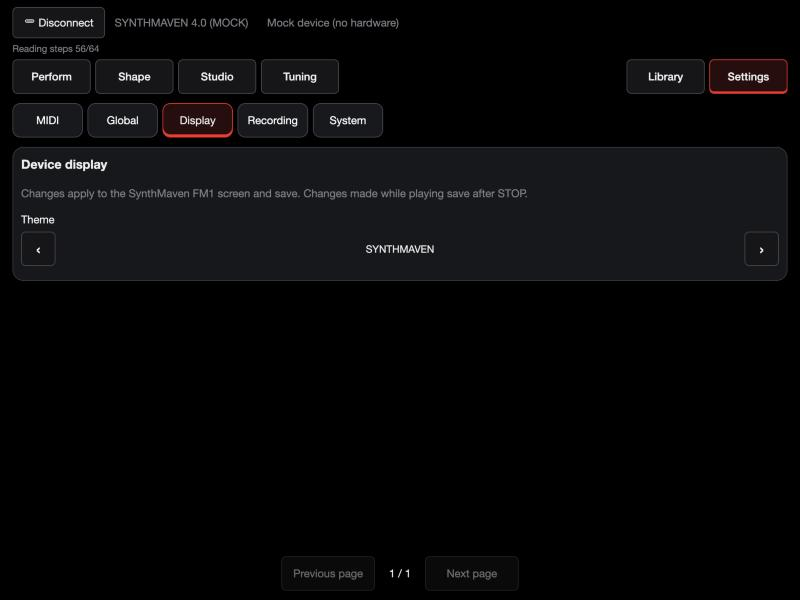
Controls and workflowChoose Global, Display, Recording or System.
Controls and workflowGlobal settings affect device behavior; System identifies the connected build and capabilities.
Controls and workflowScreen pages expose additional controls without scrolling.
STEP BY STEP- Connect the real FM-1 in COMPUTER USB role. Mock mode changes demonstration data only.
- Choose the part and screen before editing. Touch arrows cycle choices; card tabs reveal the remaining controls.
- Save the sound/program/project as appropriate; a browser library copy is separate.
SynthMaven 4.1.4 | Web and iPad editor50
WEB AND IPAD EDITOR
Editor / MIDI Learn
OpenOpen the matching editor page shown below.
Controls and workflowChoose Learn new action and operate the controller.
Controls and workflowAfter the message is captured, assign the action or parameter and Save action.
Controls and workflowThe learned grid supports Relearn and Unlearn.
Controls and workflowSet repeat suppression only as needed to ignore duplicate messages without losing deliberate taps.
STEP BY STEP- Connect the real FM-1 in COMPUTER USB role. Mock mode changes demonstration data only.
- Choose the part and screen before editing. Touch arrows cycle choices; card tabs reveal the remaining controls.
- Save the sound/program/project as appropriate; a browser library copy is separate.
SynthMaven 4.1.4 | Web and iPad editor51
WEB AND IPAD EDITOR
Editor / Four-layer melodic sequencer
OpenStudio > Sequencer > Steps.
Four lanesEach visible lane belongs to the matching program layer. Tap a step to select its layer and edit that step. The selected lane and step have an outline.
StepsEight steps are visible at a time. Previous/next step arrows expose the remaining steps without changing the pattern.
Notes A0-C8Choose from all 88 piano notes in each of four note selectors. Use the dash for an empty chord slot. Notes are selectable, not free text.
Length / Accent / SlideNOTE triggers the selected pitches, TIE connects steps, REST leaves silence. Accent and slide retain the firmware behavior.
Velocity / ChanceVelocity sets note strength, from 0 to 127. Chance sets probability from 0 to 100 percent.
Pattern / Play / SaveChoose one of eight patterns for the selected layer. Play runs on the connected FM-1. Save the project to retain patterns and arrangement.
STEP BY STEP- Select a layer and a pattern. Tap a step and choose one or more notes.
- Set note length, velocity, chance, accent and slide as needed; repeat for other layers.
- Open Studio > Arranger, arrange the patterns, then save the project. Use Drums for independent drum patterns.
SynthMaven 4.1.4 | Web and iPad editor52
WEB AND IPAD EDITOR
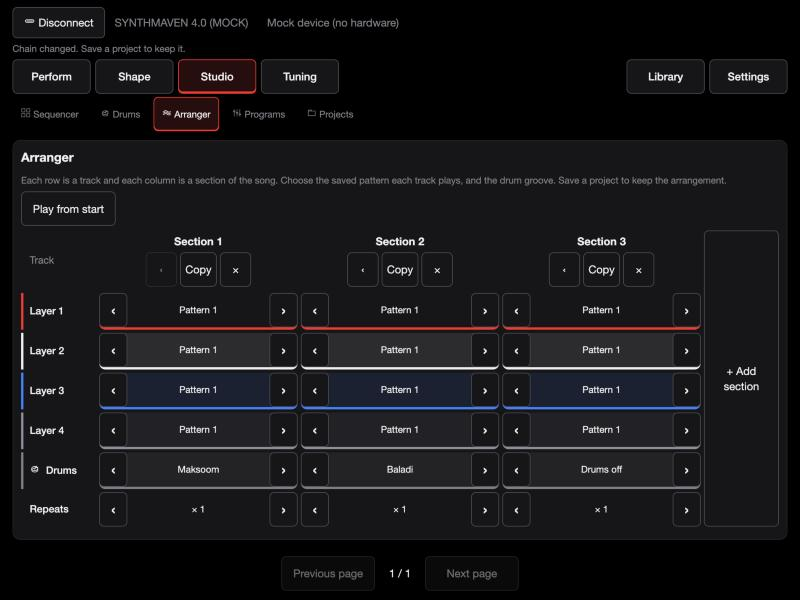
Editor / Arranger
GridRows are the four layers plus Drums, and columns are the sections. Choose a saved pattern for each layer and a groove for Drums in each section, plus its repeats. Use Add section to extend the song.
Track 1-4 patternsEach section selects one of eight patterns independently for each track. Side arrows cycle the pattern number; track colors identify the four parts.
RepeatsPlay this section 1-16 times before moving to the next. A song contains up to 16 ordered sections.
Add / Copy / Move left / DeleteAdd a section, duplicate a section, move it left or remove it. Structural edits are disabled while the song is playing.
Play from start / StopPlay the arrangement on the connected FM-1. The current section and remaining repeats are reported by the device.
Projects & backupSave the current project in A-D to retain the arrangement, then export a backup. Patterns must already contain melodic notes to produce sound; independent drums are edited on the Drums page.
STEP BY STEP- Create patterns in Studio > Sequencer for each of the four tracks.
- Open Studio > Arranger; add sections and choose four patterns, a groove and repeats for each.
- Play from start, stop to edit, then use Projects & backup to save.
SynthMaven 4.1.4 | Web and iPad editor53
SAVE
SynthMaven 4.1.4 Illustrated Guide
SynthMaven 4.1.4 | SAVE54
SAVE
NAME: entering a sound or project name
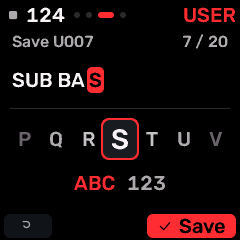
OPEN THIS SCREENOpen a sound/project naming action from SAVE.
KNOB 1 / KNOB 2Move the cursor / choose the character. KNOBS 3-4 have no naming assignment.
White keysEnter letters with repeated taps, like a phone keypad. Wait briefly to move on; digits are available in number mode. Keys enter text instead of playing notes.
Black keysC#: delete. D#: letters/numbers. F#: cursor left. G#: space. A#: cursor right.
OCT+ / OCT-Confirm the name / cancel. This naming keyboard is separate from the PROGRAM inline name controls.
STEP BY STEP- Choose a sound/project Save action and enter the name screen.
- Enter a short recognizable name; check the destination.
- Confirm with OCT+, or cancel with OCT-.
SynthMaven 4.1.4 | SAVE55
SAVE
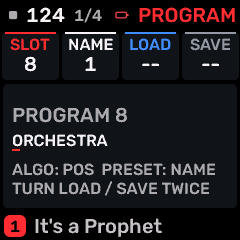
PROGRAM
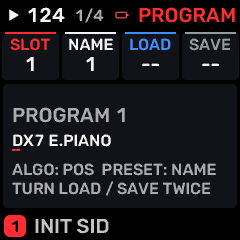
OPEN THIS SCREENTap SAVE; PROGRAM is the first page. Stop playback before writing a save.
KNOB 1 - SLOTChoose saved program slot P1-P8. Values: 1 to 8.
KNOB 2 - NAMEChange the character at the current name position. ALGORITHM chooses the position; PRESET also changes the character. Values: 1 to 12.
KNOB 3 - LOADLoad the complete four-part program in the selected slot. Turn right twice within 1.5 seconds; turn left to cancel the armed action. Values: -- / GO.
KNOB 4 - SAVESave the complete four-part program in the selected slot. Turn right twice within 1.5 seconds; turn left to cancel the armed action. Values: -- / GO.
BUTTONS AND NAVIGATIONSELECT (or KNOB 1) chooses P1-P8. ALGORITHM chooses name position; PRESET/KNOB 2 edits the character. KNOB 3 loads and KNOB 4 saves with two right turns. Repeated SAVE opens PRESETS, USER and PROJECT; HOME exits.
KEEP YOUR CHANGESSave the containing four-part PROGRAM to retain the sound and mix. Save a PROJECT for pattern banks and arrangements; export a USB backup for safekeeping.
STEP BY STEP- Open this screen using the path above; check the selected part or row before turning a knob.
- Change one setting at a time. Play a note or pattern and compare the result; inactive routes or muted parts may make a control inaudible.
- Use HOME to leave, then save the appropriate program/project if you want a named version.
SynthMaven 4.1.4 | SAVE56
SAVE
PRESETS
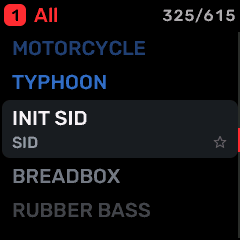
OPEN THIS SCREENOn HOME select the part, then press SAVE. Use SELECT or repeated family-button taps to find PRESETS.
KNOB 1 - LISTChoose ALL, favorites, recent sounds or a category.
KNOB 2 - SOUNDBrowse and load the highlighted sound into the focused part.
KNOB 3 - FAVTurn right to mark a favorite; left to remove it.
KNOB 4 - ENGINEChoose the engine whose presets are listed.
BUTTONS AND NAVIGATIONHOME returns to the four-part display. SELECT navigates pages. The family button advances pages. PLAY starts/stops transport; REC arms the selected track. OCT- backs out and OCT+ confirms where an action or picker is offered.
KEEP YOUR CHANGESSave the containing four-part PROGRAM to retain the sound and mix. Save a PROJECT for pattern banks and arrangements; export a USB backup for safekeeping.
STEP BY STEP- Open this screen using the path above; check the selected part or row before turning a knob.
- Change one setting at a time. Play a note or pattern and compare the result; inactive routes or muted parts may make a control inaudible.
- Use HOME to leave, then save the appropriate program/project if you want a named version.
SynthMaven 4.1.4 | SAVE57
SAVE
USER
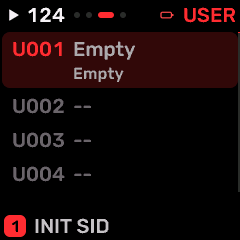
OPEN THIS SCREENOn HOME select the part, then press SAVE. Use SELECT or repeated family-button taps to find USER.
KNOB 1 - SLOTChoose one of 384 user sound slots.
KNOB 2 - LOADTurn right to select Load; confirm using OCT+.
KNOB 3 - ERASETurn right to select Erase; confirm only after backing up this sound.
KNOB 4 - SAVETurn right to select Save. Stop playback and confirm using OCT+.
BUTTONS AND NAVIGATIONHOME returns to the four-part display. SELECT navigates pages. The family button advances pages. PLAY starts/stops transport; REC arms the selected track. OCT- backs out and OCT+ confirms where an action or picker is offered.
KEEP YOUR CHANGESSave the containing four-part PROGRAM to retain the sound and mix. Save a PROJECT for pattern banks and arrangements; export a USB backup for safekeeping.
STEP BY STEP- Open this screen using the path above; check the selected part or row before turning a knob.
- Change one setting at a time. Play a note or pattern and compare the result; inactive routes or muted parts may make a control inaudible.
- Use HOME to leave, then save the appropriate program/project if you want a named version.
SynthMaven 4.1.4 | SAVE58
SAVE
PROJECT
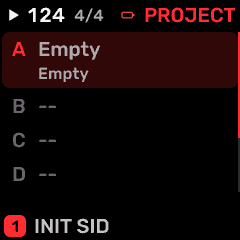
OPEN THIS SCREENOn HOME select the part, then press SAVE. Use SELECT or repeated family-button taps to find PROJECT.
KNOB 1 - SLOTChoose project A-D or the template destination. This is separate from the eight PROGRAM slots. Values: 1 to TMPL.
KNOB 2 - BOOTChoose the project loaded on startup: OFF or A-D. OFF uses the normal startup/template behavior; this is separate from named program slots. Values: OFF / A / B / C / D.
KNOB 3 - LOADLoad the selected project. Turn the action knob right, then confirm with OCT+; OCT- cancels. Stop playback before saving. Values: -- / GO.
KNOB 4 - SAVESave the selected project. Turn the action knob right, then confirm with OCT+; OCT- cancels. Stop playback before saving. Values: -- / GO.
BUTTONS AND NAVIGATIONHOME returns to the four-part display. SELECT navigates pages. The family button advances pages. PLAY starts/stops transport; REC arms the selected track. OCT- backs out and OCT+ confirms where an action or picker is offered.
KEEP YOUR CHANGESSave the containing four-part PROGRAM to retain the sound and mix. Save a PROJECT for pattern banks and arrangements; export a USB backup for safekeeping.
STEP BY STEP- Open this screen using the path above; check the selected part or row before turning a knob.
- Change one setting at a time. Play a note or pattern and compare the result; inactive routes or muted parts may make a control inaudible.
- Use HOME to leave, then save the appropriate program/project if you want a named version.
SynthMaven 4.1.4 | SAVE59
SEL
SynthMaven 4.1.4 Illustrated Guide
SynthMaven 4.1.4 | SEL60
SEL
SCALE PICKER: categories and favorites
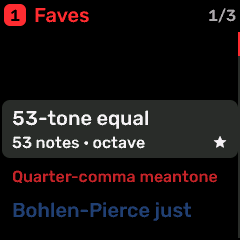
OPEN THIS SCREENFrom the scale choice, open the offered list with OCT+.
Scale listBrowse the available scales; firmware prefixes W/, A/ and T/ keep names short. Editors use the full family names.
FavoritesA favorite narrows browsing; it does not change the scale intervals or create a new scale.
Confirm / returnOCT+ selects an offered choice. OCT- returns without accepting the picker choice.
MicrotuningUse MASTER TUNE for root and first affected octave; CUSTOM TUNE edits individual pitch classes. Lower notes remain equal-tempered below the selected octave.
STEP BY STEP- Open the scale setting and its picker.
- Choose a family and scale, then confirm.
- Play a note above the tuning threshold; fine-tune on CUSTOM TUNE and save a named scale in the editor.
SynthMaven 4.1.4 | SEL61
SEL
SCL
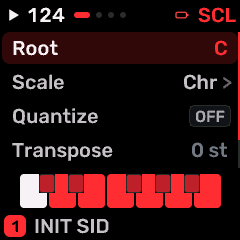
OPEN THIS SCREENOn HOME select the part, then press SEL. Use SELECT or repeated family-button taps to find SCL.
KNOB 1Edit the highlighted row.
KNOB 2Move the row highlight; the list scrolls to reveal the remaining settings.
KNOBS 3-4No direct row editing on this list screen.
ROOTRoot note of the selected scale. This transposes the scale relationship; it does not transpose every played note. C to B
SCLKeyboard scale used by note quantization and scale-aware chords. 70 named choices; browse the on-screen list.
QNTOFF leaves note selection chromatic; SNAP moves notes to the chosen scale; WHITE maps white-key playing into that scale. ALL modes apply the setting across all four parts and MIDI input. OFF / SNAP / WHITE / ALL / MPC
DEGScale degree assigned to pad 02 in MPC quantization mode; establishes the pad-bank layout. 1 to 12
TRNTranspose this part by semitones; octave shifts are multiples of 12. -24 to +24 st
BUTTONS AND NAVIGATIONKNOB 2 selects a row and KNOB 1 changes it. OCT+ opens a choice list when available; OCT- returns to HOME. SELECT/family button moves between screens. PLAY/REC retain transport/recording roles.
KEEP YOUR CHANGESSave the containing four-part PROGRAM to retain the sound and mix. Save a PROJECT for pattern banks and arrangements; export a USB backup for safekeeping.
STEP BY STEP- Open this screen using the path above; check the selected part or row before turning a knob.
- Change one setting at a time. Play a note or pattern and compare the result; inactive routes or muted parts may make a control inaudible.
- Use HOME to leave, then save the appropriate program/project if you want a named version.
SynthMaven 4.1.4 | SEL62
SEL
MASTER TUNE
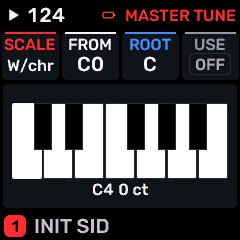
OPEN THIS SCREENTap SEL to open MASTER TUNE.
KNOB 1 - SCALESelect the master scale. W/, A/ and T/ abbreviate Western, Arabic and Turkish names on the device. Values: 62 named choices; browse the on-screen list..
KNOB 2 - FROMFirst octave affected by master tuning, C0-C8. Lower notes remain equal-tempered. Values: C0 / C1 / C2 / C3 / C4 / C5 / C6 / C7 / C8.
KNOB 3 - ROOTRoot note of the selected scale. This transposes the scale relationship; it does not transpose every played note. Values: C to B.
KNOB 4 - USEEnable or bypass the global tuning system. Values: OFF to ON.
BUTTONS AND NAVIGATIONHOME returns to the four-part display. SELECT navigates pages. The family button advances pages. PLAY starts/stops transport; REC arms the selected track. OCT- backs out and OCT+ confirms where an action or picker is offered.
KEEP YOUR CHANGESThese are device/global settings. Master tuning survives program changes unless a saved program explicitly includes a tuning override. Named custom scales can be saved/exported in the editor.
STEP BY STEP- Open this screen using the path above; check the selected part or row before turning a knob.
- Change one setting at a time. Play a note or pattern and compare the result; inactive routes or muted parts may make a control inaudible.
- Use HOME to leave, then save the appropriate program/project if you want a named version.
SynthMaven 4.1.4 | SEL63
SEL
CUSTOM TUNE
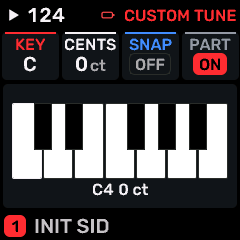
OPEN THIS SCREENHold SEL for three seconds, then release.
KNOB 1 - KEYSelect C through B. Each edit applies to that pitch class within the active tuning range. Values: C to B.
KNOB 2 - CENTSDetune the selected chromatic note from -100 to +100 cents in 10-cent device steps. The editors offer 1-cent steps. Values: -100 to 100 ct.
KNOB 3 - SNAPEnable master scale quantization for all four parts and MIDI, subject to tuning application settings. Values: OFF to ON.
KNOB 4 - PARTApply master tuning to the selected part. ON follows the global scale; OFF bypasses it for this part. Values: OFF to ON.
BUTTONS AND NAVIGATIONHOME returns to the four-part display. SELECT navigates pages. The family button advances pages. PLAY starts/stops transport; REC arms the selected track. OCT- backs out and OCT+ confirms where an action or picker is offered.
KEEP YOUR CHANGESThese are device/global settings. Master tuning survives program changes unless a saved program explicitly includes a tuning override. Named custom scales can be saved/exported in the editor.
STEP BY STEP- Open this screen using the path above; check the selected part or row before turning a knob.
- Change one setting at a time. Play a note or pattern and compare the result; inactive routes or muted parts may make a control inaudible.
- Use HOME to leave, then save the appropriate program/project if you want a named version.
SynthMaven 4.1.4 | SEL64
SEL
CHORD
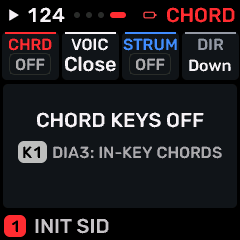
OPEN THIS SCREENHold ENV for three seconds, then release.
KNOB 1 - CHRDChord generation mode. OFF plays single notes; DIA3/DIA7 use scale degrees; fixed shapes and AUTO/AUTO2 provide other harmonies. Microtonal compatibility restricts available choices. Values: OFF / DIA3 / DIA7 / MAJ / MIN / DOM7 / MAJ7 / MIN7 / SUS4 / POW / AUTO / AUTO2 / OPEN5 / NEUTRAL.
KNOB 2 - VOICChord voicing: CLOSE, SMOOTH, OPEN, INV1, INV2 or +OCT. This changes the layout of generated chord notes, not the part polyphony. Values: CLOSE / OPEN / INV1 / INV2 / +OCT.
KNOB 3 - STRUMSpread chord notes in time. The upper values select tempo-synchronized direction/rate combinations. Values: OFF / 1/8 / 1/16 / 1/32 / 1/64 / 1/128 / 16T / 32T.
KNOB 4 - STROKEStrum direction: DOWN, UP or ALT (alternating). Values: DOWN / UP / ALT.
BUTTONS AND NAVIGATIONHOME returns to the four-part display. SELECT navigates pages. The family button advances pages. PLAY starts/stops transport; REC arms the selected track. OCT- backs out and OCT+ confirms where an action or picker is offered.
KEEP YOUR CHANGESSave the containing four-part PROGRAM to retain the sound and mix. Save a PROJECT for pattern banks and arrangements; export a USB backup for safekeeping.
STEP BY STEP- Open this screen using the path above; check the selected part or row before turning a knob.
- Change one setting at a time. Play a note or pattern and compare the result; inactive routes or muted parts may make a control inaudible.
- Use HOME to leave, then save the appropriate program/project if you want a named version.
SynthMaven 4.1.4 | SEL65
GLO
SynthMaven 4.1.4 Illustrated Guide
SynthMaven 4.1.4 | GLO66
GLO
Layering notification

OPEN THIS SCREENHold GLO for two seconds.
Layered ONIncoming notes can play all four parts within their split ranges. Levels, pan and mute determine the audible balance.
Layered OFFPlay the selected sound rather than the complete four-part stack.
GLOHold for two seconds to toggle. The notification temporarily replaces the current screen; this is not a separate latched mixer.
EDITHold for two seconds for the four-volume mixer. KNOBS 1-4 then adjust the corresponding part levels.
STEP BY STEP- Hold GLO until the message appears.
- Release and play to compare the two modes.
- Save the program when the layer balance is ready.
SynthMaven 4.1.4 | GLO67
GLO
TUNE / CLOCK
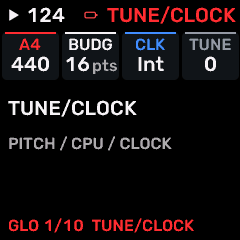
OPEN THIS SCREENOn HOME select the part, then press GLO. Use SELECT or repeated family-button taps to find GLOBAL.
KNOB 1 - A4Reference frequency of A4, in Hz. This is separate from the tuning-system octave boundary. Values: 400 to 480 Hz.
KNOB 2 - BUDGETShared synthesis allocation budget (8-32 points). All four parts compete for this total; raising it can increase CPU load and crackling. Values: 8 to 64 pts.
KNOB 3 - CLKClock source: INT uses the FM-1 tempo; USB or TRS follows incoming MIDI clock on that connection. Values: INT / USB / TRS.
KNOB 4 - TUNEGlobal fine pitch offset in cents, added to A4 and scale tuning. Values: -50 to 50.
BUTTONS AND NAVIGATIONHOME returns to the four-part display. SELECT navigates pages. The family button advances pages. PLAY starts/stops transport; REC arms the selected track. OCT- backs out and OCT+ confirms where an action or picker is offered.
KEEP YOUR CHANGESThese are device/global settings. Master tuning survives program changes unless a saved program explicitly includes a tuning override. Named custom scales can be saved/exported in the editor.
STEP BY STEP- Open GLO and select this named page.
- Turn the knob beside the setting to choose the desired value.
- Leave the menu; settings are remembered. Use COMPUTER USB role before reconnecting the editor.
SynthMaven 4.1.4 | GLO68
GLO
SYSTEM
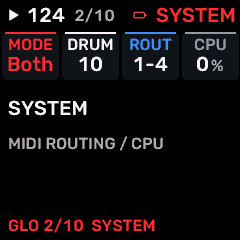
OPEN THIS SCREENOn HOME select the part, then press GLO. Use SELECT or repeated family-button taps to find SYSTEM.
KNOB 1 - MIDI MODEWhere MIDI-only tracks accept notes: USB, TRS or BOTH. Values: USB / TRS / BOTH.
KNOB 2 - DRUMMIDI drum-input channel: OFF or 1-16; channel 10 is the General MIDI convention. Values: 17 named choices; browse the on-screen list..
KNOB 3 - ROUTCH1-4/CH5-8/CH9-12/CH13-16 route consecutive MIDI channels to the parts. SEL routes input to the focused part. Values: CH1-4 / SEL / CH5-8 / CH9-12 / CH13-16 / PARTS.
KNOB 4 - CPULive processor-load display; a diagnostic indication, not a volume control. Persistent overload can cause crackling. Values: Action / no continuous value.
BUTTONS AND NAVIGATIONHOME returns to the four-part display. SELECT navigates pages. The family button advances pages. PLAY starts/stops transport; REC arms the selected track. OCT- backs out and OCT+ confirms where an action or picker is offered.
KEEP YOUR CHANGESThese are device/global settings. Master tuning survives program changes unless a saved program explicitly includes a tuning override. Named custom scales can be saved/exported in the editor.
STEP BY STEP- Open GLO and select this named page.
- Turn the knob beside the setting to choose the desired value.
- Leave the menu; settings are remembered. Use COMPUTER USB role before reconnecting the editor.
SynthMaven 4.1.4 | GLO69
GLO
VOICE COST
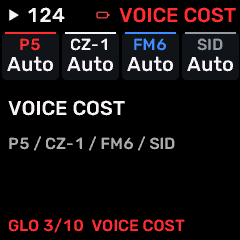
OPEN THIS SCREENOn HOME select the part, then press GLO. Use SELECT or repeated family-button taps to find WEIGHTS.
KNOB 1 - P5Allocation cost per sounding P5 voice. AUTO uses the built-in cost; a numbered override changes how quickly this engine consumes the shared budget. Values: AUTO / 1 / 2 / 3 / 4 / 5 / 6 / 7 / 8 / 9 / 10 / 11 / 12 / 13 / 14 / 15.
KNOB 2 - CZ-1Allocation cost per sounding CZ-1 voice. AUTO uses the built-in cost; a numbered override changes how quickly this engine consumes the shared budget. Values: AUTO / 1 / 2 / 3 / 4 / 5 / 6 / 7 / 8 / 9 / 10 / 11 / 12 / 13 / 14 / 15.
KNOB 3 - FM6Allocation cost per sounding FM6 voice. AUTO uses the built-in cost; a numbered override changes how quickly this engine consumes the shared budget. Values: AUTO / 1 / 2 / 3 / 4 / 5 / 6 / 7 / 8 / 9 / 10 / 11 / 12 / 13 / 14 / 15.
KNOB 4 - SIDAllocation cost per sounding SID voice. AUTO uses the built-in cost; a numbered override changes how quickly this engine consumes the shared budget. Values: AUTO / 1 / 2 / 3 / 4 / 5 / 6 / 7 / 8 / 9 / 10 / 11 / 12 / 13 / 14 / 15.
BUTTONS AND NAVIGATIONHOME returns to the four-part display. SELECT navigates pages. The family button advances pages. PLAY starts/stops transport; REC arms the selected track. OCT- backs out and OCT+ confirms where an action or picker is offered.
KEEP YOUR CHANGESThese are device/global settings. Master tuning survives program changes unless a saved program explicitly includes a tuning override. Named custom scales can be saved/exported in the editor.
STEP BY STEP- Open GLO and select this named page.
- Turn the knob beside the setting to choose the desired value.
- Leave the menu; settings are remembered. Use COMPUTER USB role before reconnecting the editor.
SynthMaven 4.1.4 | GLO70
GLO
LAYERING
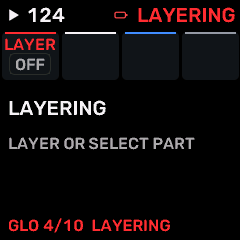
OPEN THIS SCREENOn HOME select the part, then press GLO. Use SELECT or repeated family-button taps to find LAYERING.
KNOB 1 - LAYERToggle four-part performance. OFF plays the focused part; ON uses enabled parts and their routing. Values: OFF to ON.
KNOB 2No assigned parameter on this page.
KNOB 3No assigned parameter on this page.
KNOB 4No assigned parameter on this page.
BUTTONS AND NAVIGATIONHOME returns to the four-part display. SELECT navigates pages. The family button advances pages. PLAY starts/stops transport; REC arms the selected track. OCT- backs out and OCT+ confirms where an action or picker is offered.
KEEP YOUR CHANGESThese are device/global settings. Master tuning survives program changes unless a saved program explicitly includes a tuning override. Named custom scales can be saved/exported in the editor.
STEP BY STEP- Open GLO and select this named page.
- Turn the knob beside the setting to choose the desired value.
- Leave the menu; settings are remembered. Use COMPUTER USB role before reconnecting the editor.
SynthMaven 4.1.4 | GLO71
GLO
CPU GUARD
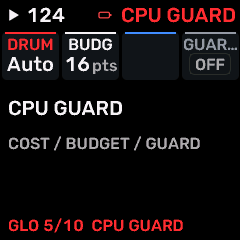
OPEN THIS SCREENOn HOME select the part, then press GLO. Use SELECT or repeated family-button taps to find WEIGHTS 2.
KNOB 1 - DRUMBudget points per drum voice: AUTO uses the built-in cost. Values: AUTO / 1 / 2 / 3 / 4 / 5 / 6 / 7 / 8 / 9 / 10 / 11 / 12 / 13 / 14 / 15.
KNOB 2 - BUDGETShared synthesis allocation budget (8-32 points). All four parts compete for this total; raising it can increase CPU load and crackling. Values: 8 to 64 pts.
KNOB 3No assigned parameter on this page.
KNOB 4 - GUARDEnable overload protection that can cut voices to protect the audio deadline. It is not output loudness compensation. Values: OFF / ON.
BUTTONS AND NAVIGATIONHOME returns to the four-part display. SELECT navigates pages. The family button advances pages. PLAY starts/stops transport; REC arms the selected track. OCT- backs out and OCT+ confirms where an action or picker is offered.
KEEP YOUR CHANGESThese are device/global settings. Master tuning survives program changes unless a saved program explicitly includes a tuning override. Named custom scales can be saved/exported in the editor.
STEP BY STEP- Open GLO and select this named page.
- Turn the knob beside the setting to choose the desired value.
- Leave the menu; settings are remembered. Use COMPUTER USB role before reconnecting the editor.
SynthMaven 4.1.4 | GLO72
GLO
DISPLAY
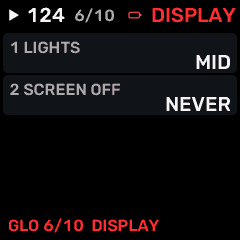
OPEN THIS SCREENOn HOME select the part, then press GLO. Use SELECT or repeated family-button taps to find DISPLAY.
KNOB 1 - COLORChoose the theme: SYNTHMAVEN, ORANGE, BABY BLUE or PINK. Changes the appearance of the device, not the sound. Values: SYNTHMAVEN (red), ORANGE, BABY BLUE, PINK.
KNOB 2 - LIGHTSChoose the behavior of keyboard/button illumination. This does not change note velocity. Values: OFF / LOW / MID / HIGH / FULL.
KNOB 3 - SCREEN OFFDisplay sleep timeout: NEVER, 5, 15, 30 or 60 minutes. The audio engine continues operating. Values: NEVER / 5 / 15 / 30 / 60 MIN.
KNOB 4 - UnusedUnused control; turning it has no action on this screen. Values: .
BUTTONS AND NAVIGATIONHOME returns to the four-part display. SELECT navigates pages. The family button advances pages. PLAY starts/stops transport; REC arms the selected track. OCT- backs out and OCT+ confirms where an action or picker is offered.
KEEP YOUR CHANGESThese are device/global settings. Master tuning survives program changes unless a saved program explicitly includes a tuning override. Named custom scales can be saved/exported in the editor.
STEP BY STEP- Open GLO and select this named page.
- Turn the knob beside the setting to choose the desired value.
- Leave the menu; settings are remembered. Use COMPUTER USB role before reconnecting the editor.
SynthMaven 4.1.4 | GLO73
GLO
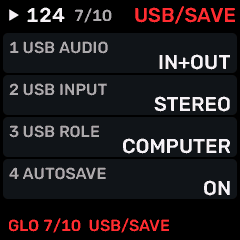
USB / SAVE
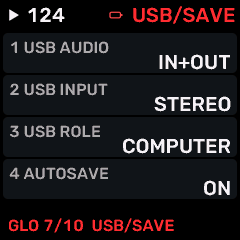
OPEN THIS SCREENOn HOME select the part, then press GLO. Use SELECT or repeated family-button taps to find USB / SAVE.
KNOB 1 - USB AUDIOIN+OUT, IN, OUT or OFF enables the corresponding USB audio directions. Values: IN+OUT / IN / OUT / OFF.
KNOB 2 - USB INPUTChoose stereo master input or four-track audio input routing. Requires COMPUTER USB role. Values: STEREO / 4 TRACKS.
KNOB 3 - USB ROLECOMPUTER connects an editor, iPad or computer; PEDAL hosts a class-compliant controller with appropriate powered host hardware. Return to COMPUTER before editing over USB. Values: COMPUTER / HOST.
KNOB 4 - AUTOSAVEKeep automatic working-project saves after playback stops and the instrument is idle. Named program saves remain a separate operation. Values: OFF / ON.
BUTTONS AND NAVIGATIONHOME returns to the four-part display. SELECT navigates pages. The family button advances pages. PLAY starts/stops transport; REC arms the selected track. OCT- backs out and OCT+ confirms where an action or picker is offered.
KEEP YOUR CHANGESThese are device/global settings. Master tuning survives program changes unless a saved program explicitly includes a tuning override. Named custom scales can be saved/exported in the editor.
STEP BY STEP- Open GLO and select this named page.
- Turn the knob beside the setting to choose the desired value.
- Leave the menu; settings are remembered. Use COMPUTER USB role before reconnecting the editor.
SynthMaven 4.1.4 | GLO74
GLO
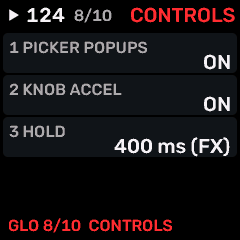
CONTROLS
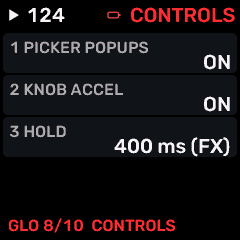
OPEN THIS SCREENOn HOME select the part, then press GLO. Use SELECT or repeated family-button taps to find CONTROLS.
KNOB 1 - PICKER POPUPSEnable automatic value pickers while editing enumerated choices. Values: OFF / ON.
KNOB 2 - KNOB ACCELON makes faster turns cover larger value changes; OFF gives more consistent small adjustments. Values: OFF / ON.
KNOB 3 - HOLDThreshold for the inherited FX performance layer only. It does not change the fixed two-second mixer or three-second tuning/chord shortcuts. Values: 300 / 400 / 500 / 600 ms (FX hold only).
KNOB 4 - UnusedUnused control; turning it has no action on this screen. Values: Unused.
BUTTONS AND NAVIGATIONHOME returns to the four-part display. SELECT navigates pages. The family button advances pages. PLAY starts/stops transport; REC arms the selected track. OCT- backs out and OCT+ confirms where an action or picker is offered.
KEEP YOUR CHANGESThese are device/global settings. Master tuning survives program changes unless a saved program explicitly includes a tuning override. Named custom scales can be saved/exported in the editor.
STEP BY STEP- Open GLO and select this named page.
- Turn the knob beside the setting to choose the desired value.
- Leave the menu; settings are remembered. Use COMPUTER USB role before reconnecting the editor.
SynthMaven 4.1.4 | GLO75
GLO
RECORDING
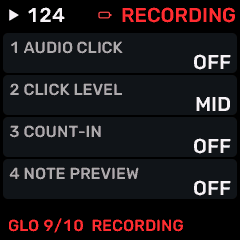
OPEN THIS SCREENOn HOME select the part, then press GLO. Use SELECT or repeated family-button taps to find RECORDING.
KNOB 1 - AUDIO CLICKMetronome behavior: OFF, during REC only, or ON during playback. Values: OFF / REC / ON.
KNOB 2 - CLICK LEVELMetronome loudness: LOW, MID or HIGH. Values: LOW / MID / HIGH.
KNOB 3 - COUNT-INRecording count-in: OFF, 1 BAR or 2 BARS. Values: OFF / 1 BAR / 2 BARS.
KNOB 4 - NOTE PREVIEWPlay an audible preview when selecting/editing sequence notes. OFF is useful for silent editing. Values: OFF / ON.
BUTTONS AND NAVIGATIONHOME returns to the four-part display. SELECT navigates pages. The family button advances pages. PLAY starts/stops transport; REC arms the selected track. OCT- backs out and OCT+ confirms where an action or picker is offered.
KEEP YOUR CHANGESThese are device/global settings. Master tuning survives program changes unless a saved program explicitly includes a tuning override. Named custom scales can be saved/exported in the editor.
STEP BY STEP- Open GLO and select this named page.
- Turn the knob beside the setting to choose the desired value.
- Leave the menu; settings are remembered. Use COMPUTER USB role before reconnecting the editor.
SynthMaven 4.1.4 | GLO76
GLO
DEVICE
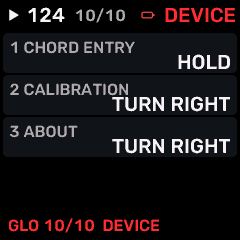
OPEN THIS SCREENOn HOME select the part, then press GLO. Use SELECT or repeated family-button taps to find DEVICE.
KNOB 1 - CHORD ENTRYHOLD replaces the current entered chord while keys are held; ADD accumulates notes for step entry. Values: HOLD / ADD.
KNOB 2 - CALIBRATIONTurn right to enter hardware control calibration. Follow the on-screen prompts; do not enter during a performance. Values: Turn right to open.
KNOB 3 - ABOUTTurn right to open firmware version, credits and device information. No sound parameter is changed. Values: Turn right to open.
KNOB 4 - UnusedUnused control; turning it has no action on this screen. Values: Unused.
BUTTONS AND NAVIGATIONHOME returns to the four-part display. SELECT navigates pages. The family button advances pages. PLAY starts/stops transport; REC arms the selected track. OCT- backs out and OCT+ confirms where an action or picker is offered.
KEEP YOUR CHANGESThese are device/global settings. Master tuning survives program changes unless a saved program explicitly includes a tuning override. Named custom scales can be saved/exported in the editor.
STEP BY STEP- Open GLO and select this named page.
- Turn the knob beside the setting to choose the desired value.
- Leave the menu; settings are remembered. Use COMPUTER USB role before reconnecting the editor.
SynthMaven 4.1.4 | GLO77
FX
SynthMaven 4.1.4 Illustrated Guide
SynthMaven 4.1.4 | FX78
FX
FX
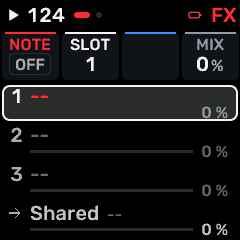
OPEN THIS SCREENOn HOME select the part, then press FX. Use SELECT or repeated family-button taps to find FX.
KNOB 1 - NOTE FXSelect note processing for the highlighted part-rack row: OFF, NOTE TAIL or NOTE ECHO. Values: OFF / NOTE TAIL / NOTE ECHO.
KNOB 2 - ROWChoose one of the three effect rows or the shared/return row.
KNOB 3No parameter on the ordinary part effect row.
KNOB 4 - AMOUNTSet the selected row mix/send; NOTE TAIL uses release amount. On RETURN, set the shared wet return level.
BUTTONS AND NAVIGATIONHOME returns to the four-part display. SELECT navigates pages. The family button advances pages. PLAY starts/stops transport; REC arms the selected track. OCT- backs out and OCT+ confirms where an action or picker is offered.
KEEP YOUR CHANGESSave the containing four-part PROGRAM to retain the sound and mix. Save a PROJECT for pattern banks and arrangements; export a USB backup for safekeeping.
STEP BY STEP- Open this screen using the path above; check the selected part or row before turning a knob.
- Change one setting at a time. Play a note or pattern and compare the result; inactive routes or muted parts may make a control inaudible.
- Use HOME to leave, then save the appropriate program/project if you want a named version.
SynthMaven 4.1.4 | FX79
FX
SHARED
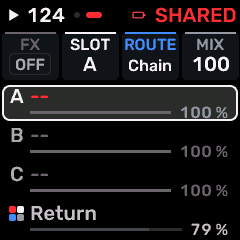
OPEN THIS SCREENOn HOME select the part, then press FX. Use SELECT or repeated family-button taps to find SHARED.
KNOB 1 - FXSelect the shared audio effect in the highlighted rack row. Values: OFF / PHASER / WIDTH / FORMANT / TAPE / SPIT / ROOM / REVERB / CHORUS / DRIVE / CRUSH / FLANGER / PEDAL PHASER / PEDAL CHORUS.
KNOB 2 - ROWChoose one of the three effect rows or the shared/return row.
KNOB 3 - ROUTECHAIN feeds the shared processors in sequence. SPLIT uses the separate part sends to the shared effect slots. Values: CHAIN / SPLIT.
KNOB 4 - AMOUNTSet the selected row mix/send; NOTE TAIL uses release amount. On RETURN, set the shared wet return level.
BUTTONS AND NAVIGATIONHOME returns to the four-part display. SELECT navigates pages. The family button advances pages. PLAY starts/stops transport; REC arms the selected track. OCT- backs out and OCT+ confirms where an action or picker is offered.
KEEP YOUR CHANGESSave the containing four-part PROGRAM to retain the sound and mix. Save a PROJECT for pattern banks and arrangements; export a USB backup for safekeeping.
STEP BY STEP- Open this screen using the path above; check the selected part or row before turning a knob.
- Change one setting at a time. Play a note or pattern and compare the result; inactive routes or muted parts may make a control inaudible.
- Use HOME to leave, then save the appropriate program/project if you want a named version.
SynthMaven 4.1.4 | FX80
FX
FX / NOTE TAIL
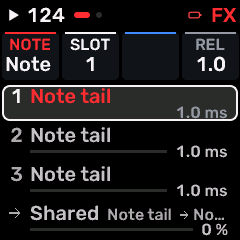
OPEN THIS SCREENTap FX, select the part or SHARED rack, choose NOTE TAIL for the required slot, then open FX.
KNOB 1 - NOTE FXSelect note processing for the highlighted part-rack row: OFF, NOTE TAIL or NOTE ECHO. Values: OFF / NOTE TAIL / NOTE ECHO.
KNOB 2 - ROWChoose one of the three effect rows or the shared/return row.
KNOB 3No parameter on the ordinary part effect row.
KNOB 4 - AMOUNTSet the selected row mix/send; NOTE TAIL uses release amount. On RETURN, set the shared wet return level.
BUTTONS AND NAVIGATIONHOME returns to the four-part display. SELECT navigates pages. The family button advances pages. PLAY starts/stops transport; REC arms the selected track. OCT- backs out and OCT+ confirms where an action or picker is offered.
KEEP YOUR CHANGESSave the containing four-part PROGRAM to retain the sound and mix. Save a PROJECT for pattern banks and arrangements; export a USB backup for safekeeping.
STEP BY STEP- Open this screen using the path above; check the selected part or row before turning a knob.
- Change one setting at a time. Play a note or pattern and compare the result; inactive routes or muted parts may make a control inaudible.
- Use HOME to leave, then save the appropriate program/project if you want a named version.
SynthMaven 4.1.4 | FX81
FX
FX / NOTE ECHO
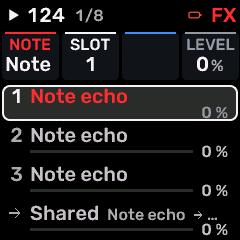
OPEN THIS SCREENTap FX, select the part or SHARED rack, choose NOTE ECHO for the required slot, then open FX.
KNOB 1 - NOTE FXSelect note processing for the highlighted part-rack row: OFF, NOTE TAIL or NOTE ECHO. Values: OFF / NOTE TAIL / NOTE ECHO.
KNOB 2 - ROWChoose one of the three effect rows or the shared/return row.
KNOB 3No parameter on the ordinary part effect row.
KNOB 4 - AMOUNTSet the selected row mix/send; NOTE TAIL uses release amount. On RETURN, set the shared wet return level.
BUTTONS AND NAVIGATIONHOME returns to the four-part display. SELECT navigates pages. The family button advances pages. PLAY starts/stops transport; REC arms the selected track. OCT- backs out and OCT+ confirms where an action or picker is offered.
KEEP YOUR CHANGESSave the containing four-part PROGRAM to retain the sound and mix. Save a PROJECT for pattern banks and arrangements; export a USB backup for safekeeping.
STEP BY STEP- Open this screen using the path above; check the selected part or row before turning a knob.
- Change one setting at a time. Play a note or pattern and compare the result; inactive routes or muted parts may make a control inaudible.
- Use HOME to leave, then save the appropriate program/project if you want a named version.
SynthMaven 4.1.4 | FX82
FX
FX 1 / PHASER
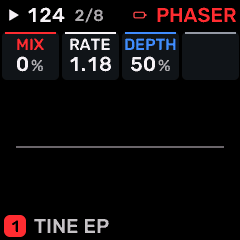
OPEN THIS SCREENTap FX, select the part or SHARED rack, choose PHASER for the required slot, then open FX 1.
KNOB 1 - MIXDry/wet balance or shared effect output level, as identified by the page. Values: 0 to 100 %.
KNOB 2 - RATERate/time control of PHASER. Use the displayed units: Hz denotes motion speed; note divisions follow tempo. Values: .05 to 40.0 Hz.
KNOB 3 - DEPTHModulation/chorus depth. Values: 0 to 100 %.
KNOB 4No assigned parameter on this page.
BUTTONS AND NAVIGATIONHOME returns to the four-part display. SELECT navigates pages. The family button advances pages. PLAY starts/stops transport; REC arms the selected track. OCT- backs out and OCT+ confirms where an action or picker is offered.
KEEP YOUR CHANGESSave the containing four-part PROGRAM to retain the sound and mix. Save a PROJECT for pattern banks and arrangements; export a USB backup for safekeeping.
STEP BY STEP- Open this screen using the path above; check the selected part or row before turning a knob.
- Change one setting at a time. Play a note or pattern and compare the result; inactive routes or muted parts may make a control inaudible.
- Use HOME to leave, then save the appropriate program/project if you want a named version.
SynthMaven 4.1.4 | FX83
FX
FX 1 / WIDTH
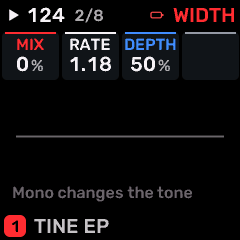
OPEN THIS SCREENTap FX, select the part or SHARED rack, choose WIDTH for the required slot, then open FX 1.
KNOB 1 - MIXDry/wet balance or shared effect output level, as identified by the page. Values: 0 to 100 %.
KNOB 2 - RATERate/time control of WIDTH. Use the displayed units: Hz denotes motion speed; note divisions follow tempo. Values: .05 to 40.0 Hz.
KNOB 3 - DEPTHModulation/chorus depth. Values: 0 to 100 %.
KNOB 4No assigned parameter on this page.
BUTTONS AND NAVIGATIONHOME returns to the four-part display. SELECT navigates pages. The family button advances pages. PLAY starts/stops transport; REC arms the selected track. OCT- backs out and OCT+ confirms where an action or picker is offered.
KEEP YOUR CHANGESSave the containing four-part PROGRAM to retain the sound and mix. Save a PROJECT for pattern banks and arrangements; export a USB backup for safekeeping.
STEP BY STEP- Open this screen using the path above; check the selected part or row before turning a knob.
- Change one setting at a time. Play a note or pattern and compare the result; inactive routes or muted parts may make a control inaudible.
- Use HOME to leave, then save the appropriate program/project if you want a named version.
SynthMaven 4.1.4 | FX84
FX
FX 1 / FORMANT
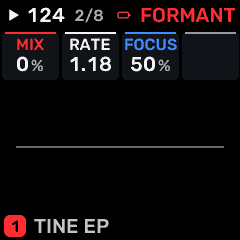
OPEN THIS SCREENTap FX, select the part or SHARED rack, choose FORMANT for the required slot, then open FX 1.
KNOB 1 - MIXDry/wet balance or shared effect output level, as identified by the page. Values: 0 to 100 %.
KNOB 2 - RATERate/time control of FORMANT. Use the displayed units: Hz denotes motion speed; note divisions follow tempo. Values: .05 to 40.0 Hz.
KNOB 3 - FOCUSCharacter/intensity of FORMANT. Adjust alongside MIX; the audible effect depends on the selected processor. Values: 0 to 100 %.
KNOB 4No assigned parameter on this page.
BUTTONS AND NAVIGATIONHOME returns to the four-part display. SELECT navigates pages. The family button advances pages. PLAY starts/stops transport; REC arms the selected track. OCT- backs out and OCT+ confirms where an action or picker is offered.
KEEP YOUR CHANGESSave the containing four-part PROGRAM to retain the sound and mix. Save a PROJECT for pattern banks and arrangements; export a USB backup for safekeeping.
STEP BY STEP- Open this screen using the path above; check the selected part or row before turning a knob.
- Change one setting at a time. Play a note or pattern and compare the result; inactive routes or muted parts may make a control inaudible.
- Use HOME to leave, then save the appropriate program/project if you want a named version.
SynthMaven 4.1.4 | FX85
FX
FX 1 / TAPE
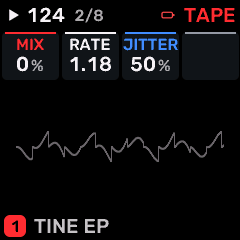
OPEN THIS SCREENTap FX, select the part or SHARED rack, choose TAPE for the required slot, then open FX 1.
KNOB 1 - MIXDry/wet balance or shared effect output level, as identified by the page. Values: 0 to 100 %.
KNOB 2 - RATERate/time control of TAPE. Use the displayed units: Hz denotes motion speed; note divisions follow tempo. Values: .05 to 40.0 Hz.
KNOB 3 - JITTERCharacter/intensity of TAPE. Adjust alongside MIX; the audible effect depends on the selected processor. Values: 0 to 100 %.
KNOB 4No assigned parameter on this page.
BUTTONS AND NAVIGATIONHOME returns to the four-part display. SELECT navigates pages. The family button advances pages. PLAY starts/stops transport; REC arms the selected track. OCT- backs out and OCT+ confirms where an action or picker is offered.
KEEP YOUR CHANGESSave the containing four-part PROGRAM to retain the sound and mix. Save a PROJECT for pattern banks and arrangements; export a USB backup for safekeeping.
STEP BY STEP- Open this screen using the path above; check the selected part or row before turning a knob.
- Change one setting at a time. Play a note or pattern and compare the result; inactive routes or muted parts may make a control inaudible.
- Use HOME to leave, then save the appropriate program/project if you want a named version.
SynthMaven 4.1.4 | FX86
FX
FX 1 / SPIT
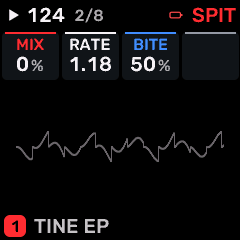
OPEN THIS SCREENTap FX, select the part or SHARED rack, choose SPIT for the required slot, then open FX 1.
KNOB 1 - MIXDry/wet balance or shared effect output level, as identified by the page. Values: 0 to 100 %.
KNOB 2 - RATERate/time control of SPIT. Use the displayed units: Hz denotes motion speed; note divisions follow tempo. Values: .05 to 40.0 Hz.
KNOB 3 - BITECharacter/intensity of SPIT. Adjust alongside MIX; the audible effect depends on the selected processor. Values: 0 to 100 %.
KNOB 4No assigned parameter on this page.
BUTTONS AND NAVIGATIONHOME returns to the four-part display. SELECT navigates pages. The family button advances pages. PLAY starts/stops transport; REC arms the selected track. OCT- backs out and OCT+ confirms where an action or picker is offered.
KEEP YOUR CHANGESSave the containing four-part PROGRAM to retain the sound and mix. Save a PROJECT for pattern banks and arrangements; export a USB backup for safekeeping.
STEP BY STEP- Open this screen using the path above; check the selected part or row before turning a knob.
- Change one setting at a time. Play a note or pattern and compare the result; inactive routes or muted parts may make a control inaudible.
- Use HOME to leave, then save the appropriate program/project if you want a named version.
SynthMaven 4.1.4 | FX87
FX
FX 1 / ROOM
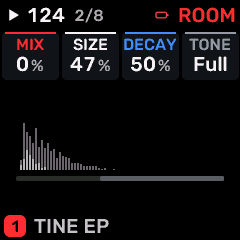
OPEN THIS SCREENTap FX, select the part or SHARED rack, choose ROOM for the required slot, then open FX 1.
KNOB 1 - MIXDry/wet balance or shared effect output level, as identified by the page. Values: 0 to 100 %.
KNOB 2 - SIZEReverb space size/decay character. Values: 0 to 100 %.
KNOB 3 - DECAYTail/decay length of this effect. Higher values generally keep the effect sounding longer. Values: 0 to 100 %.
KNOB 4 - TONETone or spectral balance of this sound/processor. Values: DARK to THIN.
BUTTONS AND NAVIGATIONHOME returns to the four-part display. SELECT navigates pages. The family button advances pages. PLAY starts/stops transport; REC arms the selected track. OCT- backs out and OCT+ confirms where an action or picker is offered.
KEEP YOUR CHANGESSave the containing four-part PROGRAM to retain the sound and mix. Save a PROJECT for pattern banks and arrangements; export a USB backup for safekeeping.
STEP BY STEP- Open this screen using the path above; check the selected part or row before turning a knob.
- Change one setting at a time. Play a note or pattern and compare the result; inactive routes or muted parts may make a control inaudible.
- Use HOME to leave, then save the appropriate program/project if you want a named version.
SynthMaven 4.1.4 | FX88
FX
FX 1 / REVERB
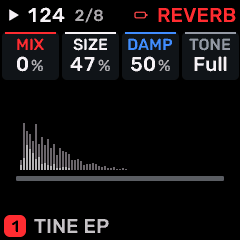
OPEN THIS SCREENTap FX, select the part or SHARED rack, choose REVERB for the required slot, then open FX 1.
KNOB 1 - MIXDry/wet balance or shared effect output level, as identified by the page. Values: 0 to 100 %.
KNOB 2 - SIZEReverb space size/decay character. Values: 0 to 100 %.
KNOB 3 - DAMPHigh-frequency damping; darker reverberation or faster high-frequency decay as raised. Values: 0 to 100 %.
KNOB 4 - TONETone or spectral balance of this sound/processor. Values: DARK to THIN.
BUTTONS AND NAVIGATIONHOME returns to the four-part display. SELECT navigates pages. The family button advances pages. PLAY starts/stops transport; REC arms the selected track. OCT- backs out and OCT+ confirms where an action or picker is offered.
KEEP YOUR CHANGESSave the containing four-part PROGRAM to retain the sound and mix. Save a PROJECT for pattern banks and arrangements; export a USB backup for safekeeping.
STEP BY STEP- Open this screen using the path above; check the selected part or row before turning a knob.
- Change one setting at a time. Play a note or pattern and compare the result; inactive routes or muted parts may make a control inaudible.
- Use HOME to leave, then save the appropriate program/project if you want a named version.
SynthMaven 4.1.4 | FX89
FX
FX 1 / CHORUS
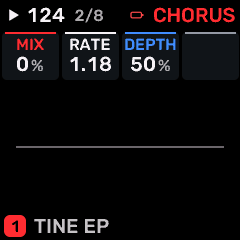
OPEN THIS SCREENTap FX, select the part or SHARED rack, choose CHORUS for the required slot, then open FX 1.
KNOB 1 - MIXDry/wet balance or shared effect output level, as identified by the page. Values: 0 to 100 %.
KNOB 2 - RATERate/time control of CHORUS. Use the displayed units: Hz denotes motion speed; note divisions follow tempo. Values: .05 to 40.0 Hz.
KNOB 3 - DEPTHModulation/chorus depth. Values: 0 to 100 %.
KNOB 4No assigned parameter on this page.
BUTTONS AND NAVIGATIONHOME returns to the four-part display. SELECT navigates pages. The family button advances pages. PLAY starts/stops transport; REC arms the selected track. OCT- backs out and OCT+ confirms where an action or picker is offered.
KEEP YOUR CHANGESSave the containing four-part PROGRAM to retain the sound and mix. Save a PROJECT for pattern banks and arrangements; export a USB backup for safekeeping.
STEP BY STEP- Open this screen using the path above; check the selected part or row before turning a knob.
- Change one setting at a time. Play a note or pattern and compare the result; inactive routes or muted parts may make a control inaudible.
- Use HOME to leave, then save the appropriate program/project if you want a named version.
SynthMaven 4.1.4 | FX90
FX
FX 1 / NOTE ECHO
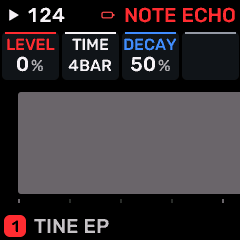
OPEN THIS SCREENTap FX, select the part or SHARED rack, choose NOTE ECHO for the required slot, then open FX 1.
KNOB 1 - LEVELLevel of the selected part/operator/processor; use the page context to identify which one. A zero part level silences that part. Values: 0 to 100 %.
KNOB 2 - TIMEDelay time. Listen for pitch changes when changing tape-style delay time. Values: 1/4 / 1/8 / 1/16 / 1/32 / 8T / 16T / 1/2 / 1/1 / 2BAR / 4BAR.
KNOB 3 - DECAYTail/decay length of this effect. Higher values generally keep the effect sounding longer. Values: 0 to 100 %.
KNOB 4No assigned parameter on this page.
BUTTONS AND NAVIGATIONHOME returns to the four-part display. SELECT navigates pages. The family button advances pages. PLAY starts/stops transport; REC arms the selected track. OCT- backs out and OCT+ confirms where an action or picker is offered.
KEEP YOUR CHANGESSave the containing four-part PROGRAM to retain the sound and mix. Save a PROJECT for pattern banks and arrangements; export a USB backup for safekeeping.
STEP BY STEP- Open this screen using the path above; check the selected part or row before turning a knob.
- Change one setting at a time. Play a note or pattern and compare the result; inactive routes or muted parts may make a control inaudible.
- Use HOME to leave, then save the appropriate program/project if you want a named version.
SynthMaven 4.1.4 | FX91
FX
FX 1 / DRIVE
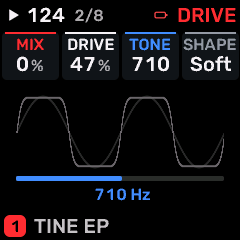
OPEN THIS SCREENTap FX, select the part or SHARED rack, choose DRIVE for the required slot, then open FX 1.
KNOB 1 - MIXDry/wet balance or shared effect output level, as identified by the page. Values: 0 to 100 %.
KNOB 2 - DRIVEDrive into a saturation/filter stage. More drive can add harmonics and change level. Values: 0 to 100 %.
KNOB 3 - TONETone or spectral balance of this sound/processor. Values: 30 to 16.0 kHz.
KNOB 4 - SHAPEWaveform/timbre shaping or the amount of envelope/LFO shaping, according to this page. Values: SOFT / HARD / FOLD / FUZZ.
BUTTONS AND NAVIGATIONHOME returns to the four-part display. SELECT navigates pages. The family button advances pages. PLAY starts/stops transport; REC arms the selected track. OCT- backs out and OCT+ confirms where an action or picker is offered.
KEEP YOUR CHANGESSave the containing four-part PROGRAM to retain the sound and mix. Save a PROJECT for pattern banks and arrangements; export a USB backup for safekeeping.
STEP BY STEP- Open this screen using the path above; check the selected part or row before turning a knob.
- Change one setting at a time. Play a note or pattern and compare the result; inactive routes or muted parts may make a control inaudible.
- Use HOME to leave, then save the appropriate program/project if you want a named version.
SynthMaven 4.1.4 | FX92
FX
FX 1 / CRUSH
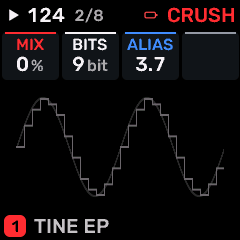
OPEN THIS SCREENTap FX, select the part or SHARED rack, choose CRUSH for the required slot, then open FX 1.
KNOB 1 - MIXDry/wet balance or shared effect output level, as identified by the page. Values: 0 to 100 %.
KNOB 2 - BITSBit depth of the crusher. Lower settings add quantization distortion. Values: 16 to 1 bit.
KNOB 3 - ALIASSample-hold rate of the bitcrusher. Lower effective rates introduce aliasing and a rough digital texture. Values: 44.1 to 689 Hz.
KNOB 4No assigned parameter on this page.
BUTTONS AND NAVIGATIONHOME returns to the four-part display. SELECT navigates pages. The family button advances pages. PLAY starts/stops transport; REC arms the selected track. OCT- backs out and OCT+ confirms where an action or picker is offered.
KEEP YOUR CHANGESSave the containing four-part PROGRAM to retain the sound and mix. Save a PROJECT for pattern banks and arrangements; export a USB backup for safekeeping.
STEP BY STEP- Open this screen using the path above; check the selected part or row before turning a knob.
- Change one setting at a time. Play a note or pattern and compare the result; inactive routes or muted parts may make a control inaudible.
- Use HOME to leave, then save the appropriate program/project if you want a named version.
SynthMaven 4.1.4 | FX93
FX
FX 1 / FLANGER
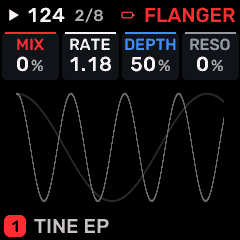
OPEN THIS SCREENTap FX, select the part or SHARED rack, choose FLANGER for the required slot, then open FX 1.
KNOB 1 - MIXDry/wet balance or shared effect output level, as identified by the page. Values: 0 to 100 %.
KNOB 2 - RATERate/time control of FLANGER. Use the displayed units: Hz denotes motion speed; note divisions follow tempo. Values: .05 to 40.0 Hz.
KNOB 3 - DEPTHModulation/chorus depth. Values: 0 to 100 %.
KNOB 4 - RESOResonance/feedback intensity in the selected modulation effect. Values: -98 to +98 %.
BUTTONS AND NAVIGATIONHOME returns to the four-part display. SELECT navigates pages. The family button advances pages. PLAY starts/stops transport; REC arms the selected track. OCT- backs out and OCT+ confirms where an action or picker is offered.
KEEP YOUR CHANGESSave the containing four-part PROGRAM to retain the sound and mix. Save a PROJECT for pattern banks and arrangements; export a USB backup for safekeeping.
STEP BY STEP- Open this screen using the path above; check the selected part or row before turning a knob.
- Change one setting at a time. Play a note or pattern and compare the result; inactive routes or muted parts may make a control inaudible.
- Use HOME to leave, then save the appropriate program/project if you want a named version.
SynthMaven 4.1.4 | FX94
FX
FX 1 / PEDAL PHASER
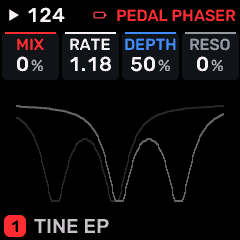
OPEN THIS SCREENTap FX, select the part or SHARED rack, choose PEDAL PHASER for the required slot, then open FX 1.
KNOB 1 - MIXDry/wet balance or shared effect output level, as identified by the page. Values: 0 to 100 %.
KNOB 2 - RATERate/time control of PEDAL PHASER. Use the displayed units: Hz denotes motion speed; note divisions follow tempo. Values: .05 to 40.0 Hz.
KNOB 3 - DEPTHModulation/chorus depth. Values: 0 to 100 %.
KNOB 4 - RESOResonance/feedback intensity in the selected modulation effect. Values: -98 to +98 %.
BUTTONS AND NAVIGATIONHOME returns to the four-part display. SELECT navigates pages. The family button advances pages. PLAY starts/stops transport; REC arms the selected track. OCT- backs out and OCT+ confirms where an action or picker is offered.
KEEP YOUR CHANGESSave the containing four-part PROGRAM to retain the sound and mix. Save a PROJECT for pattern banks and arrangements; export a USB backup for safekeeping.
STEP BY STEP- Open this screen using the path above; check the selected part or row before turning a knob.
- Change one setting at a time. Play a note or pattern and compare the result; inactive routes or muted parts may make a control inaudible.
- Use HOME to leave, then save the appropriate program/project if you want a named version.
SynthMaven 4.1.4 | FX95
FX
FX 1 / PEDAL CHORUS
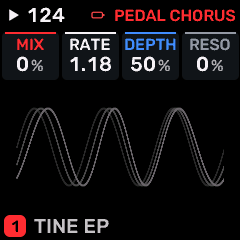
OPEN THIS SCREENTap FX, select the part or SHARED rack, choose PEDAL CHORUS for the required slot, then open FX 1.
KNOB 1 - MIXDry/wet balance or shared effect output level, as identified by the page. Values: 0 to 100 %.
KNOB 2 - RATERate/time control of PEDAL CHORUS. Use the displayed units: Hz denotes motion speed; note divisions follow tempo. Values: .05 to 40.0 Hz.
KNOB 3 - DEPTHModulation/chorus depth. Values: 0 to 100 %.
KNOB 4 - RESOResonance/feedback intensity in the selected modulation effect. Values: -98 to +98 %.
BUTTONS AND NAVIGATIONHOME returns to the four-part display. SELECT navigates pages. The family button advances pages. PLAY starts/stops transport; REC arms the selected track. OCT- backs out and OCT+ confirms where an action or picker is offered.
KEEP YOUR CHANGESSave the containing four-part PROGRAM to retain the sound and mix. Save a PROJECT for pattern banks and arrangements; export a USB backup for safekeeping.
STEP BY STEP- Open this screen using the path above; check the selected part or row before turning a knob.
- Change one setting at a time. Play a note or pattern and compare the result; inactive routes or muted parts may make a control inaudible.
- Use HOME to leave, then save the appropriate program/project if you want a named version.
SynthMaven 4.1.4 | FX96
FX
FX 2 / PHASER
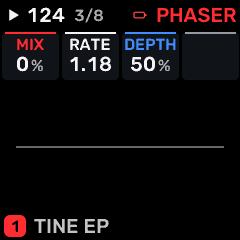
OPEN THIS SCREENTap FX, select the part or SHARED rack, choose PHASER for the required slot, then open FX 2.
KNOB 1 - MIXDry/wet balance or shared effect output level, as identified by the page. Values: 0 to 100 %.
KNOB 2 - RATERate/time control of PHASER. Use the displayed units: Hz denotes motion speed; note divisions follow tempo. Values: .05 to 40.0 Hz.
KNOB 3 - DEPTHModulation/chorus depth. Values: 0 to 100 %.
KNOB 4No assigned parameter on this page.
BUTTONS AND NAVIGATIONHOME returns to the four-part display. SELECT navigates pages. The family button advances pages. PLAY starts/stops transport; REC arms the selected track. OCT- backs out and OCT+ confirms where an action or picker is offered.
KEEP YOUR CHANGESSave the containing four-part PROGRAM to retain the sound and mix. Save a PROJECT for pattern banks and arrangements; export a USB backup for safekeeping.
STEP BY STEP- Open this screen using the path above; check the selected part or row before turning a knob.
- Change one setting at a time. Play a note or pattern and compare the result; inactive routes or muted parts may make a control inaudible.
- Use HOME to leave, then save the appropriate program/project if you want a named version.
SynthMaven 4.1.4 | FX97
FX
FX 2 / WIDTH
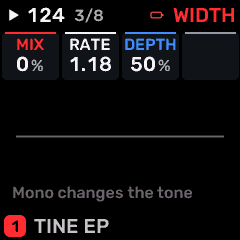
OPEN THIS SCREENTap FX, select the part or SHARED rack, choose WIDTH for the required slot, then open FX 2.
KNOB 1 - MIXDry/wet balance or shared effect output level, as identified by the page. Values: 0 to 100 %.
KNOB 2 - RATERate/time control of WIDTH. Use the displayed units: Hz denotes motion speed; note divisions follow tempo. Values: .05 to 40.0 Hz.
KNOB 3 - DEPTHModulation/chorus depth. Values: 0 to 100 %.
KNOB 4No assigned parameter on this page.
BUTTONS AND NAVIGATIONHOME returns to the four-part display. SELECT navigates pages. The family button advances pages. PLAY starts/stops transport; REC arms the selected track. OCT- backs out and OCT+ confirms where an action or picker is offered.
KEEP YOUR CHANGESSave the containing four-part PROGRAM to retain the sound and mix. Save a PROJECT for pattern banks and arrangements; export a USB backup for safekeeping.
STEP BY STEP- Open this screen using the path above; check the selected part or row before turning a knob.
- Change one setting at a time. Play a note or pattern and compare the result; inactive routes or muted parts may make a control inaudible.
- Use HOME to leave, then save the appropriate program/project if you want a named version.
SynthMaven 4.1.4 | FX98
FX
FX 2 / FORMANT
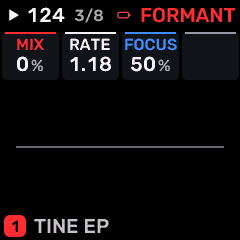
OPEN THIS SCREENTap FX, select the part or SHARED rack, choose FORMANT for the required slot, then open FX 2.
KNOB 1 - MIXDry/wet balance or shared effect output level, as identified by the page. Values: 0 to 100 %.
KNOB 2 - RATERate/time control of FORMANT. Use the displayed units: Hz denotes motion speed; note divisions follow tempo. Values: .05 to 40.0 Hz.
KNOB 3 - FOCUSCharacter/intensity of FORMANT. Adjust alongside MIX; the audible effect depends on the selected processor. Values: 0 to 100 %.
KNOB 4No assigned parameter on this page.
BUTTONS AND NAVIGATIONHOME returns to the four-part display. SELECT navigates pages. The family button advances pages. PLAY starts/stops transport; REC arms the selected track. OCT- backs out and OCT+ confirms where an action or picker is offered.
KEEP YOUR CHANGESSave the containing four-part PROGRAM to retain the sound and mix. Save a PROJECT for pattern banks and arrangements; export a USB backup for safekeeping.
STEP BY STEP- Open this screen using the path above; check the selected part or row before turning a knob.
- Change one setting at a time. Play a note or pattern and compare the result; inactive routes or muted parts may make a control inaudible.
- Use HOME to leave, then save the appropriate program/project if you want a named version.
SynthMaven 4.1.4 | FX99
FX
FX 2 / TAPE
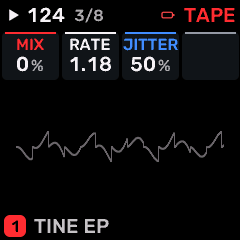
OPEN THIS SCREENTap FX, select the part or SHARED rack, choose TAPE for the required slot, then open FX 2.
KNOB 1 - MIXDry/wet balance or shared effect output level, as identified by the page. Values: 0 to 100 %.
KNOB 2 - RATERate/time control of TAPE. Use the displayed units: Hz denotes motion speed; note divisions follow tempo. Values: .05 to 40.0 Hz.
KNOB 3 - JITTERCharacter/intensity of TAPE. Adjust alongside MIX; the audible effect depends on the selected processor. Values: 0 to 100 %.
KNOB 4No assigned parameter on this page.
BUTTONS AND NAVIGATIONHOME returns to the four-part display. SELECT navigates pages. The family button advances pages. PLAY starts/stops transport; REC arms the selected track. OCT- backs out and OCT+ confirms where an action or picker is offered.
KEEP YOUR CHANGESSave the containing four-part PROGRAM to retain the sound and mix. Save a PROJECT for pattern banks and arrangements; export a USB backup for safekeeping.
STEP BY STEP- Open this screen using the path above; check the selected part or row before turning a knob.
- Change one setting at a time. Play a note or pattern and compare the result; inactive routes or muted parts may make a control inaudible.
- Use HOME to leave, then save the appropriate program/project if you want a named version.
SynthMaven 4.1.4 | FX100
FX
FX 2 / SPIT
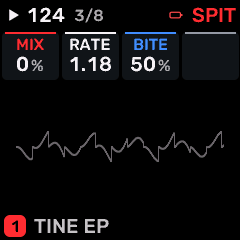
OPEN THIS SCREENTap FX, select the part or SHARED rack, choose SPIT for the required slot, then open FX 2.
KNOB 1 - MIXDry/wet balance or shared effect output level, as identified by the page. Values: 0 to 100 %.
KNOB 2 - RATERate/time control of SPIT. Use the displayed units: Hz denotes motion speed; note divisions follow tempo. Values: .05 to 40.0 Hz.
KNOB 3 - BITECharacter/intensity of SPIT. Adjust alongside MIX; the audible effect depends on the selected processor. Values: 0 to 100 %.
KNOB 4No assigned parameter on this page.
BUTTONS AND NAVIGATIONHOME returns to the four-part display. SELECT navigates pages. The family button advances pages. PLAY starts/stops transport; REC arms the selected track. OCT- backs out and OCT+ confirms where an action or picker is offered.
KEEP YOUR CHANGESSave the containing four-part PROGRAM to retain the sound and mix. Save a PROJECT for pattern banks and arrangements; export a USB backup for safekeeping.
STEP BY STEP- Open this screen using the path above; check the selected part or row before turning a knob.
- Change one setting at a time. Play a note or pattern and compare the result; inactive routes or muted parts may make a control inaudible.
- Use HOME to leave, then save the appropriate program/project if you want a named version.
SynthMaven 4.1.4 | FX101
FX
FX 2 / ROOM
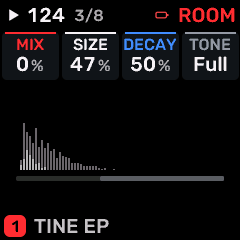
OPEN THIS SCREENTap FX, select the part or SHARED rack, choose ROOM for the required slot, then open FX 2.
KNOB 1 - MIXDry/wet balance or shared effect output level, as identified by the page. Values: 0 to 100 %.
KNOB 2 - SIZEReverb space size/decay character. Values: 0 to 100 %.
KNOB 3 - DECAYTail/decay length of this effect. Higher values generally keep the effect sounding longer. Values: 0 to 100 %.
KNOB 4 - TONETone or spectral balance of this sound/processor. Values: DARK to THIN.
BUTTONS AND NAVIGATIONHOME returns to the four-part display. SELECT navigates pages. The family button advances pages. PLAY starts/stops transport; REC arms the selected track. OCT- backs out and OCT+ confirms where an action or picker is offered.
KEEP YOUR CHANGESSave the containing four-part PROGRAM to retain the sound and mix. Save a PROJECT for pattern banks and arrangements; export a USB backup for safekeeping.
STEP BY STEP- Open this screen using the path above; check the selected part or row before turning a knob.
- Change one setting at a time. Play a note or pattern and compare the result; inactive routes or muted parts may make a control inaudible.
- Use HOME to leave, then save the appropriate program/project if you want a named version.
SynthMaven 4.1.4 | FX102
FX
FX 2 / REVERB
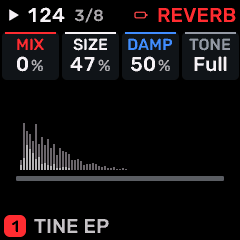
OPEN THIS SCREENTap FX, select the part or SHARED rack, choose REVERB for the required slot, then open FX 2.
KNOB 1 - MIXDry/wet balance or shared effect output level, as identified by the page. Values: 0 to 100 %.
KNOB 2 - SIZEReverb space size/decay character. Values: 0 to 100 %.
KNOB 3 - DAMPHigh-frequency damping; darker reverberation or faster high-frequency decay as raised. Values: 0 to 100 %.
KNOB 4 - TONETone or spectral balance of this sound/processor. Values: DARK to THIN.
BUTTONS AND NAVIGATIONHOME returns to the four-part display. SELECT navigates pages. The family button advances pages. PLAY starts/stops transport; REC arms the selected track. OCT- backs out and OCT+ confirms where an action or picker is offered.
KEEP YOUR CHANGESSave the containing four-part PROGRAM to retain the sound and mix. Save a PROJECT for pattern banks and arrangements; export a USB backup for safekeeping.
STEP BY STEP- Open this screen using the path above; check the selected part or row before turning a knob.
- Change one setting at a time. Play a note or pattern and compare the result; inactive routes or muted parts may make a control inaudible.
- Use HOME to leave, then save the appropriate program/project if you want a named version.
SynthMaven 4.1.4 | FX103
FX
FX 2 / CHORUS
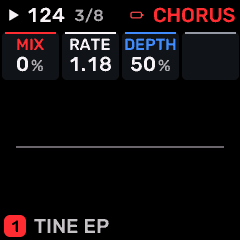
OPEN THIS SCREENTap FX, select the part or SHARED rack, choose CHORUS for the required slot, then open FX 2.
KNOB 1 - MIXDry/wet balance or shared effect output level, as identified by the page. Values: 0 to 100 %.
KNOB 2 - RATERate/time control of CHORUS. Use the displayed units: Hz denotes motion speed; note divisions follow tempo. Values: .05 to 40.0 Hz.
KNOB 3 - DEPTHModulation/chorus depth. Values: 0 to 100 %.
KNOB 4No assigned parameter on this page.
BUTTONS AND NAVIGATIONHOME returns to the four-part display. SELECT navigates pages. The family button advances pages. PLAY starts/stops transport; REC arms the selected track. OCT- backs out and OCT+ confirms where an action or picker is offered.
KEEP YOUR CHANGESSave the containing four-part PROGRAM to retain the sound and mix. Save a PROJECT for pattern banks and arrangements; export a USB backup for safekeeping.
STEP BY STEP- Open this screen using the path above; check the selected part or row before turning a knob.
- Change one setting at a time. Play a note or pattern and compare the result; inactive routes or muted parts may make a control inaudible.
- Use HOME to leave, then save the appropriate program/project if you want a named version.
SynthMaven 4.1.4 | FX104
FX
FX 2 / NOTE ECHO
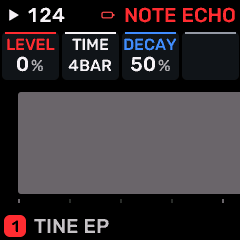
OPEN THIS SCREENTap FX, select the part or SHARED rack, choose NOTE ECHO for the required slot, then open FX 2.
KNOB 1 - LEVELLevel of the selected part/operator/processor; use the page context to identify which one. A zero part level silences that part. Values: 0 to 100 %.
KNOB 2 - TIMEDelay time. Listen for pitch changes when changing tape-style delay time. Values: 1/4 / 1/8 / 1/16 / 1/32 / 8T / 16T / 1/2 / 1/1 / 2BAR / 4BAR.
KNOB 3 - DECAYTail/decay length of this effect. Higher values generally keep the effect sounding longer. Values: 0 to 100 %.
KNOB 4No assigned parameter on this page.
BUTTONS AND NAVIGATIONHOME returns to the four-part display. SELECT navigates pages. The family button advances pages. PLAY starts/stops transport; REC arms the selected track. OCT- backs out and OCT+ confirms where an action or picker is offered.
KEEP YOUR CHANGESSave the containing four-part PROGRAM to retain the sound and mix. Save a PROJECT for pattern banks and arrangements; export a USB backup for safekeeping.
STEP BY STEP- Open this screen using the path above; check the selected part or row before turning a knob.
- Change one setting at a time. Play a note or pattern and compare the result; inactive routes or muted parts may make a control inaudible.
- Use HOME to leave, then save the appropriate program/project if you want a named version.
SynthMaven 4.1.4 | FX105
FX
FX 2 / DRIVE
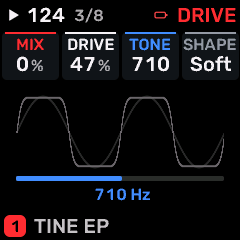
OPEN THIS SCREENTap FX, select the part or SHARED rack, choose DRIVE for the required slot, then open FX 2.
KNOB 1 - MIXDry/wet balance or shared effect output level, as identified by the page. Values: 0 to 100 %.
KNOB 2 - DRIVEDrive into a saturation/filter stage. More drive can add harmonics and change level. Values: 0 to 100 %.
KNOB 3 - TONETone or spectral balance of this sound/processor. Values: 30 to 16.0 kHz.
KNOB 4 - SHAPEWaveform/timbre shaping or the amount of envelope/LFO shaping, according to this page. Values: SOFT / HARD / FOLD / FUZZ.
BUTTONS AND NAVIGATIONHOME returns to the four-part display. SELECT navigates pages. The family button advances pages. PLAY starts/stops transport; REC arms the selected track. OCT- backs out and OCT+ confirms where an action or picker is offered.
KEEP YOUR CHANGESSave the containing four-part PROGRAM to retain the sound and mix. Save a PROJECT for pattern banks and arrangements; export a USB backup for safekeeping.
STEP BY STEP- Open this screen using the path above; check the selected part or row before turning a knob.
- Change one setting at a time. Play a note or pattern and compare the result; inactive routes or muted parts may make a control inaudible.
- Use HOME to leave, then save the appropriate program/project if you want a named version.
SynthMaven 4.1.4 | FX106
FX
FX 2 / CRUSH
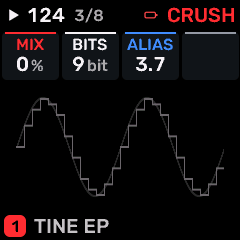
OPEN THIS SCREENTap FX, select the part or SHARED rack, choose CRUSH for the required slot, then open FX 2.
KNOB 1 - MIXDry/wet balance or shared effect output level, as identified by the page. Values: 0 to 100 %.
KNOB 2 - BITSBit depth of the crusher. Lower settings add quantization distortion. Values: 16 to 1 bit.
KNOB 3 - ALIASSample-hold rate of the bitcrusher. Lower effective rates introduce aliasing and a rough digital texture. Values: 44.1 to 689 Hz.
KNOB 4No assigned parameter on this page.
BUTTONS AND NAVIGATIONHOME returns to the four-part display. SELECT navigates pages. The family button advances pages. PLAY starts/stops transport; REC arms the selected track. OCT- backs out and OCT+ confirms where an action or picker is offered.
KEEP YOUR CHANGESSave the containing four-part PROGRAM to retain the sound and mix. Save a PROJECT for pattern banks and arrangements; export a USB backup for safekeeping.
STEP BY STEP- Open this screen using the path above; check the selected part or row before turning a knob.
- Change one setting at a time. Play a note or pattern and compare the result; inactive routes or muted parts may make a control inaudible.
- Use HOME to leave, then save the appropriate program/project if you want a named version.
SynthMaven 4.1.4 | FX107
FX
FX 2 / FLANGER
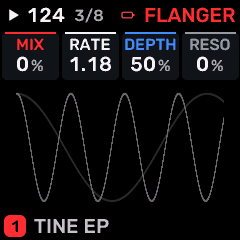
OPEN THIS SCREENTap FX, select the part or SHARED rack, choose FLANGER for the required slot, then open FX 2.
KNOB 1 - MIXDry/wet balance or shared effect output level, as identified by the page. Values: 0 to 100 %.
KNOB 2 - RATERate/time control of FLANGER. Use the displayed units: Hz denotes motion speed; note divisions follow tempo. Values: .05 to 40.0 Hz.
KNOB 3 - DEPTHModulation/chorus depth. Values: 0 to 100 %.
KNOB 4 - RESOResonance/feedback intensity in the selected modulation effect. Values: -98 to +98 %.
BUTTONS AND NAVIGATIONHOME returns to the four-part display. SELECT navigates pages. The family button advances pages. PLAY starts/stops transport; REC arms the selected track. OCT- backs out and OCT+ confirms where an action or picker is offered.
KEEP YOUR CHANGESSave the containing four-part PROGRAM to retain the sound and mix. Save a PROJECT for pattern banks and arrangements; export a USB backup for safekeeping.
STEP BY STEP- Open this screen using the path above; check the selected part or row before turning a knob.
- Change one setting at a time. Play a note or pattern and compare the result; inactive routes or muted parts may make a control inaudible.
- Use HOME to leave, then save the appropriate program/project if you want a named version.
SynthMaven 4.1.4 | FX108
FX
FX 2 / PEDAL PHASER
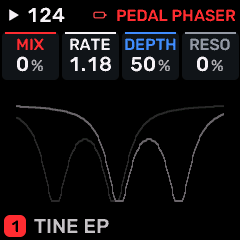
OPEN THIS SCREENTap FX, select the part or SHARED rack, choose PEDAL PHASER for the required slot, then open FX 2.
KNOB 1 - MIXDry/wet balance or shared effect output level, as identified by the page. Values: 0 to 100 %.
KNOB 2 - RATERate/time control of PEDAL PHASER. Use the displayed units: Hz denotes motion speed; note divisions follow tempo. Values: .05 to 40.0 Hz.
KNOB 3 - DEPTHModulation/chorus depth. Values: 0 to 100 %.
KNOB 4 - RESOResonance/feedback intensity in the selected modulation effect. Values: -98 to +98 %.
BUTTONS AND NAVIGATIONHOME returns to the four-part display. SELECT navigates pages. The family button advances pages. PLAY starts/stops transport; REC arms the selected track. OCT- backs out and OCT+ confirms where an action or picker is offered.
KEEP YOUR CHANGESSave the containing four-part PROGRAM to retain the sound and mix. Save a PROJECT for pattern banks and arrangements; export a USB backup for safekeeping.
STEP BY STEP- Open this screen using the path above; check the selected part or row before turning a knob.
- Change one setting at a time. Play a note or pattern and compare the result; inactive routes or muted parts may make a control inaudible.
- Use HOME to leave, then save the appropriate program/project if you want a named version.
SynthMaven 4.1.4 | FX109
FX
FX 2 / PEDAL CHORUS
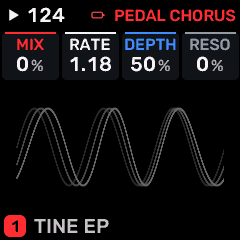
OPEN THIS SCREENTap FX, select the part or SHARED rack, choose PEDAL CHORUS for the required slot, then open FX 2.
KNOB 1 - MIXDry/wet balance or shared effect output level, as identified by the page. Values: 0 to 100 %.
KNOB 2 - RATERate/time control of PEDAL CHORUS. Use the displayed units: Hz denotes motion speed; note divisions follow tempo. Values: .05 to 40.0 Hz.
KNOB 3 - DEPTHModulation/chorus depth. Values: 0 to 100 %.
KNOB 4 - RESOResonance/feedback intensity in the selected modulation effect. Values: -98 to +98 %.
BUTTONS AND NAVIGATIONHOME returns to the four-part display. SELECT navigates pages. The family button advances pages. PLAY starts/stops transport; REC arms the selected track. OCT- backs out and OCT+ confirms where an action or picker is offered.
KEEP YOUR CHANGESSave the containing four-part PROGRAM to retain the sound and mix. Save a PROJECT for pattern banks and arrangements; export a USB backup for safekeeping.
STEP BY STEP- Open this screen using the path above; check the selected part or row before turning a knob.
- Change one setting at a time. Play a note or pattern and compare the result; inactive routes or muted parts may make a control inaudible.
- Use HOME to leave, then save the appropriate program/project if you want a named version.
SynthMaven 4.1.4 | FX110
FX
FX 3 / PHASER
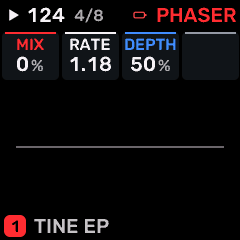
OPEN THIS SCREENTap FX, select the part or SHARED rack, choose PHASER for the required slot, then open FX 3.
KNOB 1 - MIXDry/wet balance or shared effect output level, as identified by the page. Values: 0 to 100 %.
KNOB 2 - RATERate/time control of PHASER. Use the displayed units: Hz denotes motion speed; note divisions follow tempo. Values: .05 to 40.0 Hz.
KNOB 3 - DEPTHModulation/chorus depth. Values: 0 to 100 %.
KNOB 4No assigned parameter on this page.
BUTTONS AND NAVIGATIONHOME returns to the four-part display. SELECT navigates pages. The family button advances pages. PLAY starts/stops transport; REC arms the selected track. OCT- backs out and OCT+ confirms where an action or picker is offered.
KEEP YOUR CHANGESSave the containing four-part PROGRAM to retain the sound and mix. Save a PROJECT for pattern banks and arrangements; export a USB backup for safekeeping.
STEP BY STEP- Open this screen using the path above; check the selected part or row before turning a knob.
- Change one setting at a time. Play a note or pattern and compare the result; inactive routes or muted parts may make a control inaudible.
- Use HOME to leave, then save the appropriate program/project if you want a named version.
SynthMaven 4.1.4 | FX111
FX
FX 3 / WIDTH
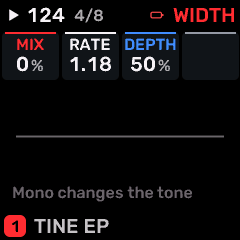
OPEN THIS SCREENTap FX, select the part or SHARED rack, choose WIDTH for the required slot, then open FX 3.
KNOB 1 - MIXDry/wet balance or shared effect output level, as identified by the page. Values: 0 to 100 %.
KNOB 2 - RATERate/time control of WIDTH. Use the displayed units: Hz denotes motion speed; note divisions follow tempo. Values: .05 to 40.0 Hz.
KNOB 3 - DEPTHModulation/chorus depth. Values: 0 to 100 %.
KNOB 4No assigned parameter on this page.
BUTTONS AND NAVIGATIONHOME returns to the four-part display. SELECT navigates pages. The family button advances pages. PLAY starts/stops transport; REC arms the selected track. OCT- backs out and OCT+ confirms where an action or picker is offered.
KEEP YOUR CHANGESSave the containing four-part PROGRAM to retain the sound and mix. Save a PROJECT for pattern banks and arrangements; export a USB backup for safekeeping.
STEP BY STEP- Open this screen using the path above; check the selected part or row before turning a knob.
- Change one setting at a time. Play a note or pattern and compare the result; inactive routes or muted parts may make a control inaudible.
- Use HOME to leave, then save the appropriate program/project if you want a named version.
SynthMaven 4.1.4 | FX112
FX
FX 3 / FORMANT
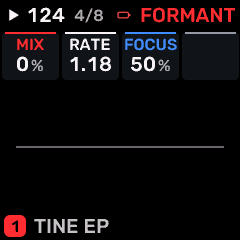
OPEN THIS SCREENTap FX, select the part or SHARED rack, choose FORMANT for the required slot, then open FX 3.
KNOB 1 - MIXDry/wet balance or shared effect output level, as identified by the page. Values: 0 to 100 %.
KNOB 2 - RATERate/time control of FORMANT. Use the displayed units: Hz denotes motion speed; note divisions follow tempo. Values: .05 to 40.0 Hz.
KNOB 3 - FOCUSCharacter/intensity of FORMANT. Adjust alongside MIX; the audible effect depends on the selected processor. Values: 0 to 100 %.
KNOB 4No assigned parameter on this page.
BUTTONS AND NAVIGATIONHOME returns to the four-part display. SELECT navigates pages. The family button advances pages. PLAY starts/stops transport; REC arms the selected track. OCT- backs out and OCT+ confirms where an action or picker is offered.
KEEP YOUR CHANGESSave the containing four-part PROGRAM to retain the sound and mix. Save a PROJECT for pattern banks and arrangements; export a USB backup for safekeeping.
STEP BY STEP- Open this screen using the path above; check the selected part or row before turning a knob.
- Change one setting at a time. Play a note or pattern and compare the result; inactive routes or muted parts may make a control inaudible.
- Use HOME to leave, then save the appropriate program/project if you want a named version.
SynthMaven 4.1.4 | FX113
FX
FX 3 / TAPE
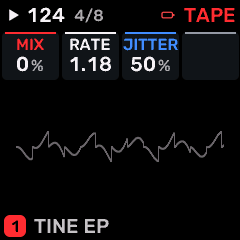
OPEN THIS SCREENTap FX, select the part or SHARED rack, choose TAPE for the required slot, then open FX 3.
KNOB 1 - MIXDry/wet balance or shared effect output level, as identified by the page. Values: 0 to 100 %.
KNOB 2 - RATERate/time control of TAPE. Use the displayed units: Hz denotes motion speed; note divisions follow tempo. Values: .05 to 40.0 Hz.
KNOB 3 - JITTERCharacter/intensity of TAPE. Adjust alongside MIX; the audible effect depends on the selected processor. Values: 0 to 100 %.
KNOB 4No assigned parameter on this page.
BUTTONS AND NAVIGATIONHOME returns to the four-part display. SELECT navigates pages. The family button advances pages. PLAY starts/stops transport; REC arms the selected track. OCT- backs out and OCT+ confirms where an action or picker is offered.
KEEP YOUR CHANGESSave the containing four-part PROGRAM to retain the sound and mix. Save a PROJECT for pattern banks and arrangements; export a USB backup for safekeeping.
STEP BY STEP- Open this screen using the path above; check the selected part or row before turning a knob.
- Change one setting at a time. Play a note or pattern and compare the result; inactive routes or muted parts may make a control inaudible.
- Use HOME to leave, then save the appropriate program/project if you want a named version.
SynthMaven 4.1.4 | FX114
FX
FX 3 / SPIT
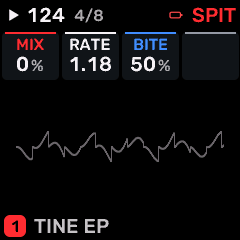
OPEN THIS SCREENTap FX, select the part or SHARED rack, choose SPIT for the required slot, then open FX 3.
KNOB 1 - MIXDry/wet balance or shared effect output level, as identified by the page. Values: 0 to 100 %.
KNOB 2 - RATERate/time control of SPIT. Use the displayed units: Hz denotes motion speed; note divisions follow tempo. Values: .05 to 40.0 Hz.
KNOB 3 - BITECharacter/intensity of SPIT. Adjust alongside MIX; the audible effect depends on the selected processor. Values: 0 to 100 %.
KNOB 4No assigned parameter on this page.
BUTTONS AND NAVIGATIONHOME returns to the four-part display. SELECT navigates pages. The family button advances pages. PLAY starts/stops transport; REC arms the selected track. OCT- backs out and OCT+ confirms where an action or picker is offered.
KEEP YOUR CHANGESSave the containing four-part PROGRAM to retain the sound and mix. Save a PROJECT for pattern banks and arrangements; export a USB backup for safekeeping.
STEP BY STEP- Open this screen using the path above; check the selected part or row before turning a knob.
- Change one setting at a time. Play a note or pattern and compare the result; inactive routes or muted parts may make a control inaudible.
- Use HOME to leave, then save the appropriate program/project if you want a named version.
SynthMaven 4.1.4 | FX115
FX
FX 3 / ROOM
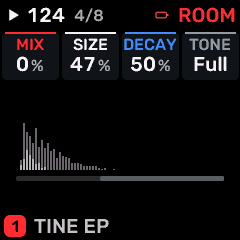
OPEN THIS SCREENTap FX, select the part or SHARED rack, choose ROOM for the required slot, then open FX 3.
KNOB 1 - MIXDry/wet balance or shared effect output level, as identified by the page. Values: 0 to 100 %.
KNOB 2 - SIZEReverb space size/decay character. Values: 0 to 100 %.
KNOB 3 - DECAYTail/decay length of this effect. Higher values generally keep the effect sounding longer. Values: 0 to 100 %.
KNOB 4 - TONETone or spectral balance of this sound/processor. Values: DARK to THIN.
BUTTONS AND NAVIGATIONHOME returns to the four-part display. SELECT navigates pages. The family button advances pages. PLAY starts/stops transport; REC arms the selected track. OCT- backs out and OCT+ confirms where an action or picker is offered.
KEEP YOUR CHANGESSave the containing four-part PROGRAM to retain the sound and mix. Save a PROJECT for pattern banks and arrangements; export a USB backup for safekeeping.
STEP BY STEP- Open this screen using the path above; check the selected part or row before turning a knob.
- Change one setting at a time. Play a note or pattern and compare the result; inactive routes or muted parts may make a control inaudible.
- Use HOME to leave, then save the appropriate program/project if you want a named version.
SynthMaven 4.1.4 | FX116
FX
FX 3 / REVERB
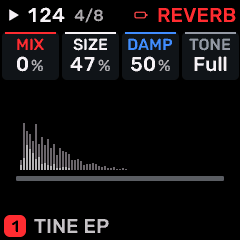
OPEN THIS SCREENTap FX, select the part or SHARED rack, choose REVERB for the required slot, then open FX 3.
KNOB 1 - MIXDry/wet balance or shared effect output level, as identified by the page. Values: 0 to 100 %.
KNOB 2 - SIZEReverb space size/decay character. Values: 0 to 100 %.
KNOB 3 - DAMPHigh-frequency damping; darker reverberation or faster high-frequency decay as raised. Values: 0 to 100 %.
KNOB 4 - TONETone or spectral balance of this sound/processor. Values: DARK to THIN.
BUTTONS AND NAVIGATIONHOME returns to the four-part display. SELECT navigates pages. The family button advances pages. PLAY starts/stops transport; REC arms the selected track. OCT- backs out and OCT+ confirms where an action or picker is offered.
KEEP YOUR CHANGESSave the containing four-part PROGRAM to retain the sound and mix. Save a PROJECT for pattern banks and arrangements; export a USB backup for safekeeping.
STEP BY STEP- Open this screen using the path above; check the selected part or row before turning a knob.
- Change one setting at a time. Play a note or pattern and compare the result; inactive routes or muted parts may make a control inaudible.
- Use HOME to leave, then save the appropriate program/project if you want a named version.
SynthMaven 4.1.4 | FX117
FX
FX 3 / CHORUS
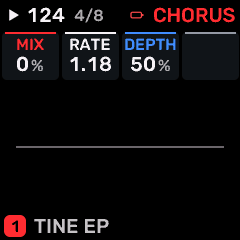
OPEN THIS SCREENTap FX, select the part or SHARED rack, choose CHORUS for the required slot, then open FX 3.
KNOB 1 - MIXDry/wet balance or shared effect output level, as identified by the page. Values: 0 to 100 %.
KNOB 2 - RATERate/time control of CHORUS. Use the displayed units: Hz denotes motion speed; note divisions follow tempo. Values: .05 to 40.0 Hz.
KNOB 3 - DEPTHModulation/chorus depth. Values: 0 to 100 %.
KNOB 4No assigned parameter on this page.
BUTTONS AND NAVIGATIONHOME returns to the four-part display. SELECT navigates pages. The family button advances pages. PLAY starts/stops transport; REC arms the selected track. OCT- backs out and OCT+ confirms where an action or picker is offered.
KEEP YOUR CHANGESSave the containing four-part PROGRAM to retain the sound and mix. Save a PROJECT for pattern banks and arrangements; export a USB backup for safekeeping.
STEP BY STEP- Open this screen using the path above; check the selected part or row before turning a knob.
- Change one setting at a time. Play a note or pattern and compare the result; inactive routes or muted parts may make a control inaudible.
- Use HOME to leave, then save the appropriate program/project if you want a named version.
SynthMaven 4.1.4 | FX118
FX
FX 3 / NOTE ECHO
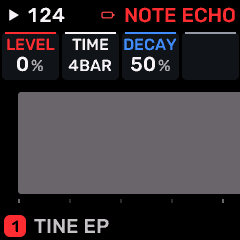
OPEN THIS SCREENTap FX, select the part or SHARED rack, choose NOTE ECHO for the required slot, then open FX 3.
KNOB 1 - LEVELLevel of the selected part/operator/processor; use the page context to identify which one. A zero part level silences that part. Values: 0 to 100 %.
KNOB 2 - TIMEDelay time. Listen for pitch changes when changing tape-style delay time. Values: 1/4 / 1/8 / 1/16 / 1/32 / 8T / 16T / 1/2 / 1/1 / 2BAR / 4BAR.
KNOB 3 - DECAYTail/decay length of this effect. Higher values generally keep the effect sounding longer. Values: 0 to 100 %.
KNOB 4No assigned parameter on this page.
BUTTONS AND NAVIGATIONHOME returns to the four-part display. SELECT navigates pages. The family button advances pages. PLAY starts/stops transport; REC arms the selected track. OCT- backs out and OCT+ confirms where an action or picker is offered.
KEEP YOUR CHANGESSave the containing four-part PROGRAM to retain the sound and mix. Save a PROJECT for pattern banks and arrangements; export a USB backup for safekeeping.
STEP BY STEP- Open this screen using the path above; check the selected part or row before turning a knob.
- Change one setting at a time. Play a note or pattern and compare the result; inactive routes or muted parts may make a control inaudible.
- Use HOME to leave, then save the appropriate program/project if you want a named version.
SynthMaven 4.1.4 | FX119
FX
FX 3 / DRIVE
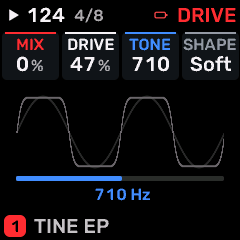
OPEN THIS SCREENTap FX, select the part or SHARED rack, choose DRIVE for the required slot, then open FX 3.
KNOB 1 - MIXDry/wet balance or shared effect output level, as identified by the page. Values: 0 to 100 %.
KNOB 2 - DRIVEDrive into a saturation/filter stage. More drive can add harmonics and change level. Values: 0 to 100 %.
KNOB 3 - TONETone or spectral balance of this sound/processor. Values: 30 to 16.0 kHz.
KNOB 4 - SHAPEWaveform/timbre shaping or the amount of envelope/LFO shaping, according to this page. Values: SOFT / HARD / FOLD / FUZZ.
BUTTONS AND NAVIGATIONHOME returns to the four-part display. SELECT navigates pages. The family button advances pages. PLAY starts/stops transport; REC arms the selected track. OCT- backs out and OCT+ confirms where an action or picker is offered.
KEEP YOUR CHANGESSave the containing four-part PROGRAM to retain the sound and mix. Save a PROJECT for pattern banks and arrangements; export a USB backup for safekeeping.
STEP BY STEP- Open this screen using the path above; check the selected part or row before turning a knob.
- Change one setting at a time. Play a note or pattern and compare the result; inactive routes or muted parts may make a control inaudible.
- Use HOME to leave, then save the appropriate program/project if you want a named version.
SynthMaven 4.1.4 | FX120
FX
FX 3 / CRUSH
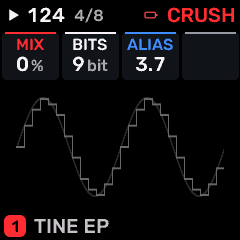
OPEN THIS SCREENTap FX, select the part or SHARED rack, choose CRUSH for the required slot, then open FX 3.
KNOB 1 - MIXDry/wet balance or shared effect output level, as identified by the page. Values: 0 to 100 %.
KNOB 2 - BITSBit depth of the crusher. Lower settings add quantization distortion. Values: 16 to 1 bit.
KNOB 3 - ALIASSample-hold rate of the bitcrusher. Lower effective rates introduce aliasing and a rough digital texture. Values: 44.1 to 689 Hz.
KNOB 4No assigned parameter on this page.
BUTTONS AND NAVIGATIONHOME returns to the four-part display. SELECT navigates pages. The family button advances pages. PLAY starts/stops transport; REC arms the selected track. OCT- backs out and OCT+ confirms where an action or picker is offered.
KEEP YOUR CHANGESSave the containing four-part PROGRAM to retain the sound and mix. Save a PROJECT for pattern banks and arrangements; export a USB backup for safekeeping.
STEP BY STEP- Open this screen using the path above; check the selected part or row before turning a knob.
- Change one setting at a time. Play a note or pattern and compare the result; inactive routes or muted parts may make a control inaudible.
- Use HOME to leave, then save the appropriate program/project if you want a named version.
SynthMaven 4.1.4 | FX121
FX
FX 3 / FLANGER
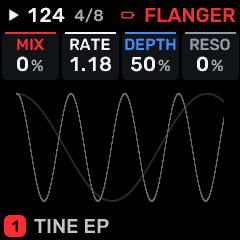
OPEN THIS SCREENTap FX, select the part or SHARED rack, choose FLANGER for the required slot, then open FX 3.
KNOB 1 - MIXDry/wet balance or shared effect output level, as identified by the page. Values: 0 to 100 %.
KNOB 2 - RATERate/time control of FLANGER. Use the displayed units: Hz denotes motion speed; note divisions follow tempo. Values: .05 to 40.0 Hz.
KNOB 3 - DEPTHModulation/chorus depth. Values: 0 to 100 %.
KNOB 4 - RESOResonance/feedback intensity in the selected modulation effect. Values: -98 to +98 %.
BUTTONS AND NAVIGATIONHOME returns to the four-part display. SELECT navigates pages. The family button advances pages. PLAY starts/stops transport; REC arms the selected track. OCT- backs out and OCT+ confirms where an action or picker is offered.
KEEP YOUR CHANGESSave the containing four-part PROGRAM to retain the sound and mix. Save a PROJECT for pattern banks and arrangements; export a USB backup for safekeeping.
STEP BY STEP- Open this screen using the path above; check the selected part or row before turning a knob.
- Change one setting at a time. Play a note or pattern and compare the result; inactive routes or muted parts may make a control inaudible.
- Use HOME to leave, then save the appropriate program/project if you want a named version.
SynthMaven 4.1.4 | FX122
FX
FX 3 / PEDAL PHASER
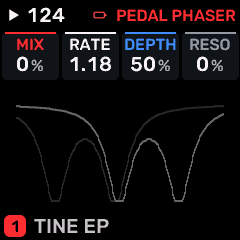
OPEN THIS SCREENTap FX, select the part or SHARED rack, choose PEDAL PHASER for the required slot, then open FX 3.
KNOB 1 - MIXDry/wet balance or shared effect output level, as identified by the page. Values: 0 to 100 %.
KNOB 2 - RATERate/time control of PEDAL PHASER. Use the displayed units: Hz denotes motion speed; note divisions follow tempo. Values: .05 to 40.0 Hz.
KNOB 3 - DEPTHModulation/chorus depth. Values: 0 to 100 %.
KNOB 4 - RESOResonance/feedback intensity in the selected modulation effect. Values: -98 to +98 %.
BUTTONS AND NAVIGATIONHOME returns to the four-part display. SELECT navigates pages. The family button advances pages. PLAY starts/stops transport; REC arms the selected track. OCT- backs out and OCT+ confirms where an action or picker is offered.
KEEP YOUR CHANGESSave the containing four-part PROGRAM to retain the sound and mix. Save a PROJECT for pattern banks and arrangements; export a USB backup for safekeeping.
STEP BY STEP- Open this screen using the path above; check the selected part or row before turning a knob.
- Change one setting at a time. Play a note or pattern and compare the result; inactive routes or muted parts may make a control inaudible.
- Use HOME to leave, then save the appropriate program/project if you want a named version.
SynthMaven 4.1.4 | FX123
FX
FX 3 / PEDAL CHORUS
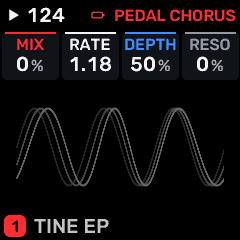
OPEN THIS SCREENTap FX, select the part or SHARED rack, choose PEDAL CHORUS for the required slot, then open FX 3.
KNOB 1 - MIXDry/wet balance or shared effect output level, as identified by the page. Values: 0 to 100 %.
KNOB 2 - RATERate/time control of PEDAL CHORUS. Use the displayed units: Hz denotes motion speed; note divisions follow tempo. Values: .05 to 40.0 Hz.
KNOB 3 - DEPTHModulation/chorus depth. Values: 0 to 100 %.
KNOB 4 - RESOResonance/feedback intensity in the selected modulation effect. Values: -98 to +98 %.
BUTTONS AND NAVIGATIONHOME returns to the four-part display. SELECT navigates pages. The family button advances pages. PLAY starts/stops transport; REC arms the selected track. OCT- backs out and OCT+ confirms where an action or picker is offered.
KEEP YOUR CHANGESSave the containing four-part PROGRAM to retain the sound and mix. Save a PROJECT for pattern banks and arrangements; export a USB backup for safekeeping.
STEP BY STEP- Open this screen using the path above; check the selected part or row before turning a knob.
- Change one setting at a time. Play a note or pattern and compare the result; inactive routes or muted parts may make a control inaudible.
- Use HOME to leave, then save the appropriate program/project if you want a named version.
SynthMaven 4.1.4 | FX124
FX
SEND FX 1 / PHASER
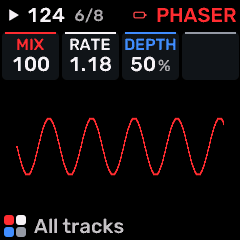
OPEN THIS SCREENTap FX, select the part or SHARED rack, choose PHASER for the required slot, then open SEND FX 1.
KNOB 1 - MIXDry/wet balance or shared effect output level, as identified by the page. Values: 0 to 100 %.
KNOB 2 - RATERate/time control of PHASER. Use the displayed units: Hz denotes motion speed; note divisions follow tempo. Values: .05 to 40.0 Hz.
KNOB 3 - DEPTHModulation/chorus depth. Values: 0 to 100 %.
KNOB 4No assigned parameter on this page.
BUTTONS AND NAVIGATIONHOME returns to the four-part display. SELECT navigates pages. The family button advances pages. PLAY starts/stops transport; REC arms the selected track. OCT- backs out and OCT+ confirms where an action or picker is offered.
KEEP YOUR CHANGESSave the containing four-part PROGRAM to retain the sound and mix. Save a PROJECT for pattern banks and arrangements; export a USB backup for safekeeping.
STEP BY STEP- Open this screen using the path above; check the selected part or row before turning a knob.
- Change one setting at a time. Play a note or pattern and compare the result; inactive routes or muted parts may make a control inaudible.
- Use HOME to leave, then save the appropriate program/project if you want a named version.
SynthMaven 4.1.4 | FX125
FX
SEND FX 1 / WIDTH
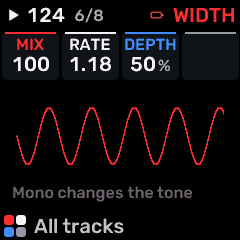
OPEN THIS SCREENTap FX, select the part or SHARED rack, choose WIDTH for the required slot, then open SEND FX 1.
KNOB 1 - MIXDry/wet balance or shared effect output level, as identified by the page. Values: 0 to 100 %.
KNOB 2 - RATERate/time control of WIDTH. Use the displayed units: Hz denotes motion speed; note divisions follow tempo. Values: .05 to 40.0 Hz.
KNOB 3 - DEPTHModulation/chorus depth. Values: 0 to 100 %.
KNOB 4No assigned parameter on this page.
BUTTONS AND NAVIGATIONHOME returns to the four-part display. SELECT navigates pages. The family button advances pages. PLAY starts/stops transport; REC arms the selected track. OCT- backs out and OCT+ confirms where an action or picker is offered.
KEEP YOUR CHANGESSave the containing four-part PROGRAM to retain the sound and mix. Save a PROJECT for pattern banks and arrangements; export a USB backup for safekeeping.
STEP BY STEP- Open this screen using the path above; check the selected part or row before turning a knob.
- Change one setting at a time. Play a note or pattern and compare the result; inactive routes or muted parts may make a control inaudible.
- Use HOME to leave, then save the appropriate program/project if you want a named version.
SynthMaven 4.1.4 | FX126
FX
SEND FX 1 / FORMANT
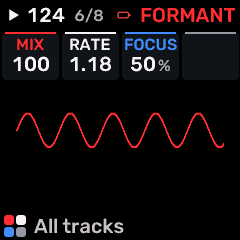
OPEN THIS SCREENTap FX, select the part or SHARED rack, choose FORMANT for the required slot, then open SEND FX 1.
KNOB 1 - MIXDry/wet balance or shared effect output level, as identified by the page. Values: 0 to 100 %.
KNOB 2 - RATERate/time control of FORMANT. Use the displayed units: Hz denotes motion speed; note divisions follow tempo. Values: .05 to 40.0 Hz.
KNOB 3 - FOCUSCharacter/intensity of FORMANT. Adjust alongside MIX; the audible effect depends on the selected processor. Values: 0 to 100 %.
KNOB 4No assigned parameter on this page.
BUTTONS AND NAVIGATIONHOME returns to the four-part display. SELECT navigates pages. The family button advances pages. PLAY starts/stops transport; REC arms the selected track. OCT- backs out and OCT+ confirms where an action or picker is offered.
KEEP YOUR CHANGESSave the containing four-part PROGRAM to retain the sound and mix. Save a PROJECT for pattern banks and arrangements; export a USB backup for safekeeping.
STEP BY STEP- Open this screen using the path above; check the selected part or row before turning a knob.
- Change one setting at a time. Play a note or pattern and compare the result; inactive routes or muted parts may make a control inaudible.
- Use HOME to leave, then save the appropriate program/project if you want a named version.
SynthMaven 4.1.4 | FX127
FX
SEND FX 1 / TAPE
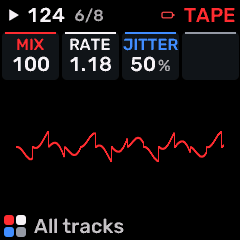
OPEN THIS SCREENTap FX, select the part or SHARED rack, choose TAPE for the required slot, then open SEND FX 1.
KNOB 1 - MIXDry/wet balance or shared effect output level, as identified by the page. Values: 0 to 100 %.
KNOB 2 - RATERate/time control of TAPE. Use the displayed units: Hz denotes motion speed; note divisions follow tempo. Values: .05 to 40.0 Hz.
KNOB 3 - JITTERCharacter/intensity of TAPE. Adjust alongside MIX; the audible effect depends on the selected processor. Values: 0 to 100 %.
KNOB 4No assigned parameter on this page.
BUTTONS AND NAVIGATIONHOME returns to the four-part display. SELECT navigates pages. The family button advances pages. PLAY starts/stops transport; REC arms the selected track. OCT- backs out and OCT+ confirms where an action or picker is offered.
KEEP YOUR CHANGESSave the containing four-part PROGRAM to retain the sound and mix. Save a PROJECT for pattern banks and arrangements; export a USB backup for safekeeping.
STEP BY STEP- Open this screen using the path above; check the selected part or row before turning a knob.
- Change one setting at a time. Play a note or pattern and compare the result; inactive routes or muted parts may make a control inaudible.
- Use HOME to leave, then save the appropriate program/project if you want a named version.
SynthMaven 4.1.4 | FX128
FX
SEND FX 1 / SPIT
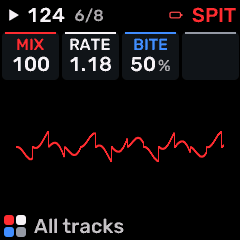
OPEN THIS SCREENTap FX, select the part or SHARED rack, choose SPIT for the required slot, then open SEND FX 1.
KNOB 1 - MIXDry/wet balance or shared effect output level, as identified by the page. Values: 0 to 100 %.
KNOB 2 - RATERate/time control of SPIT. Use the displayed units: Hz denotes motion speed; note divisions follow tempo. Values: .05 to 40.0 Hz.
KNOB 3 - BITECharacter/intensity of SPIT. Adjust alongside MIX; the audible effect depends on the selected processor. Values: 0 to 100 %.
KNOB 4No assigned parameter on this page.
BUTTONS AND NAVIGATIONHOME returns to the four-part display. SELECT navigates pages. The family button advances pages. PLAY starts/stops transport; REC arms the selected track. OCT- backs out and OCT+ confirms where an action or picker is offered.
KEEP YOUR CHANGESSave the containing four-part PROGRAM to retain the sound and mix. Save a PROJECT for pattern banks and arrangements; export a USB backup for safekeeping.
STEP BY STEP- Open this screen using the path above; check the selected part or row before turning a knob.
- Change one setting at a time. Play a note or pattern and compare the result; inactive routes or muted parts may make a control inaudible.
- Use HOME to leave, then save the appropriate program/project if you want a named version.
SynthMaven 4.1.4 | FX129
FX
SEND FX 1 / ROOM
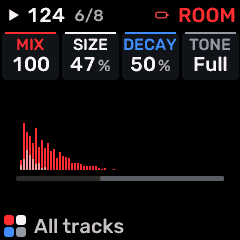
OPEN THIS SCREENTap FX, select the part or SHARED rack, choose ROOM for the required slot, then open SEND FX 1.
KNOB 1 - MIXDry/wet balance or shared effect output level, as identified by the page. Values: 0 to 100 %.
KNOB 2 - SIZEReverb space size/decay character. Values: 0 to 100 %.
KNOB 3 - DECAYTail/decay length of this effect. Higher values generally keep the effect sounding longer. Values: 0 to 100 %.
KNOB 4 - TONETone or spectral balance of this sound/processor. Values: DARK to THIN.
BUTTONS AND NAVIGATIONHOME returns to the four-part display. SELECT navigates pages. The family button advances pages. PLAY starts/stops transport; REC arms the selected track. OCT- backs out and OCT+ confirms where an action or picker is offered.
KEEP YOUR CHANGESSave the containing four-part PROGRAM to retain the sound and mix. Save a PROJECT for pattern banks and arrangements; export a USB backup for safekeeping.
STEP BY STEP- Open this screen using the path above; check the selected part or row before turning a knob.
- Change one setting at a time. Play a note or pattern and compare the result; inactive routes or muted parts may make a control inaudible.
- Use HOME to leave, then save the appropriate program/project if you want a named version.
SynthMaven 4.1.4 | FX130
FX
SEND FX 1 / REVERB
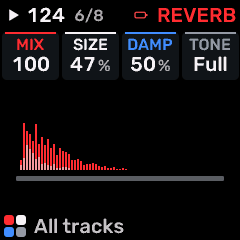
OPEN THIS SCREENTap FX, select the part or SHARED rack, choose REVERB for the required slot, then open SEND FX 1.
KNOB 1 - MIXDry/wet balance or shared effect output level, as identified by the page. Values: 0 to 100 %.
KNOB 2 - SIZEReverb space size/decay character. Values: 0 to 100 %.
KNOB 3 - DAMPHigh-frequency damping; darker reverberation or faster high-frequency decay as raised. Values: 0 to 100 %.
KNOB 4 - TONETone or spectral balance of this sound/processor. Values: DARK to THIN.
BUTTONS AND NAVIGATIONHOME returns to the four-part display. SELECT navigates pages. The family button advances pages. PLAY starts/stops transport; REC arms the selected track. OCT- backs out and OCT+ confirms where an action or picker is offered.
KEEP YOUR CHANGESSave the containing four-part PROGRAM to retain the sound and mix. Save a PROJECT for pattern banks and arrangements; export a USB backup for safekeeping.
STEP BY STEP- Open this screen using the path above; check the selected part or row before turning a knob.
- Change one setting at a time. Play a note or pattern and compare the result; inactive routes or muted parts may make a control inaudible.
- Use HOME to leave, then save the appropriate program/project if you want a named version.
SynthMaven 4.1.4 | FX131
FX
SEND FX 1 / CHORUS
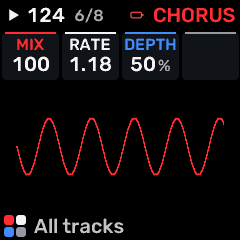
OPEN THIS SCREENTap FX, select the part or SHARED rack, choose CHORUS for the required slot, then open SEND FX 1.
KNOB 1 - MIXDry/wet balance or shared effect output level, as identified by the page. Values: 0 to 100 %.
KNOB 2 - RATERate/time control of CHORUS. Use the displayed units: Hz denotes motion speed; note divisions follow tempo. Values: .05 to 40.0 Hz.
KNOB 3 - DEPTHModulation/chorus depth. Values: 0 to 100 %.
KNOB 4No assigned parameter on this page.
BUTTONS AND NAVIGATIONHOME returns to the four-part display. SELECT navigates pages. The family button advances pages. PLAY starts/stops transport; REC arms the selected track. OCT- backs out and OCT+ confirms where an action or picker is offered.
KEEP YOUR CHANGESSave the containing four-part PROGRAM to retain the sound and mix. Save a PROJECT for pattern banks and arrangements; export a USB backup for safekeeping.
STEP BY STEP- Open this screen using the path above; check the selected part or row before turning a knob.
- Change one setting at a time. Play a note or pattern and compare the result; inactive routes or muted parts may make a control inaudible.
- Use HOME to leave, then save the appropriate program/project if you want a named version.
SynthMaven 4.1.4 | FX132
FX
SEND FX 1 / NOTE ECHO
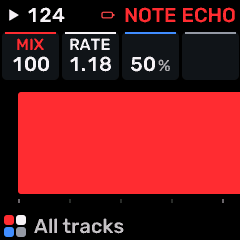
OPEN THIS SCREENTap FX, select the part or SHARED rack, choose NOTE ECHO for the required slot, then open SEND FX 1.
KNOB 1 - MIXDry/wet balance or shared effect output level, as identified by the page. Values: 0 to 100 %.
KNOB 2 - RATERate/time control of NOTE ECHO. Use the displayed units: Hz denotes motion speed; note divisions follow tempo. Values: .05 to 40.0 Hz.
KNOB 3No assigned parameter on this page.
KNOB 4No assigned parameter on this page.
BUTTONS AND NAVIGATIONHOME returns to the four-part display. SELECT navigates pages. The family button advances pages. PLAY starts/stops transport; REC arms the selected track. OCT- backs out and OCT+ confirms where an action or picker is offered.
KEEP YOUR CHANGESSave the containing four-part PROGRAM to retain the sound and mix. Save a PROJECT for pattern banks and arrangements; export a USB backup for safekeeping.
STEP BY STEP- Open this screen using the path above; check the selected part or row before turning a knob.
- Change one setting at a time. Play a note or pattern and compare the result; inactive routes or muted parts may make a control inaudible.
- Use HOME to leave, then save the appropriate program/project if you want a named version.
SynthMaven 4.1.4 | FX133
FX
SEND FX 1 / DRIVE
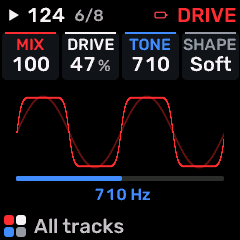
OPEN THIS SCREENTap FX, select the part or SHARED rack, choose DRIVE for the required slot, then open SEND FX 1.
KNOB 1 - MIXDry/wet balance or shared effect output level, as identified by the page. Values: 0 to 100 %.
KNOB 2 - DRIVEDrive into a saturation/filter stage. More drive can add harmonics and change level. Values: 0 to 100 %.
KNOB 3 - TONETone or spectral balance of this sound/processor. Values: 30 to 16.0 kHz.
KNOB 4 - SHAPEWaveform/timbre shaping or the amount of envelope/LFO shaping, according to this page. Values: SOFT / HARD / FOLD / FUZZ.
BUTTONS AND NAVIGATIONHOME returns to the four-part display. SELECT navigates pages. The family button advances pages. PLAY starts/stops transport; REC arms the selected track. OCT- backs out and OCT+ confirms where an action or picker is offered.
KEEP YOUR CHANGESSave the containing four-part PROGRAM to retain the sound and mix. Save a PROJECT for pattern banks and arrangements; export a USB backup for safekeeping.
STEP BY STEP- Open this screen using the path above; check the selected part or row before turning a knob.
- Change one setting at a time. Play a note or pattern and compare the result; inactive routes or muted parts may make a control inaudible.
- Use HOME to leave, then save the appropriate program/project if you want a named version.
SynthMaven 4.1.4 | FX134
FX
SEND FX 1 / CRUSH
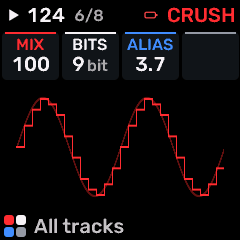
OPEN THIS SCREENTap FX, select the part or SHARED rack, choose CRUSH for the required slot, then open SEND FX 1.
KNOB 1 - MIXDry/wet balance or shared effect output level, as identified by the page. Values: 0 to 100 %.
KNOB 2 - BITSBit depth of the crusher. Lower settings add quantization distortion. Values: 16 to 1 bit.
KNOB 3 - ALIASSample-hold rate of the bitcrusher. Lower effective rates introduce aliasing and a rough digital texture. Values: 44.1 to 689 Hz.
KNOB 4No assigned parameter on this page.
BUTTONS AND NAVIGATIONHOME returns to the four-part display. SELECT navigates pages. The family button advances pages. PLAY starts/stops transport; REC arms the selected track. OCT- backs out and OCT+ confirms where an action or picker is offered.
KEEP YOUR CHANGESSave the containing four-part PROGRAM to retain the sound and mix. Save a PROJECT for pattern banks and arrangements; export a USB backup for safekeeping.
STEP BY STEP- Open this screen using the path above; check the selected part or row before turning a knob.
- Change one setting at a time. Play a note or pattern and compare the result; inactive routes or muted parts may make a control inaudible.
- Use HOME to leave, then save the appropriate program/project if you want a named version.
SynthMaven 4.1.4 | FX135
FX
SEND FX 1 / FLANGER
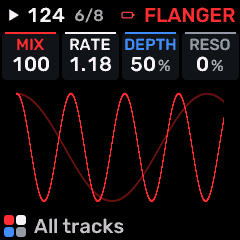
OPEN THIS SCREENTap FX, select the part or SHARED rack, choose FLANGER for the required slot, then open SEND FX 1.
KNOB 1 - MIXDry/wet balance or shared effect output level, as identified by the page. Values: 0 to 100 %.
KNOB 2 - RATERate/time control of FLANGER. Use the displayed units: Hz denotes motion speed; note divisions follow tempo. Values: .05 to 40.0 Hz.
KNOB 3 - DEPTHModulation/chorus depth. Values: 0 to 100 %.
KNOB 4 - RESOResonance/feedback intensity in the selected modulation effect. Values: -98 to +98 %.
BUTTONS AND NAVIGATIONHOME returns to the four-part display. SELECT navigates pages. The family button advances pages. PLAY starts/stops transport; REC arms the selected track. OCT- backs out and OCT+ confirms where an action or picker is offered.
KEEP YOUR CHANGESSave the containing four-part PROGRAM to retain the sound and mix. Save a PROJECT for pattern banks and arrangements; export a USB backup for safekeeping.
STEP BY STEP- Open this screen using the path above; check the selected part or row before turning a knob.
- Change one setting at a time. Play a note or pattern and compare the result; inactive routes or muted parts may make a control inaudible.
- Use HOME to leave, then save the appropriate program/project if you want a named version.
SynthMaven 4.1.4 | FX136
FX
SEND FX 1 / PEDAL PHASER
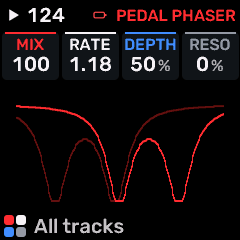
OPEN THIS SCREENTap FX, select the part or SHARED rack, choose PEDAL PHASER for the required slot, then open SEND FX 1.
KNOB 1 - MIXDry/wet balance or shared effect output level, as identified by the page. Values: 0 to 100 %.
KNOB 2 - RATERate/time control of PEDAL PHASER. Use the displayed units: Hz denotes motion speed; note divisions follow tempo. Values: .05 to 40.0 Hz.
KNOB 3 - DEPTHModulation/chorus depth. Values: 0 to 100 %.
KNOB 4 - RESOResonance/feedback intensity in the selected modulation effect. Values: -98 to +98 %.
BUTTONS AND NAVIGATIONHOME returns to the four-part display. SELECT navigates pages. The family button advances pages. PLAY starts/stops transport; REC arms the selected track. OCT- backs out and OCT+ confirms where an action or picker is offered.
KEEP YOUR CHANGESSave the containing four-part PROGRAM to retain the sound and mix. Save a PROJECT for pattern banks and arrangements; export a USB backup for safekeeping.
STEP BY STEP- Open this screen using the path above; check the selected part or row before turning a knob.
- Change one setting at a time. Play a note or pattern and compare the result; inactive routes or muted parts may make a control inaudible.
- Use HOME to leave, then save the appropriate program/project if you want a named version.
SynthMaven 4.1.4 | FX137
FX
SEND FX 1 / PEDAL CHORUS
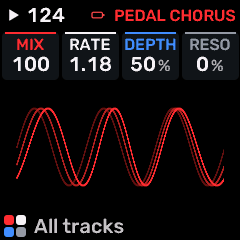
OPEN THIS SCREENTap FX, select the part or SHARED rack, choose PEDAL CHORUS for the required slot, then open SEND FX 1.
KNOB 1 - MIXDry/wet balance or shared effect output level, as identified by the page. Values: 0 to 100 %.
KNOB 2 - RATERate/time control of PEDAL CHORUS. Use the displayed units: Hz denotes motion speed; note divisions follow tempo. Values: .05 to 40.0 Hz.
KNOB 3 - DEPTHModulation/chorus depth. Values: 0 to 100 %.
KNOB 4 - RESOResonance/feedback intensity in the selected modulation effect. Values: -98 to +98 %.
BUTTONS AND NAVIGATIONHOME returns to the four-part display. SELECT navigates pages. The family button advances pages. PLAY starts/stops transport; REC arms the selected track. OCT- backs out and OCT+ confirms where an action or picker is offered.
KEEP YOUR CHANGESSave the containing four-part PROGRAM to retain the sound and mix. Save a PROJECT for pattern banks and arrangements; export a USB backup for safekeeping.
STEP BY STEP- Open this screen using the path above; check the selected part or row before turning a knob.
- Change one setting at a time. Play a note or pattern and compare the result; inactive routes or muted parts may make a control inaudible.
- Use HOME to leave, then save the appropriate program/project if you want a named version.
SynthMaven 4.1.4 | FX138
FX
SEND FX 2 / PHASER
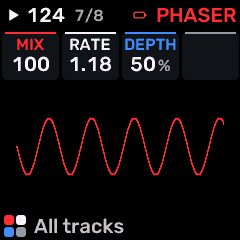
OPEN THIS SCREENTap FX, select the part or SHARED rack, choose PHASER for the required slot, then open SEND FX 2.
KNOB 1 - MIXDry/wet balance or shared effect output level, as identified by the page. Values: 0 to 100 %.
KNOB 2 - RATERate/time control of PHASER. Use the displayed units: Hz denotes motion speed; note divisions follow tempo. Values: .05 to 40.0 Hz.
KNOB 3 - DEPTHModulation/chorus depth. Values: 0 to 100 %.
KNOB 4No assigned parameter on this page.
BUTTONS AND NAVIGATIONHOME returns to the four-part display. SELECT navigates pages. The family button advances pages. PLAY starts/stops transport; REC arms the selected track. OCT- backs out and OCT+ confirms where an action or picker is offered.
KEEP YOUR CHANGESSave the containing four-part PROGRAM to retain the sound and mix. Save a PROJECT for pattern banks and arrangements; export a USB backup for safekeeping.
STEP BY STEP- Open this screen using the path above; check the selected part or row before turning a knob.
- Change one setting at a time. Play a note or pattern and compare the result; inactive routes or muted parts may make a control inaudible.
- Use HOME to leave, then save the appropriate program/project if you want a named version.
SynthMaven 4.1.4 | FX139
FX
SEND FX 2 / WIDTH
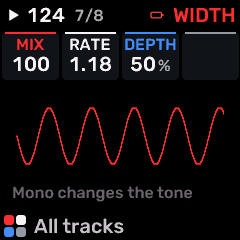
OPEN THIS SCREENTap FX, select the part or SHARED rack, choose WIDTH for the required slot, then open SEND FX 2.
KNOB 1 - MIXDry/wet balance or shared effect output level, as identified by the page. Values: 0 to 100 %.
KNOB 2 - RATERate/time control of WIDTH. Use the displayed units: Hz denotes motion speed; note divisions follow tempo. Values: .05 to 40.0 Hz.
KNOB 3 - DEPTHModulation/chorus depth. Values: 0 to 100 %.
KNOB 4No assigned parameter on this page.
BUTTONS AND NAVIGATIONHOME returns to the four-part display. SELECT navigates pages. The family button advances pages. PLAY starts/stops transport; REC arms the selected track. OCT- backs out and OCT+ confirms where an action or picker is offered.
KEEP YOUR CHANGESSave the containing four-part PROGRAM to retain the sound and mix. Save a PROJECT for pattern banks and arrangements; export a USB backup for safekeeping.
STEP BY STEP- Open this screen using the path above; check the selected part or row before turning a knob.
- Change one setting at a time. Play a note or pattern and compare the result; inactive routes or muted parts may make a control inaudible.
- Use HOME to leave, then save the appropriate program/project if you want a named version.
SynthMaven 4.1.4 | FX140
FX
SEND FX 2 / FORMANT
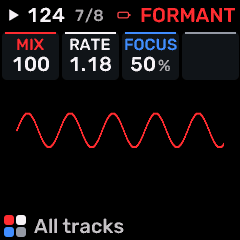
OPEN THIS SCREENTap FX, select the part or SHARED rack, choose FORMANT for the required slot, then open SEND FX 2.
KNOB 1 - MIXDry/wet balance or shared effect output level, as identified by the page. Values: 0 to 100 %.
KNOB 2 - RATERate/time control of FORMANT. Use the displayed units: Hz denotes motion speed; note divisions follow tempo. Values: .05 to 40.0 Hz.
KNOB 3 - FOCUSCharacter/intensity of FORMANT. Adjust alongside MIX; the audible effect depends on the selected processor. Values: 0 to 100 %.
KNOB 4No assigned parameter on this page.
BUTTONS AND NAVIGATIONHOME returns to the four-part display. SELECT navigates pages. The family button advances pages. PLAY starts/stops transport; REC arms the selected track. OCT- backs out and OCT+ confirms where an action or picker is offered.
KEEP YOUR CHANGESSave the containing four-part PROGRAM to retain the sound and mix. Save a PROJECT for pattern banks and arrangements; export a USB backup for safekeeping.
STEP BY STEP- Open this screen using the path above; check the selected part or row before turning a knob.
- Change one setting at a time. Play a note or pattern and compare the result; inactive routes or muted parts may make a control inaudible.
- Use HOME to leave, then save the appropriate program/project if you want a named version.
SynthMaven 4.1.4 | FX141
FX
SEND FX 2 / TAPE
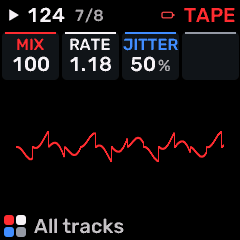
OPEN THIS SCREENTap FX, select the part or SHARED rack, choose TAPE for the required slot, then open SEND FX 2.
KNOB 1 - MIXDry/wet balance or shared effect output level, as identified by the page. Values: 0 to 100 %.
KNOB 2 - RATERate/time control of TAPE. Use the displayed units: Hz denotes motion speed; note divisions follow tempo. Values: .05 to 40.0 Hz.
KNOB 3 - JITTERCharacter/intensity of TAPE. Adjust alongside MIX; the audible effect depends on the selected processor. Values: 0 to 100 %.
KNOB 4No assigned parameter on this page.
BUTTONS AND NAVIGATIONHOME returns to the four-part display. SELECT navigates pages. The family button advances pages. PLAY starts/stops transport; REC arms the selected track. OCT- backs out and OCT+ confirms where an action or picker is offered.
KEEP YOUR CHANGESSave the containing four-part PROGRAM to retain the sound and mix. Save a PROJECT for pattern banks and arrangements; export a USB backup for safekeeping.
STEP BY STEP- Open this screen using the path above; check the selected part or row before turning a knob.
- Change one setting at a time. Play a note or pattern and compare the result; inactive routes or muted parts may make a control inaudible.
- Use HOME to leave, then save the appropriate program/project if you want a named version.
SynthMaven 4.1.4 | FX142
FX
SEND FX 2 / SPIT
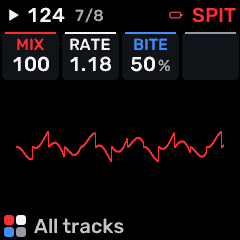
OPEN THIS SCREENTap FX, select the part or SHARED rack, choose SPIT for the required slot, then open SEND FX 2.
KNOB 1 - MIXDry/wet balance or shared effect output level, as identified by the page. Values: 0 to 100 %.
KNOB 2 - RATERate/time control of SPIT. Use the displayed units: Hz denotes motion speed; note divisions follow tempo. Values: .05 to 40.0 Hz.
KNOB 3 - BITECharacter/intensity of SPIT. Adjust alongside MIX; the audible effect depends on the selected processor. Values: 0 to 100 %.
KNOB 4No assigned parameter on this page.
BUTTONS AND NAVIGATIONHOME returns to the four-part display. SELECT navigates pages. The family button advances pages. PLAY starts/stops transport; REC arms the selected track. OCT- backs out and OCT+ confirms where an action or picker is offered.
KEEP YOUR CHANGESSave the containing four-part PROGRAM to retain the sound and mix. Save a PROJECT for pattern banks and arrangements; export a USB backup for safekeeping.
STEP BY STEP- Open this screen using the path above; check the selected part or row before turning a knob.
- Change one setting at a time. Play a note or pattern and compare the result; inactive routes or muted parts may make a control inaudible.
- Use HOME to leave, then save the appropriate program/project if you want a named version.
SynthMaven 4.1.4 | FX143
FX
SEND FX 2 / ROOM
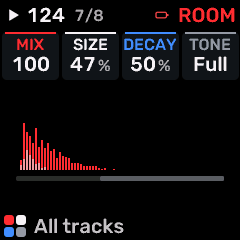
OPEN THIS SCREENTap FX, select the part or SHARED rack, choose ROOM for the required slot, then open SEND FX 2.
KNOB 1 - MIXDry/wet balance or shared effect output level, as identified by the page. Values: 0 to 100 %.
KNOB 2 - SIZEReverb space size/decay character. Values: 0 to 100 %.
KNOB 3 - DECAYTail/decay length of this effect. Higher values generally keep the effect sounding longer. Values: 0 to 100 %.
KNOB 4 - TONETone or spectral balance of this sound/processor. Values: DARK to THIN.
BUTTONS AND NAVIGATIONHOME returns to the four-part display. SELECT navigates pages. The family button advances pages. PLAY starts/stops transport; REC arms the selected track. OCT- backs out and OCT+ confirms where an action or picker is offered.
KEEP YOUR CHANGESSave the containing four-part PROGRAM to retain the sound and mix. Save a PROJECT for pattern banks and arrangements; export a USB backup for safekeeping.
STEP BY STEP- Open this screen using the path above; check the selected part or row before turning a knob.
- Change one setting at a time. Play a note or pattern and compare the result; inactive routes or muted parts may make a control inaudible.
- Use HOME to leave, then save the appropriate program/project if you want a named version.
SynthMaven 4.1.4 | FX144
FX
SEND FX 2 / REVERB
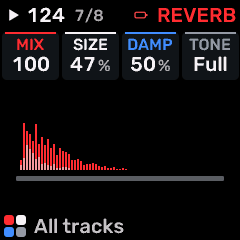
OPEN THIS SCREENTap FX, select the part or SHARED rack, choose REVERB for the required slot, then open SEND FX 2.
KNOB 1 - MIXDry/wet balance or shared effect output level, as identified by the page. Values: 0 to 100 %.
KNOB 2 - SIZEReverb space size/decay character. Values: 0 to 100 %.
KNOB 3 - DAMPHigh-frequency damping; darker reverberation or faster high-frequency decay as raised. Values: 0 to 100 %.
KNOB 4 - TONETone or spectral balance of this sound/processor. Values: DARK to THIN.
BUTTONS AND NAVIGATIONHOME returns to the four-part display. SELECT navigates pages. The family button advances pages. PLAY starts/stops transport; REC arms the selected track. OCT- backs out and OCT+ confirms where an action or picker is offered.
KEEP YOUR CHANGESSave the containing four-part PROGRAM to retain the sound and mix. Save a PROJECT for pattern banks and arrangements; export a USB backup for safekeeping.
STEP BY STEP- Open this screen using the path above; check the selected part or row before turning a knob.
- Change one setting at a time. Play a note or pattern and compare the result; inactive routes or muted parts may make a control inaudible.
- Use HOME to leave, then save the appropriate program/project if you want a named version.
SynthMaven 4.1.4 | FX145
FX
SEND FX 2 / CHORUS
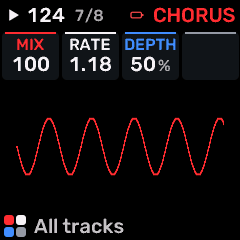
OPEN THIS SCREENTap FX, select the part or SHARED rack, choose CHORUS for the required slot, then open SEND FX 2.
KNOB 1 - MIXDry/wet balance or shared effect output level, as identified by the page. Values: 0 to 100 %.
KNOB 2 - RATERate/time control of CHORUS. Use the displayed units: Hz denotes motion speed; note divisions follow tempo. Values: .05 to 40.0 Hz.
KNOB 3 - DEPTHModulation/chorus depth. Values: 0 to 100 %.
KNOB 4No assigned parameter on this page.
BUTTONS AND NAVIGATIONHOME returns to the four-part display. SELECT navigates pages. The family button advances pages. PLAY starts/stops transport; REC arms the selected track. OCT- backs out and OCT+ confirms where an action or picker is offered.
KEEP YOUR CHANGESSave the containing four-part PROGRAM to retain the sound and mix. Save a PROJECT for pattern banks and arrangements; export a USB backup for safekeeping.
STEP BY STEP- Open this screen using the path above; check the selected part or row before turning a knob.
- Change one setting at a time. Play a note or pattern and compare the result; inactive routes or muted parts may make a control inaudible.
- Use HOME to leave, then save the appropriate program/project if you want a named version.
SynthMaven 4.1.4 | FX146
FX
SEND FX 2 / NOTE ECHO
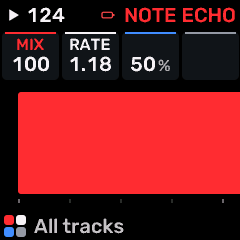
OPEN THIS SCREENTap FX, select the part or SHARED rack, choose NOTE ECHO for the required slot, then open SEND FX 2.
KNOB 1 - MIXDry/wet balance or shared effect output level, as identified by the page. Values: 0 to 100 %.
KNOB 2 - RATERate/time control of NOTE ECHO. Use the displayed units: Hz denotes motion speed; note divisions follow tempo. Values: .05 to 40.0 Hz.
KNOB 3No assigned parameter on this page.
KNOB 4No assigned parameter on this page.
BUTTONS AND NAVIGATIONHOME returns to the four-part display. SELECT navigates pages. The family button advances pages. PLAY starts/stops transport; REC arms the selected track. OCT- backs out and OCT+ confirms where an action or picker is offered.
KEEP YOUR CHANGESSave the containing four-part PROGRAM to retain the sound and mix. Save a PROJECT for pattern banks and arrangements; export a USB backup for safekeeping.
STEP BY STEP- Open this screen using the path above; check the selected part or row before turning a knob.
- Change one setting at a time. Play a note or pattern and compare the result; inactive routes or muted parts may make a control inaudible.
- Use HOME to leave, then save the appropriate program/project if you want a named version.
SynthMaven 4.1.4 | FX147
FX
SEND FX 2 / DRIVE
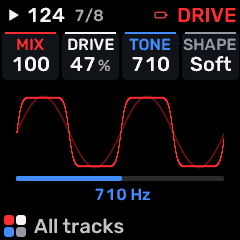
OPEN THIS SCREENTap FX, select the part or SHARED rack, choose DRIVE for the required slot, then open SEND FX 2.
KNOB 1 - MIXDry/wet balance or shared effect output level, as identified by the page. Values: 0 to 100 %.
KNOB 2 - DRIVEDrive into a saturation/filter stage. More drive can add harmonics and change level. Values: 0 to 100 %.
KNOB 3 - TONETone or spectral balance of this sound/processor. Values: 30 to 16.0 kHz.
KNOB 4 - SHAPEWaveform/timbre shaping or the amount of envelope/LFO shaping, according to this page. Values: SOFT / HARD / FOLD / FUZZ.
BUTTONS AND NAVIGATIONHOME returns to the four-part display. SELECT navigates pages. The family button advances pages. PLAY starts/stops transport; REC arms the selected track. OCT- backs out and OCT+ confirms where an action or picker is offered.
KEEP YOUR CHANGESSave the containing four-part PROGRAM to retain the sound and mix. Save a PROJECT for pattern banks and arrangements; export a USB backup for safekeeping.
STEP BY STEP- Open this screen using the path above; check the selected part or row before turning a knob.
- Change one setting at a time. Play a note or pattern and compare the result; inactive routes or muted parts may make a control inaudible.
- Use HOME to leave, then save the appropriate program/project if you want a named version.
SynthMaven 4.1.4 | FX148
FX
SEND FX 2 / CRUSH
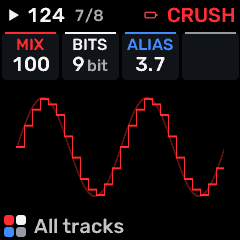
OPEN THIS SCREENTap FX, select the part or SHARED rack, choose CRUSH for the required slot, then open SEND FX 2.
KNOB 1 - MIXDry/wet balance or shared effect output level, as identified by the page. Values: 0 to 100 %.
KNOB 2 - BITSBit depth of the crusher. Lower settings add quantization distortion. Values: 16 to 1 bit.
KNOB 3 - ALIASSample-hold rate of the bitcrusher. Lower effective rates introduce aliasing and a rough digital texture. Values: 44.1 to 689 Hz.
KNOB 4No assigned parameter on this page.
BUTTONS AND NAVIGATIONHOME returns to the four-part display. SELECT navigates pages. The family button advances pages. PLAY starts/stops transport; REC arms the selected track. OCT- backs out and OCT+ confirms where an action or picker is offered.
KEEP YOUR CHANGESSave the containing four-part PROGRAM to retain the sound and mix. Save a PROJECT for pattern banks and arrangements; export a USB backup for safekeeping.
STEP BY STEP- Open this screen using the path above; check the selected part or row before turning a knob.
- Change one setting at a time. Play a note or pattern and compare the result; inactive routes or muted parts may make a control inaudible.
- Use HOME to leave, then save the appropriate program/project if you want a named version.
SynthMaven 4.1.4 | FX149
FX
SEND FX 2 / FLANGER
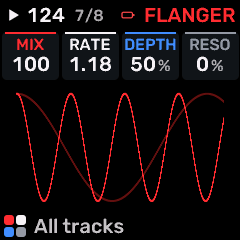
OPEN THIS SCREENTap FX, select the part or SHARED rack, choose FLANGER for the required slot, then open SEND FX 2.
KNOB 1 - MIXDry/wet balance or shared effect output level, as identified by the page. Values: 0 to 100 %.
KNOB 2 - RATERate/time control of FLANGER. Use the displayed units: Hz denotes motion speed; note divisions follow tempo. Values: .05 to 40.0 Hz.
KNOB 3 - DEPTHModulation/chorus depth. Values: 0 to 100 %.
KNOB 4 - RESOResonance/feedback intensity in the selected modulation effect. Values: -98 to +98 %.
BUTTONS AND NAVIGATIONHOME returns to the four-part display. SELECT navigates pages. The family button advances pages. PLAY starts/stops transport; REC arms the selected track. OCT- backs out and OCT+ confirms where an action or picker is offered.
KEEP YOUR CHANGESSave the containing four-part PROGRAM to retain the sound and mix. Save a PROJECT for pattern banks and arrangements; export a USB backup for safekeeping.
STEP BY STEP- Open this screen using the path above; check the selected part or row before turning a knob.
- Change one setting at a time. Play a note or pattern and compare the result; inactive routes or muted parts may make a control inaudible.
- Use HOME to leave, then save the appropriate program/project if you want a named version.
SynthMaven 4.1.4 | FX150
FX
SEND FX 2 / PEDAL PHASER
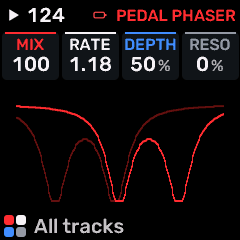
OPEN THIS SCREENTap FX, select the part or SHARED rack, choose PEDAL PHASER for the required slot, then open SEND FX 2.
KNOB 1 - MIXDry/wet balance or shared effect output level, as identified by the page. Values: 0 to 100 %.
KNOB 2 - RATERate/time control of PEDAL PHASER. Use the displayed units: Hz denotes motion speed; note divisions follow tempo. Values: .05 to 40.0 Hz.
KNOB 3 - DEPTHModulation/chorus depth. Values: 0 to 100 %.
KNOB 4 - RESOResonance/feedback intensity in the selected modulation effect. Values: -98 to +98 %.
BUTTONS AND NAVIGATIONHOME returns to the four-part display. SELECT navigates pages. The family button advances pages. PLAY starts/stops transport; REC arms the selected track. OCT- backs out and OCT+ confirms where an action or picker is offered.
KEEP YOUR CHANGESSave the containing four-part PROGRAM to retain the sound and mix. Save a PROJECT for pattern banks and arrangements; export a USB backup for safekeeping.
STEP BY STEP- Open this screen using the path above; check the selected part or row before turning a knob.
- Change one setting at a time. Play a note or pattern and compare the result; inactive routes or muted parts may make a control inaudible.
- Use HOME to leave, then save the appropriate program/project if you want a named version.
SynthMaven 4.1.4 | FX151
FX
SEND FX 2 / PEDAL CHORUS
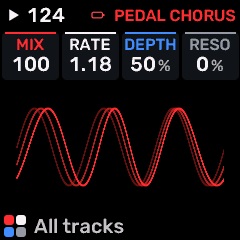
OPEN THIS SCREENTap FX, select the part or SHARED rack, choose PEDAL CHORUS for the required slot, then open SEND FX 2.
KNOB 1 - MIXDry/wet balance or shared effect output level, as identified by the page. Values: 0 to 100 %.
KNOB 2 - RATERate/time control of PEDAL CHORUS. Use the displayed units: Hz denotes motion speed; note divisions follow tempo. Values: .05 to 40.0 Hz.
KNOB 3 - DEPTHModulation/chorus depth. Values: 0 to 100 %.
KNOB 4 - RESOResonance/feedback intensity in the selected modulation effect. Values: -98 to +98 %.
BUTTONS AND NAVIGATIONHOME returns to the four-part display. SELECT navigates pages. The family button advances pages. PLAY starts/stops transport; REC arms the selected track. OCT- backs out and OCT+ confirms where an action or picker is offered.
KEEP YOUR CHANGESSave the containing four-part PROGRAM to retain the sound and mix. Save a PROJECT for pattern banks and arrangements; export a USB backup for safekeeping.
STEP BY STEP- Open this screen using the path above; check the selected part or row before turning a knob.
- Change one setting at a time. Play a note or pattern and compare the result; inactive routes or muted parts may make a control inaudible.
- Use HOME to leave, then save the appropriate program/project if you want a named version.
SynthMaven 4.1.4 | FX152
FX
SEND FX 3 / PHASER
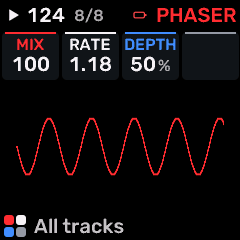
OPEN THIS SCREENTap FX, select the part or SHARED rack, choose PHASER for the required slot, then open SEND FX 3.
KNOB 1 - MIXDry/wet balance or shared effect output level, as identified by the page. Values: 0 to 100 %.
KNOB 2 - RATERate/time control of PHASER. Use the displayed units: Hz denotes motion speed; note divisions follow tempo. Values: .05 to 40.0 Hz.
KNOB 3 - DEPTHModulation/chorus depth. Values: 0 to 100 %.
KNOB 4No assigned parameter on this page.
BUTTONS AND NAVIGATIONHOME returns to the four-part display. SELECT navigates pages. The family button advances pages. PLAY starts/stops transport; REC arms the selected track. OCT- backs out and OCT+ confirms where an action or picker is offered.
KEEP YOUR CHANGESSave the containing four-part PROGRAM to retain the sound and mix. Save a PROJECT for pattern banks and arrangements; export a USB backup for safekeeping.
STEP BY STEP- Open this screen using the path above; check the selected part or row before turning a knob.
- Change one setting at a time. Play a note or pattern and compare the result; inactive routes or muted parts may make a control inaudible.
- Use HOME to leave, then save the appropriate program/project if you want a named version.
SynthMaven 4.1.4 | FX153
FX
SEND FX 3 / WIDTH
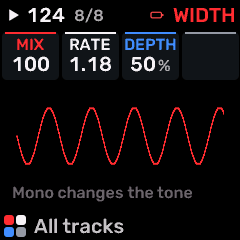
OPEN THIS SCREENTap FX, select the part or SHARED rack, choose WIDTH for the required slot, then open SEND FX 3.
KNOB 1 - MIXDry/wet balance or shared effect output level, as identified by the page. Values: 0 to 100 %.
KNOB 2 - RATERate/time control of WIDTH. Use the displayed units: Hz denotes motion speed; note divisions follow tempo. Values: .05 to 40.0 Hz.
KNOB 3 - DEPTHModulation/chorus depth. Values: 0 to 100 %.
KNOB 4No assigned parameter on this page.
BUTTONS AND NAVIGATIONHOME returns to the four-part display. SELECT navigates pages. The family button advances pages. PLAY starts/stops transport; REC arms the selected track. OCT- backs out and OCT+ confirms where an action or picker is offered.
KEEP YOUR CHANGESSave the containing four-part PROGRAM to retain the sound and mix. Save a PROJECT for pattern banks and arrangements; export a USB backup for safekeeping.
STEP BY STEP- Open this screen using the path above; check the selected part or row before turning a knob.
- Change one setting at a time. Play a note or pattern and compare the result; inactive routes or muted parts may make a control inaudible.
- Use HOME to leave, then save the appropriate program/project if you want a named version.
SynthMaven 4.1.4 | FX154
FX
SEND FX 3 / FORMANT
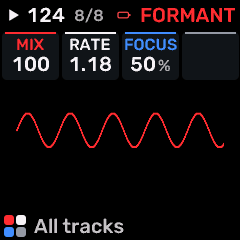
OPEN THIS SCREENTap FX, select the part or SHARED rack, choose FORMANT for the required slot, then open SEND FX 3.
KNOB 1 - MIXDry/wet balance or shared effect output level, as identified by the page. Values: 0 to 100 %.
KNOB 2 - RATERate/time control of FORMANT. Use the displayed units: Hz denotes motion speed; note divisions follow tempo. Values: .05 to 40.0 Hz.
KNOB 3 - FOCUSCharacter/intensity of FORMANT. Adjust alongside MIX; the audible effect depends on the selected processor. Values: 0 to 100 %.
KNOB 4No assigned parameter on this page.
BUTTONS AND NAVIGATIONHOME returns to the four-part display. SELECT navigates pages. The family button advances pages. PLAY starts/stops transport; REC arms the selected track. OCT- backs out and OCT+ confirms where an action or picker is offered.
KEEP YOUR CHANGESSave the containing four-part PROGRAM to retain the sound and mix. Save a PROJECT for pattern banks and arrangements; export a USB backup for safekeeping.
STEP BY STEP- Open this screen using the path above; check the selected part or row before turning a knob.
- Change one setting at a time. Play a note or pattern and compare the result; inactive routes or muted parts may make a control inaudible.
- Use HOME to leave, then save the appropriate program/project if you want a named version.
SynthMaven 4.1.4 | FX155
FX
SEND FX 3 / TAPE
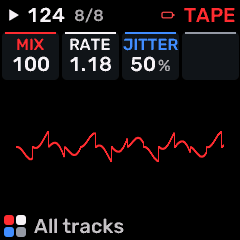
OPEN THIS SCREENTap FX, select the part or SHARED rack, choose TAPE for the required slot, then open SEND FX 3.
KNOB 1 - MIXDry/wet balance or shared effect output level, as identified by the page. Values: 0 to 100 %.
KNOB 2 - RATERate/time control of TAPE. Use the displayed units: Hz denotes motion speed; note divisions follow tempo. Values: .05 to 40.0 Hz.
KNOB 3 - JITTERCharacter/intensity of TAPE. Adjust alongside MIX; the audible effect depends on the selected processor. Values: 0 to 100 %.
KNOB 4No assigned parameter on this page.
BUTTONS AND NAVIGATIONHOME returns to the four-part display. SELECT navigates pages. The family button advances pages. PLAY starts/stops transport; REC arms the selected track. OCT- backs out and OCT+ confirms where an action or picker is offered.
KEEP YOUR CHANGESSave the containing four-part PROGRAM to retain the sound and mix. Save a PROJECT for pattern banks and arrangements; export a USB backup for safekeeping.
STEP BY STEP- Open this screen using the path above; check the selected part or row before turning a knob.
- Change one setting at a time. Play a note or pattern and compare the result; inactive routes or muted parts may make a control inaudible.
- Use HOME to leave, then save the appropriate program/project if you want a named version.
SynthMaven 4.1.4 | FX156
FX
SEND FX 3 / SPIT
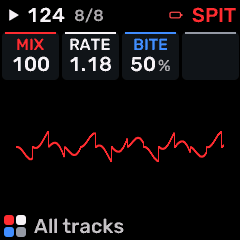
OPEN THIS SCREENTap FX, select the part or SHARED rack, choose SPIT for the required slot, then open SEND FX 3.
KNOB 1 - MIXDry/wet balance or shared effect output level, as identified by the page. Values: 0 to 100 %.
KNOB 2 - RATERate/time control of SPIT. Use the displayed units: Hz denotes motion speed; note divisions follow tempo. Values: .05 to 40.0 Hz.
KNOB 3 - BITECharacter/intensity of SPIT. Adjust alongside MIX; the audible effect depends on the selected processor. Values: 0 to 100 %.
KNOB 4No assigned parameter on this page.
BUTTONS AND NAVIGATIONHOME returns to the four-part display. SELECT navigates pages. The family button advances pages. PLAY starts/stops transport; REC arms the selected track. OCT- backs out and OCT+ confirms where an action or picker is offered.
KEEP YOUR CHANGESSave the containing four-part PROGRAM to retain the sound and mix. Save a PROJECT for pattern banks and arrangements; export a USB backup for safekeeping.
STEP BY STEP- Open this screen using the path above; check the selected part or row before turning a knob.
- Change one setting at a time. Play a note or pattern and compare the result; inactive routes or muted parts may make a control inaudible.
- Use HOME to leave, then save the appropriate program/project if you want a named version.
SynthMaven 4.1.4 | FX157
FX
SEND FX 3 / ROOM
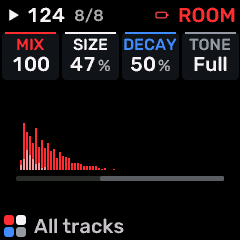
OPEN THIS SCREENTap FX, select the part or SHARED rack, choose ROOM for the required slot, then open SEND FX 3.
KNOB 1 - MIXDry/wet balance or shared effect output level, as identified by the page. Values: 0 to 100 %.
KNOB 2 - SIZEReverb space size/decay character. Values: 0 to 100 %.
KNOB 3 - DECAYTail/decay length of this effect. Higher values generally keep the effect sounding longer. Values: 0 to 100 %.
KNOB 4 - TONETone or spectral balance of this sound/processor. Values: DARK to THIN.
BUTTONS AND NAVIGATIONHOME returns to the four-part display. SELECT navigates pages. The family button advances pages. PLAY starts/stops transport; REC arms the selected track. OCT- backs out and OCT+ confirms where an action or picker is offered.
KEEP YOUR CHANGESSave the containing four-part PROGRAM to retain the sound and mix. Save a PROJECT for pattern banks and arrangements; export a USB backup for safekeeping.
STEP BY STEP- Open this screen using the path above; check the selected part or row before turning a knob.
- Change one setting at a time. Play a note or pattern and compare the result; inactive routes or muted parts may make a control inaudible.
- Use HOME to leave, then save the appropriate program/project if you want a named version.
SynthMaven 4.1.4 | FX158
FX
SEND FX 3 / REVERB
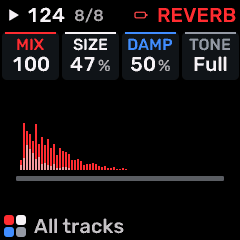
OPEN THIS SCREENTap FX, select the part or SHARED rack, choose REVERB for the required slot, then open SEND FX 3.
KNOB 1 - MIXDry/wet balance or shared effect output level, as identified by the page. Values: 0 to 100 %.
KNOB 2 - SIZEReverb space size/decay character. Values: 0 to 100 %.
KNOB 3 - DAMPHigh-frequency damping; darker reverberation or faster high-frequency decay as raised. Values: 0 to 100 %.
KNOB 4 - TONETone or spectral balance of this sound/processor. Values: DARK to THIN.
BUTTONS AND NAVIGATIONHOME returns to the four-part display. SELECT navigates pages. The family button advances pages. PLAY starts/stops transport; REC arms the selected track. OCT- backs out and OCT+ confirms where an action or picker is offered.
KEEP YOUR CHANGESSave the containing four-part PROGRAM to retain the sound and mix. Save a PROJECT for pattern banks and arrangements; export a USB backup for safekeeping.
STEP BY STEP- Open this screen using the path above; check the selected part or row before turning a knob.
- Change one setting at a time. Play a note or pattern and compare the result; inactive routes or muted parts may make a control inaudible.
- Use HOME to leave, then save the appropriate program/project if you want a named version.
SynthMaven 4.1.4 | FX159
FX
SEND FX 3 / CHORUS
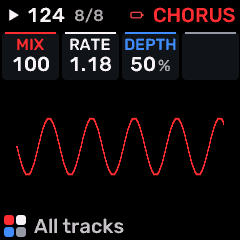
OPEN THIS SCREENTap FX, select the part or SHARED rack, choose CHORUS for the required slot, then open SEND FX 3.
KNOB 1 - MIXDry/wet balance or shared effect output level, as identified by the page. Values: 0 to 100 %.
KNOB 2 - RATERate/time control of CHORUS. Use the displayed units: Hz denotes motion speed; note divisions follow tempo. Values: .05 to 40.0 Hz.
KNOB 3 - DEPTHModulation/chorus depth. Values: 0 to 100 %.
KNOB 4No assigned parameter on this page.
BUTTONS AND NAVIGATIONHOME returns to the four-part display. SELECT navigates pages. The family button advances pages. PLAY starts/stops transport; REC arms the selected track. OCT- backs out and OCT+ confirms where an action or picker is offered.
KEEP YOUR CHANGESSave the containing four-part PROGRAM to retain the sound and mix. Save a PROJECT for pattern banks and arrangements; export a USB backup for safekeeping.
STEP BY STEP- Open this screen using the path above; check the selected part or row before turning a knob.
- Change one setting at a time. Play a note or pattern and compare the result; inactive routes or muted parts may make a control inaudible.
- Use HOME to leave, then save the appropriate program/project if you want a named version.
SynthMaven 4.1.4 | FX160
FX
SEND FX 3 / NOTE ECHO
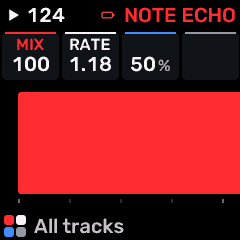
OPEN THIS SCREENTap FX, select the part or SHARED rack, choose NOTE ECHO for the required slot, then open SEND FX 3.
KNOB 1 - MIXDry/wet balance or shared effect output level, as identified by the page. Values: 0 to 100 %.
KNOB 2 - RATERate/time control of NOTE ECHO. Use the displayed units: Hz denotes motion speed; note divisions follow tempo. Values: .05 to 40.0 Hz.
KNOB 3No assigned parameter on this page.
KNOB 4No assigned parameter on this page.
BUTTONS AND NAVIGATIONHOME returns to the four-part display. SELECT navigates pages. The family button advances pages. PLAY starts/stops transport; REC arms the selected track. OCT- backs out and OCT+ confirms where an action or picker is offered.
KEEP YOUR CHANGESSave the containing four-part PROGRAM to retain the sound and mix. Save a PROJECT for pattern banks and arrangements; export a USB backup for safekeeping.
STEP BY STEP- Open this screen using the path above; check the selected part or row before turning a knob.
- Change one setting at a time. Play a note or pattern and compare the result; inactive routes or muted parts may make a control inaudible.
- Use HOME to leave, then save the appropriate program/project if you want a named version.
SynthMaven 4.1.4 | FX161
FX
SEND FX 3 / DRIVE
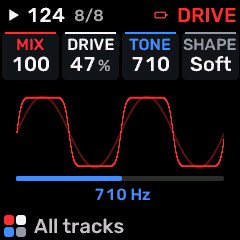
OPEN THIS SCREENTap FX, select the part or SHARED rack, choose DRIVE for the required slot, then open SEND FX 3.
KNOB 1 - MIXDry/wet balance or shared effect output level, as identified by the page. Values: 0 to 100 %.
KNOB 2 - DRIVEDrive into a saturation/filter stage. More drive can add harmonics and change level. Values: 0 to 100 %.
KNOB 3 - TONETone or spectral balance of this sound/processor. Values: 30 to 16.0 kHz.
KNOB 4 - SHAPEWaveform/timbre shaping or the amount of envelope/LFO shaping, according to this page. Values: SOFT / HARD / FOLD / FUZZ.
BUTTONS AND NAVIGATIONHOME returns to the four-part display. SELECT navigates pages. The family button advances pages. PLAY starts/stops transport; REC arms the selected track. OCT- backs out and OCT+ confirms where an action or picker is offered.
KEEP YOUR CHANGESSave the containing four-part PROGRAM to retain the sound and mix. Save a PROJECT for pattern banks and arrangements; export a USB backup for safekeeping.
STEP BY STEP- Open this screen using the path above; check the selected part or row before turning a knob.
- Change one setting at a time. Play a note or pattern and compare the result; inactive routes or muted parts may make a control inaudible.
- Use HOME to leave, then save the appropriate program/project if you want a named version.
SynthMaven 4.1.4 | FX162
FX
SEND FX 3 / CRUSH
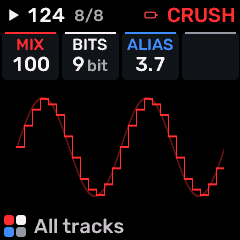
OPEN THIS SCREENTap FX, select the part or SHARED rack, choose CRUSH for the required slot, then open SEND FX 3.
KNOB 1 - MIXDry/wet balance or shared effect output level, as identified by the page. Values: 0 to 100 %.
KNOB 2 - BITSBit depth of the crusher. Lower settings add quantization distortion. Values: 16 to 1 bit.
KNOB 3 - ALIASSample-hold rate of the bitcrusher. Lower effective rates introduce aliasing and a rough digital texture. Values: 44.1 to 689 Hz.
KNOB 4No assigned parameter on this page.
BUTTONS AND NAVIGATIONHOME returns to the four-part display. SELECT navigates pages. The family button advances pages. PLAY starts/stops transport; REC arms the selected track. OCT- backs out and OCT+ confirms where an action or picker is offered.
KEEP YOUR CHANGESSave the containing four-part PROGRAM to retain the sound and mix. Save a PROJECT for pattern banks and arrangements; export a USB backup for safekeeping.
STEP BY STEP- Open this screen using the path above; check the selected part or row before turning a knob.
- Change one setting at a time. Play a note or pattern and compare the result; inactive routes or muted parts may make a control inaudible.
- Use HOME to leave, then save the appropriate program/project if you want a named version.
SynthMaven 4.1.4 | FX163
FX
SEND FX 3 / FLANGER
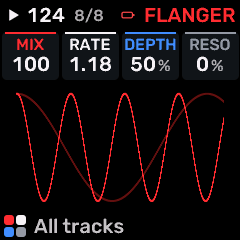
OPEN THIS SCREENTap FX, select the part or SHARED rack, choose FLANGER for the required slot, then open SEND FX 3.
KNOB 1 - MIXDry/wet balance or shared effect output level, as identified by the page. Values: 0 to 100 %.
KNOB 2 - RATERate/time control of FLANGER. Use the displayed units: Hz denotes motion speed; note divisions follow tempo. Values: .05 to 40.0 Hz.
KNOB 3 - DEPTHModulation/chorus depth. Values: 0 to 100 %.
KNOB 4 - RESOResonance/feedback intensity in the selected modulation effect. Values: -98 to +98 %.
BUTTONS AND NAVIGATIONHOME returns to the four-part display. SELECT navigates pages. The family button advances pages. PLAY starts/stops transport; REC arms the selected track. OCT- backs out and OCT+ confirms where an action or picker is offered.
KEEP YOUR CHANGESSave the containing four-part PROGRAM to retain the sound and mix. Save a PROJECT for pattern banks and arrangements; export a USB backup for safekeeping.
STEP BY STEP- Open this screen using the path above; check the selected part or row before turning a knob.
- Change one setting at a time. Play a note or pattern and compare the result; inactive routes or muted parts may make a control inaudible.
- Use HOME to leave, then save the appropriate program/project if you want a named version.
SynthMaven 4.1.4 | FX164
FX
SEND FX 3 / PEDAL PHASER
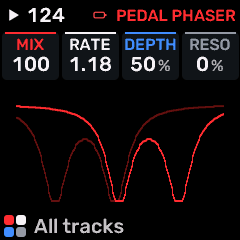
OPEN THIS SCREENTap FX, select the part or SHARED rack, choose PEDAL PHASER for the required slot, then open SEND FX 3.
KNOB 1 - MIXDry/wet balance or shared effect output level, as identified by the page. Values: 0 to 100 %.
KNOB 2 - RATERate/time control of PEDAL PHASER. Use the displayed units: Hz denotes motion speed; note divisions follow tempo. Values: .05 to 40.0 Hz.
KNOB 3 - DEPTHModulation/chorus depth. Values: 0 to 100 %.
KNOB 4 - RESOResonance/feedback intensity in the selected modulation effect. Values: -98 to +98 %.
BUTTONS AND NAVIGATIONHOME returns to the four-part display. SELECT navigates pages. The family button advances pages. PLAY starts/stops transport; REC arms the selected track. OCT- backs out and OCT+ confirms where an action or picker is offered.
KEEP YOUR CHANGESSave the containing four-part PROGRAM to retain the sound and mix. Save a PROJECT for pattern banks and arrangements; export a USB backup for safekeeping.
STEP BY STEP- Open this screen using the path above; check the selected part or row before turning a knob.
- Change one setting at a time. Play a note or pattern and compare the result; inactive routes or muted parts may make a control inaudible.
- Use HOME to leave, then save the appropriate program/project if you want a named version.
SynthMaven 4.1.4 | FX165
FX
SEND FX 3 / PEDAL CHORUS
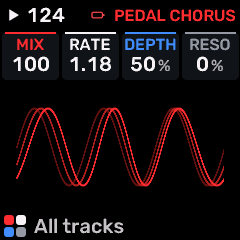
OPEN THIS SCREENTap FX, select the part or SHARED rack, choose PEDAL CHORUS for the required slot, then open SEND FX 3.
KNOB 1 - MIXDry/wet balance or shared effect output level, as identified by the page. Values: 0 to 100 %.
KNOB 2 - RATERate/time control of PEDAL CHORUS. Use the displayed units: Hz denotes motion speed; note divisions follow tempo. Values: .05 to 40.0 Hz.
KNOB 3 - DEPTHModulation/chorus depth. Values: 0 to 100 %.
KNOB 4 - RESOResonance/feedback intensity in the selected modulation effect. Values: -98 to +98 %.
BUTTONS AND NAVIGATIONHOME returns to the four-part display. SELECT navigates pages. The family button advances pages. PLAY starts/stops transport; REC arms the selected track. OCT- backs out and OCT+ confirms where an action or picker is offered.
KEEP YOUR CHANGESSave the containing four-part PROGRAM to retain the sound and mix. Save a PROJECT for pattern banks and arrangements; export a USB backup for safekeeping.
STEP BY STEP- Open this screen using the path above; check the selected part or row before turning a knob.
- Change one setting at a time. Play a note or pattern and compare the result; inactive routes or muted parts may make a control inaudible.
- Use HOME to leave, then save the appropriate program/project if you want a named version.
SynthMaven 4.1.4 | FX166
ENV
SynthMaven 4.1.4 Illustrated Guide
SynthMaven 4.1.4 | ENV167
ENV
ENV
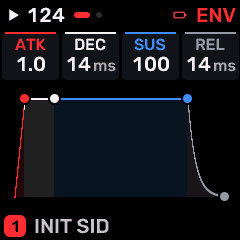
OPEN THIS SCREENOn HOME select the part, then press ENV. Use SELECT or repeated family-button taps to find ENV.
KNOB 1 - ATKAttack time: how quickly the envelope rises after a note starts. Values: 1.0 to 10.0 s.
KNOB 2 - DECDecay time from the attack peak to the sustain level. Values: 1.0 to 10.0 s.
KNOB 3 - SUSSustain level while the key or gate remains held; this is a level, not a time. Values: 0 to 100 %.
KNOB 4 - RELRelease time after key-up; longer tails continue to consume voices. Values: 1.0 to 10.0 s.
BUTTONS AND NAVIGATIONHOME returns to the four-part display. SELECT navigates pages. The family button advances pages. PLAY starts/stops transport; REC arms the selected track. OCT- backs out and OCT+ confirms where an action or picker is offered.
KEEP YOUR CHANGESSave the containing four-part PROGRAM to retain the sound and mix. Save a PROJECT for pattern banks and arrangements; export a USB backup for safekeeping.
STEP BY STEP- Open this screen using the path above; check the selected part or row before turning a knob.
- Change one setting at a time. Play a note or pattern and compare the result; inactive routes or muted parts may make a control inaudible.
- Use HOME to leave, then save the appropriate program/project if you want a named version.
SynthMaven 4.1.4 | ENV168
ENV
ENV DEST
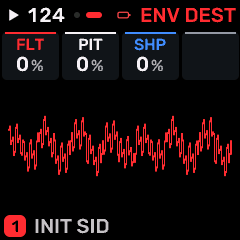
OPEN THIS SCREENOn HOME select the part, then press ENV. Use SELECT or repeated family-button taps to find ENV DEST.
KNOB 1 - FLTFilter-envelope amount; positive values open the filter with the envelope, negative values invert that movement where supported. Values: -100 to +98 %.
KNOB 2 - PITPitch or pitch modulation depth. In an envelope/LFO destination page this is an amount, not a tuning reference. Values: -100 to +98 %.
KNOB 3 - SHPWaveform/timbre shaping or the amount of envelope/LFO shaping, according to this page. Values: -100 to +98 %.
KNOB 4No assigned parameter on this page.
BUTTONS AND NAVIGATIONHOME returns to the four-part display. SELECT navigates pages. The family button advances pages. PLAY starts/stops transport; REC arms the selected track. OCT- backs out and OCT+ confirms where an action or picker is offered.
KEEP YOUR CHANGESSave the containing four-part PROGRAM to retain the sound and mix. Save a PROJECT for pattern banks and arrangements; export a USB backup for safekeeping.
STEP BY STEP- Open this screen using the path above; check the selected part or row before turning a knob.
- Change one setting at a time. Play a note or pattern and compare the result; inactive routes or muted parts may make a control inaudible.
- Use HOME to leave, then save the appropriate program/project if you want a named version.
SynthMaven 4.1.4 | ENV169
ENV
FM6 / EG RATE
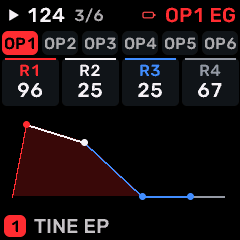
OPEN THIS SCREENOn HOME choose FM6, then ENV. Use its section/page navigation to reach EG RATE.
KNOB 1 - R1Speed toward operator amplitude envelope stage 1. Higher rates move faster; this is not a time in milliseconds. Values: 0 to 99.
KNOB 2 - R2Speed toward operator amplitude envelope stage 2. Higher rates move faster; this is not a time in milliseconds. Values: 0 to 99.
KNOB 3 - R3Speed toward operator amplitude envelope stage 3. Higher rates move faster; this is not a time in milliseconds. Values: 0 to 99.
KNOB 4 - R4Speed toward operator amplitude envelope stage 4. Higher rates move faster; this is not a time in milliseconds. Values: 0 to 99.
BUTTONS AND NAVIGATIONHOME returns to the four-part display. SELECT navigates pages. The family button advances pages. PLAY starts/stops transport; REC arms the selected track. OCT- backs out and OCT+ confirms where an action or picker is offered. Native engine sections can be opened from the EDIT section map; PRESET navigates sections/pages rather than replacing the sound there. PRESET selects the FM operator 1-6; edits apply only to that operator.
KEEP YOUR CHANGESSave the containing four-part PROGRAM to retain the sound and mix. Save a PROJECT for pattern banks and arrangements; export a USB backup for safekeeping.
STEP BY STEP- Open this screen using the path above; check the selected part or row before turning a knob.
- Change one setting at a time. Play a note or pattern and compare the result; inactive routes or muted parts may make a control inaudible.
- Use HOME to leave, then save the appropriate program/project if you want a named version.
SynthMaven 4.1.4 | ENV170
ENV
FM6 / EG LVL
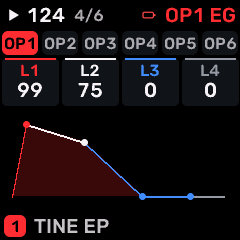
OPEN THIS SCREENOn HOME choose FM6, then ENV. Use its section/page navigation to reach EG LVL.
KNOB 1 - L1Target value at operator amplitude envelope stage 1. Levels define the envelope shape; rate settings determine how quickly it moves between them. Values: 0 to 99.
KNOB 2 - L2Target value at operator amplitude envelope stage 2. Levels define the envelope shape; rate settings determine how quickly it moves between them. Values: 0 to 99.
KNOB 3 - L3Target value at operator amplitude envelope stage 3. Levels define the envelope shape; rate settings determine how quickly it moves between them. Values: 0 to 99.
KNOB 4 - L4Target value at operator amplitude envelope stage 4. Levels define the envelope shape; rate settings determine how quickly it moves between them. Values: 0 to 99.
BUTTONS AND NAVIGATIONHOME returns to the four-part display. SELECT navigates pages. The family button advances pages. PLAY starts/stops transport; REC arms the selected track. OCT- backs out and OCT+ confirms where an action or picker is offered. Native engine sections can be opened from the EDIT section map; PRESET navigates sections/pages rather than replacing the sound there. PRESET selects the FM operator 1-6; edits apply only to that operator.
KEEP YOUR CHANGESSave the containing four-part PROGRAM to retain the sound and mix. Save a PROJECT for pattern banks and arrangements; export a USB backup for safekeeping.
STEP BY STEP- Open this screen using the path above; check the selected part or row before turning a knob.
- Change one setting at a time. Play a note or pattern and compare the result; inactive routes or muted parts may make a control inaudible.
- Use HOME to leave, then save the appropriate program/project if you want a named version.
SynthMaven 4.1.4 | ENV171
ENV
FM6 / PITCH EG
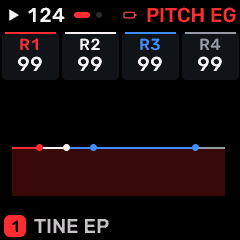
OPEN THIS SCREENOn HOME choose FM6, then ENV. Use its section/page navigation to reach PITCH EG.
KNOB 1 - R1Speed toward pitch envelope stage 1. Higher rates move faster; this is not a time in milliseconds. Values: 0 to 99.
KNOB 2 - R2Speed toward pitch envelope stage 2. Higher rates move faster; this is not a time in milliseconds. Values: 0 to 99.
KNOB 3 - R3Speed toward pitch envelope stage 3. Higher rates move faster; this is not a time in milliseconds. Values: 0 to 99.
KNOB 4 - R4Speed toward pitch envelope stage 4. Higher rates move faster; this is not a time in milliseconds. Values: 0 to 99.
BUTTONS AND NAVIGATIONHOME returns to the four-part display. SELECT navigates pages. The family button advances pages. PLAY starts/stops transport; REC arms the selected track. OCT- backs out and OCT+ confirms where an action or picker is offered. Native engine sections can be opened from the EDIT section map; PRESET navigates sections/pages rather than replacing the sound there.
KEEP YOUR CHANGESSave the containing four-part PROGRAM to retain the sound and mix. Save a PROJECT for pattern banks and arrangements; export a USB backup for safekeeping.
STEP BY STEP- Open this screen using the path above; check the selected part or row before turning a knob.
- Change one setting at a time. Play a note or pattern and compare the result; inactive routes or muted parts may make a control inaudible.
- Use HOME to leave, then save the appropriate program/project if you want a named version.
SynthMaven 4.1.4 | ENV172
ENV
FM6 / PITCH LV
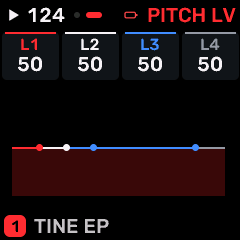
OPEN THIS SCREENOn HOME choose FM6, then ENV. Use its section/page navigation to reach PITCH LV.
KNOB 1 - L1Target value at pitch envelope stage 1. Levels define the envelope shape; rate settings determine how quickly it moves between them. Values: 0 to 99.
KNOB 2 - L2Target value at pitch envelope stage 2. Levels define the envelope shape; rate settings determine how quickly it moves between them. Values: 0 to 99.
KNOB 3 - L3Target value at pitch envelope stage 3. Levels define the envelope shape; rate settings determine how quickly it moves between them. Values: 0 to 99.
KNOB 4 - L4Target value at pitch envelope stage 4. Levels define the envelope shape; rate settings determine how quickly it moves between them. Values: 0 to 99.
BUTTONS AND NAVIGATIONHOME returns to the four-part display. SELECT navigates pages. The family button advances pages. PLAY starts/stops transport; REC arms the selected track. OCT- backs out and OCT+ confirms where an action or picker is offered. Native engine sections can be opened from the EDIT section map; PRESET navigates sections/pages rather than replacing the sound there.
KEEP YOUR CHANGESSave the containing four-part PROGRAM to retain the sound and mix. Save a PROJECT for pattern banks and arrangements; export a USB backup for safekeeping.
STEP BY STEP- Open this screen using the path above; check the selected part or row before turning a knob.
- Change one setting at a time. Play a note or pattern and compare the result; inactive routes or muted parts may make a control inaudible.
- Use HOME to leave, then save the appropriate program/project if you want a named version.
SynthMaven 4.1.4 | ENV173
ENV
CZ-1 / C1 PIT R1-4
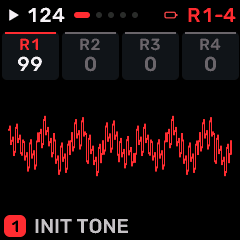
OPEN THIS SCREENOn HOME choose CZ-1, then ENV. Use its section/page navigation to reach C1 PIT R1-4.
KNOB 1 - R1Speed toward pitch envelope stage 1. Higher rates move faster; this is not a time in milliseconds. Values: 0 to 99.
KNOB 2 - R2Speed toward pitch envelope stage 2. Higher rates move faster; this is not a time in milliseconds. Values: 0 to 99.
KNOB 3 - R3Speed toward pitch envelope stage 3. Higher rates move faster; this is not a time in milliseconds. Values: 0 to 99.
KNOB 4 - R4Speed toward pitch envelope stage 4. Higher rates move faster; this is not a time in milliseconds. Values: 0 to 99.
BUTTONS AND NAVIGATIONHOME returns to the four-part display. SELECT navigates pages. The family button advances pages. PLAY starts/stops transport; REC arms the selected track. OCT- backs out and OCT+ confirms where an action or picker is offered. Native engine sections can be opened from the EDIT section map; PRESET navigates sections/pages rather than replacing the sound there.
KEEP YOUR CHANGESSave the containing four-part PROGRAM to retain the sound and mix. Save a PROJECT for pattern banks and arrangements; export a USB backup for safekeeping.
STEP BY STEP- Open this screen using the path above; check the selected part or row before turning a knob.
- Change one setting at a time. Play a note or pattern and compare the result; inactive routes or muted parts may make a control inaudible.
- Use HOME to leave, then save the appropriate program/project if you want a named version.
SynthMaven 4.1.4 | ENV174
ENV
CZ-1 / C1 WAV R1-4
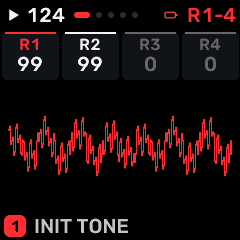
OPEN THIS SCREENOn HOME choose CZ-1, then ENV. Use its section/page navigation to reach C1 WAV R1-4.
KNOB 1 - R1Speed toward waveform brightness envelope stage 1. Higher rates move faster; this is not a time in milliseconds. Values: 0 to 99.
KNOB 2 - R2Speed toward waveform brightness envelope stage 2. Higher rates move faster; this is not a time in milliseconds. Values: 0 to 99.
KNOB 3 - R3Speed toward waveform brightness envelope stage 3. Higher rates move faster; this is not a time in milliseconds. Values: 0 to 99.
KNOB 4 - R4Speed toward waveform brightness envelope stage 4. Higher rates move faster; this is not a time in milliseconds. Values: 0 to 99.
BUTTONS AND NAVIGATIONHOME returns to the four-part display. SELECT navigates pages. The family button advances pages. PLAY starts/stops transport; REC arms the selected track. OCT- backs out and OCT+ confirms where an action or picker is offered. Native engine sections can be opened from the EDIT section map; PRESET navigates sections/pages rather than replacing the sound there.
KEEP YOUR CHANGESSave the containing four-part PROGRAM to retain the sound and mix. Save a PROJECT for pattern banks and arrangements; export a USB backup for safekeeping.
STEP BY STEP- Open this screen using the path above; check the selected part or row before turning a knob.
- Change one setting at a time. Play a note or pattern and compare the result; inactive routes or muted parts may make a control inaudible.
- Use HOME to leave, then save the appropriate program/project if you want a named version.
SynthMaven 4.1.4 | ENV175
ENV
CZ-1 / C1 AMP R1-4
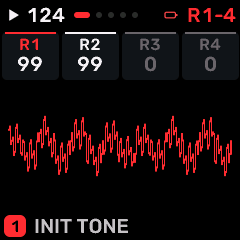
OPEN THIS SCREENOn HOME choose CZ-1, then ENV. Use its section/page navigation to reach C1 AMP R1-4.
KNOB 1 - R1Speed toward amplitude envelope stage 1. Higher rates move faster; this is not a time in milliseconds. Values: 0 to 99.
KNOB 2 - R2Speed toward amplitude envelope stage 2. Higher rates move faster; this is not a time in milliseconds. Values: 0 to 99.
KNOB 3 - R3Speed toward amplitude envelope stage 3. Higher rates move faster; this is not a time in milliseconds. Values: 0 to 99.
KNOB 4 - R4Speed toward amplitude envelope stage 4. Higher rates move faster; this is not a time in milliseconds. Values: 0 to 99.
BUTTONS AND NAVIGATIONHOME returns to the four-part display. SELECT navigates pages. The family button advances pages. PLAY starts/stops transport; REC arms the selected track. OCT- backs out and OCT+ confirms where an action or picker is offered. Native engine sections can be opened from the EDIT section map; PRESET navigates sections/pages rather than replacing the sound there.
KEEP YOUR CHANGESSave the containing four-part PROGRAM to retain the sound and mix. Save a PROJECT for pattern banks and arrangements; export a USB backup for safekeeping.
STEP BY STEP- Open this screen using the path above; check the selected part or row before turning a knob.
- Change one setting at a time. Play a note or pattern and compare the result; inactive routes or muted parts may make a control inaudible.
- Use HOME to leave, then save the appropriate program/project if you want a named version.
SynthMaven 4.1.4 | ENV176
ENV
CZ-1 / C2 PIT R1-4
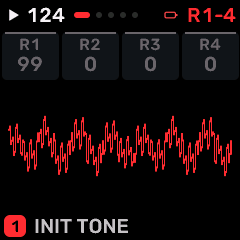
OPEN THIS SCREENOn HOME choose CZ-1, then ENV. Use its section/page navigation to reach C2 PIT R1-4.
KNOB 1 - R1Speed toward pitch envelope stage 1. Higher rates move faster; this is not a time in milliseconds. Values: 0 to 99.
KNOB 2 - R2Speed toward pitch envelope stage 2. Higher rates move faster; this is not a time in milliseconds. Values: 0 to 99.
KNOB 3 - R3Speed toward pitch envelope stage 3. Higher rates move faster; this is not a time in milliseconds. Values: 0 to 99.
KNOB 4 - R4Speed toward pitch envelope stage 4. Higher rates move faster; this is not a time in milliseconds. Values: 0 to 99.
BUTTONS AND NAVIGATIONHOME returns to the four-part display. SELECT navigates pages. The family button advances pages. PLAY starts/stops transport; REC arms the selected track. OCT- backs out and OCT+ confirms where an action or picker is offered. Native engine sections can be opened from the EDIT section map; PRESET navigates sections/pages rather than replacing the sound there.
KEEP YOUR CHANGESSave the containing four-part PROGRAM to retain the sound and mix. Save a PROJECT for pattern banks and arrangements; export a USB backup for safekeeping.
STEP BY STEP- Open this screen using the path above; check the selected part or row before turning a knob.
- Change one setting at a time. Play a note or pattern and compare the result; inactive routes or muted parts may make a control inaudible.
- Use HOME to leave, then save the appropriate program/project if you want a named version.
SynthMaven 4.1.4 | ENV177
ENV
CZ-1 / C2 WAV R1-4
OPEN THIS SCREENOn HOME choose CZ-1, then ENV. Use its section/page navigation to reach C2 WAV R1-4.
KNOB 1 - R1Speed toward waveform brightness envelope stage 1. Higher rates move faster; this is not a time in milliseconds. Values: 0 to 99.
KNOB 2 - R2Speed toward waveform brightness envelope stage 2. Higher rates move faster; this is not a time in milliseconds. Values: 0 to 99.
KNOB 3 - R3Speed toward waveform brightness envelope stage 3. Higher rates move faster; this is not a time in milliseconds. Values: 0 to 99.
KNOB 4 - R4Speed toward waveform brightness envelope stage 4. Higher rates move faster; this is not a time in milliseconds. Values: 0 to 99.
BUTTONS AND NAVIGATIONHOME returns to the four-part display. SELECT navigates pages. The family button advances pages. PLAY starts/stops transport; REC arms the selected track. OCT- backs out and OCT+ confirms where an action or picker is offered. Native engine sections can be opened from the EDIT section map; PRESET navigates sections/pages rather than replacing the sound there.
KEEP YOUR CHANGESSave the containing four-part PROGRAM to retain the sound and mix. Save a PROJECT for pattern banks and arrangements; export a USB backup for safekeeping.
STEP BY STEP- Open this screen using the path above; check the selected part or row before turning a knob.
- Change one setting at a time. Play a note or pattern and compare the result; inactive routes or muted parts may make a control inaudible.
- Use HOME to leave, then save the appropriate program/project if you want a named version.
SynthMaven 4.1.4 | ENV178
ENV
CZ-1 / C2 AMP R1-4
OPEN THIS SCREENOn HOME choose CZ-1, then ENV. Use its section/page navigation to reach C2 AMP R1-4.
KNOB 1 - R1Speed toward amplitude envelope stage 1. Higher rates move faster; this is not a time in milliseconds. Values: 0 to 99.
KNOB 2 - R2Speed toward amplitude envelope stage 2. Higher rates move faster; this is not a time in milliseconds. Values: 0 to 99.
KNOB 3 - R3Speed toward amplitude envelope stage 3. Higher rates move faster; this is not a time in milliseconds. Values: 0 to 99.
KNOB 4 - R4Speed toward amplitude envelope stage 4. Higher rates move faster; this is not a time in milliseconds. Values: 0 to 99.
BUTTONS AND NAVIGATIONHOME returns to the four-part display. SELECT navigates pages. The family button advances pages. PLAY starts/stops transport; REC arms the selected track. OCT- backs out and OCT+ confirms where an action or picker is offered. Native engine sections can be opened from the EDIT section map; PRESET navigates sections/pages rather than replacing the sound there.
KEEP YOUR CHANGESSave the containing four-part PROGRAM to retain the sound and mix. Save a PROJECT for pattern banks and arrangements; export a USB backup for safekeeping.
STEP BY STEP- Open this screen using the path above; check the selected part or row before turning a knob.
- Change one setting at a time. Play a note or pattern and compare the result; inactive routes or muted parts may make a control inaudible.
- Use HOME to leave, then save the appropriate program/project if you want a named version.
SynthMaven 4.1.4 | ENV179
ENV
PROPHET / P5 FLT ENV
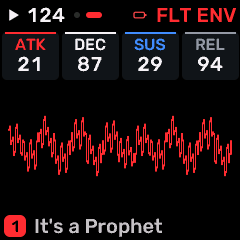
OPEN THIS SCREENOn HOME choose PROPHET, then ENV. Use its section/page navigation to reach P5 FLT ENV.
KNOB 1 - ATKAttack time: how quickly the envelope rises after a note starts. Values: 0 to 127.
KNOB 2 - DECDecay time from the attack peak to the sustain level. Values: 0 to 127.
KNOB 3 - SUSSustain level while the key or gate remains held; this is a level, not a time. Values: 0 to 127.
KNOB 4 - RELRelease time after key-up; longer tails continue to consume voices. Values: 0 to 127.
BUTTONS AND NAVIGATIONHOME returns to the four-part display. SELECT navigates pages. The family button advances pages. PLAY starts/stops transport; REC arms the selected track. OCT- backs out and OCT+ confirms where an action or picker is offered. Native engine sections can be opened from the EDIT section map; PRESET navigates sections/pages rather than replacing the sound there.
KEEP YOUR CHANGESSave the containing four-part PROGRAM to retain the sound and mix. Save a PROJECT for pattern banks and arrangements; export a USB backup for safekeeping.
STEP BY STEP- Open this screen using the path above; check the selected part or row before turning a knob.
- Change one setting at a time. Play a note or pattern and compare the result; inactive routes or muted parts may make a control inaudible.
- Use HOME to leave, then save the appropriate program/project if you want a named version.
SynthMaven 4.1.4 | ENV180
ENV
PROPHET / P5 AMP ENV
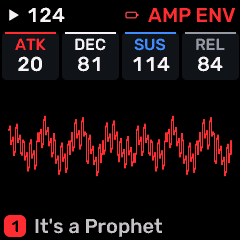
OPEN THIS SCREENOn HOME choose PROPHET, then ENV. Use its section/page navigation to reach P5 AMP ENV.
KNOB 1 - ATKAttack time: how quickly the envelope rises after a note starts. Values: 0 to 127.
KNOB 2 - DECDecay time from the attack peak to the sustain level. Values: 0 to 127.
KNOB 3 - SUSSustain level while the key or gate remains held; this is a level, not a time. Values: 0 to 127.
KNOB 4 - RELRelease time after key-up; longer tails continue to consume voices. Values: 0 to 127.
BUTTONS AND NAVIGATIONHOME returns to the four-part display. SELECT navigates pages. The family button advances pages. PLAY starts/stops transport; REC arms the selected track. OCT- backs out and OCT+ confirms where an action or picker is offered. Native engine sections can be opened from the EDIT section map; PRESET navigates sections/pages rather than replacing the sound there.
KEEP YOUR CHANGESSave the containing four-part PROGRAM to retain the sound and mix. Save a PROJECT for pattern banks and arrangements; export a USB backup for safekeeping.
STEP BY STEP- Open this screen using the path above; check the selected part or row before turning a knob.
- Change one setting at a time. Play a note or pattern and compare the result; inactive routes or muted parts may make a control inaudible.
- Use HOME to leave, then save the appropriate program/project if you want a named version.
SynthMaven 4.1.4 | ENV181
ENV
PROPHET / P5 ENV MOD
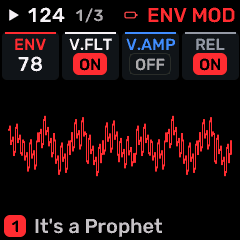
OPEN THIS SCREENOn HOME choose PROPHET, then ENV. Use its section/page navigation to reach P5 ENV MOD.
KNOB 1 - ENV AMTAmount of envelope modulation applied to the destination named by this page. Values: 0 to 127.
KNOB 2 - VEL FLTEnable note velocity modulation of the Prophet filter envelope. Values: OFF / ON.
KNOB 3 - VEL AMPEnable note velocity modulation of the Prophet amplifier envelope. Values: OFF / ON.
KNOB 4 - RELEASEEnable the Prophet release stages after key-up. When OFF, release controls do not produce the expected tails. Values: OFF / ON.
BUTTONS AND NAVIGATIONHOME returns to the four-part display. SELECT navigates pages. The family button advances pages. PLAY starts/stops transport; REC arms the selected track. OCT- backs out and OCT+ confirms where an action or picker is offered. Native engine sections can be opened from the EDIT section map; PRESET navigates sections/pages rather than replacing the sound there.
KEEP YOUR CHANGESSave the containing four-part PROGRAM to retain the sound and mix. Save a PROJECT for pattern banks and arrangements; export a USB backup for safekeeping.
STEP BY STEP- Open this screen using the path above; check the selected part or row before turning a knob.
- Change one setting at a time. Play a note or pattern and compare the result; inactive routes or muted parts may make a control inaudible.
- Use HOME to leave, then save the appropriate program/project if you want a named version.
SynthMaven 4.1.4 | ENV182
LFO
SynthMaven 4.1.4 Illustrated Guide
SynthMaven 4.1.4 | LFO183
LFO
LFO
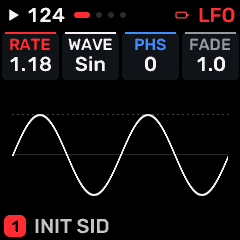
OPEN THIS SCREENOn HOME select the part, then press LFO. Use SELECT or repeated family-button taps to find LFO.
KNOB 1 - RATESpeed of the selected oscillator/modulator/effect. The displayed unit identifies Hz or a tempo division. Values: .05 to 40.0 Hz.
KNOB 2 - WAVESelect the oscillator or modulation waveform. Changing the shape changes its harmonic content or movement. Values: SIN / TRI / SAW / SQR / S&H.
KNOB 3 - PHSStarting phase of LFO 1. Values: 0 to 127.
KNOB 4 - FADETime for LFO modulation to fade in after a note starts. Values: 1.0 to 10.0 s.
BUTTONS AND NAVIGATIONHOME returns to the four-part display. SELECT navigates pages. The family button advances pages. PLAY starts/stops transport; REC arms the selected track. OCT- backs out and OCT+ confirms where an action or picker is offered.
KEEP YOUR CHANGESSave the containing four-part PROGRAM to retain the sound and mix. Save a PROJECT for pattern banks and arrangements; export a USB backup for safekeeping.
STEP BY STEP- Open this screen using the path above; check the selected part or row before turning a knob.
- Change one setting at a time. Play a note or pattern and compare the result; inactive routes or muted parts may make a control inaudible.
- Use HOME to leave, then save the appropriate program/project if you want a named version.
SynthMaven 4.1.4 | LFO184
LFO
LFO 2
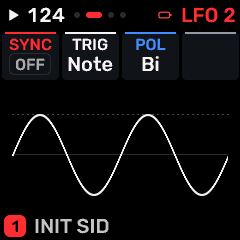
OPEN THIS SCREENOn HOME select the part, then press LFO. Use SELECT or repeated family-button taps to find LFO 2.
KNOB 1 - SYNCLFO tempo synchronization. OFF uses free speed; other choices follow the selected clock division. Values: OFF / 4BAR / 2BAR / 1/1 / 1/2 / 1/4 / 1/8 / 8T / 1/16 / 16T / 1/32.
KNOB 2 - TRIGNOTE restarts the LFO for each note; FREE keeps it running independently. Values: NOTE / FREE.
KNOB 3 - POLBI moves modulation above and below center; UNI moves in one direction from zero. Values: BI / UNI.
KNOB 4No assigned parameter on this page.
BUTTONS AND NAVIGATIONHOME returns to the four-part display. SELECT navigates pages. The family button advances pages. PLAY starts/stops transport; REC arms the selected track. OCT- backs out and OCT+ confirms where an action or picker is offered.
KEEP YOUR CHANGESSave the containing four-part PROGRAM to retain the sound and mix. Save a PROJECT for pattern banks and arrangements; export a USB backup for safekeeping.
STEP BY STEP- Open this screen using the path above; check the selected part or row before turning a knob.
- Change one setting at a time. Play a note or pattern and compare the result; inactive routes or muted parts may make a control inaudible.
- Use HOME to leave, then save the appropriate program/project if you want a named version.
SynthMaven 4.1.4 | LFO185
LFO
LFO DEST
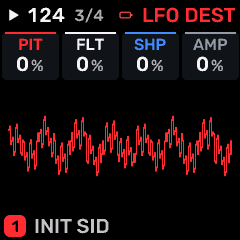
OPEN THIS SCREENOn HOME select the part, then press LFO. Use SELECT or repeated family-button taps to find LFO DEST.
KNOB 1 - PITPitch or pitch modulation depth. In an envelope/LFO destination page this is an amount, not a tuning reference. Values: -100 to +98 %.
KNOB 2 - FLTLFO-to-filter depth. Positive and negative values reverse the cutoff movement; zero leaves cutoff unchanged. Values: -100 to +98 %.
KNOB 3 - SHPWaveform/timbre shaping or the amount of envelope/LFO shaping, according to this page. Values: -100 to +98 %.
KNOB 4 - AMPAmplitude modulation depth. Start with a small amount to avoid large level swings. Values: 0 to 100 %.
BUTTONS AND NAVIGATIONHOME returns to the four-part display. SELECT navigates pages. The family button advances pages. PLAY starts/stops transport; REC arms the selected track. OCT- backs out and OCT+ confirms where an action or picker is offered.
KEEP YOUR CHANGESSave the containing four-part PROGRAM to retain the sound and mix. Save a PROJECT for pattern banks and arrangements; export a USB backup for safekeeping.
STEP BY STEP- Open this screen using the path above; check the selected part or row before turning a knob.
- Change one setting at a time. Play a note or pattern and compare the result; inactive routes or muted parts may make a control inaudible.
- Use HOME to leave, then save the appropriate program/project if you want a named version.
SynthMaven 4.1.4 | LFO186
LFO
MOD
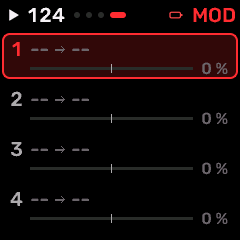
OPEN THIS SCREENOn HOME select the part, then press LFO. Use SELECT or repeated family-button taps to find MOD.
KNOB 1 - SRC1Source of the selected modulation route: LFO, envelope, velocity, key tracking, random or a MIDI controller. Values: OFF / LFO / ENV / VEL / KEY / RAND / MODW / AT / EXPR / S&H / SLEW.
KNOB 2 - ROUTESelect modulation connection 1-4; the other three knobs edit that connection.
KNOB 3 - DST1Destination of the selected matrix route. Engine destinations E1-E8 follow the active instrument controls. Values: 17 named choices; browse the on-screen list..
KNOB 4 - AMT1Depth of the selected modulation route. Negative values reverse the direction; zero disables its influence. Values: -100 to +98 %.
BUTTONS AND NAVIGATIONHOME returns to the four-part display. SELECT navigates pages. The family button advances pages. PLAY starts/stops transport; REC arms the selected track. OCT- backs out and OCT+ confirms where an action or picker is offered.
KEEP YOUR CHANGESSave the containing four-part PROGRAM to retain the sound and mix. Save a PROJECT for pattern banks and arrangements; export a USB backup for safekeeping.
STEP BY STEP- Open this screen using the path above; check the selected part or row before turning a knob.
- Change one setting at a time. Play a note or pattern and compare the result; inactive routes or muted parts may make a control inaudible.
- Use HOME to leave, then save the appropriate program/project if you want a named version.
SynthMaven 4.1.4 | LFO187
LFO
FM6 / FM LFO
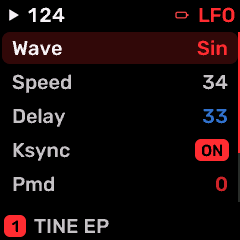
OPEN THIS SCREENOn HOME choose FM6, then LFO. Use its section/page navigation to reach FM LFO.
KNOB 1Edit the highlighted row.
KNOB 2Move the row highlight; the list scrolls to reveal the remaining settings.
KNOBS 3-4No direct row editing on this list screen.
WAVESelect the oscillator or modulation waveform. Changing the shape changes its harmonic content or movement. TRI / SAWDN / SAWUP / SQR / SIN / S&H
SPEEDRate of the native FM LFO. 0 to 99
DELAYDelay before the selected modulation begins; it does not move the played note itself. 0 to 99
KSYNCRestart native FM LFO phase on each note when enabled; OFF allows free-running phase. OFF / ON
PMDNative FM LFO pitch-modulation depth. 0 to 99
AMDAmplitude-modulation depth of the native FM LFO; produces tremolo on operators with AMS enabled. 0 to 99
PMSPitch-modulation sensitivity of the native FM voice. 0 to 7
BUTTONS AND NAVIGATIONKNOB 2 selects a row and KNOB 1 changes it. OCT+ opens a choice list when available; OCT- returns to HOME. SELECT/family button moves between screens. PLAY/REC retain transport/recording roles.
KEEP YOUR CHANGESSave the containing four-part PROGRAM to retain the sound and mix. Save a PROJECT for pattern banks and arrangements; export a USB backup for safekeeping.
STEP BY STEP- Open this screen using the path above; check the selected part or row before turning a knob.
- Change one setting at a time. Play a note or pattern and compare the result; inactive routes or muted parts may make a control inaudible.
- Use HOME to leave, then save the appropriate program/project if you want a named version.
SynthMaven 4.1.4 | LFO188
LFO
CZ-1 / CZ VIBRATO
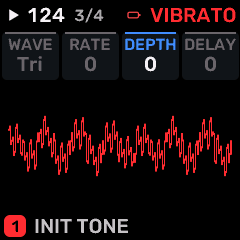
OPEN THIS SCREENOn HOME choose CZ-1, then LFO. Use its section/page navigation to reach CZ VIBRATO.
KNOB 1 - WAVESelect the oscillator or modulation waveform. Changing the shape changes its harmonic content or movement. Values: TRI / SAW UP / SAW DN / SQR.
KNOB 2 - RATESpeed of the selected oscillator/modulator/effect. The displayed unit identifies Hz or a tempo division. Values: 0 to 99.
KNOB 3 - DEPTHModulation/chorus depth. Values: 0 to 99.
KNOB 4 - DELAYDelay before the selected modulation begins; it does not move the played note itself. Values: 0 to 99.
BUTTONS AND NAVIGATIONHOME returns to the four-part display. SELECT navigates pages. The family button advances pages. PLAY starts/stops transport; REC arms the selected track. OCT- backs out and OCT+ confirms where an action or picker is offered. Native engine sections can be opened from the EDIT section map; PRESET navigates sections/pages rather than replacing the sound there.
KEEP YOUR CHANGESSave the containing four-part PROGRAM to retain the sound and mix. Save a PROJECT for pattern banks and arrangements; export a USB backup for safekeeping.
STEP BY STEP- Open this screen using the path above; check the selected part or row before turning a knob.
- Change one setting at a time. Play a note or pattern and compare the result; inactive routes or muted parts may make a control inaudible.
- Use HOME to leave, then save the appropriate program/project if you want a named version.
SynthMaven 4.1.4 | LFO189
LFO
PROPHET / P5 LFO
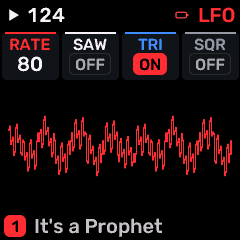
OPEN THIS SCREENOn HOME choose PROPHET, then LFO. Use its section/page navigation to reach P5 LFO.
KNOB 1 - RATESpeed of the selected oscillator/modulator/effect. The displayed unit identifies Hz or a tempo division. Values: 0 to 127.
KNOB 2 - SAWEnable the saw waveform. Multiple enabled waveforms are combined. Values: OFF / ON.
KNOB 3 - TRIEnable the tri waveform. Multiple enabled waveforms are combined. Values: OFF / ON.
KNOB 4 - SQUAREEnable the square waveform. Multiple enabled waveforms are combined. Values: OFF / ON.
BUTTONS AND NAVIGATIONHOME returns to the four-part display. SELECT navigates pages. The family button advances pages. PLAY starts/stops transport; REC arms the selected track. OCT- backs out and OCT+ confirms where an action or picker is offered. Native engine sections can be opened from the EDIT section map; PRESET navigates sections/pages rather than replacing the sound there.
KEEP YOUR CHANGESSave the containing four-part PROGRAM to retain the sound and mix. Save a PROJECT for pattern banks and arrangements; export a USB backup for safekeeping.
STEP BY STEP- Open this screen using the path above; check the selected part or row before turning a knob.
- Change one setting at a time. Play a note or pattern and compare the result; inactive routes or muted parts may make a control inaudible.
- Use HOME to leave, then save the appropriate program/project if you want a named version.
SynthMaven 4.1.4 | LFO190
LFO
PROPHET / P5 WHEEL
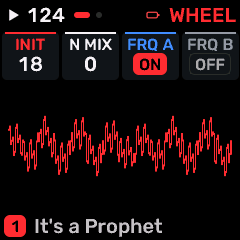
OPEN THIS SCREENOn HOME choose PROPHET, then LFO. Use its section/page navigation to reach P5 WHEEL.
KNOB 1 - INITIALNative LFO depth before any modulation-wheel input. Values: 0 to 127.
KNOB 2 - N MIXMix noise into wheel modulation. Low settings favor the native LFO; high settings favor noise. Values: 0 to 127.
KNOB 3 - FREQ AEnable this modulation source for freq a. OFF leaves that destination unaffected. Values: OFF / ON.
KNOB 4 - FREQ BEnable this modulation source for freq b. OFF leaves that destination unaffected. Values: OFF / ON.
BUTTONS AND NAVIGATIONHOME returns to the four-part display. SELECT navigates pages. The family button advances pages. PLAY starts/stops transport; REC arms the selected track. OCT- backs out and OCT+ confirms where an action or picker is offered. Native engine sections can be opened from the EDIT section map; PRESET navigates sections/pages rather than replacing the sound there.
KEEP YOUR CHANGESSave the containing four-part PROGRAM to retain the sound and mix. Save a PROJECT for pattern banks and arrangements; export a USB backup for safekeeping.
STEP BY STEP- Open this screen using the path above; check the selected part or row before turning a knob.
- Change one setting at a time. Play a note or pattern and compare the result; inactive routes or muted parts may make a control inaudible.
- Use HOME to leave, then save the appropriate program/project if you want a named version.
SynthMaven 4.1.4 | LFO191
LFO
PROPHET / P5 WHEEL 2
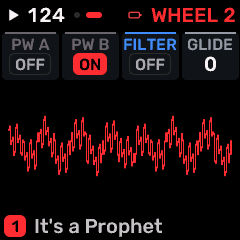
OPEN THIS SCREENOn HOME choose PROPHET, then LFO. Use its section/page navigation to reach P5 WHEEL 2.
KNOB 1 - PW AEnable this modulation source for pw a. OFF leaves that destination unaffected. Values: OFF / ON.
KNOB 2 - PW BEnable this modulation source for pw b. OFF leaves that destination unaffected. Values: OFF / ON.
KNOB 3 - FILTEREnable this modulation source for filter. OFF leaves that destination unaffected. Values: OFF / ON.
KNOB 4 - GLIDEPitch-slide time between notes; most noticeable in mono/legato playing. Values: 0 to 127.
BUTTONS AND NAVIGATIONHOME returns to the four-part display. SELECT navigates pages. The family button advances pages. PLAY starts/stops transport; REC arms the selected track. OCT- backs out and OCT+ confirms where an action or picker is offered. Native engine sections can be opened from the EDIT section map; PRESET navigates sections/pages rather than replacing the sound there.
KEEP YOUR CHANGESSave the containing four-part PROGRAM to retain the sound and mix. Save a PROJECT for pattern banks and arrangements; export a USB backup for safekeeping.
STEP BY STEP- Open this screen using the path above; check the selected part or row before turning a knob.
- Change one setting at a time. Play a note or pattern and compare the result; inactive routes or muted parts may make a control inaudible.
- Use HOME to leave, then save the appropriate program/project if you want a named version.
SynthMaven 4.1.4 | LFO192
EDIT
SynthMaven 4.1.4 Illustrated Guide
SynthMaven 4.1.4 | EDIT193
EDIT
SID / EDIT 1
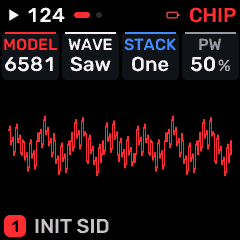
OPEN THIS SCREENOn HOME choose SID, then EDIT. Use its section/page navigation to reach EDIT 1.
KNOB 1 - MODELSelect SID chip-model character, including its oscillator/filter response. Values: 6581 / 8580 / C64 6581 / C64 8580.
KNOB 2 - WAVESelect the oscillator or modulation waveform. Changing the shape changes its harmonic content or movement. Values: TRI / SAW / PULSE / NOISE / TRI+SAW / TRI+PLS / SAW+PLS / T+S+P.
KNOB 3 - STACKSID oscillator/voice stacking configuration; changes the combined waveform character and voice load. Values: ONE / DETUNE / OCT / FIFTH / MAJOR / SYNC / RING / SUB.
KNOB 4 - PWPulse width/duty cycle; changes harmonic balance. Values: 0 to 100 %.
BUTTONS AND NAVIGATIONHOME returns to the four-part display. SELECT navigates pages. The family button advances pages. PLAY starts/stops transport; REC arms the selected track. OCT- backs out and OCT+ confirms where an action or picker is offered. Native engine sections can be opened from the EDIT section map; PRESET navigates sections/pages rather than replacing the sound there.
KEEP YOUR CHANGESSave the containing four-part PROGRAM to retain the sound and mix. Save a PROJECT for pattern banks and arrangements; export a USB backup for safekeeping.
STEP BY STEP- Open this screen using the path above; check the selected part or row before turning a knob.
- Change one setting at a time. Play a note or pattern and compare the result; inactive routes or muted parts may make a control inaudible.
- Use HOME to leave, then save the appropriate program/project if you want a named version.
SynthMaven 4.1.4 | EDIT194
EDIT
SID / EDIT 2
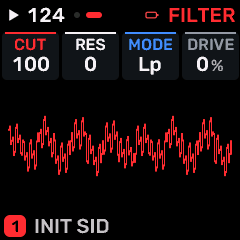
OPEN THIS SCREENOn HOME choose SID, then EDIT. Use its section/page navigation to reach EDIT 2.
KNOB 1 - CUTLow-pass/filter cutoff: lower values remove more upper harmonics. Values: 0 to 100 %.
KNOB 2 - RESFilter resonance emphasizes frequencies around cutoff. High values may change level or approach self-oscillation. Values: 0 to 15.
KNOB 3 - MODEChoose the operating mode for this page: LFO restart, arp direction, delay style, controller protocol or operator frequency mode. Values: LP / BP / HP / NOTCH / LP+BP / BP+HP / ALL / OFF.
KNOB 4 - DRIVEDrive into a saturation/filter stage. More drive can add harmonics and change level. Values: 0 to 100 %.
BUTTONS AND NAVIGATIONHOME returns to the four-part display. SELECT navigates pages. The family button advances pages. PLAY starts/stops transport; REC arms the selected track. OCT- backs out and OCT+ confirms where an action or picker is offered. Native engine sections can be opened from the EDIT section map; PRESET navigates sections/pages rather than replacing the sound there.
KEEP YOUR CHANGESSave the containing four-part PROGRAM to retain the sound and mix. Save a PROJECT for pattern banks and arrangements; export a USB backup for safekeeping.
STEP BY STEP- Open this screen using the path above; check the selected part or row before turning a knob.
- Change one setting at a time. Play a note or pattern and compare the result; inactive routes or muted parts may make a control inaudible.
- Use HOME to leave, then save the appropriate program/project if you want a named version.
SynthMaven 4.1.4 | EDIT195
EDIT
SID / VOICE
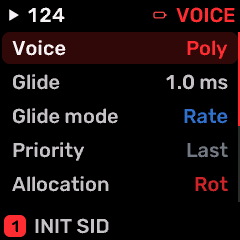
OPEN THIS SCREENOn HOME choose SID, then EDIT. Use its section/page navigation to reach VOICE.
KNOB 1Edit the highlighted row.
KNOB 2Move the row highlight; the list scrolls to reveal the remaining settings.
KNOBS 3-4No direct row editing on this list screen.
VCEPOLY plays chords; MONO plays one note; LEG is legato mono; UNI stacks voices. All use the shared budget. POLY / MONO / LEG / UNI
GLDGlide/portamento time between pitches. 1.0 to 10.0 s
GLMODChoose which note transitions use glide. RATE / TIME
PRIOPriority of held notes in a monophonic part. LAST / LOW / HIGH
ALLOCVoice allocation/unison setting. Extra voices consume the shared eight-voice budget. ROT / REUSE
DTUNEDetuning amount between oscillators/voices or FM operators, according to the selected engine. 0 to 127
PANPosition of the selected part in the stereo field; center is zero. -100 to +98 %
MUTESilence the selected part without deleting its sound. OFF / ON
SPRDStereo spread or oscillator/processor width. Check the result in mono. 0 to 100 %
BUTTONS AND NAVIGATIONKNOB 2 selects a row and KNOB 1 changes it. OCT+ opens a choice list when available; OCT- returns to HOME. SELECT/family button moves between screens. PLAY/REC retain transport/recording roles.
KEEP YOUR CHANGESSave the containing four-part PROGRAM to retain the sound and mix. Save a PROJECT for pattern banks and arrangements; export a USB backup for safekeeping.
STEP BY STEP- Open this screen using the path above; check the selected part or row before turning a knob.
- Change one setting at a time. Play a note or pattern and compare the result; inactive routes or muted parts may make a control inaudible.
- Use HOME to leave, then save the appropriate program/project if you want a named version.
SynthMaven 4.1.4 | EDIT196
EDIT
DRUM / EDIT 1
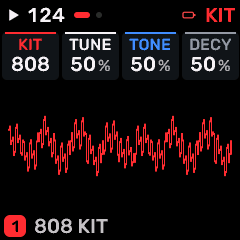
OPEN THIS SCREENOn HOME choose DRUM, then EDIT. Use its section/page navigation to reach EDIT 1.
KNOB 1 - KITDrum sample/kit selection. This changes the sound sources for the drum lanes. Values: 808 / 909 / SID.
KNOB 2 - TUNEPitch tuning of the engine oscillator; use the displayed interval to transpose this sound without changing the global scale. Values: 0 to 100 %.
KNOB 3 - TONETone or spectral balance of this sound/processor. Values: 0 to 100 %.
KNOB 4 - DECYDrum-kit decay amount. Shorten it for tighter hits and fewer overlapping tails. Values: 0 to 100 %.
BUTTONS AND NAVIGATIONHOME returns to the four-part display. SELECT navigates pages. The family button advances pages. PLAY starts/stops transport; REC arms the selected track. OCT- backs out and OCT+ confirms where an action or picker is offered. Native engine sections can be opened from the EDIT section map; PRESET navigates sections/pages rather than replacing the sound there.
KEEP YOUR CHANGESSave the containing four-part PROGRAM to retain the sound and mix. Save a PROJECT for pattern banks and arrangements; export a USB backup for safekeeping.
STEP BY STEP- Open this screen using the path above; check the selected part or row before turning a knob.
- Change one setting at a time. Play a note or pattern and compare the result; inactive routes or muted parts may make a control inaudible.
- Use HOME to leave, then save the appropriate program/project if you want a named version.
SynthMaven 4.1.4 | EDIT197
EDIT
DRUM / EDIT 2
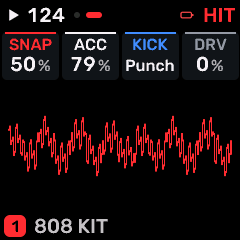
OPEN THIS SCREENOn HOME choose DRUM, then EDIT. Use its section/page navigation to reach EDIT 2.
KNOB 1 - SNAPEnable master scale quantization for all four parts and MIDI, subject to tuning application settings. Values: 0 to 100 %.
KNOB 2 - ACCAccent sensitivity/amount. Values: 0 to 100 %.
KNOB 3 - KICKLevel of the kick drum lane; reduce to balance that instrument against the kit. Values: PUNCH / ROUND.
KNOB 4 - DRVDrive into a saturation/filter stage. More drive can add harmonics and change level. Values: 0 to 100 %.
BUTTONS AND NAVIGATIONHOME returns to the four-part display. SELECT navigates pages. The family button advances pages. PLAY starts/stops transport; REC arms the selected track. OCT- backs out and OCT+ confirms where an action or picker is offered. Native engine sections can be opened from the EDIT section map; PRESET navigates sections/pages rather than replacing the sound there.
KEEP YOUR CHANGESSave the containing four-part PROGRAM to retain the sound and mix. Save a PROJECT for pattern banks and arrangements; export a USB backup for safekeeping.
STEP BY STEP- Open this screen using the path above; check the selected part or row before turning a knob.
- Change one setting at a time. Play a note or pattern and compare the result; inactive routes or muted parts may make a control inaudible.
- Use HOME to leave, then save the appropriate program/project if you want a named version.
SynthMaven 4.1.4 | EDIT198
EDIT
DRUM / DRUM SOUND
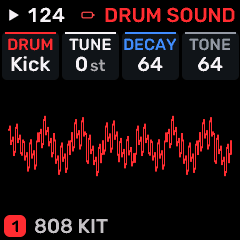
OPEN THIS SCREENOn HOME choose DRUM, then EDIT. Use its section/page navigation to reach DRUM SOUND.
KNOB 1 - SOUNDChoose the drum voice in the current kit.
KNOB 2 - TUNETranspose that kit voice -24 to +24 semitones.
KNOB 3 - DECAYDecay offset -64 to +63; changes the tail of this kit voice.
KNOB 4 - TONETone offset -64 to +63; changes brightness of this kit voice.
BUTTONS AND NAVIGATIONHOME returns to the four-part display. SELECT navigates pages. The family button advances pages. PLAY starts/stops transport; REC arms the selected track. OCT- backs out and OCT+ confirms where an action or picker is offered. Native engine sections can be opened from the EDIT section map; PRESET navigates sections/pages rather than replacing the sound there.
KEEP YOUR CHANGESSave the containing four-part PROGRAM to retain the sound and mix. Save a PROJECT for pattern banks and arrangements; export a USB backup for safekeeping.
STEP BY STEP- Open this screen using the path above; check the selected part or row before turning a knob.
- Change one setting at a time. Play a note or pattern and compare the result; inactive routes or muted parts may make a control inaudible.
- Use HOME to leave, then save the appropriate program/project if you want a named version.
SynthMaven 4.1.4 | EDIT199
EDIT
DRUM / DRUM MIX
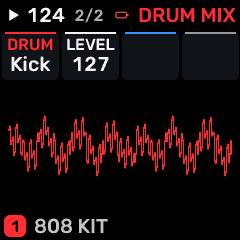
OPEN THIS SCREENOn HOME choose DRUM, then EDIT. Use its section/page navigation to reach DRUM MIX.
KNOB 1 - SOUNDChoose the kit voice to balance.
KNOB 2 - LEVELRaise/lower this kit voice. This edits the kit, not just one hit.
KNOB 3 - UnusedNo assigned parameter.
KNOB 4 - UnusedNo assigned parameter.
BUTTONS AND NAVIGATIONHOME returns to the four-part display. SELECT navigates pages. The family button advances pages. PLAY starts/stops transport; REC arms the selected track. OCT- backs out and OCT+ confirms where an action or picker is offered. Native engine sections can be opened from the EDIT section map; PRESET navigates sections/pages rather than replacing the sound there.
KEEP YOUR CHANGESSave the containing four-part PROGRAM to retain the sound and mix. Save a PROJECT for pattern banks and arrangements; export a USB backup for safekeeping.
STEP BY STEP- Open this screen using the path above; check the selected part or row before turning a knob.
- Change one setting at a time. Play a note or pattern and compare the result; inactive routes or muted parts may make a control inaudible.
- Use HOME to leave, then save the appropriate program/project if you want a named version.
SynthMaven 4.1.4 | EDIT200
EDIT
DRUM / LANES
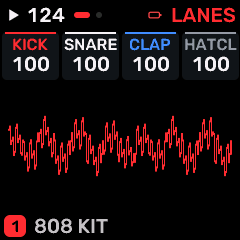
OPEN THIS SCREENOn HOME choose DRUM, then EDIT. Use its section/page navigation to reach LANES.
KNOB 1 - KICKLevel of the kick drum lane; reduce to balance that instrument against the kit. Values: 0 to 100 %.
KNOB 2 - SNARELevel of the snare drum lane; reduce to balance that instrument against the kit. Values: 0 to 100 %.
KNOB 3 - CLAPLevel of the clap drum lane; reduce to balance that instrument against the kit. Values: 0 to 100 %.
KNOB 4 - HATCLLevel of the hatcl drum lane; reduce to balance that instrument against the kit. Values: 0 to 100 %.
BUTTONS AND NAVIGATIONHOME returns to the four-part display. SELECT navigates pages. The family button advances pages. PLAY starts/stops transport; REC arms the selected track. OCT- backs out and OCT+ confirms where an action or picker is offered. Native engine sections can be opened from the EDIT section map; PRESET navigates sections/pages rather than replacing the sound there.
KEEP YOUR CHANGESSave the containing four-part PROGRAM to retain the sound and mix. Save a PROJECT for pattern banks and arrangements; export a USB backup for safekeeping.
STEP BY STEP- Open this screen using the path above; check the selected part or row before turning a knob.
- Change one setting at a time. Play a note or pattern and compare the result; inactive routes or muted parts may make a control inaudible.
- Use HOME to leave, then save the appropriate program/project if you want a named version.
SynthMaven 4.1.4 | EDIT201
EDIT
DRUM / LANES 2
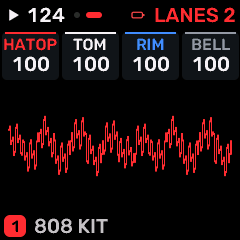
OPEN THIS SCREENOn HOME choose DRUM, then EDIT. Use its section/page navigation to reach LANES 2.
KNOB 1 - HATOPLevel of the hatop drum lane; reduce to balance that instrument against the kit. Values: 0 to 100 %.
KNOB 2 - TOMLevel of the tom drum lane; reduce to balance that instrument against the kit. Values: 0 to 100 %.
KNOB 3 - RIMLevel of the rim drum lane; reduce to balance that instrument against the kit. Values: 0 to 100 %.
KNOB 4 - BELLLevel of the bell drum lane; reduce to balance that instrument against the kit. Values: 0 to 100 %.
BUTTONS AND NAVIGATIONHOME returns to the four-part display. SELECT navigates pages. The family button advances pages. PLAY starts/stops transport; REC arms the selected track. OCT- backs out and OCT+ confirms where an action or picker is offered. Native engine sections can be opened from the EDIT section map; PRESET navigates sections/pages rather than replacing the sound there.
KEEP YOUR CHANGESSave the containing four-part PROGRAM to retain the sound and mix. Save a PROJECT for pattern banks and arrangements; export a USB backup for safekeeping.
STEP BY STEP- Open this screen using the path above; check the selected part or row before turning a knob.
- Change one setting at a time. Play a note or pattern and compare the result; inactive routes or muted parts may make a control inaudible.
- Use HOME to leave, then save the appropriate program/project if you want a named version.
SynthMaven 4.1.4 | EDIT202
EDIT
FM6 / EDIT 1
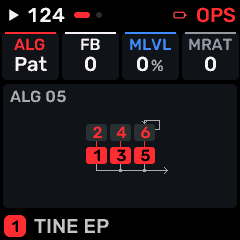
OPEN THIS SCREENOn HOME choose FM6, then EDIT. Use its section/page navigation to reach EDIT 1.
KNOB 1 - ALGFM/operator connection algorithm. Each choice changes which oscillators modulate or reach the output. Values: 33 named choices; browse the on-screen list..
KNOB 2 - FBFM feedback amount. Higher values feed operator output back into modulation and add brighter/noisier harmonics. Values: -7 to 7.
KNOB 3 - MLVLModulator level. Values: -100 to +98 %.
KNOB 4 - MRATModulator frequency ratio. Values: -16 to 16.
BUTTONS AND NAVIGATIONHOME returns to the four-part display. SELECT navigates pages. The family button advances pages. PLAY starts/stops transport; REC arms the selected track. OCT- backs out and OCT+ confirms where an action or picker is offered. Native engine sections can be opened from the EDIT section map; PRESET navigates sections/pages rather than replacing the sound there.
KEEP YOUR CHANGESSave the containing four-part PROGRAM to retain the sound and mix. Save a PROJECT for pattern banks and arrangements; export a USB backup for safekeeping.
STEP BY STEP- Open this screen using the path above; check the selected part or row before turning a knob.
- Change one setting at a time. Play a note or pattern and compare the result; inactive routes or muted parts may make a control inaudible.
- Use HOME to leave, then save the appropriate program/project if you want a named version.
SynthMaven 4.1.4 | EDIT203
EDIT
FM6 / EDIT 2
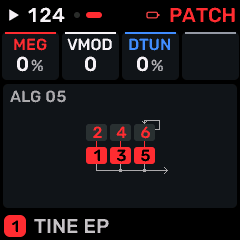
OPEN THIS SCREENOn HOME choose FM6, then EDIT. Use its section/page navigation to reach EDIT 2.
KNOB 1 - MEGModel-dependent envelope/excitation shaping. Values: -100 to +98 %.
KNOB 2 - VMODVelocity modulation of model timbre/level. Values: -7 to 7.
KNOB 3 - DTUNDetuning amount between oscillators/voices or FM operators, according to the selected engine. Values: 0 to 100 %.
KNOB 4 - -Unused control position; turning this knob has no assigned sound parameter on this layout. Values: Action / no continuous value.
BUTTONS AND NAVIGATIONHOME returns to the four-part display. SELECT navigates pages. The family button advances pages. PLAY starts/stops transport; REC arms the selected track. OCT- backs out and OCT+ confirms where an action or picker is offered. Native engine sections can be opened from the EDIT section map; PRESET navigates sections/pages rather than replacing the sound there.
KEEP YOUR CHANGESSave the containing four-part PROGRAM to retain the sound and mix. Save a PROJECT for pattern banks and arrangements; export a USB backup for safekeeping.
STEP BY STEP- Open this screen using the path above; check the selected part or row before turning a knob.
- Change one setting at a time. Play a note or pattern and compare the result; inactive routes or muted parts may make a control inaudible.
- Use HOME to leave, then save the appropriate program/project if you want a named version.
SynthMaven 4.1.4 | EDIT204
EDIT
FM6 / STORE
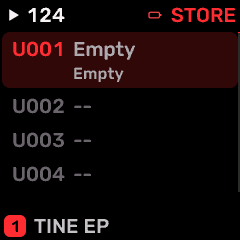
OPEN THIS SCREENOn HOME choose FM6, then EDIT. Use its section/page navigation to reach STORE.
KNOB 1 - SLOTSelect the destination USER sound slot (1-384). Values: 1 to 384.
KNOB 2 - STOREWrite the native voice into the chosen USER sound slot after confirmation. Stop playback before saving. Values: 0 to 1.
KNOB 3 - SENDEnable supported parameter CC output. Values: 0 to 1.
KNOB 4 - INITInitialize the selected working sound. Save a copy before using it. Values: 0 to 1.
BUTTONS AND NAVIGATIONHOME returns to the four-part display. SELECT navigates pages. The family button advances pages. PLAY starts/stops transport; REC arms the selected track. OCT- backs out and OCT+ confirms where an action or picker is offered. Native engine sections can be opened from the EDIT section map; PRESET navigates sections/pages rather than replacing the sound there.
KEEP YOUR CHANGESSave the containing four-part PROGRAM to retain the sound and mix. Save a PROJECT for pattern banks and arrangements; export a USB backup for safekeeping.
STEP BY STEP- Open this screen using the path above; check the selected part or row before turning a knob.
- Change one setting at a time. Play a note or pattern and compare the result; inactive routes or muted parts may make a control inaudible.
- Use HOME to leave, then save the appropriate program/project if you want a named version.
SynthMaven 4.1.4 | EDIT205
EDIT
FM6 / ALGO
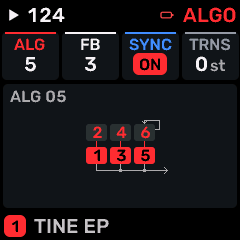
OPEN THIS SCREENOn HOME choose FM6, then EDIT. Use its section/page navigation to reach ALGO.
KNOB 1 - ALGFM/operator connection algorithm. Each choice changes which oscillators modulate or reach the output. Values: 32 named choices; browse the on-screen list..
KNOB 2 - FBFM feedback amount. Higher values feed operator output back into modulation and add brighter/noisier harmonics. Values: 0 to 7.
KNOB 3 - SYNCOscillator key synchronization: restart the FM oscillators at note-on when enabled. Values: OFF / ON.
KNOB 4 - TRNSTranspose the native FM voice in semitones. Values: -24 to +24 st.
BUTTONS AND NAVIGATIONHOME returns to the four-part display. SELECT navigates pages. The family button advances pages. PLAY starts/stops transport; REC arms the selected track. OCT- backs out and OCT+ confirms where an action or picker is offered. Native engine sections can be opened from the EDIT section map; PRESET navigates sections/pages rather than replacing the sound there.
KEEP YOUR CHANGESSave the containing four-part PROGRAM to retain the sound and mix. Save a PROJECT for pattern banks and arrangements; export a USB backup for safekeeping.
STEP BY STEP- Open this screen using the path above; check the selected part or row before turning a knob.
- Change one setting at a time. Play a note or pattern and compare the result; inactive routes or muted parts may make a control inaudible.
- Use HOME to leave, then save the appropriate program/project if you want a named version.
SynthMaven 4.1.4 | EDIT206
EDIT
FM6 / FREQ
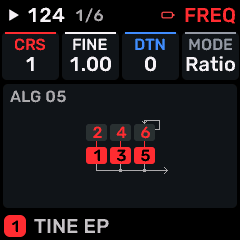
OPEN THIS SCREENOn HOME choose FM6, then EDIT. Use its section/page navigation to reach FREQ.
KNOB 1 - CRSCoarse frequency of the selected FM operator. Ratio mode follows note pitch; fixed mode uses an absolute frequency range. Values: 1 to 1.
KNOB 2 - FINEFine operator tuning within the selected ratio. Values: 1.00 to 1.00.
KNOB 3 - DTNDetuning amount between oscillators/voices or FM operators, according to the selected engine. Values: -7 to +7.
KNOB 4 - MODERATIO follows the played note; FIXED uses absolute-frequency behavior. Values: RATIO / FIXED.
BUTTONS AND NAVIGATIONHOME returns to the four-part display. SELECT navigates pages. The family button advances pages. PLAY starts/stops transport; REC arms the selected track. OCT- backs out and OCT+ confirms where an action or picker is offered. Native engine sections can be opened from the EDIT section map; PRESET navigates sections/pages rather than replacing the sound there. PRESET selects the FM operator 1-6; edits apply only to that operator.
KEEP YOUR CHANGESSave the containing four-part PROGRAM to retain the sound and mix. Save a PROJECT for pattern banks and arrangements; export a USB backup for safekeeping.
STEP BY STEP- Open this screen using the path above; check the selected part or row before turning a knob.
- Change one setting at a time. Play a note or pattern and compare the result; inactive routes or muted parts may make a control inaudible.
- Use HOME to leave, then save the appropriate program/project if you want a named version.
SynthMaven 4.1.4 | EDIT207
EDIT
FM6 / OUT
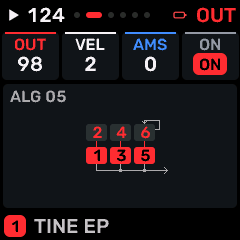
OPEN THIS SCREENOn HOME choose FM6, then EDIT. Use its section/page navigation to reach OUT.
KNOB 1 - OUTOutput level of the selected FM operator. Carrier level changes loudness; modulator level changes harmonic content. Values: 0 to 99.
KNOB 2 - VELVelocity sensitivity of the operator/modulation target. Values: 0 to 7.
KNOB 3 - AMSSensitivity of this operator to amplitude modulation from the native FM LFO. Values: 0 to 3.
KNOB 4 - ONEnable this part in layered playback. Values: OFF / ON.
BUTTONS AND NAVIGATIONHOME returns to the four-part display. SELECT navigates pages. The family button advances pages. PLAY starts/stops transport; REC arms the selected track. OCT- backs out and OCT+ confirms where an action or picker is offered. Native engine sections can be opened from the EDIT section map; PRESET navigates sections/pages rather than replacing the sound there. PRESET selects the FM operator 1-6; edits apply only to that operator.
KEEP YOUR CHANGESSave the containing four-part PROGRAM to retain the sound and mix. Save a PROJECT for pattern banks and arrangements; export a USB backup for safekeeping.
STEP BY STEP- Open this screen using the path above; check the selected part or row before turning a knob.
- Change one setting at a time. Play a note or pattern and compare the result; inactive routes or muted parts may make a control inaudible.
- Use HOME to leave, then save the appropriate program/project if you want a named version.
SynthMaven 4.1.4 | EDIT208
EDIT
FM6 / SCALE
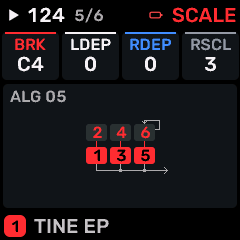
OPEN THIS SCREENOn HOME choose FM6, then EDIT. Use its section/page navigation to reach SCALE.
KNOB 1 - BRKKeyboard breakpoint separating the left and right operator-level scaling regions. Values: A0 to C9.
KNOB 2 - LDEPDepth of operator-level scaling below the breakpoint. Values: 0 to 99.
KNOB 3 - RDEPDepth of operator-level scaling above the breakpoint. Values: 0 to 99.
KNOB 4 - RSCLKeyboard rate scaling: changes FM envelope speed with played pitch. Values: 0 to 7.
BUTTONS AND NAVIGATIONHOME returns to the four-part display. SELECT navigates pages. The family button advances pages. PLAY starts/stops transport; REC arms the selected track. OCT- backs out and OCT+ confirms where an action or picker is offered. Native engine sections can be opened from the EDIT section map; PRESET navigates sections/pages rather than replacing the sound there. PRESET selects the FM operator 1-6; edits apply only to that operator.
KEEP YOUR CHANGESSave the containing four-part PROGRAM to retain the sound and mix. Save a PROJECT for pattern banks and arrangements; export a USB backup for safekeeping.
STEP BY STEP- Open this screen using the path above; check the selected part or row before turning a knob.
- Change one setting at a time. Play a note or pattern and compare the result; inactive routes or muted parts may make a control inaudible.
- Use HOME to leave, then save the appropriate program/project if you want a named version.
SynthMaven 4.1.4 | EDIT209
EDIT
FM6 / CURVE
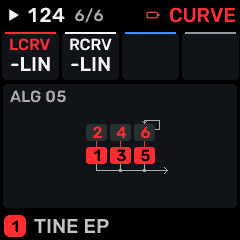
OPEN THIS SCREENOn HOME choose FM6, then EDIT. Use its section/page navigation to reach CURVE.
KNOB 1 - LCRVOperator-level scaling curve below the breakpoint: linear or exponential, rising or falling. Values: -LIN / -EXP / +EXP / +LIN.
KNOB 2 - RCRVOperator-level scaling curve above the breakpoint: linear or exponential, rising or falling. Values: -LIN / -EXP / +EXP / +LIN.
KNOB 3No assigned parameter on this page.
KNOB 4No assigned parameter on this page.
BUTTONS AND NAVIGATIONHOME returns to the four-part display. SELECT navigates pages. The family button advances pages. PLAY starts/stops transport; REC arms the selected track. OCT- backs out and OCT+ confirms where an action or picker is offered. Native engine sections can be opened from the EDIT section map; PRESET navigates sections/pages rather than replacing the sound there. PRESET selects the FM operator 1-6; edits apply only to that operator.
KEEP YOUR CHANGESSave the containing four-part PROGRAM to retain the sound and mix. Save a PROJECT for pattern banks and arrangements; export a USB backup for safekeeping.
STEP BY STEP- Open this screen using the path above; check the selected part or row before turning a knob.
- Change one setting at a time. Play a note or pattern and compare the result; inactive routes or muted parts may make a control inaudible.
- Use HOME to leave, then save the appropriate program/project if you want a named version.
SynthMaven 4.1.4 | EDIT210
EDIT
FM6 / FM BEND
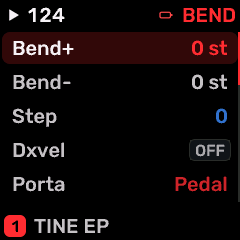
OPEN THIS SCREENOn HOME choose FM6, then EDIT. Use its section/page navigation to reach FM BEND.
KNOB 1Edit the highlighted row.
KNOB 2Move the row highlight; the list scrolls to reveal the remaining settings.
KNOBS 3-4No direct row editing on this list screen.
BEND+Maximum upward pitch-bend interval in semitones. 0 to 12 st
BEND-Maximum downward pitch-bend interval in semitones. 0 to 12 st
STEPPitch-bend step size; stepped bends move in discrete pitch intervals. 0 to 12
DXVELDX7-style velocity normalization/response option. Changes how incoming velocity reaches the FM engine. OFF / ON
PORTASelect the FM portamento behavior; TIME sets the transition duration. PEDAL / ON
TIMEPortamento transition time: higher values produce a slower glide between notes. PORTA and GLISS determine its behavior. 0 to 127
GLISSQuantize portamento into discrete semitone steps instead of a continuous slide. OFF / ON
ENGINFM rendering model. This changes the native FM implementation/character rather than selecting a different part. MODRN / MARK I / OPL
WHEELResponse range/depth for the wheel MIDI performance controller. 0 to 99
W.DSTDestination combination for this controller: pitch, amplitude and/or envelope bias, according to the displayed choice. - / P / A / PA / E / PE / AE / PAE
FOOTResponse range/depth for the foot MIDI performance controller. 0 to 99
F.DSTDestination combination for this controller: pitch, amplitude and/or envelope bias, according to the displayed choice. - / P / A / PA / E / PE / AE / PAE
BRTHBreath controller modulation range; B.DST selects its destination. 0 to 99
B.DSTDestination combination for this controller: pitch, amplitude and/or envelope bias, according to the displayed choice. - / P / A / PA / E / PE / AE / PAE
AFTERResponse range/depth for the after MIDI performance controller. 0 to 99
A.DSTDestination combination for this controller: pitch, amplitude and/or envelope bias, according to the displayed choice. - / P / A / PA / E / PE / AE / PAE
BUTTONS AND NAVIGATIONKNOB 2 selects a row and KNOB 1 changes it. OCT+ opens a choice list when available; OCT- returns to HOME. SELECT/family button moves between screens. PLAY/REC retain transport/recording roles.
KEEP YOUR CHANGESSave the containing four-part PROGRAM to retain the sound and mix. Save a PROJECT for pattern banks and arrangements; export a USB backup for safekeeping.
STEP BY STEP- Open this screen using the path above; check the selected part or row before turning a knob.
- Change one setting at a time. Play a note or pattern and compare the result; inactive routes or muted parts may make a control inaudible.
- Use HOME to leave, then save the appropriate program/project if you want a named version.
SynthMaven 4.1.4 | EDIT211
EDIT
CZ-1 / CZ TOOLS
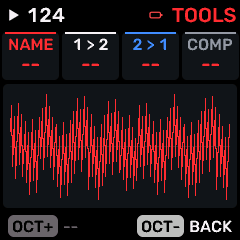
OPEN THIS SCREENOn HOME choose CZ-1, then EDIT. Use its section/page navigation to reach CZ TOOLS.
KNOB 1 - NAMEEdit the selected saved-program name. ALGORITHM chooses a character position; PRESET/KNOB 2 changes its character. Values: Action / no continuous value.
KNOB 2 - 1 > 2Copy the first CZ synthesis line into the second line. This replaces line 2 settings. Values: Action / no continuous value.
KNOB 3 - 2 > 1Copy the second CZ synthesis line into the first line. This replaces line 1 settings. Values: Action / no continuous value.
KNOB 4 - COMPCompare the edited CZ tone against its original; use this to judge your edits. Values: Action / no continuous value.
BUTTONS AND NAVIGATIONHOME returns to the four-part display. SELECT navigates pages. The family button advances pages. PLAY starts/stops transport; REC arms the selected track. OCT- backs out and OCT+ confirms where an action or picker is offered. Native engine sections can be opened from the EDIT section map; PRESET navigates sections/pages rather than replacing the sound there.
KEEP YOUR CHANGESSave the containing four-part PROGRAM to retain the sound and mix. Save a PROJECT for pattern banks and arrangements; export a USB backup for safekeeping.
STEP BY STEP- Open this screen using the path above; check the selected part or row before turning a knob.
- Change one setting at a time. Play a note or pattern and compare the result; inactive routes or muted parts may make a control inaudible.
- Use HOME to leave, then save the appropriate program/project if you want a named version.
SynthMaven 4.1.4 | EDIT212
EDIT
CZ-1 / CZ LINE
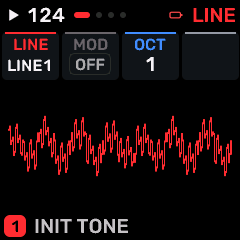
OPEN THIS SCREENOn HOME choose CZ-1, then EDIT. Use its section/page navigation to reach CZ LINE.
KNOB 1 - LINESelect CZ line combination: one line, both lines, or their supported mixed/modulated configuration. Values: LINE1 / LINE2 / 1+2 / 1+1.
KNOB 2 - MODChoose no line modulation, ring modulation or noise modulation between the CZ synthesis lines. Values: OFF / RING / NOISE.
KNOB 3 - OCTCZ base-octave setting. Values: 0 to 2.
KNOB 4No assigned parameter on this page.
BUTTONS AND NAVIGATIONHOME returns to the four-part display. SELECT navigates pages. The family button advances pages. PLAY starts/stops transport; REC arms the selected track. OCT- backs out and OCT+ confirms where an action or picker is offered. Native engine sections can be opened from the EDIT section map; PRESET navigates sections/pages rather than replacing the sound there.
KEEP YOUR CHANGESSave the containing four-part PROGRAM to retain the sound and mix. Save a PROJECT for pattern banks and arrangements; export a USB backup for safekeeping.
STEP BY STEP- Open this screen using the path above; check the selected part or row before turning a knob.
- Change one setting at a time. Play a note or pattern and compare the result; inactive routes or muted parts may make a control inaudible.
- Use HOME to leave, then save the appropriate program/project if you want a named version.
SynthMaven 4.1.4 | EDIT213
EDIT
CZ-1 / CZ DETUNE
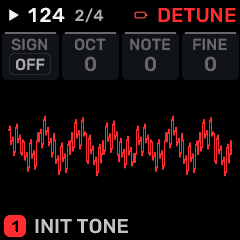
OPEN THIS SCREENOn HOME choose CZ-1, then EDIT. Use its section/page navigation to reach CZ DETUNE.
KNOB 1 - SIGNDirection of CZ detuning: positive or negative. Values: OFF to ON.
KNOB 2 - OCTOctave component of line detuning; combine with NOTE, FINE and SIGN. Values: 0 to 3.
KNOB 3 - NOTESemitone detune component for the CZ line combination. Values: 0 to 11.
KNOB 4 - FINEFine operator tuning within the selected ratio. Values: 0 to 60.
BUTTONS AND NAVIGATIONHOME returns to the four-part display. SELECT navigates pages. The family button advances pages. PLAY starts/stops transport; REC arms the selected track. OCT- backs out and OCT+ confirms where an action or picker is offered. Native engine sections can be opened from the EDIT section map; PRESET navigates sections/pages rather than replacing the sound there.
KEEP YOUR CHANGESSave the containing four-part PROGRAM to retain the sound and mix. Save a PROJECT for pattern banks and arrangements; export a USB backup for safekeeping.
STEP BY STEP- Open this screen using the path above; check the selected part or row before turning a knob.
- Change one setting at a time. Play a note or pattern and compare the result; inactive routes or muted parts may make a control inaudible.
- Use HOME to leave, then save the appropriate program/project if you want a named version.
SynthMaven 4.1.4 | EDIT214
EDIT
CZ-1 / CZ WINDOW
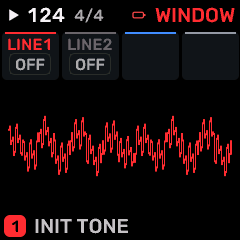
OPEN THIS SCREENOn HOME choose CZ-1, then EDIT. Use its section/page navigation to reach CZ WINDOW.
KNOB 1 - LINE1CZ line 1 waveform-envelope window setting. Values: OFF / SAW DN / TRIANGLE / TRAPEZ / HALF SAW / 2 SAW UP / 2 SAW 6 / 2 SAW 7.
KNOB 2 - LINE2CZ line 2 waveform-envelope window setting. Values: OFF / SAW DN / TRIANGLE / TRAPEZ / HALF SAW / 2 SAW UP / 2 SAW 6 / 2 SAW 7.
KNOB 3No assigned parameter on this page.
KNOB 4No assigned parameter on this page.
BUTTONS AND NAVIGATIONHOME returns to the four-part display. SELECT navigates pages. The family button advances pages. PLAY starts/stops transport; REC arms the selected track. OCT- backs out and OCT+ confirms where an action or picker is offered. Native engine sections can be opened from the EDIT section map; PRESET navigates sections/pages rather than replacing the sound there.
KEEP YOUR CHANGESSave the containing four-part PROGRAM to retain the sound and mix. Save a PROJECT for pattern banks and arrangements; export a USB backup for safekeeping.
STEP BY STEP- Open this screen using the path above; check the selected part or row before turning a knob.
- Change one setting at a time. Play a note or pattern and compare the result; inactive routes or muted parts may make a control inaudible.
- Use HOME to leave, then save the appropriate program/project if you want a named version.
SynthMaven 4.1.4 | EDIT215
EDIT
CZ-1 / CZ1 WAVE
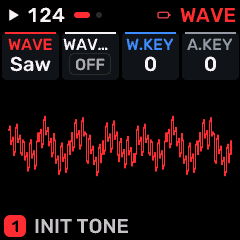
OPEN THIS SCREENOn HOME choose CZ-1, then EDIT. Use its section/page navigation to reach CZ1 WAVE.
KNOB 1 - WAVESelect the oscillator or modulation waveform. Changing the shape changes its harmonic content or movement. Values: SAW / SQUARE / PULSE / NULL / DBL SINE / SAW-PULS / MULTISIN / PULSE2.
KNOB 2 - WAVE2Select the oscillator or modulation waveform. Changing the shape changes its harmonic content or movement. Values: OFF / SAW / SQUARE / PULSE / NULL / DBL SINE / SAW-PULS / MULTISIN / PULSE2.
KNOB 3 - W.KEYKeyboard scaling of the waveform envelope: changes its response across the keyboard. Values: 0 to 9.
KNOB 4 - A.KEYKeyboard scaling of the amplitude envelope: changes envelope response across the keyboard. Values: 0 to 9.
BUTTONS AND NAVIGATIONHOME returns to the four-part display. SELECT navigates pages. The family button advances pages. PLAY starts/stops transport; REC arms the selected track. OCT- backs out and OCT+ confirms where an action or picker is offered. Native engine sections can be opened from the EDIT section map; PRESET navigates sections/pages rather than replacing the sound there.
KEEP YOUR CHANGESSave the containing four-part PROGRAM to retain the sound and mix. Save a PROJECT for pattern banks and arrangements; export a USB backup for safekeeping.
STEP BY STEP- Open this screen using the path above; check the selected part or row before turning a knob.
- Change one setting at a time. Play a note or pattern and compare the result; inactive routes or muted parts may make a control inaudible.
- Use HOME to leave, then save the appropriate program/project if you want a named version.
SynthMaven 4.1.4 | EDIT216
EDIT
CZ-1 / CZ1 TOUCH
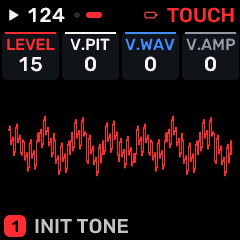
OPEN THIS SCREENOn HOME choose CZ-1, then EDIT. Use its section/page navigation to reach CZ1 TOUCH.
KNOB 1 - LEVELLevel of the selected part/operator/processor; use the page context to identify which one. A zero part level silences that part. Values: 1 to 15.
KNOB 2 - V.PITVelocity sensitivity of the CZ pitch envelope. Values: 0 to 15.
KNOB 3 - V.WAVVelocity sensitivity of the CZ waveform envelope. Values: 0 to 15.
KNOB 4 - V.AMPVelocity sensitivity of the CZ amplitude envelope. Values: 0 to 15.
BUTTONS AND NAVIGATIONHOME returns to the four-part display. SELECT navigates pages. The family button advances pages. PLAY starts/stops transport; REC arms the selected track. OCT- backs out and OCT+ confirms where an action or picker is offered. Native engine sections can be opened from the EDIT section map; PRESET navigates sections/pages rather than replacing the sound there.
KEEP YOUR CHANGESSave the containing four-part PROGRAM to retain the sound and mix. Save a PROJECT for pattern banks and arrangements; export a USB backup for safekeeping.
STEP BY STEP- Open this screen using the path above; check the selected part or row before turning a knob.
- Change one setting at a time. Play a note or pattern and compare the result; inactive routes or muted parts may make a control inaudible.
- Use HOME to leave, then save the appropriate program/project if you want a named version.
SynthMaven 4.1.4 | EDIT217
EDIT
CZ-1 / C1 PIT R5-8
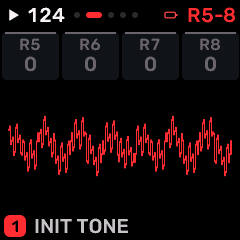
OPEN THIS SCREENOn HOME choose CZ-1, then EDIT. Use its section/page navigation to reach C1 PIT R5-8.
KNOB 1 - R5Speed toward pitch envelope stage 5. Higher rates move faster; this is not a time in milliseconds. Values: 0 to 99.
KNOB 2 - R6Speed toward pitch envelope stage 6. Higher rates move faster; this is not a time in milliseconds. Values: 0 to 99.
KNOB 3 - R7Speed toward pitch envelope stage 7. Higher rates move faster; this is not a time in milliseconds. Values: 0 to 99.
KNOB 4 - R8Speed toward pitch envelope stage 8. Higher rates move faster; this is not a time in milliseconds. Values: 0 to 99.
BUTTONS AND NAVIGATIONHOME returns to the four-part display. SELECT navigates pages. The family button advances pages. PLAY starts/stops transport; REC arms the selected track. OCT- backs out and OCT+ confirms where an action or picker is offered. Native engine sections can be opened from the EDIT section map; PRESET navigates sections/pages rather than replacing the sound there.
KEEP YOUR CHANGESSave the containing four-part PROGRAM to retain the sound and mix. Save a PROJECT for pattern banks and arrangements; export a USB backup for safekeeping.
STEP BY STEP- Open this screen using the path above; check the selected part or row before turning a knob.
- Change one setting at a time. Play a note or pattern and compare the result; inactive routes or muted parts may make a control inaudible.
- Use HOME to leave, then save the appropriate program/project if you want a named version.
SynthMaven 4.1.4 | EDIT218
EDIT
CZ-1 / C1 PIT L1-4
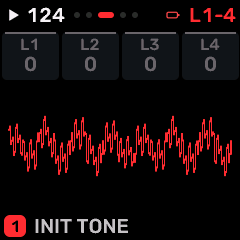
OPEN THIS SCREENOn HOME choose CZ-1, then EDIT. Use its section/page navigation to reach C1 PIT L1-4.
KNOB 1 - L1Target value at pitch envelope stage 1. Levels define the envelope shape; rate settings determine how quickly it moves between them. Values: 0 to 99.
KNOB 2 - L2Target value at pitch envelope stage 2. Levels define the envelope shape; rate settings determine how quickly it moves between them. Values: 0 to 99.
KNOB 3 - L3Target value at pitch envelope stage 3. Levels define the envelope shape; rate settings determine how quickly it moves between them. Values: 0 to 99.
KNOB 4 - L4Target value at pitch envelope stage 4. Levels define the envelope shape; rate settings determine how quickly it moves between them. Values: 0 to 99.
BUTTONS AND NAVIGATIONHOME returns to the four-part display. SELECT navigates pages. The family button advances pages. PLAY starts/stops transport; REC arms the selected track. OCT- backs out and OCT+ confirms where an action or picker is offered. Native engine sections can be opened from the EDIT section map; PRESET navigates sections/pages rather than replacing the sound there.
KEEP YOUR CHANGESSave the containing four-part PROGRAM to retain the sound and mix. Save a PROJECT for pattern banks and arrangements; export a USB backup for safekeeping.
STEP BY STEP- Open this screen using the path above; check the selected part or row before turning a knob.
- Change one setting at a time. Play a note or pattern and compare the result; inactive routes or muted parts may make a control inaudible.
- Use HOME to leave, then save the appropriate program/project if you want a named version.
SynthMaven 4.1.4 | EDIT219
EDIT
CZ-1 / C1 PIT L5-8
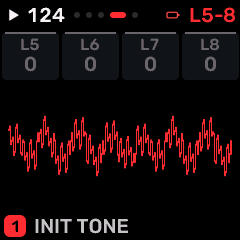
OPEN THIS SCREENOn HOME choose CZ-1, then EDIT. Use its section/page navigation to reach C1 PIT L5-8.
KNOB 1 - L5Target value at pitch envelope stage 5. Levels define the envelope shape; rate settings determine how quickly it moves between them. Values: 0 to 99.
KNOB 2 - L6Target value at pitch envelope stage 6. Levels define the envelope shape; rate settings determine how quickly it moves between them. Values: 0 to 99.
KNOB 3 - L7Target value at pitch envelope stage 7. Levels define the envelope shape; rate settings determine how quickly it moves between them. Values: 0 to 99.
KNOB 4 - L8Target value at pitch envelope stage 8. Levels define the envelope shape; rate settings determine how quickly it moves between them. Values: 0 to 99.
BUTTONS AND NAVIGATIONHOME returns to the four-part display. SELECT navigates pages. The family button advances pages. PLAY starts/stops transport; REC arms the selected track. OCT- backs out and OCT+ confirms where an action or picker is offered. Native engine sections can be opened from the EDIT section map; PRESET navigates sections/pages rather than replacing the sound there.
KEEP YOUR CHANGESSave the containing four-part PROGRAM to retain the sound and mix. Save a PROJECT for pattern banks and arrangements; export a USB backup for safekeeping.
STEP BY STEP- Open this screen using the path above; check the selected part or row before turning a knob.
- Change one setting at a time. Play a note or pattern and compare the result; inactive routes or muted parts may make a control inaudible.
- Use HOME to leave, then save the appropriate program/project if you want a named version.
SynthMaven 4.1.4 | EDIT220
EDIT
CZ-1 / C1 PIT POINT
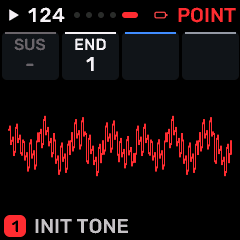
OPEN THIS SCREENOn HOME choose CZ-1, then EDIT. Use its section/page navigation to reach C1 PIT POINT.
KNOB 1 - SUSChoose the envelope stage held while the key remains down; "-" disables the sustain point. Values: 1 / 2 / 3 / 4 / 5 / 6 / 7 / 8 / -.
KNOB 2 - ENDFinal segment of the CZ envelope. Segments after END are not played. Values: 1 / 2 / 3 / 4 / 5 / 6 / 7 / 8.
KNOB 3No assigned parameter on this page.
KNOB 4No assigned parameter on this page.
BUTTONS AND NAVIGATIONHOME returns to the four-part display. SELECT navigates pages. The family button advances pages. PLAY starts/stops transport; REC arms the selected track. OCT- backs out and OCT+ confirms where an action or picker is offered. Native engine sections can be opened from the EDIT section map; PRESET navigates sections/pages rather than replacing the sound there.
KEEP YOUR CHANGESSave the containing four-part PROGRAM to retain the sound and mix. Save a PROJECT for pattern banks and arrangements; export a USB backup for safekeeping.
STEP BY STEP- Open this screen using the path above; check the selected part or row before turning a knob.
- Change one setting at a time. Play a note or pattern and compare the result; inactive routes or muted parts may make a control inaudible.
- Use HOME to leave, then save the appropriate program/project if you want a named version.
SynthMaven 4.1.4 | EDIT221
EDIT
CZ-1 / C1 WAV R5-8
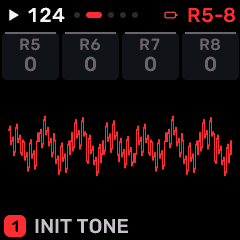
OPEN THIS SCREENOn HOME choose CZ-1, then EDIT. Use its section/page navigation to reach C1 WAV R5-8.
KNOB 1 - R5Speed toward waveform brightness envelope stage 5. Higher rates move faster; this is not a time in milliseconds. Values: 0 to 99.
KNOB 2 - R6Speed toward waveform brightness envelope stage 6. Higher rates move faster; this is not a time in milliseconds. Values: 0 to 99.
KNOB 3 - R7Speed toward waveform brightness envelope stage 7. Higher rates move faster; this is not a time in milliseconds. Values: 0 to 99.
KNOB 4 - R8Speed toward waveform brightness envelope stage 8. Higher rates move faster; this is not a time in milliseconds. Values: 0 to 99.
BUTTONS AND NAVIGATIONHOME returns to the four-part display. SELECT navigates pages. The family button advances pages. PLAY starts/stops transport; REC arms the selected track. OCT- backs out and OCT+ confirms where an action or picker is offered. Native engine sections can be opened from the EDIT section map; PRESET navigates sections/pages rather than replacing the sound there.
KEEP YOUR CHANGESSave the containing four-part PROGRAM to retain the sound and mix. Save a PROJECT for pattern banks and arrangements; export a USB backup for safekeeping.
STEP BY STEP- Open this screen using the path above; check the selected part or row before turning a knob.
- Change one setting at a time. Play a note or pattern and compare the result; inactive routes or muted parts may make a control inaudible.
- Use HOME to leave, then save the appropriate program/project if you want a named version.
SynthMaven 4.1.4 | EDIT222
EDIT
CZ-1 / C1 WAV L1-4
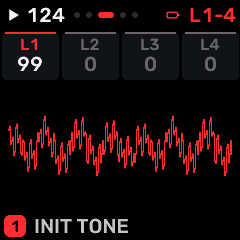
OPEN THIS SCREENOn HOME choose CZ-1, then EDIT. Use its section/page navigation to reach C1 WAV L1-4.
KNOB 1 - L1Target value at waveform brightness envelope stage 1. Levels define the envelope shape; rate settings determine how quickly it moves between them. Values: 0 to 99.
KNOB 2 - L2Target value at waveform brightness envelope stage 2. Levels define the envelope shape; rate settings determine how quickly it moves between them. Values: 0 to 99.
KNOB 3 - L3Target value at waveform brightness envelope stage 3. Levels define the envelope shape; rate settings determine how quickly it moves between them. Values: 0 to 99.
KNOB 4 - L4Target value at waveform brightness envelope stage 4. Levels define the envelope shape; rate settings determine how quickly it moves between them. Values: 0 to 99.
BUTTONS AND NAVIGATIONHOME returns to the four-part display. SELECT navigates pages. The family button advances pages. PLAY starts/stops transport; REC arms the selected track. OCT- backs out and OCT+ confirms where an action or picker is offered. Native engine sections can be opened from the EDIT section map; PRESET navigates sections/pages rather than replacing the sound there.
KEEP YOUR CHANGESSave the containing four-part PROGRAM to retain the sound and mix. Save a PROJECT for pattern banks and arrangements; export a USB backup for safekeeping.
STEP BY STEP- Open this screen using the path above; check the selected part or row before turning a knob.
- Change one setting at a time. Play a note or pattern and compare the result; inactive routes or muted parts may make a control inaudible.
- Use HOME to leave, then save the appropriate program/project if you want a named version.
SynthMaven 4.1.4 | EDIT223
EDIT
CZ-1 / C1 WAV L5-8
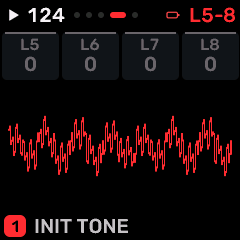
OPEN THIS SCREENOn HOME choose CZ-1, then EDIT. Use its section/page navigation to reach C1 WAV L5-8.
KNOB 1 - L5Target value at waveform brightness envelope stage 5. Levels define the envelope shape; rate settings determine how quickly it moves between them. Values: 0 to 99.
KNOB 2 - L6Target value at waveform brightness envelope stage 6. Levels define the envelope shape; rate settings determine how quickly it moves between them. Values: 0 to 99.
KNOB 3 - L7Target value at waveform brightness envelope stage 7. Levels define the envelope shape; rate settings determine how quickly it moves between them. Values: 0 to 99.
KNOB 4 - L8Target value at waveform brightness envelope stage 8. Levels define the envelope shape; rate settings determine how quickly it moves between them. Values: 0 to 99.
BUTTONS AND NAVIGATIONHOME returns to the four-part display. SELECT navigates pages. The family button advances pages. PLAY starts/stops transport; REC arms the selected track. OCT- backs out and OCT+ confirms where an action or picker is offered. Native engine sections can be opened from the EDIT section map; PRESET navigates sections/pages rather than replacing the sound there.
KEEP YOUR CHANGESSave the containing four-part PROGRAM to retain the sound and mix. Save a PROJECT for pattern banks and arrangements; export a USB backup for safekeeping.
STEP BY STEP- Open this screen using the path above; check the selected part or row before turning a knob.
- Change one setting at a time. Play a note or pattern and compare the result; inactive routes or muted parts may make a control inaudible.
- Use HOME to leave, then save the appropriate program/project if you want a named version.
SynthMaven 4.1.4 | EDIT224
EDIT
CZ-1 / C1 WAV POINT
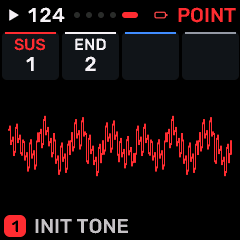
OPEN THIS SCREENOn HOME choose CZ-1, then EDIT. Use its section/page navigation to reach C1 WAV POINT.
KNOB 1 - SUSChoose the envelope stage held while the key remains down; "-" disables the sustain point. Values: 1 / 2 / 3 / 4 / 5 / 6 / 7 / 8 / -.
KNOB 2 - ENDFinal segment of the CZ envelope. Segments after END are not played. Values: 1 / 2 / 3 / 4 / 5 / 6 / 7 / 8.
KNOB 3No assigned parameter on this page.
KNOB 4No assigned parameter on this page.
BUTTONS AND NAVIGATIONHOME returns to the four-part display. SELECT navigates pages. The family button advances pages. PLAY starts/stops transport; REC arms the selected track. OCT- backs out and OCT+ confirms where an action or picker is offered. Native engine sections can be opened from the EDIT section map; PRESET navigates sections/pages rather than replacing the sound there.
KEEP YOUR CHANGESSave the containing four-part PROGRAM to retain the sound and mix. Save a PROJECT for pattern banks and arrangements; export a USB backup for safekeeping.
STEP BY STEP- Open this screen using the path above; check the selected part or row before turning a knob.
- Change one setting at a time. Play a note or pattern and compare the result; inactive routes or muted parts may make a control inaudible.
- Use HOME to leave, then save the appropriate program/project if you want a named version.
SynthMaven 4.1.4 | EDIT225
EDIT
CZ-1 / C1 AMP R5-8
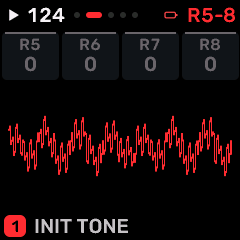
OPEN THIS SCREENOn HOME choose CZ-1, then EDIT. Use its section/page navigation to reach C1 AMP R5-8.
KNOB 1 - R5Speed toward amplitude envelope stage 5. Higher rates move faster; this is not a time in milliseconds. Values: 0 to 99.
KNOB 2 - R6Speed toward amplitude envelope stage 6. Higher rates move faster; this is not a time in milliseconds. Values: 0 to 99.
KNOB 3 - R7Speed toward amplitude envelope stage 7. Higher rates move faster; this is not a time in milliseconds. Values: 0 to 99.
KNOB 4 - R8Speed toward amplitude envelope stage 8. Higher rates move faster; this is not a time in milliseconds. Values: 0 to 99.
BUTTONS AND NAVIGATIONHOME returns to the four-part display. SELECT navigates pages. The family button advances pages. PLAY starts/stops transport; REC arms the selected track. OCT- backs out and OCT+ confirms where an action or picker is offered. Native engine sections can be opened from the EDIT section map; PRESET navigates sections/pages rather than replacing the sound there.
KEEP YOUR CHANGESSave the containing four-part PROGRAM to retain the sound and mix. Save a PROJECT for pattern banks and arrangements; export a USB backup for safekeeping.
STEP BY STEP- Open this screen using the path above; check the selected part or row before turning a knob.
- Change one setting at a time. Play a note or pattern and compare the result; inactive routes or muted parts may make a control inaudible.
- Use HOME to leave, then save the appropriate program/project if you want a named version.
SynthMaven 4.1.4 | EDIT226
EDIT
CZ-1 / C1 AMP L1-4
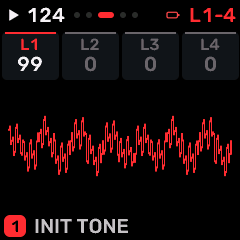
OPEN THIS SCREENOn HOME choose CZ-1, then EDIT. Use its section/page navigation to reach C1 AMP L1-4.
KNOB 1 - L1Target value at amplitude envelope stage 1. Levels define the envelope shape; rate settings determine how quickly it moves between them. Values: 0 to 99.
KNOB 2 - L2Target value at amplitude envelope stage 2. Levels define the envelope shape; rate settings determine how quickly it moves between them. Values: 0 to 99.
KNOB 3 - L3Target value at amplitude envelope stage 3. Levels define the envelope shape; rate settings determine how quickly it moves between them. Values: 0 to 99.
KNOB 4 - L4Target value at amplitude envelope stage 4. Levels define the envelope shape; rate settings determine how quickly it moves between them. Values: 0 to 99.
BUTTONS AND NAVIGATIONHOME returns to the four-part display. SELECT navigates pages. The family button advances pages. PLAY starts/stops transport; REC arms the selected track. OCT- backs out and OCT+ confirms where an action or picker is offered. Native engine sections can be opened from the EDIT section map; PRESET navigates sections/pages rather than replacing the sound there.
KEEP YOUR CHANGESSave the containing four-part PROGRAM to retain the sound and mix. Save a PROJECT for pattern banks and arrangements; export a USB backup for safekeeping.
STEP BY STEP- Open this screen using the path above; check the selected part or row before turning a knob.
- Change one setting at a time. Play a note or pattern and compare the result; inactive routes or muted parts may make a control inaudible.
- Use HOME to leave, then save the appropriate program/project if you want a named version.
SynthMaven 4.1.4 | EDIT227
EDIT
CZ-1 / C1 AMP L5-8
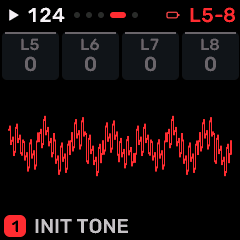
OPEN THIS SCREENOn HOME choose CZ-1, then EDIT. Use its section/page navigation to reach C1 AMP L5-8.
KNOB 1 - L5Target value at amplitude envelope stage 5. Levels define the envelope shape; rate settings determine how quickly it moves between them. Values: 0 to 99.
KNOB 2 - L6Target value at amplitude envelope stage 6. Levels define the envelope shape; rate settings determine how quickly it moves between them. Values: 0 to 99.
KNOB 3 - L7Target value at amplitude envelope stage 7. Levels define the envelope shape; rate settings determine how quickly it moves between them. Values: 0 to 99.
KNOB 4 - L8Target value at amplitude envelope stage 8. Levels define the envelope shape; rate settings determine how quickly it moves between them. Values: 0 to 99.
BUTTONS AND NAVIGATIONHOME returns to the four-part display. SELECT navigates pages. The family button advances pages. PLAY starts/stops transport; REC arms the selected track. OCT- backs out and OCT+ confirms where an action or picker is offered. Native engine sections can be opened from the EDIT section map; PRESET navigates sections/pages rather than replacing the sound there.
KEEP YOUR CHANGESSave the containing four-part PROGRAM to retain the sound and mix. Save a PROJECT for pattern banks and arrangements; export a USB backup for safekeeping.
STEP BY STEP- Open this screen using the path above; check the selected part or row before turning a knob.
- Change one setting at a time. Play a note or pattern and compare the result; inactive routes or muted parts may make a control inaudible.
- Use HOME to leave, then save the appropriate program/project if you want a named version.
SynthMaven 4.1.4 | EDIT228
EDIT
CZ-1 / C1 AMP POINT
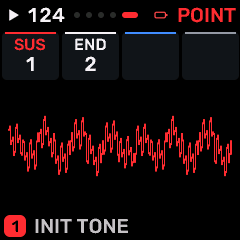
OPEN THIS SCREENOn HOME choose CZ-1, then EDIT. Use its section/page navigation to reach C1 AMP POINT.
KNOB 1 - SUSChoose the envelope stage held while the key remains down; "-" disables the sustain point. Values: 1 / 2 / 3 / 4 / 5 / 6 / 7 / 8 / -.
KNOB 2 - ENDFinal segment of the CZ envelope. Segments after END are not played. Values: 1 / 2 / 3 / 4 / 5 / 6 / 7 / 8.
KNOB 3No assigned parameter on this page.
KNOB 4No assigned parameter on this page.
BUTTONS AND NAVIGATIONHOME returns to the four-part display. SELECT navigates pages. The family button advances pages. PLAY starts/stops transport; REC arms the selected track. OCT- backs out and OCT+ confirms where an action or picker is offered. Native engine sections can be opened from the EDIT section map; PRESET navigates sections/pages rather than replacing the sound there.
KEEP YOUR CHANGESSave the containing four-part PROGRAM to retain the sound and mix. Save a PROJECT for pattern banks and arrangements; export a USB backup for safekeeping.
STEP BY STEP- Open this screen using the path above; check the selected part or row before turning a knob.
- Change one setting at a time. Play a note or pattern and compare the result; inactive routes or muted parts may make a control inaudible.
- Use HOME to leave, then save the appropriate program/project if you want a named version.
SynthMaven 4.1.4 | EDIT229
EDIT
CZ-1 / CZ2 WAVE
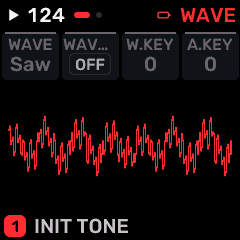
OPEN THIS SCREENOn HOME choose CZ-1, then EDIT. Use its section/page navigation to reach CZ2 WAVE.
KNOB 1 - WAVESelect the oscillator or modulation waveform. Changing the shape changes its harmonic content or movement. Values: SAW / SQUARE / PULSE / NULL / DBL SINE / SAW-PULS / MULTISIN / PULSE2.
KNOB 2 - WAVE2Select the oscillator or modulation waveform. Changing the shape changes its harmonic content or movement. Values: OFF / SAW / SQUARE / PULSE / NULL / DBL SINE / SAW-PULS / MULTISIN / PULSE2.
KNOB 3 - W.KEYKeyboard scaling of the waveform envelope: changes its response across the keyboard. Values: 0 to 9.
KNOB 4 - A.KEYKeyboard scaling of the amplitude envelope: changes envelope response across the keyboard. Values: 0 to 9.
BUTTONS AND NAVIGATIONHOME returns to the four-part display. SELECT navigates pages. The family button advances pages. PLAY starts/stops transport; REC arms the selected track. OCT- backs out and OCT+ confirms where an action or picker is offered. Native engine sections can be opened from the EDIT section map; PRESET navigates sections/pages rather than replacing the sound there.
KEEP YOUR CHANGESSave the containing four-part PROGRAM to retain the sound and mix. Save a PROJECT for pattern banks and arrangements; export a USB backup for safekeeping.
STEP BY STEP- Open this screen using the path above; check the selected part or row before turning a knob.
- Change one setting at a time. Play a note or pattern and compare the result; inactive routes or muted parts may make a control inaudible.
- Use HOME to leave, then save the appropriate program/project if you want a named version.
SynthMaven 4.1.4 | EDIT230
EDIT
CZ-1 / CZ2 TOUCH
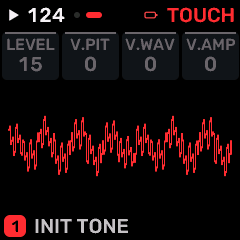
OPEN THIS SCREENOn HOME choose CZ-1, then EDIT. Use its section/page navigation to reach CZ2 TOUCH.
KNOB 1 - LEVELLevel of the selected part/operator/processor; use the page context to identify which one. A zero part level silences that part. Values: 1 to 15.
KNOB 2 - V.PITVelocity sensitivity of the CZ pitch envelope. Values: 0 to 15.
KNOB 3 - V.WAVVelocity sensitivity of the CZ waveform envelope. Values: 0 to 15.
KNOB 4 - V.AMPVelocity sensitivity of the CZ amplitude envelope. Values: 0 to 15.
BUTTONS AND NAVIGATIONHOME returns to the four-part display. SELECT navigates pages. The family button advances pages. PLAY starts/stops transport; REC arms the selected track. OCT- backs out and OCT+ confirms where an action or picker is offered. Native engine sections can be opened from the EDIT section map; PRESET navigates sections/pages rather than replacing the sound there.
KEEP YOUR CHANGESSave the containing four-part PROGRAM to retain the sound and mix. Save a PROJECT for pattern banks and arrangements; export a USB backup for safekeeping.
STEP BY STEP- Open this screen using the path above; check the selected part or row before turning a knob.
- Change one setting at a time. Play a note or pattern and compare the result; inactive routes or muted parts may make a control inaudible.
- Use HOME to leave, then save the appropriate program/project if you want a named version.
SynthMaven 4.1.4 | EDIT231
EDIT
CZ-1 / C2 PIT R5-8
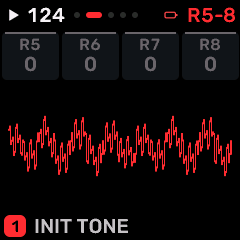
OPEN THIS SCREENOn HOME choose CZ-1, then EDIT. Use its section/page navigation to reach C2 PIT R5-8.
KNOB 1 - R5Speed toward pitch envelope stage 5. Higher rates move faster; this is not a time in milliseconds. Values: 0 to 99.
KNOB 2 - R6Speed toward pitch envelope stage 6. Higher rates move faster; this is not a time in milliseconds. Values: 0 to 99.
KNOB 3 - R7Speed toward pitch envelope stage 7. Higher rates move faster; this is not a time in milliseconds. Values: 0 to 99.
KNOB 4 - R8Speed toward pitch envelope stage 8. Higher rates move faster; this is not a time in milliseconds. Values: 0 to 99.
BUTTONS AND NAVIGATIONHOME returns to the four-part display. SELECT navigates pages. The family button advances pages. PLAY starts/stops transport; REC arms the selected track. OCT- backs out and OCT+ confirms where an action or picker is offered. Native engine sections can be opened from the EDIT section map; PRESET navigates sections/pages rather than replacing the sound there.
KEEP YOUR CHANGESSave the containing four-part PROGRAM to retain the sound and mix. Save a PROJECT for pattern banks and arrangements; export a USB backup for safekeeping.
STEP BY STEP- Open this screen using the path above; check the selected part or row before turning a knob.
- Change one setting at a time. Play a note or pattern and compare the result; inactive routes or muted parts may make a control inaudible.
- Use HOME to leave, then save the appropriate program/project if you want a named version.
SynthMaven 4.1.4 | EDIT232
EDIT
CZ-1 / C2 PIT L1-4
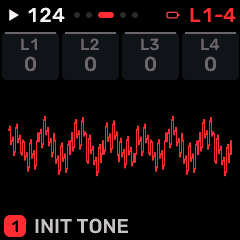
OPEN THIS SCREENOn HOME choose CZ-1, then EDIT. Use its section/page navigation to reach C2 PIT L1-4.
KNOB 1 - L1Target value at pitch envelope stage 1. Levels define the envelope shape; rate settings determine how quickly it moves between them. Values: 0 to 99.
KNOB 2 - L2Target value at pitch envelope stage 2. Levels define the envelope shape; rate settings determine how quickly it moves between them. Values: 0 to 99.
KNOB 3 - L3Target value at pitch envelope stage 3. Levels define the envelope shape; rate settings determine how quickly it moves between them. Values: 0 to 99.
KNOB 4 - L4Target value at pitch envelope stage 4. Levels define the envelope shape; rate settings determine how quickly it moves between them. Values: 0 to 99.
BUTTONS AND NAVIGATIONHOME returns to the four-part display. SELECT navigates pages. The family button advances pages. PLAY starts/stops transport; REC arms the selected track. OCT- backs out and OCT+ confirms where an action or picker is offered. Native engine sections can be opened from the EDIT section map; PRESET navigates sections/pages rather than replacing the sound there.
KEEP YOUR CHANGESSave the containing four-part PROGRAM to retain the sound and mix. Save a PROJECT for pattern banks and arrangements; export a USB backup for safekeeping.
STEP BY STEP- Open this screen using the path above; check the selected part or row before turning a knob.
- Change one setting at a time. Play a note or pattern and compare the result; inactive routes or muted parts may make a control inaudible.
- Use HOME to leave, then save the appropriate program/project if you want a named version.
SynthMaven 4.1.4 | EDIT233
EDIT
CZ-1 / C2 PIT L5-8
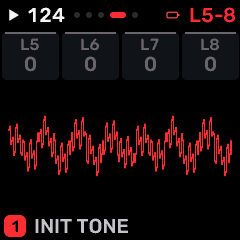
OPEN THIS SCREENOn HOME choose CZ-1, then EDIT. Use its section/page navigation to reach C2 PIT L5-8.
KNOB 1 - L5Target value at pitch envelope stage 5. Levels define the envelope shape; rate settings determine how quickly it moves between them. Values: 0 to 99.
KNOB 2 - L6Target value at pitch envelope stage 6. Levels define the envelope shape; rate settings determine how quickly it moves between them. Values: 0 to 99.
KNOB 3 - L7Target value at pitch envelope stage 7. Levels define the envelope shape; rate settings determine how quickly it moves between them. Values: 0 to 99.
KNOB 4 - L8Target value at pitch envelope stage 8. Levels define the envelope shape; rate settings determine how quickly it moves between them. Values: 0 to 99.
BUTTONS AND NAVIGATIONHOME returns to the four-part display. SELECT navigates pages. The family button advances pages. PLAY starts/stops transport; REC arms the selected track. OCT- backs out and OCT+ confirms where an action or picker is offered. Native engine sections can be opened from the EDIT section map; PRESET navigates sections/pages rather than replacing the sound there.
KEEP YOUR CHANGESSave the containing four-part PROGRAM to retain the sound and mix. Save a PROJECT for pattern banks and arrangements; export a USB backup for safekeeping.
STEP BY STEP- Open this screen using the path above; check the selected part or row before turning a knob.
- Change one setting at a time. Play a note or pattern and compare the result; inactive routes or muted parts may make a control inaudible.
- Use HOME to leave, then save the appropriate program/project if you want a named version.
SynthMaven 4.1.4 | EDIT234
EDIT
CZ-1 / C2 PIT POINT
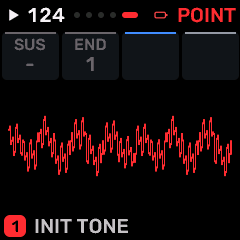
OPEN THIS SCREENOn HOME choose CZ-1, then EDIT. Use its section/page navigation to reach C2 PIT POINT.
KNOB 1 - SUSChoose the envelope stage held while the key remains down; "-" disables the sustain point. Values: 1 / 2 / 3 / 4 / 5 / 6 / 7 / 8 / -.
KNOB 2 - ENDFinal segment of the CZ envelope. Segments after END are not played. Values: 1 / 2 / 3 / 4 / 5 / 6 / 7 / 8.
KNOB 3No assigned parameter on this page.
KNOB 4No assigned parameter on this page.
BUTTONS AND NAVIGATIONHOME returns to the four-part display. SELECT navigates pages. The family button advances pages. PLAY starts/stops transport; REC arms the selected track. OCT- backs out and OCT+ confirms where an action or picker is offered. Native engine sections can be opened from the EDIT section map; PRESET navigates sections/pages rather than replacing the sound there.
KEEP YOUR CHANGESSave the containing four-part PROGRAM to retain the sound and mix. Save a PROJECT for pattern banks and arrangements; export a USB backup for safekeeping.
STEP BY STEP- Open this screen using the path above; check the selected part or row before turning a knob.
- Change one setting at a time. Play a note or pattern and compare the result; inactive routes or muted parts may make a control inaudible.
- Use HOME to leave, then save the appropriate program/project if you want a named version.
SynthMaven 4.1.4 | EDIT235
EDIT
CZ-1 / C2 WAV R5-8
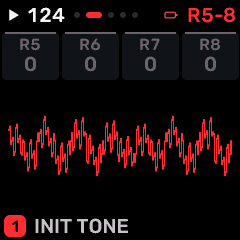
OPEN THIS SCREENOn HOME choose CZ-1, then EDIT. Use its section/page navigation to reach C2 WAV R5-8.
KNOB 1 - R5Speed toward waveform brightness envelope stage 5. Higher rates move faster; this is not a time in milliseconds. Values: 0 to 99.
KNOB 2 - R6Speed toward waveform brightness envelope stage 6. Higher rates move faster; this is not a time in milliseconds. Values: 0 to 99.
KNOB 3 - R7Speed toward waveform brightness envelope stage 7. Higher rates move faster; this is not a time in milliseconds. Values: 0 to 99.
KNOB 4 - R8Speed toward waveform brightness envelope stage 8. Higher rates move faster; this is not a time in milliseconds. Values: 0 to 99.
BUTTONS AND NAVIGATIONHOME returns to the four-part display. SELECT navigates pages. The family button advances pages. PLAY starts/stops transport; REC arms the selected track. OCT- backs out and OCT+ confirms where an action or picker is offered. Native engine sections can be opened from the EDIT section map; PRESET navigates sections/pages rather than replacing the sound there.
KEEP YOUR CHANGESSave the containing four-part PROGRAM to retain the sound and mix. Save a PROJECT for pattern banks and arrangements; export a USB backup for safekeeping.
STEP BY STEP- Open this screen using the path above; check the selected part or row before turning a knob.
- Change one setting at a time. Play a note or pattern and compare the result; inactive routes or muted parts may make a control inaudible.
- Use HOME to leave, then save the appropriate program/project if you want a named version.
SynthMaven 4.1.4 | EDIT236
EDIT
CZ-1 / C2 WAV L1-4
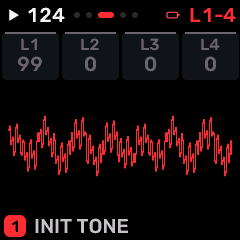
OPEN THIS SCREENOn HOME choose CZ-1, then EDIT. Use its section/page navigation to reach C2 WAV L1-4.
KNOB 1 - L1Target value at waveform brightness envelope stage 1. Levels define the envelope shape; rate settings determine how quickly it moves between them. Values: 0 to 99.
KNOB 2 - L2Target value at waveform brightness envelope stage 2. Levels define the envelope shape; rate settings determine how quickly it moves between them. Values: 0 to 99.
KNOB 3 - L3Target value at waveform brightness envelope stage 3. Levels define the envelope shape; rate settings determine how quickly it moves between them. Values: 0 to 99.
KNOB 4 - L4Target value at waveform brightness envelope stage 4. Levels define the envelope shape; rate settings determine how quickly it moves between them. Values: 0 to 99.
BUTTONS AND NAVIGATIONHOME returns to the four-part display. SELECT navigates pages. The family button advances pages. PLAY starts/stops transport; REC arms the selected track. OCT- backs out and OCT+ confirms where an action or picker is offered. Native engine sections can be opened from the EDIT section map; PRESET navigates sections/pages rather than replacing the sound there.
KEEP YOUR CHANGESSave the containing four-part PROGRAM to retain the sound and mix. Save a PROJECT for pattern banks and arrangements; export a USB backup for safekeeping.
STEP BY STEP- Open this screen using the path above; check the selected part or row before turning a knob.
- Change one setting at a time. Play a note or pattern and compare the result; inactive routes or muted parts may make a control inaudible.
- Use HOME to leave, then save the appropriate program/project if you want a named version.
SynthMaven 4.1.4 | EDIT237
EDIT
CZ-1 / C2 WAV L5-8
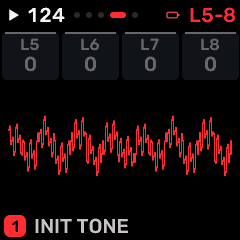
OPEN THIS SCREENOn HOME choose CZ-1, then EDIT. Use its section/page navigation to reach C2 WAV L5-8.
KNOB 1 - L5Target value at waveform brightness envelope stage 5. Levels define the envelope shape; rate settings determine how quickly it moves between them. Values: 0 to 99.
KNOB 2 - L6Target value at waveform brightness envelope stage 6. Levels define the envelope shape; rate settings determine how quickly it moves between them. Values: 0 to 99.
KNOB 3 - L7Target value at waveform brightness envelope stage 7. Levels define the envelope shape; rate settings determine how quickly it moves between them. Values: 0 to 99.
KNOB 4 - L8Target value at waveform brightness envelope stage 8. Levels define the envelope shape; rate settings determine how quickly it moves between them. Values: 0 to 99.
BUTTONS AND NAVIGATIONHOME returns to the four-part display. SELECT navigates pages. The family button advances pages. PLAY starts/stops transport; REC arms the selected track. OCT- backs out and OCT+ confirms where an action or picker is offered. Native engine sections can be opened from the EDIT section map; PRESET navigates sections/pages rather than replacing the sound there.
KEEP YOUR CHANGESSave the containing four-part PROGRAM to retain the sound and mix. Save a PROJECT for pattern banks and arrangements; export a USB backup for safekeeping.
STEP BY STEP- Open this screen using the path above; check the selected part or row before turning a knob.
- Change one setting at a time. Play a note or pattern and compare the result; inactive routes or muted parts may make a control inaudible.
- Use HOME to leave, then save the appropriate program/project if you want a named version.
SynthMaven 4.1.4 | EDIT238
EDIT
CZ-1 / C2 WAV POINT
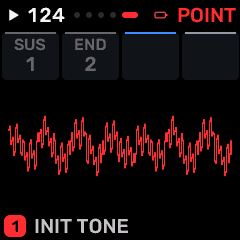
OPEN THIS SCREENOn HOME choose CZ-1, then EDIT. Use its section/page navigation to reach C2 WAV POINT.
KNOB 1 - SUSChoose the envelope stage held while the key remains down; "-" disables the sustain point. Values: 1 / 2 / 3 / 4 / 5 / 6 / 7 / 8 / -.
KNOB 2 - ENDFinal segment of the CZ envelope. Segments after END are not played. Values: 1 / 2 / 3 / 4 / 5 / 6 / 7 / 8.
KNOB 3No assigned parameter on this page.
KNOB 4No assigned parameter on this page.
BUTTONS AND NAVIGATIONHOME returns to the four-part display. SELECT navigates pages. The family button advances pages. PLAY starts/stops transport; REC arms the selected track. OCT- backs out and OCT+ confirms where an action or picker is offered. Native engine sections can be opened from the EDIT section map; PRESET navigates sections/pages rather than replacing the sound there.
KEEP YOUR CHANGESSave the containing four-part PROGRAM to retain the sound and mix. Save a PROJECT for pattern banks and arrangements; export a USB backup for safekeeping.
STEP BY STEP- Open this screen using the path above; check the selected part or row before turning a knob.
- Change one setting at a time. Play a note or pattern and compare the result; inactive routes or muted parts may make a control inaudible.
- Use HOME to leave, then save the appropriate program/project if you want a named version.
SynthMaven 4.1.4 | EDIT239
EDIT
CZ-1 / C2 AMP R5-8
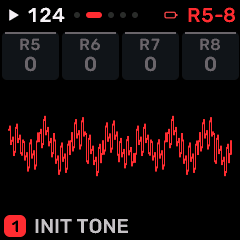
OPEN THIS SCREENOn HOME choose CZ-1, then EDIT. Use its section/page navigation to reach C2 AMP R5-8.
KNOB 1 - R5Speed toward amplitude envelope stage 5. Higher rates move faster; this is not a time in milliseconds. Values: 0 to 99.
KNOB 2 - R6Speed toward amplitude envelope stage 6. Higher rates move faster; this is not a time in milliseconds. Values: 0 to 99.
KNOB 3 - R7Speed toward amplitude envelope stage 7. Higher rates move faster; this is not a time in milliseconds. Values: 0 to 99.
KNOB 4 - R8Speed toward amplitude envelope stage 8. Higher rates move faster; this is not a time in milliseconds. Values: 0 to 99.
BUTTONS AND NAVIGATIONHOME returns to the four-part display. SELECT navigates pages. The family button advances pages. PLAY starts/stops transport; REC arms the selected track. OCT- backs out and OCT+ confirms where an action or picker is offered. Native engine sections can be opened from the EDIT section map; PRESET navigates sections/pages rather than replacing the sound there.
KEEP YOUR CHANGESSave the containing four-part PROGRAM to retain the sound and mix. Save a PROJECT for pattern banks and arrangements; export a USB backup for safekeeping.
STEP BY STEP- Open this screen using the path above; check the selected part or row before turning a knob.
- Change one setting at a time. Play a note or pattern and compare the result; inactive routes or muted parts may make a control inaudible.
- Use HOME to leave, then save the appropriate program/project if you want a named version.
SynthMaven 4.1.4 | EDIT240
EDIT
CZ-1 / C2 AMP L1-4
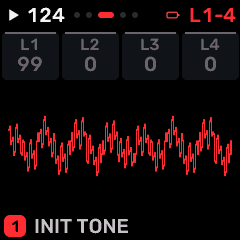
OPEN THIS SCREENOn HOME choose CZ-1, then EDIT. Use its section/page navigation to reach C2 AMP L1-4.
KNOB 1 - L1Target value at amplitude envelope stage 1. Levels define the envelope shape; rate settings determine how quickly it moves between them. Values: 0 to 99.
KNOB 2 - L2Target value at amplitude envelope stage 2. Levels define the envelope shape; rate settings determine how quickly it moves between them. Values: 0 to 99.
KNOB 3 - L3Target value at amplitude envelope stage 3. Levels define the envelope shape; rate settings determine how quickly it moves between them. Values: 0 to 99.
KNOB 4 - L4Target value at amplitude envelope stage 4. Levels define the envelope shape; rate settings determine how quickly it moves between them. Values: 0 to 99.
BUTTONS AND NAVIGATIONHOME returns to the four-part display. SELECT navigates pages. The family button advances pages. PLAY starts/stops transport; REC arms the selected track. OCT- backs out and OCT+ confirms where an action or picker is offered. Native engine sections can be opened from the EDIT section map; PRESET navigates sections/pages rather than replacing the sound there.
KEEP YOUR CHANGESSave the containing four-part PROGRAM to retain the sound and mix. Save a PROJECT for pattern banks and arrangements; export a USB backup for safekeeping.
STEP BY STEP- Open this screen using the path above; check the selected part or row before turning a knob.
- Change one setting at a time. Play a note or pattern and compare the result; inactive routes or muted parts may make a control inaudible.
- Use HOME to leave, then save the appropriate program/project if you want a named version.
SynthMaven 4.1.4 | EDIT241
EDIT
CZ-1 / C2 AMP L5-8
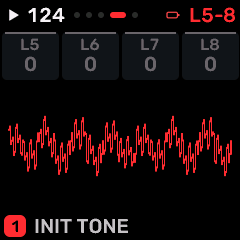
OPEN THIS SCREENOn HOME choose CZ-1, then EDIT. Use its section/page navigation to reach C2 AMP L5-8.
KNOB 1 - L5Target value at amplitude envelope stage 5. Levels define the envelope shape; rate settings determine how quickly it moves between them. Values: 0 to 99.
KNOB 2 - L6Target value at amplitude envelope stage 6. Levels define the envelope shape; rate settings determine how quickly it moves between them. Values: 0 to 99.
KNOB 3 - L7Target value at amplitude envelope stage 7. Levels define the envelope shape; rate settings determine how quickly it moves between them. Values: 0 to 99.
KNOB 4 - L8Target value at amplitude envelope stage 8. Levels define the envelope shape; rate settings determine how quickly it moves between them. Values: 0 to 99.
BUTTONS AND NAVIGATIONHOME returns to the four-part display. SELECT navigates pages. The family button advances pages. PLAY starts/stops transport; REC arms the selected track. OCT- backs out and OCT+ confirms where an action or picker is offered. Native engine sections can be opened from the EDIT section map; PRESET navigates sections/pages rather than replacing the sound there.
KEEP YOUR CHANGESSave the containing four-part PROGRAM to retain the sound and mix. Save a PROJECT for pattern banks and arrangements; export a USB backup for safekeeping.
STEP BY STEP- Open this screen using the path above; check the selected part or row before turning a knob.
- Change one setting at a time. Play a note or pattern and compare the result; inactive routes or muted parts may make a control inaudible.
- Use HOME to leave, then save the appropriate program/project if you want a named version.
SynthMaven 4.1.4 | EDIT242
EDIT
CZ-1 / C2 AMP POINT
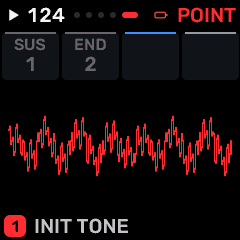
OPEN THIS SCREENOn HOME choose CZ-1, then EDIT. Use its section/page navigation to reach C2 AMP POINT.
KNOB 1 - SUSChoose the envelope stage held while the key remains down; "-" disables the sustain point. Values: 1 / 2 / 3 / 4 / 5 / 6 / 7 / 8 / -.
KNOB 2 - ENDFinal segment of the CZ envelope. Segments after END are not played. Values: 1 / 2 / 3 / 4 / 5 / 6 / 7 / 8.
KNOB 3No assigned parameter on this page.
KNOB 4No assigned parameter on this page.
BUTTONS AND NAVIGATIONHOME returns to the four-part display. SELECT navigates pages. The family button advances pages. PLAY starts/stops transport; REC arms the selected track. OCT- backs out and OCT+ confirms where an action or picker is offered. Native engine sections can be opened from the EDIT section map; PRESET navigates sections/pages rather than replacing the sound there.
KEEP YOUR CHANGESSave the containing four-part PROGRAM to retain the sound and mix. Save a PROJECT for pattern banks and arrangements; export a USB backup for safekeeping.
STEP BY STEP- Open this screen using the path above; check the selected part or row before turning a knob.
- Change one setting at a time. Play a note or pattern and compare the result; inactive routes or muted parts may make a control inaudible.
- Use HOME to leave, then save the appropriate program/project if you want a named version.
SynthMaven 4.1.4 | EDIT243
EDIT
PROPHET / EDIT 1
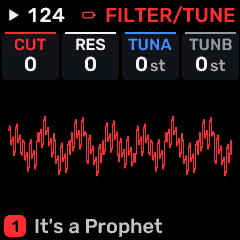
OPEN THIS SCREENOn HOME choose PROPHET, then EDIT. Use its section/page navigation to reach EDIT 1.
KNOB 1 - CUTLow-pass/filter cutoff: lower values remove more upper harmonics. Values: -63 to 63.
KNOB 2 - RESFilter resonance emphasizes frequencies around cutoff. High values may change level or approach self-oscillation. Values: -63 to 63.
KNOB 3 - TUNAPerformance tuning offset for oscillator A. Values: -24 to +24 st.
KNOB 4 - TUNBPerformance tuning offset for oscillator B. Values: -24 to +24 st.
BUTTONS AND NAVIGATIONHOME returns to the four-part display. SELECT navigates pages. The family button advances pages. PLAY starts/stops transport; REC arms the selected track. OCT- backs out and OCT+ confirms where an action or picker is offered. Native engine sections can be opened from the EDIT section map; PRESET navigates sections/pages rather than replacing the sound there.
KEEP YOUR CHANGESSave the containing four-part PROGRAM to retain the sound and mix. Save a PROJECT for pattern banks and arrangements; export a USB backup for safekeeping.
STEP BY STEP- Open this screen using the path above; check the selected part or row before turning a knob.
- Change one setting at a time. Play a note or pattern and compare the result; inactive routes or muted parts may make a control inaudible.
- Use HOME to leave, then save the appropriate program/project if you want a named version.
SynthMaven 4.1.4 | EDIT244
EDIT
PROPHET / EDIT 2
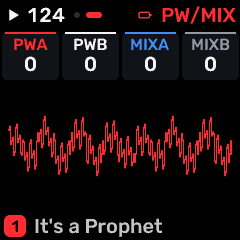
OPEN THIS SCREENOn HOME choose PROPHET, then EDIT. Use its section/page navigation to reach EDIT 2.
KNOB 1 - PWAPulse width of the named oscillator; changes its harmonic balance. On a routing page, enables modulation of that pulse width. Values: -63 to 63.
KNOB 2 - PWBPulse width of the named oscillator; changes its harmonic balance. On a routing page, enables modulation of that pulse width. Values: -63 to 63.
KNOB 3 - MIXAPerformance offset to oscillator A level; the native patch mixer remains the underlying setting. Values: -63 to 63.
KNOB 4 - MIXBPerformance offset to oscillator B level; the native patch mixer remains the underlying setting. Values: -63 to 63.
BUTTONS AND NAVIGATIONHOME returns to the four-part display. SELECT navigates pages. The family button advances pages. PLAY starts/stops transport; REC arms the selected track. OCT- backs out and OCT+ confirms where an action or picker is offered. Native engine sections can be opened from the EDIT section map; PRESET navigates sections/pages rather than replacing the sound there.
KEEP YOUR CHANGESSave the containing four-part PROGRAM to retain the sound and mix. Save a PROJECT for pattern banks and arrangements; export a USB backup for safekeeping.
STEP BY STEP- Open this screen using the path above; check the selected part or row before turning a knob.
- Change one setting at a time. Play a note or pattern and compare the result; inactive routes or muted parts may make a control inaudible.
- Use HOME to leave, then save the appropriate program/project if you want a named version.
SynthMaven 4.1.4 | EDIT245
EDIT
PROPHET / P5 STORE
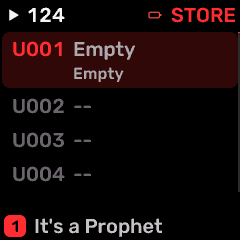
OPEN THIS SCREENOn HOME choose PROPHET, then EDIT. Use its section/page navigation to reach P5 STORE.
KNOB 1 - SLOTSelect the destination USER sound slot (1-384). Values: 1 to 384.
KNOB 2 - STOREWrite the native voice into the chosen USER sound slot after confirmation. Stop playback before saving. Values: 0 to 1.
KNOB 3 - SENDEnable supported parameter CC output. Values: 0 to 1.
KNOB 4 - INITInitialize the selected working sound. Save a copy before using it. Values: 0 to 1.
BUTTONS AND NAVIGATIONHOME returns to the four-part display. SELECT navigates pages. The family button advances pages. PLAY starts/stops transport; REC arms the selected track. OCT- backs out and OCT+ confirms where an action or picker is offered. Native engine sections can be opened from the EDIT section map; PRESET navigates sections/pages rather than replacing the sound there.
KEEP YOUR CHANGESSave the containing four-part PROGRAM to retain the sound and mix. Save a PROJECT for pattern banks and arrangements; export a USB backup for safekeeping.
STEP BY STEP- Open this screen using the path above; check the selected part or row before turning a knob.
- Change one setting at a time. Play a note or pattern and compare the result; inactive routes or muted parts may make a control inaudible.
- Use HOME to leave, then save the appropriate program/project if you want a named version.
SynthMaven 4.1.4 | EDIT246
EDIT
PROPHET / P5 OSC A
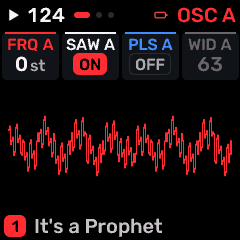
OPEN THIS SCREENOn HOME choose PROPHET, then EDIT. Use its section/page navigation to reach P5 OSC A.
KNOB 1 - FREQ AOscillator A pitch. In a modulation-routing page this is an on/off destination switch instead. Values: -12 to +36 st.
KNOB 2 - SAW AEnable the saw a waveform. Multiple enabled waveforms are combined. Values: OFF / ON.
KNOB 3 - PULSE AEnable the pulse a waveform. Multiple enabled waveforms are combined. Values: OFF / ON.
KNOB 4 - WIDTH APulse width of the named oscillator; changes its harmonic balance. On a routing page, enables modulation of that pulse width. Values: 0 to 127.
BUTTONS AND NAVIGATIONHOME returns to the four-part display. SELECT navigates pages. The family button advances pages. PLAY starts/stops transport; REC arms the selected track. OCT- backs out and OCT+ confirms where an action or picker is offered. Native engine sections can be opened from the EDIT section map; PRESET navigates sections/pages rather than replacing the sound there.
KEEP YOUR CHANGESSave the containing four-part PROGRAM to retain the sound and mix. Save a PROJECT for pattern banks and arrangements; export a USB backup for safekeeping.
STEP BY STEP- Open this screen using the path above; check the selected part or row before turning a knob.
- Change one setting at a time. Play a note or pattern and compare the result; inactive routes or muted parts may make a control inaudible.
- Use HOME to leave, then save the appropriate program/project if you want a named version.
SynthMaven 4.1.4 | EDIT247
EDIT
PROPHET / P5 OSC B
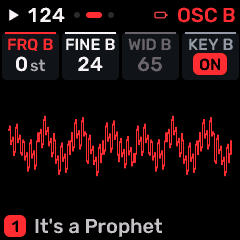
OPEN THIS SCREENOn HOME choose PROPHET, then EDIT. Use its section/page navigation to reach P5 OSC B.
KNOB 1 - FREQ BOscillator B pitch. In a modulation-routing page this is an on/off destination switch instead. Values: -12 to +36 st.
KNOB 2 - FINE BFine detuning of oscillator B relative to oscillator A. Values: 0 to 127.
KNOB 3 - WIDTH BPulse width of the named oscillator; changes its harmonic balance. On a routing page, enables modulation of that pulse width. Values: 0 to 127.
KNOB 4 - KEY BMake oscillator B follow played keyboard pitch. OFF allows B to remain an independent modulation source. Values: OFF / ON.
BUTTONS AND NAVIGATIONHOME returns to the four-part display. SELECT navigates pages. The family button advances pages. PLAY starts/stops transport; REC arms the selected track. OCT- backs out and OCT+ confirms where an action or picker is offered. Native engine sections can be opened from the EDIT section map; PRESET navigates sections/pages rather than replacing the sound there.
KEEP YOUR CHANGESSave the containing four-part PROGRAM to retain the sound and mix. Save a PROJECT for pattern banks and arrangements; export a USB backup for safekeeping.
STEP BY STEP- Open this screen using the path above; check the selected part or row before turning a knob.
- Change one setting at a time. Play a note or pattern and compare the result; inactive routes or muted parts may make a control inaudible.
- Use HOME to leave, then save the appropriate program/project if you want a named version.
SynthMaven 4.1.4 | EDIT248
EDIT
PROPHET / P5 B WAVES
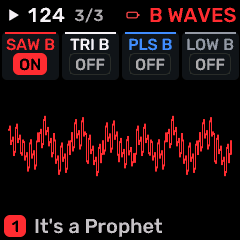
OPEN THIS SCREENOn HOME choose PROPHET, then EDIT. Use its section/page navigation to reach P5 B WAVES.
KNOB 1 - SAW BEnable the saw b waveform. Multiple enabled waveforms are combined. Values: OFF / ON.
KNOB 2 - TRI BEnable the tri b waveform. Multiple enabled waveforms are combined. Values: OFF / ON.
KNOB 3 - PULSE BEnable the pulse b waveform. Multiple enabled waveforms are combined. Values: OFF / ON.
KNOB 4 - LOW BSwitch oscillator B into its low-frequency range for modulation. Values: OFF / ON.
BUTTONS AND NAVIGATIONHOME returns to the four-part display. SELECT navigates pages. The family button advances pages. PLAY starts/stops transport; REC arms the selected track. OCT- backs out and OCT+ confirms where an action or picker is offered. Native engine sections can be opened from the EDIT section map; PRESET navigates sections/pages rather than replacing the sound there.
KEEP YOUR CHANGESSave the containing four-part PROGRAM to retain the sound and mix. Save a PROJECT for pattern banks and arrangements; export a USB backup for safekeeping.
STEP BY STEP- Open this screen using the path above; check the selected part or row before turning a knob.
- Change one setting at a time. Play a note or pattern and compare the result; inactive routes or muted parts may make a control inaudible.
- Use HOME to leave, then save the appropriate program/project if you want a named version.
SynthMaven 4.1.4 | EDIT249
EDIT
PROPHET / P5 MIXER
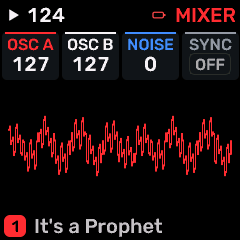
OPEN THIS SCREENOn HOME choose PROPHET, then EDIT. Use its section/page navigation to reach P5 MIXER.
KNOB 1 - OSC AOscillator A level in the synthesis mixer. Values: 0 to 127.
KNOB 2 - OSC BOscillator B level in the mixer, or its modulation-source amount on POLYMOD. Values: 0 to 127.
KNOB 3 - NOISENoise oscillator/texture level. Values: 0 to 127.
KNOB 4 - SYNCHard-sync oscillator A to B; tuning changes then alter the harmonic shape. Values: OFF / ON.
BUTTONS AND NAVIGATIONHOME returns to the four-part display. SELECT navigates pages. The family button advances pages. PLAY starts/stops transport; REC arms the selected track. OCT- backs out and OCT+ confirms where an action or picker is offered. Native engine sections can be opened from the EDIT section map; PRESET navigates sections/pages rather than replacing the sound there.
KEEP YOUR CHANGESSave the containing four-part PROGRAM to retain the sound and mix. Save a PROJECT for pattern banks and arrangements; export a USB backup for safekeeping.
STEP BY STEP- Open this screen using the path above; check the selected part or row before turning a knob.
- Change one setting at a time. Play a note or pattern and compare the result; inactive routes or muted parts may make a control inaudible.
- Use HOME to leave, then save the appropriate program/project if you want a named version.
SynthMaven 4.1.4 | EDIT250
EDIT
PROPHET / P5 FILTER
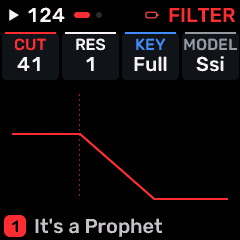
OPEN THIS SCREENOn HOME choose PROPHET, then EDIT. Use its section/page navigation to reach P5 FILTER.
KNOB 1 - CUTOFFFilter cutoff. Lower settings remove more high-frequency content; resonance emphasizes the cutoff region. Values: 0 to 127.
KNOB 2 - RESFilter resonance emphasizes frequencies around cutoff. High values may change level or approach self-oscillation. Values: 0 to 127.
KNOB 3 - KEYChoose a chromatic key for tuning, or keyboard-tracking mode on a filter page, as identified above. Values: OFF / HALF / FULL.
KNOB 4 - MODELSelect the filter model exposed by this engine. The capability map determines which controls actually operate. Values: SSI / CURTIS.
BUTTONS AND NAVIGATIONHOME returns to the four-part display. SELECT navigates pages. The family button advances pages. PLAY starts/stops transport; REC arms the selected track. OCT- backs out and OCT+ confirms where an action or picker is offered. Native engine sections can be opened from the EDIT section map; PRESET navigates sections/pages rather than replacing the sound there.
KEEP YOUR CHANGESSave the containing four-part PROGRAM to retain the sound and mix. Save a PROJECT for pattern banks and arrangements; export a USB backup for safekeeping.
STEP BY STEP- Open this screen using the path above; check the selected part or row before turning a knob.
- Change one setting at a time. Play a note or pattern and compare the result; inactive routes or muted parts may make a control inaudible.
- Use HOME to leave, then save the appropriate program/project if you want a named version.
SynthMaven 4.1.4 | EDIT251
EDIT
PROPHET / P5 POLYMOD
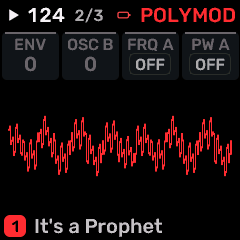
OPEN THIS SCREENOn HOME choose PROPHET, then EDIT. Use its section/page navigation to reach P5 POLYMOD.
KNOB 1 - ENV AMTFilter-envelope contribution to Poly-Mod destinations. Values: 0 to 127.
KNOB 2 - OSC BOscillator B contribution to Poly-Mod destinations; audio-rate settings create complex harmonics. Values: 0 to 127.
KNOB 3 - FREQ AEnable this modulation source for freq a. OFF leaves that destination unaffected. Values: OFF / ON.
KNOB 4 - PW AEnable this modulation source for pw a. OFF leaves that destination unaffected. Values: OFF / ON.
BUTTONS AND NAVIGATIONHOME returns to the four-part display. SELECT navigates pages. The family button advances pages. PLAY starts/stops transport; REC arms the selected track. OCT- backs out and OCT+ confirms where an action or picker is offered. Native engine sections can be opened from the EDIT section map; PRESET navigates sections/pages rather than replacing the sound there.
KEEP YOUR CHANGESSave the containing four-part PROGRAM to retain the sound and mix. Save a PROJECT for pattern banks and arrangements; export a USB backup for safekeeping.
STEP BY STEP- Open this screen using the path above; check the selected part or row before turning a knob.
- Change one setting at a time. Play a note or pattern and compare the result; inactive routes or muted parts may make a control inaudible.
- Use HOME to leave, then save the appropriate program/project if you want a named version.
SynthMaven 4.1.4 | EDIT252
EDIT
PROPHET / P5 MOD FLT
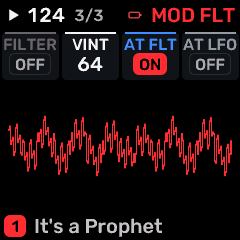
OPEN THIS SCREENOn HOME choose PROPHET, then EDIT. Use its section/page navigation to reach P5 MOD FLT.
KNOB 1 - FILTEREnable the modulation source on filter cutoff. Values: OFF / ON.
KNOB 2 - VINTAGEAnalog-style variation between voices. Adds instability/character rather than a fixed tuning shift. Values: 0 to 127.
KNOB 3 - AT FLTEnable channel-pressure control of filter cutoff. Press harder on an aftertouch-capable controller to brighten the sound. Values: OFF / ON.
KNOB 4 - AT LFOEnable channel-pressure control of native LFO depth. Values: OFF / ON.
BUTTONS AND NAVIGATIONHOME returns to the four-part display. SELECT navigates pages. The family button advances pages. PLAY starts/stops transport; REC arms the selected track. OCT- backs out and OCT+ confirms where an action or picker is offered. Native engine sections can be opened from the EDIT section map; PRESET navigates sections/pages rather than replacing the sound there.
KEEP YOUR CHANGESSave the containing four-part PROGRAM to retain the sound and mix. Save a PROJECT for pattern banks and arrangements; export a USB backup for safekeeping.
STEP BY STEP- Open this screen using the path above; check the selected part or row before turning a knob.
- Change one setting at a time. Play a note or pattern and compare the result; inactive routes or muted parts may make a control inaudible.
- Use HOME to leave, then save the appropriate program/project if you want a named version.
SynthMaven 4.1.4 | EDIT253
EDIT
PROPHET / P5 UNISON
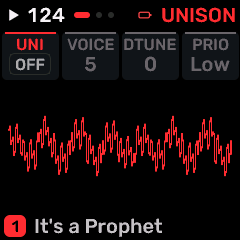
OPEN THIS SCREENOn HOME choose PROPHET, then EDIT. Use its section/page navigation to reach P5 UNISON.
KNOB 1 - UNISONStack voices on the same note. This uses additional points from the shared voice budget. Values: OFF / ON.
KNOB 2 - VOICESNative Prophet unison voice count; actual allocation is still limited by the shared budget. Values: 1 to 5.
KNOB 3 - DETUNEPitch spread between voices or oscillators. Small values add width; large values sound deliberately out of tune. Values: 0 to 7.
KNOB 4 - PRIORITYNative unison/retrigger note-priority behavior. Determines which held key drives the voice. Values: LOW / LOW RET / LAST / LAST RET.
BUTTONS AND NAVIGATIONHOME returns to the four-part display. SELECT navigates pages. The family button advances pages. PLAY starts/stops transport; REC arms the selected track. OCT- backs out and OCT+ confirms where an action or picker is offered. Native engine sections can be opened from the EDIT section map; PRESET navigates sections/pages rather than replacing the sound there.
KEEP YOUR CHANGESSave the containing four-part PROGRAM to retain the sound and mix. Save a PROJECT for pattern banks and arrangements; export a USB backup for safekeeping.
STEP BY STEP- Open this screen using the path above; check the selected part or row before turning a knob.
- Change one setting at a time. Play a note or pattern and compare the result; inactive routes or muted parts may make a control inaudible.
- Use HOME to leave, then save the appropriate program/project if you want a named version.
SynthMaven 4.1.4 | EDIT254
EDIT
PROPHET / P5 BEND
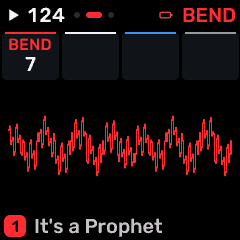
OPEN THIS SCREENOn HOME choose PROPHET, then EDIT. Use its section/page navigation to reach P5 BEND.
KNOB 1 - BENDPitch-bend range in semitones; AUTO follows supported configuration messages. Values: 1 to 12.
KNOB 2No assigned parameter on this page.
KNOB 3No assigned parameter on this page.
KNOB 4No assigned parameter on this page.
BUTTONS AND NAVIGATIONHOME returns to the four-part display. SELECT navigates pages. The family button advances pages. PLAY starts/stops transport; REC arms the selected track. OCT- backs out and OCT+ confirms where an action or picker is offered. Native engine sections can be opened from the EDIT section map; PRESET navigates sections/pages rather than replacing the sound there.
KEEP YOUR CHANGESSave the containing four-part PROGRAM to retain the sound and mix. Save a PROJECT for pattern banks and arrangements; export a USB backup for safekeeping.
STEP BY STEP- Open this screen using the path above; check the selected part or row before turning a knob.
- Change one setting at a time. Play a note or pattern and compare the result; inactive routes or muted parts may make a control inaudible.
- Use HOME to leave, then save the appropriate program/project if you want a named version.
SynthMaven 4.1.4 | EDIT255
EDIT
MIDI Track / EDIT 1
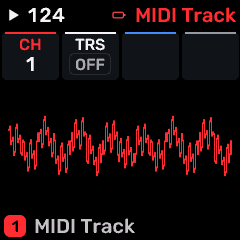
OPEN THIS SCREENOn HOME choose MIDI Track, then EDIT. Use its section/page navigation to reach EDIT 1.
KNOB 1 - CHMIDI output channel for the MIDI-only track. This track controls external instruments rather than generating audio. Values: 1 to 16.
KNOB 2 - TRSEnable MIDI output on the TRS connection for this MIDI-only track. Values: OFF / ON.
KNOB 3 - -Unused control position; turning this knob has no assigned sound parameter on this layout. Values: Action / no continuous value.
KNOB 4 - -Unused control position; turning this knob has no assigned sound parameter on this layout. Values: Action / no continuous value.
BUTTONS AND NAVIGATIONHOME returns to the four-part display. SELECT navigates pages. The family button advances pages. PLAY starts/stops transport; REC arms the selected track. OCT- backs out and OCT+ confirms where an action or picker is offered. Native engine sections can be opened from the EDIT section map; PRESET navigates sections/pages rather than replacing the sound there.
KEEP YOUR CHANGESSave the containing four-part PROGRAM to retain the sound and mix. Save a PROJECT for pattern banks and arrangements; export a USB backup for safekeeping.
STEP BY STEP- Open this screen using the path above; check the selected part or row before turning a knob.
- Change one setting at a time. Play a note or pattern and compare the result; inactive routes or muted parts may make a control inaudible.
- Use HOME to leave, then save the appropriate program/project if you want a named version.
SynthMaven 4.1.4 | EDIT256
EDIT
HYBRID / EDIT 1
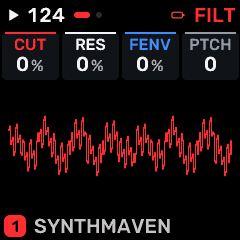
OPEN THIS SCREENOn HOME choose HYBRID, then EDIT. Use its section/page navigation to reach EDIT 1.
KNOB 1 - CUTLow-pass/filter cutoff: lower values remove more upper harmonics. Values: -100 to +98 %.
KNOB 2 - RESFilter resonance emphasizes frequencies around cutoff. High values may change level or approach self-oscillation. Values: -100 to +98 %.
KNOB 3 - FENVFilter-envelope amount; positive values open the filter with the envelope, negative values invert that movement where supported. Values: -100 to +98 %.
KNOB 4 - PTCHSelect an internal engine patch/model. Values: 0 to 99.
BUTTONS AND NAVIGATIONHOME returns to the four-part display. SELECT navigates pages. The family button advances pages. PLAY starts/stops transport; REC arms the selected track. OCT- backs out and OCT+ confirms where an action or picker is offered. Native engine sections can be opened from the EDIT section map; PRESET navigates sections/pages rather than replacing the sound there.
KEEP YOUR CHANGESSave the containing four-part PROGRAM to retain the sound and mix. Save a PROJECT for pattern banks and arrangements; export a USB backup for safekeeping.
STEP BY STEP- Open this screen using the path above; check the selected part or row before turning a knob.
- Change one setting at a time. Play a note or pattern and compare the result; inactive routes or muted parts may make a control inaudible.
- Use HOME to leave, then save the appropriate program/project if you want a named version.
SynthMaven 4.1.4 | EDIT257
EDIT
HYBRID / EDIT 2
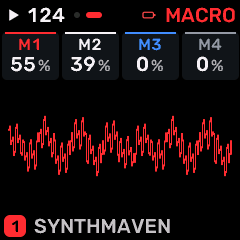
OPEN THIS SCREENOn HOME choose HYBRID, then EDIT. Use its section/page navigation to reach EDIT 2.
KNOB 1 - M1One of four macro controls. HYBRID uses patch-defined macro assignments; other engines provide brightness, timbre, motion and space behavior. Values: 0 to 100 %.
KNOB 2 - M2One of four macro controls. HYBRID uses patch-defined macro assignments; other engines provide brightness, timbre, motion and space behavior. Values: 0 to 100 %.
KNOB 3 - M3One of four macro controls. HYBRID uses patch-defined macro assignments; other engines provide brightness, timbre, motion and space behavior. Values: 0 to 100 %.
KNOB 4 - M4One of four macro controls. HYBRID uses patch-defined macro assignments; other engines provide brightness, timbre, motion and space behavior. Values: 0 to 100 %.
BUTTONS AND NAVIGATIONHOME returns to the four-part display. SELECT navigates pages. The family button advances pages. PLAY starts/stops transport; REC arms the selected track. OCT- backs out and OCT+ confirms where an action or picker is offered. Native engine sections can be opened from the EDIT section map; PRESET navigates sections/pages rather than replacing the sound there.
KEEP YOUR CHANGESSave the containing four-part PROGRAM to retain the sound and mix. Save a PROJECT for pattern banks and arrangements; export a USB backup for safekeeping.
STEP BY STEP- Open this screen using the path above; check the selected part or row before turning a knob.
- Change one setting at a time. Play a note or pattern and compare the result; inactive routes or muted parts may make a control inaudible.
- Use HOME to leave, then save the appropriate program/project if you want a named version.
SynthMaven 4.1.4 | EDIT258
EDIT
ANALOG / EDIT 1
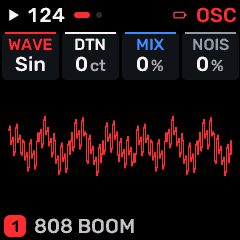
OPEN THIS SCREENOn HOME choose ANALOG, then EDIT. Use its section/page navigation to reach EDIT 1.
KNOB 1 - WAVESelect the oscillator or modulation waveform. Changing the shape changes its harmonic content or movement. Values: SAW / SQR / TRI / SIN / PWM.
KNOB 2 - DTNDetuning amount between oscillators/voices or FM operators, according to the selected engine. Values: 0 to 127 ct.
KNOB 3 - MIXDry/wet balance or shared effect output level, as identified by the page. Values: 0 to 100 %.
KNOB 4 - NOISNoise oscillator/texture level. Values: 0 to 100 %.
BUTTONS AND NAVIGATIONHOME returns to the four-part display. SELECT navigates pages. The family button advances pages. PLAY starts/stops transport; REC arms the selected track. OCT- backs out and OCT+ confirms where an action or picker is offered. Native engine sections can be opened from the EDIT section map; PRESET navigates sections/pages rather than replacing the sound there.
KEEP YOUR CHANGESSave the containing four-part PROGRAM to retain the sound and mix. Save a PROJECT for pattern banks and arrangements; export a USB backup for safekeeping.
STEP BY STEP- Open this screen using the path above; check the selected part or row before turning a knob.
- Change one setting at a time. Play a note or pattern and compare the result; inactive routes or muted parts may make a control inaudible.
- Use HOME to leave, then save the appropriate program/project if you want a named version.
SynthMaven 4.1.4 | EDIT259
EDIT
ANALOG / EDIT 2
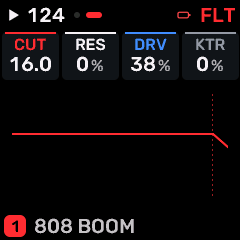
OPEN THIS SCREENOn HOME choose ANALOG, then EDIT. Use its section/page navigation to reach EDIT 2.
KNOB 1 - CUTLow-pass/filter cutoff: lower values remove more upper harmonics. Values: 30 to 16.0 kHz.
KNOB 2 - RESFilter resonance emphasizes frequencies around cutoff. High values may change level or approach self-oscillation. Values: 0 to 100 %.
KNOB 3 - DRVDrive into a saturation/filter stage. More drive can add harmonics and change level. Values: 0 to 100 %.
KNOB 4 - KTRKeyboard tracking: changes the filter/model response with played pitch. Values: 0 to 100 %.
BUTTONS AND NAVIGATIONHOME returns to the four-part display. SELECT navigates pages. The family button advances pages. PLAY starts/stops transport; REC arms the selected track. OCT- backs out and OCT+ confirms where an action or picker is offered. Native engine sections can be opened from the EDIT section map; PRESET navigates sections/pages rather than replacing the sound there.
KEEP YOUR CHANGESSave the containing four-part PROGRAM to retain the sound and mix. Save a PROJECT for pattern banks and arrangements; export a USB backup for safekeeping.
STEP BY STEP- Open this screen using the path above; check the selected part or row before turning a knob.
- Change one setting at a time. Play a note or pattern and compare the result; inactive routes or muted parts may make a control inaudible.
- Use HOME to leave, then save the appropriate program/project if you want a named version.
SynthMaven 4.1.4 | EDIT260
EDIT
DIGITAL / EDIT 1
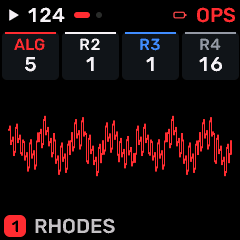
OPEN THIS SCREENOn HOME choose DIGITAL, then EDIT. Use its section/page navigation to reach EDIT 1.
KNOB 1 - ALGFM/operator connection algorithm. Each choice changes which oscillators modulate or reach the output. Values: 1 / 2 / 3 / 4 / 5 / 6 / 7 / 8.
KNOB 2 - R2Additional oscillator/operator frequency ratio. Values: .5 / 1 / 2 / 3 / 4 / 5 / 6 / 7 / 8 / 9 / 10 / 11 / 12 / 14 / 16.
KNOB 3 - R3Additional oscillator/operator frequency ratio. Values: .5 / 1 / 2 / 3 / 4 / 5 / 6 / 7 / 8 / 9 / 10 / 11 / 12 / 14 / 16.
KNOB 4 - R4Additional oscillator/operator frequency ratio. Values: .5 / 1 / 2 / 3 / 4 / 5 / 6 / 7 / 8 / 9 / 10 / 11 / 12 / 14 / 16.
BUTTONS AND NAVIGATIONHOME returns to the four-part display. SELECT navigates pages. The family button advances pages. PLAY starts/stops transport; REC arms the selected track. OCT- backs out and OCT+ confirms where an action or picker is offered. Native engine sections can be opened from the EDIT section map; PRESET navigates sections/pages rather than replacing the sound there.
KEEP YOUR CHANGESSave the containing four-part PROGRAM to retain the sound and mix. Save a PROJECT for pattern banks and arrangements; export a USB backup for safekeeping.
STEP BY STEP- Open this screen using the path above; check the selected part or row before turning a knob.
- Change one setting at a time. Play a note or pattern and compare the result; inactive routes or muted parts may make a control inaudible.
- Use HOME to leave, then save the appropriate program/project if you want a named version.
SynthMaven 4.1.4 | EDIT261
EDIT
DIGITAL / EDIT 2
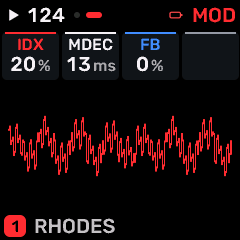
OPEN THIS SCREENOn HOME choose DIGITAL, then EDIT. Use its section/page navigation to reach EDIT 2.
KNOB 1 - IDXFM/phase modulation index; higher values generally add sidebands. Values: 0 to 100 %.
KNOB 2 - MDECModulator decay time. Values: 1.0 to 10.0 s.
KNOB 3 - FBFM feedback amount. Higher values feed operator output back into modulation and add brighter/noisier harmonics. Values: 0 to 100 %.
KNOB 4 - -Unused control position; turning this knob has no assigned sound parameter on this layout. Values: Action / no continuous value.
BUTTONS AND NAVIGATIONHOME returns to the four-part display. SELECT navigates pages. The family button advances pages. PLAY starts/stops transport; REC arms the selected track. OCT- backs out and OCT+ confirms where an action or picker is offered. Native engine sections can be opened from the EDIT section map; PRESET navigates sections/pages rather than replacing the sound there.
KEEP YOUR CHANGESSave the containing four-part PROGRAM to retain the sound and mix. Save a PROJECT for pattern banks and arrangements; export a USB backup for safekeeping.
STEP BY STEP- Open this screen using the path above; check the selected part or row before turning a knob.
- Change one setting at a time. Play a note or pattern and compare the result; inactive routes or muted parts may make a control inaudible.
- Use HOME to leave, then save the appropriate program/project if you want a named version.
SynthMaven 4.1.4 | EDIT262
EDIT
VOICE / EDIT 1
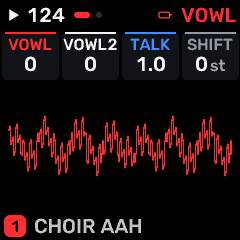
OPEN THIS SCREENOn HOME choose VOICE, then EDIT. Use its section/page navigation to reach EDIT 1.
KNOB 1 - VOWLFormant/vowel position; moving it changes the vocal resonance. Values: 0 to 127.
KNOB 2 - VOWL2Formant/vowel position; moving it changes the vocal resonance. Values: 0 to 127.
KNOB 3 - TALKMovement/amount of vocal formant articulation. Values: 1.0 to 10.0 s.
KNOB 4 - SHIFTShift the vocal formants without changing the played musical note. Values: -12 to +12 st.
BUTTONS AND NAVIGATIONHOME returns to the four-part display. SELECT navigates pages. The family button advances pages. PLAY starts/stops transport; REC arms the selected track. OCT- backs out and OCT+ confirms where an action or picker is offered. Native engine sections can be opened from the EDIT section map; PRESET navigates sections/pages rather than replacing the sound there.
KEEP YOUR CHANGESSave the containing four-part PROGRAM to retain the sound and mix. Save a PROJECT for pattern banks and arrangements; export a USB backup for safekeeping.
STEP BY STEP- Open this screen using the path above; check the selected part or row before turning a knob.
- Change one setting at a time. Play a note or pattern and compare the result; inactive routes or muted parts may make a control inaudible.
- Use HOME to leave, then save the appropriate program/project if you want a named version.
SynthMaven 4.1.4 | EDIT263
EDIT
VOICE / EDIT 2
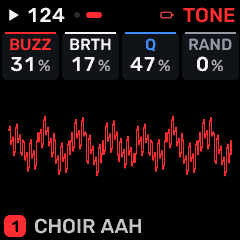
OPEN THIS SCREENOn HOME choose VOICE, then EDIT. Use its section/page navigation to reach EDIT 2.
KNOB 1 - BUZZBuzz/higher-partial content. Values: 0 to 100 %.
KNOB 2 - BRTHBreathy noise contribution. Values: 0 to 100 %.
KNOB 3 - QResonance/sharpness of the vocal formant filters. Values: 0 to 100 %.
KNOB 4 - RANDRandomization depth/variation in this engine. Values: 0 to 100 %.
BUTTONS AND NAVIGATIONHOME returns to the four-part display. SELECT navigates pages. The family button advances pages. PLAY starts/stops transport; REC arms the selected track. OCT- backs out and OCT+ confirms where an action or picker is offered. Native engine sections can be opened from the EDIT section map; PRESET navigates sections/pages rather than replacing the sound there.
KEEP YOUR CHANGESSave the containing four-part PROGRAM to retain the sound and mix. Save a PROJECT for pattern banks and arrangements; export a USB backup for safekeeping.
STEP BY STEP- Open this screen using the path above; check the selected part or row before turning a knob.
- Change one setting at a time. Play a note or pattern and compare the result; inactive routes or muted parts may make a control inaudible.
- Use HOME to leave, then save the appropriate program/project if you want a named version.
SynthMaven 4.1.4 | EDIT264
EDIT
STRINGS / EDIT 1
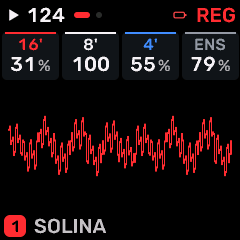
OPEN THIS SCREENOn HOME choose STRINGS, then EDIT. Use its section/page navigation to reach EDIT 1.
KNOB 1 - 16'Level of the 16' string register. Blend registers to change the ensemble voicing. Values: 0 to 100 %.
KNOB 2 - 8'Level of the 8' string register. Blend registers to change the ensemble voicing. Values: 0 to 100 %.
KNOB 3 - 4'Level of the 4' string register. Blend registers to change the ensemble voicing. Values: 0 to 100 %.
KNOB 4 - ENSString ensemble/chorus amount. Values: 0 to 100 %.
BUTTONS AND NAVIGATIONHOME returns to the four-part display. SELECT navigates pages. The family button advances pages. PLAY starts/stops transport; REC arms the selected track. OCT- backs out and OCT+ confirms where an action or picker is offered. Native engine sections can be opened from the EDIT section map; PRESET navigates sections/pages rather than replacing the sound there.
KEEP YOUR CHANGESSave the containing four-part PROGRAM to retain the sound and mix. Save a PROJECT for pattern banks and arrangements; export a USB backup for safekeeping.
STEP BY STEP- Open this screen using the path above; check the selected part or row before turning a knob.
- Change one setting at a time. Play a note or pattern and compare the result; inactive routes or muted parts may make a control inaudible.
- Use HOME to leave, then save the appropriate program/project if you want a named version.
SynthMaven 4.1.4 | EDIT265
EDIT
STRINGS / EDIT 2
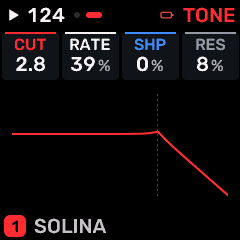
OPEN THIS SCREENOn HOME choose STRINGS, then EDIT. Use its section/page navigation to reach EDIT 2.
KNOB 1 - CUTLow-pass/filter cutoff: lower values remove more upper harmonics. Values: 30 to 16.0 kHz.
KNOB 2 - RATESpeed of the selected oscillator/modulator/effect. The displayed unit identifies Hz or a tempo division. Values: 0 to 100 %.
KNOB 3 - SHPWaveform/timbre shaping or the amount of envelope/LFO shaping, according to this page. Values: 0 to 100 %.
KNOB 4 - RESFilter resonance emphasizes frequencies around cutoff. High values may change level or approach self-oscillation. Values: 0 to 100 %.
BUTTONS AND NAVIGATIONHOME returns to the four-part display. SELECT navigates pages. The family button advances pages. PLAY starts/stops transport; REC arms the selected track. OCT- backs out and OCT+ confirms where an action or picker is offered. Native engine sections can be opened from the EDIT section map; PRESET navigates sections/pages rather than replacing the sound there.
KEEP YOUR CHANGESSave the containing four-part PROGRAM to retain the sound and mix. Save a PROJECT for pattern banks and arrangements; export a USB backup for safekeeping.
STEP BY STEP- Open this screen using the path above; check the selected part or row before turning a knob.
- Change one setting at a time. Play a note or pattern and compare the result; inactive routes or muted parts may make a control inaudible.
- Use HOME to leave, then save the appropriate program/project if you want a named version.
SynthMaven 4.1.4 | EDIT266
EDIT
JUNO / EDIT 1
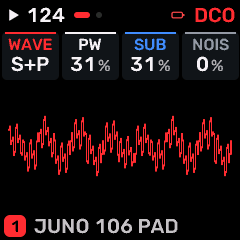
OPEN THIS SCREENOn HOME choose JUNO, then EDIT. Use its section/page navigation to reach EDIT 1.
KNOB 1 - WAVESelect the oscillator or modulation waveform. Changing the shape changes its harmonic content or movement. Values: SAW / PLS / S+P.
KNOB 2 - PWPulse width/duty cycle; changes harmonic balance. Values: 0 to 100 %.
KNOB 3 - SUBSub-oscillator level under the main oscillator. Values: 0 to 100 %.
KNOB 4 - NOISNoise oscillator/texture level. Values: 0 to 100 %.
BUTTONS AND NAVIGATIONHOME returns to the four-part display. SELECT navigates pages. The family button advances pages. PLAY starts/stops transport; REC arms the selected track. OCT- backs out and OCT+ confirms where an action or picker is offered. Native engine sections can be opened from the EDIT section map; PRESET navigates sections/pages rather than replacing the sound there.
KEEP YOUR CHANGESSave the containing four-part PROGRAM to retain the sound and mix. Save a PROJECT for pattern banks and arrangements; export a USB backup for safekeeping.
STEP BY STEP- Open this screen using the path above; check the selected part or row before turning a knob.
- Change one setting at a time. Play a note or pattern and compare the result; inactive routes or muted parts may make a control inaudible.
- Use HOME to leave, then save the appropriate program/project if you want a named version.
SynthMaven 4.1.4 | EDIT267
EDIT
JUNO / EDIT 2
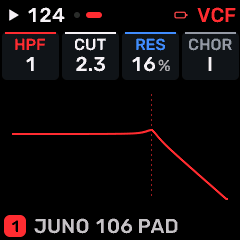
OPEN THIS SCREENOn HOME choose JUNO, then EDIT. Use its section/page navigation to reach EDIT 2.
KNOB 1 - HPFHigh-pass cutoff; reduce unwanted low-frequency energy. Values: 0 / 1 / 2 / 3.
KNOB 2 - CUTLow-pass/filter cutoff: lower values remove more upper harmonics. Values: 30 to 16.0 kHz.
KNOB 3 - RESFilter resonance emphasizes frequencies around cutoff. High values may change level or approach self-oscillation. Values: 0 to 100 %.
KNOB 4 - CHORChorus amount/send; adds detuned movement and width. Values: OFF / I / II / I+II.
BUTTONS AND NAVIGATIONHOME returns to the four-part display. SELECT navigates pages. The family button advances pages. PLAY starts/stops transport; REC arms the selected track. OCT- backs out and OCT+ confirms where an action or picker is offered. Native engine sections can be opened from the EDIT section map; PRESET navigates sections/pages rather than replacing the sound there.
KEEP YOUR CHANGESSave the containing four-part PROGRAM to retain the sound and mix. Save a PROJECT for pattern banks and arrangements; export a USB backup for safekeeping.
STEP BY STEP- Open this screen using the path above; check the selected part or row before turning a knob.
- Change one setting at a time. Play a note or pattern and compare the result; inactive routes or muted parts may make a control inaudible.
- Use HOME to leave, then save the appropriate program/project if you want a named version.
SynthMaven 4.1.4 | EDIT268
EDIT
ACID / EDIT 1
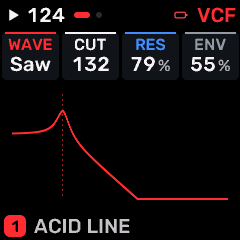
OPEN THIS SCREENOn HOME choose ACID, then EDIT. Use its section/page navigation to reach EDIT 1.
KNOB 1 - WAVESelect the oscillator or modulation waveform. Changing the shape changes its harmonic content or movement. Values: SAW / SQR.
KNOB 2 - CUTLow-pass/filter cutoff: lower values remove more upper harmonics. Values: 30 to 16.0 kHz.
KNOB 3 - RESFilter resonance emphasizes frequencies around cutoff. High values may change level or approach self-oscillation. Values: 0 to 100 %.
KNOB 4 - ENVFilter-envelope amount; positive values open the filter with the envelope, negative values invert that movement where supported. Values: 0 to 100 %.
BUTTONS AND NAVIGATIONHOME returns to the four-part display. SELECT navigates pages. The family button advances pages. PLAY starts/stops transport; REC arms the selected track. OCT- backs out and OCT+ confirms where an action or picker is offered. Native engine sections can be opened from the EDIT section map; PRESET navigates sections/pages rather than replacing the sound there.
KEEP YOUR CHANGESSave the containing four-part PROGRAM to retain the sound and mix. Save a PROJECT for pattern banks and arrangements; export a USB backup for safekeeping.
STEP BY STEP- Open this screen using the path above; check the selected part or row before turning a knob.
- Change one setting at a time. Play a note or pattern and compare the result; inactive routes or muted parts may make a control inaudible.
- Use HOME to leave, then save the appropriate program/project if you want a named version.
SynthMaven 4.1.4 | EDIT269
EDIT
ACID / EDIT 2
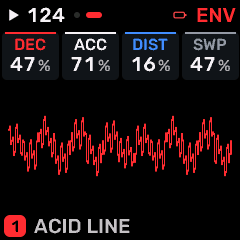
OPEN THIS SCREENOn HOME choose ACID, then EDIT. Use its section/page navigation to reach EDIT 2.
KNOB 1 - DECDecay time from the attack peak to the sustain level. Values: 0 to 100 %.
KNOB 2 - ACCAccent sensitivity/amount. Values: 0 to 100 %.
KNOB 3 - DISTAmount sent to distortion. Values: 0 to 100 %.
KNOB 4 - SWPSweep amount or rate of the selected engine. Values: 0 to 100 %.
BUTTONS AND NAVIGATIONHOME returns to the four-part display. SELECT navigates pages. The family button advances pages. PLAY starts/stops transport; REC arms the selected track. OCT- backs out and OCT+ confirms where an action or picker is offered. Native engine sections can be opened from the EDIT section map; PRESET navigates sections/pages rather than replacing the sound there.
KEEP YOUR CHANGESSave the containing four-part PROGRAM to retain the sound and mix. Save a PROJECT for pattern banks and arrangements; export a USB backup for safekeeping.
STEP BY STEP- Open this screen using the path above; check the selected part or row before turning a knob.
- Change one setting at a time. Play a note or pattern and compare the result; inactive routes or muted parts may make a control inaudible.
- Use HOME to leave, then save the appropriate program/project if you want a named version.
SynthMaven 4.1.4 | EDIT270
EDIT
WSEQ / EDIT 1
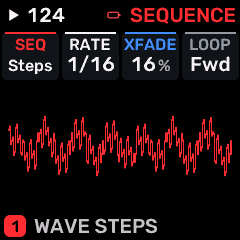
OPEN THIS SCREENOn HOME choose WSEQ, then EDIT. Use its section/page navigation to reach EDIT 1.
KNOB 1 - SEQWave-sequence selection/control. Values: STEPS / RHYTHM / SWEEP / FIFTHS / MINOR / MAJOR / OCTAVE / GATE / BELLS / 8BIT / MORPH / VOX / NOISY / DUB / DORIAN / PING.
KNOB 2 - RATESpeed of the selected oscillator/modulator/effect. The displayed unit identifies Hz or a tempo division. Values: 1/32 to BAR.
KNOB 3 - XFADECrossfade between wave-sequence stages/sources. Values: 0 to 100 %.
KNOB 4 - LOOPRepeat/loop behavior. On ENV 2, ONE is a single contour and LOOP repeats it; on SPICE/TURNG it repeats generated variation. Values: FWD / BACK / PING / ONCE.
BUTTONS AND NAVIGATIONHOME returns to the four-part display. SELECT navigates pages. The family button advances pages. PLAY starts/stops transport; REC arms the selected track. OCT- backs out and OCT+ confirms where an action or picker is offered. Native engine sections can be opened from the EDIT section map; PRESET navigates sections/pages rather than replacing the sound there.
KEEP YOUR CHANGESSave the containing four-part PROGRAM to retain the sound and mix. Save a PROJECT for pattern banks and arrangements; export a USB backup for safekeeping.
STEP BY STEP- Open this screen using the path above; check the selected part or row before turning a knob.
- Change one setting at a time. Play a note or pattern and compare the result; inactive routes or muted parts may make a control inaudible.
- Use HOME to leave, then save the appropriate program/project if you want a named version.
SynthMaven 4.1.4 | EDIT271
EDIT
WSEQ / EDIT 2
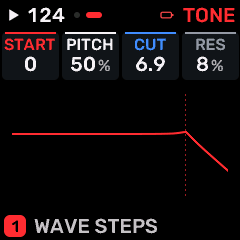
OPEN THIS SCREENOn HOME choose WSEQ, then EDIT. Use its section/page navigation to reach EDIT 2.
KNOB 1 - STARTPosition in a sample, wavetable, wave sequence or excitation, as indicated by the engine. Values: 0 to 127.
KNOB 2 - PITCHPitch or pitch modulation depth. In an envelope/LFO destination page this is an amount, not a tuning reference. Values: 0 to 100 %.
KNOB 3 - CUTLow-pass/filter cutoff: lower values remove more upper harmonics. Values: 30 to 16.0 kHz.
KNOB 4 - RESFilter resonance emphasizes frequencies around cutoff. High values may change level or approach self-oscillation. Values: 0 to 100 %.
BUTTONS AND NAVIGATIONHOME returns to the four-part display. SELECT navigates pages. The family button advances pages. PLAY starts/stops transport; REC arms the selected track. OCT- backs out and OCT+ confirms where an action or picker is offered. Native engine sections can be opened from the EDIT section map; PRESET navigates sections/pages rather than replacing the sound there.
KEEP YOUR CHANGESSave the containing four-part PROGRAM to retain the sound and mix. Save a PROJECT for pattern banks and arrangements; export a USB backup for safekeeping.
STEP BY STEP- Open this screen using the path above; check the selected part or row before turning a knob.
- Change one setting at a time. Play a note or pattern and compare the result; inactive routes or muted parts may make a control inaudible.
- Use HOME to leave, then save the appropriate program/project if you want a named version.
SynthMaven 4.1.4 | EDIT272
EDIT
VPS / EDIT 1
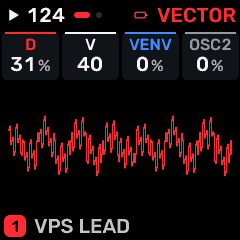
OPEN THIS SCREENOn HOME choose VPS, then EDIT. Use its section/page navigation to reach EDIT 1.
KNOB 1 - DVPS phase breakpoint; moves the point where the oscillator changes slope. Values: 0 to 100 %.
KNOB 2 - VVPS phase slope; changes harmonic content independently of oscillator pitch. Values: 0 to 127.
KNOB 3 - VENVEnvelope amount applied to the VPS phase slope. Values: -100 to +98 %.
KNOB 4 - OSC2Second oscillator setting/level. Use the engine description to distinguish oscillator type from mix. Values: 0 to 100 %.
BUTTONS AND NAVIGATIONHOME returns to the four-part display. SELECT navigates pages. The family button advances pages. PLAY starts/stops transport; REC arms the selected track. OCT- backs out and OCT+ confirms where an action or picker is offered. Native engine sections can be opened from the EDIT section map; PRESET navigates sections/pages rather than replacing the sound there.
KEEP YOUR CHANGESSave the containing four-part PROGRAM to retain the sound and mix. Save a PROJECT for pattern banks and arrangements; export a USB backup for safekeeping.
STEP BY STEP- Open this screen using the path above; check the selected part or row before turning a knob.
- Change one setting at a time. Play a note or pattern and compare the result; inactive routes or muted parts may make a control inaudible.
- Use HOME to leave, then save the appropriate program/project if you want a named version.
SynthMaven 4.1.4 | EDIT273
EDIT
VPS / EDIT 2
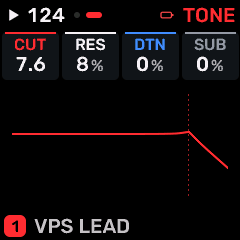
OPEN THIS SCREENOn HOME choose VPS, then EDIT. Use its section/page navigation to reach EDIT 2.
KNOB 1 - CUTLow-pass/filter cutoff: lower values remove more upper harmonics. Values: 30 to 16.0 kHz.
KNOB 2 - RESFilter resonance emphasizes frequencies around cutoff. High values may change level or approach self-oscillation. Values: 0 to 100 %.
KNOB 3 - DTNDetuning amount between oscillators/voices or FM operators, according to the selected engine. Values: 0 to 100 %.
KNOB 4 - SUBSub-oscillator level under the main oscillator. Values: 0 to 100 %.
BUTTONS AND NAVIGATIONHOME returns to the four-part display. SELECT navigates pages. The family button advances pages. PLAY starts/stops transport; REC arms the selected track. OCT- backs out and OCT+ confirms where an action or picker is offered. Native engine sections can be opened from the EDIT section map; PRESET navigates sections/pages rather than replacing the sound there.
KEEP YOUR CHANGESSave the containing four-part PROGRAM to retain the sound and mix. Save a PROJECT for pattern banks and arrangements; export a USB backup for safekeeping.
STEP BY STEP- Open this screen using the path above; check the selected part or row before turning a knob.
- Change one setting at a time. Play a note or pattern and compare the result; inactive routes or muted parts may make a control inaudible.
- Use HOME to leave, then save the appropriate program/project if you want a named version.
SynthMaven 4.1.4 | EDIT274
ARP
SynthMaven 4.1.4 Illustrated Guide
SynthMaven 4.1.4 | ARP275
ARP
ARP
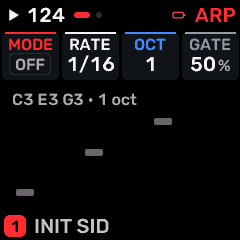
OPEN THIS SCREENOn HOME select the part, then press ARP. Use SELECT or repeated family-button taps to find ARP.
KNOB 1 - MODEOFF, ascending, descending, up/down, random, played order or repeat patterns from held notes. Values: OFF / UP / DN / UPDN / RND / ORD / REPEAT.
KNOB 2 - RATEArpeggiator note division relative to tempo. T values are triplets. Values: 1/4 / 1/8 / 1/16 / 1/32 / 8T / 16T / 1/2 / 1/1 / 2BAR / 4BAR.
KNOB 3 - OCTNumber of octaves traversed by the arpeggiator. Values: 1 to 4.
KNOB 4 - GATEDuration of each generated arp/sequence note as a fraction of its step. Values: 1 to 100 %.
BUTTONS AND NAVIGATIONHOME returns to the four-part display. SELECT navigates pages. The family button advances pages. PLAY starts/stops transport; REC arms the selected track. OCT- backs out and OCT+ confirms where an action or picker is offered.
KEEP YOUR CHANGESSave the containing four-part PROGRAM to retain the sound and mix. Save a PROJECT for pattern banks and arrangements; export a USB backup for safekeeping.
STEP BY STEP- Open this screen using the path above; check the selected part or row before turning a knob.
- Change one setting at a time. Play a note or pattern and compare the result; inactive routes or muted parts may make a control inaudible.
- Use HOME to leave, then save the appropriate program/project if you want a named version.
SynthMaven 4.1.4 | ARP276
ARP
ARP 2
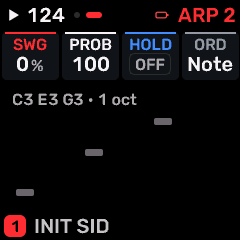
OPEN THIS SCREENOn HOME select the part, then press ARP. Use SELECT or repeated family-button taps to find ARP 2.
KNOB 1 - SWGOff-beat timing offset. Zero is straight; higher settings delay alternating subdivisions. Values: 0 to 100 %.
KNOB 2 - PROBProbability of playing a generated note. Lower settings deliberately omit some notes. Values: 0 to 100 %.
KNOB 3 - HOLDKeep the arpeggiated/held notes after key-up. Turn off to release the latched note set. Values: OFF / ON.
KNOB 4 - ORDOrder in which held notes enter the arpeggiator. Values: NOTE / PLAY.
BUTTONS AND NAVIGATIONHOME returns to the four-part display. SELECT navigates pages. The family button advances pages. PLAY starts/stops transport; REC arms the selected track. OCT- backs out and OCT+ confirms where an action or picker is offered.
KEEP YOUR CHANGESSave the containing four-part PROGRAM to retain the sound and mix. Save a PROJECT for pattern banks and arrangements; export a USB backup for safekeeping.
STEP BY STEP- Open this screen using the path above; check the selected part or row before turning a knob.
- Change one setting at a time. Play a note or pattern and compare the result; inactive routes or muted parts may make a control inaudible.
- Use HOME to leave, then save the appropriate program/project if you want a named version.
SynthMaven 4.1.4 | ARP277
SEQ
SynthMaven 4.1.4 Illustrated Guide
SynthMaven 4.1.4 | SEQ278
SEQ
NOTES
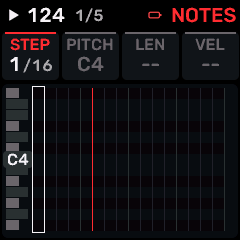
OPEN THIS SCREENOn HOME select the part, then press SEQ. Use SELECT or repeated family-button taps to find NOTES.
KNOB 1 - NOTEMove through steps and notes within a chord.
KNOB 2 - PITCHChange the selected note pitch. An empty step can acquire a note.
KNOB 3 - LENGTHChange note length; ties can extend across steps.
KNOB 4 - FORCEChoose note articulation/velocity strength.
BUTTONS AND NAVIGATIONHOME returns to the four-part display. SELECT navigates pages. The family button advances pages. PLAY starts/stops transport; REC arms the selected track. OCT- backs out and OCT+ confirms where an action or picker is offered.
KEEP YOUR CHANGESSave the containing four-part PROGRAM to retain the sound and mix. Save a PROJECT for pattern banks and arrangements; export a USB backup for safekeeping.
STEP BY STEP- Open this screen using the path above; check the selected part or row before turning a knob.
- Change one setting at a time. Play a note or pattern and compare the result; inactive routes or muted parts may make a control inaudible.
- Use HOME to leave, then save the appropriate program/project if you want a named version.
SynthMaven 4.1.4 | SEQ279
SEQ
PATTERN
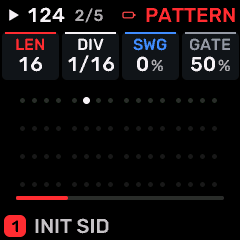
OPEN THIS SCREENOn HOME select the part, then press SEQ. Use SELECT or repeated family-button taps to find PATTERN.
KNOB 1 - LENLength of the current sequence or setlist. Shorter lengths wrap sooner; a setlist length of zero disables the list. Values: 1 to 64 STEP.
KNOB 2 - DIVPattern step division relative to tempo. Values: 1/4 / 1/8 / 1/16 / 1/32 / 8T / 16T / 1/2 / 1/1 / 2BAR / 4BAR.
KNOB 3 - SWGOff-beat timing offset. Zero is straight; higher settings delay alternating subdivisions. Values: 0 to 100 %.
KNOB 4 - GATEDuration of each generated arp/sequence note as a fraction of its step. Values: 1 to 100 %.
BUTTONS AND NAVIGATIONHOME returns to the four-part display. SELECT navigates pages. The family button advances pages. PLAY starts/stops transport; REC arms the selected track. OCT- backs out and OCT+ confirms where an action or picker is offered.
KEEP YOUR CHANGESSave the containing four-part PROGRAM to retain the sound and mix. Save a PROJECT for pattern banks and arrangements; export a USB backup for safekeeping.
STEP BY STEP- Open this screen using the path above; check the selected part or row before turning a knob.
- Change one setting at a time. Play a note or pattern and compare the result; inactive routes or muted parts may make a control inaudible.
- Use HOME to leave, then save the appropriate program/project if you want a named version.
SynthMaven 4.1.4 | SEQ280
SEQ
TEMPO
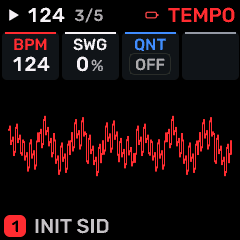
OPEN THIS SCREENOn HOME select the part, then press SEQ. Use SELECT or repeated family-button taps to find TEMPO.
KNOB 1 - BPMInternal tempo in beats per minute. Values: 40 to 240 BPM.
KNOB 2 - SWGOff-beat timing offset. Zero is straight; higher settings delay alternating subdivisions. Values: 0 to 100 %.
KNOB 3 - QNTRecording grid for the next take on all tracks. OFF preserves timing; divisions snap recording to the grid. Does not rewrite an existing take. Values: OFF / 1/4 / 1/8 / 1/16 / 1/32 / 8T / 16T / 1/2 / 1/1 / 2BAR / 4BAR.
KNOB 4No assigned parameter on this page.
BUTTONS AND NAVIGATIONHOME returns to the four-part display. SELECT navigates pages. The family button advances pages. PLAY starts/stops transport; REC arms the selected track. OCT- backs out and OCT+ confirms where an action or picker is offered.
KEEP YOUR CHANGESSave the containing four-part PROGRAM to retain the sound and mix. Save a PROJECT for pattern banks and arrangements; export a USB backup for safekeeping.
STEP BY STEP- Open this screen using the path above; check the selected part or row before turning a knob.
- Change one setting at a time. Play a note or pattern and compare the result; inactive routes or muted parts may make a control inaudible.
- Use HOME to leave, then save the appropriate program/project if you want a named version.
SynthMaven 4.1.4 | SEQ281
SEQ
PATTERNS
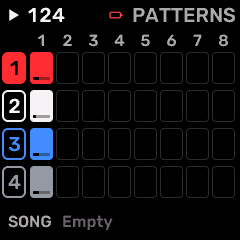
OPEN THIS SCREENOn HOME select the part, then press SEQ. Use SELECT or repeated family-button taps to find PATTERNS.
KNOB 1 - TRACK 1Choose the next pattern for track 1; changes may wait for a loop boundary during playback.
KNOB 2 - TRACK 2Choose the next pattern for track 2; changes may wait for a loop boundary during playback.
KNOB 3 - TRACK 3Choose the next pattern for track 3; changes may wait for a loop boundary during playback.
KNOB 4 - TRACK 4Choose the next pattern for track 4; changes may wait for a loop boundary during playback.
BUTTONS AND NAVIGATIONHOME returns to the four-part display. SELECT navigates pages. The family button advances pages. PLAY starts/stops transport; REC arms the selected track. OCT- backs out and OCT+ confirms where an action or picker is offered.
KEEP YOUR CHANGESSave the containing four-part PROGRAM to retain the sound and mix. Save a PROJECT for pattern banks and arrangements; export a USB backup for safekeeping.
STEP BY STEP- Open this screen using the path above; check the selected part or row before turning a knob.
- Change one setting at a time. Play a note or pattern and compare the result; inactive routes or muted parts may make a control inaudible.
- Use HOME to leave, then save the appropriate program/project if you want a named version.
SynthMaven 4.1.4 | SEQ282
SEQ
SONG
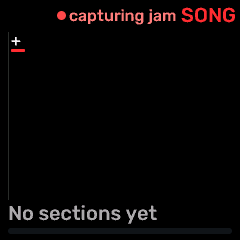
OPEN THIS SCREENOn HOME select the part, then press SEQ. Use SELECT or repeated family-button taps to find SONG.
KNOB 1 - SECTIONSelect an arrangement section.
KNOB 2 - TRACKChoose the track being arranged.
KNOB 3 - PATTERNSelect the pattern assigned to the focused track in this section.
KNOB 4 - REPEATSSet section repeats from 1 to 16.
BUTTONS AND NAVIGATIONHOME returns to the four-part display. SELECT navigates pages. The family button advances pages. PLAY starts/stops transport; REC arms the selected track. OCT- backs out and OCT+ confirms where an action or picker is offered.
KEEP YOUR CHANGESSave the containing four-part PROGRAM to retain the sound and mix. Save a PROJECT for pattern banks and arrangements; export a USB backup for safekeeping.
STEP BY STEP- Open this screen using the path above; check the selected part or row before turning a knob.
- Change one setting at a time. Play a note or pattern and compare the result; inactive routes or muted parts may make a control inaudible.
- Use HOME to leave, then save the appropriate program/project if you want a named version.
SynthMaven 4.1.4 | SEQ283
SEQ
MOTION
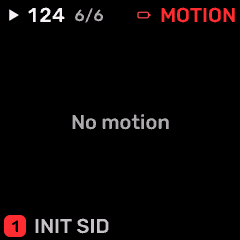
OPEN THIS SCREENOn HOME select the part, then press SEQ. Use SELECT or repeated family-button taps to find MOTION.
KNOB 1 - ENABLEEnable or disable motion automation.
KNOB 2 - LANESelect an existing automation lane.
KNOB 3 - STEPSelect the step within the lane.
KNOB 4 - VALUEEdit its value for the selected step.
BUTTONS AND NAVIGATIONHOME returns to the four-part display. SELECT navigates pages. The family button advances pages. PLAY starts/stops transport; REC arms the selected track. OCT- backs out and OCT+ confirms where an action or picker is offered.
KEEP YOUR CHANGESSave the containing four-part PROGRAM to retain the sound and mix. Save a PROJECT for pattern banks and arrangements; export a USB backup for safekeeping.
STEP BY STEP- Open this screen using the path above; check the selected part or row before turning a knob.
- Change one setting at a time. Play a note or pattern and compare the result; inactive routes or muted parts may make a control inaudible.
- Use HOME to leave, then save the appropriate program/project if you want a named version.
SynthMaven 4.1.4 | SEQ284
SEQ
DRUM / DRUM HIT
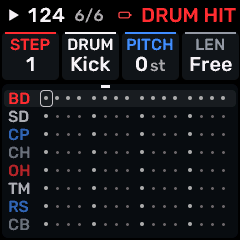
OPEN THIS SCREENOn HOME choose DRUM, then SEQ. Use its section/page navigation to reach DRUM HIT.
KNOB 1 - HITMove through individual recorded hits and steps.
KNOB 2 - SOUNDSelect the drum instrument for this event.
KNOB 3 - TUNETune only the selected hit by -24 to +24 semitones.
KNOB 4 - LENGTHSet the duration/gate of this hit; it does not change the whole kit.
BUTTONS AND NAVIGATIONHOME returns to the four-part display. SELECT navigates pages. The family button advances pages. PLAY starts/stops transport; REC arms the selected track. OCT- backs out and OCT+ confirms where an action or picker is offered. Native engine sections can be opened from the EDIT section map; PRESET navigates sections/pages rather than replacing the sound there.
KEEP YOUR CHANGESSave the containing four-part PROGRAM to retain the sound and mix. Save a PROJECT for pattern banks and arrangements; export a USB backup for safekeeping.
STEP BY STEP- Open this screen using the path above; check the selected part or row before turning a knob.
- Change one setting at a time. Play a note or pattern and compare the result; inactive routes or muted parts may make a control inaudible.
- Use HOME to leave, then save the appropriate program/project if you want a named version.
SynthMaven 4.1.4 | SEQ285
EDIT hold
SynthMaven 4.1.4 Illustrated Guide
SynthMaven 4.1.4 | EDIT hold286
EDIT HOLD
LAYER MIX
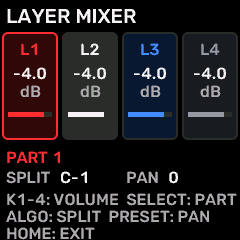
OPEN THIS SCREENHold EDIT for two seconds, then release. The mixer stays open until you leave it.
KNOB 1 - VOL1Volume of part 1. This is independent of which part SELECT currently focuses. Values: 0 to 100 %.
KNOB 2 - VOL2Volume of part 2. This is independent of which part SELECT currently focuses. Values: 0 to 100 %.
KNOB 3 - VOL3Volume of part 3. This is independent of which part SELECT currently focuses. Values: 0 to 100 %.
KNOB 4 - VOL4Volume of part 4. This is independent of which part SELECT currently focuses. Values: 0 to 100 %.
BUTTONS AND NAVIGATIONSELECT focuses part 1-4. PRESET pans the focused part. ALGORITHM sets its lower split point A1-A6. KNOBS 1-4 always control the four volumes. HOME exits; hold GLO for two seconds to toggle layering.
KEEP YOUR CHANGESSave the containing four-part PROGRAM to retain the sound and mix. Save a PROJECT for pattern banks and arrangements; export a USB backup for safekeeping.
STEP BY STEP- Open this screen using the path above; check the selected part or row before turning a knob.
- Change one setting at a time. Play a note or pattern and compare the result; inactive routes or muted parts may make a control inaudible.
- Use HOME to leave, then save the appropriate program/project if you want a named version.
SynthMaven 4.1.4 | EDIT hold287